




Search  for anything...

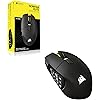
Corsair Scimitar Elite Wireless SE MMO MOBA PC Gaming Mouse – Black

  • Based on 680 reviews
Condition: New
Checking for the best price...
$117.50 Why this price?
Save $22.49 was $139.99

Buy Now, Pay Later


As low as $19.58 / mo
  • – 6-month term
  • – No impact on credit to apply
  • – Instant approval decision
  • – Secure and straightforward checkout

Ready to go? Add this product to your cart and select a plan during checkout.

Payment plans are offered through our trusted finance partners Klarna, Affirm, Afterpay, Zip, Apple Pay, and Google Pay. No-credit-needed leasing options through Acima may also be available at checkout.

Learn more about financing & leasing here.

Selected Option

Free shipping on this product

FREE 30-day refund/replacement

To qualify for a full refund, items must be returned in their original, unused condition. If an item is returned in a used, damaged, or materially different state, you may be granted a partial refund.

To initiate a return, please visit our Returns Center.

View our full returns policy here.


Availability: In Stock.
Fulfilled by Amazon

Arrives Tuesday, Oct 20
Order within 3 hours and 55 minutes
Available payment plans shown during checkout

Protection Plan Protect Your Purchase
Checking for protection plans...

Color: Black


Features

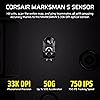
  • Phenomenally Precise 33k DPI MARKSMAN S: Hit headshots, scan the entire map, ping teammates all with amazing accuracy thanks to the MARKSMAN S 33k DPI optical sensor. With improved DPI detection, IPS tracking, and lower power consumption over the previous version, its definitely a worthy upgrade
  • 16 Programmable Buttons: All the powers in the world, right at your fingertips. Have a button ready for every power, consumable, action, and attack with 16 programmable buttons
  • Elgato Stream Deck Integration: Native Elgato Stream Deck integration allows you to directly map Stream Deck functions to the SCIMITAR ELITE WIRELESS SE from the Stream Deck App, so your most important functions are just a button away
  • Elgato Virtual Stream Deck Integration: This mouse can also utilize Elgatos Virtual Stream Deck integration to give your 16 buttons more functionality than ever. Map buttons to their own Virtual Stream Deck to build out profiles for productivity, gaming, streaming, and more
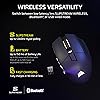
  • Fast, Low-Latency Wireless Freedom: Ditch the cords and the lag. SLIPSTREAM WIRELESS offers a low-latency connection on PC or Mac with 1,000Hz polling. Alternatively connect via Bluetooth or USB to charge while you play

Description

With 16 buttons, an adjustable 12-button Key Slider, the astonishingly accurate MARKSMAN S 33K sensor, and low-latency SLIPSTREAM WIRELESS, the CORSAIR SCIMITAR ELITE WIRELESS SE MMO Gaming Mouse is legendary MMO gaming gear. Embrace wireless freedom and enjoy up to 150 hours of gaming on a single charge. Control the situation during intense raids and boss fights with 16 customizable buttons and the patented adjustable Key Slider which puts 12 buttons in comfortable reach of your thumb. Also control your stream like never before with native Elgato Stream Deck integration giving you quick access to your most important functions. Up to 150 hours via 2.4 GHz with RGB off, up to 500 hours via Bluetooth® with RGB off. Technical Specifications: Wired Connectivity: USB 2.0 Type-A Wireless Connectivity: 2.4 GHz via USB 2.0 Type-A Wireless Receiver Bluetooth 4.2 +LE Battery Type: Built-in Lithium- Polymer, Rechargeable Battery Life: 2.4 GHz - Up to 150 hours, Bluetooth - Up to 150 hours via 2.4 GHz with RGB off, Up to 500 hours via Bluetooth® with RGB off. Sensor: CORSAIR MARKSMAN S Sensor Type: Optical DPI Resolution: 100~33,000, with 1 DPI with steps Max IPS: 750 Onboard Profile: 3 Backlight: 3-Zone RGB Buttons: 16 USB Polling Rate: 2.4Ghz Wireless - 125Hz, 250Hz, 500Hz, 1000Hz (Default), USB Wired - 125Hz, 250Hz, 500Hz, 1000Hz (Default) Colour: Gunmetal Mouse Feet: PTFE Cable Length: 1.8m / 6ft. Cable Material: Braided iCUE Software: Supported in CUE Dimensions: 119.23(L) x 73.48(W) x 42.17(H) mm / 4.69”(L) x 2.89”(W) x 1.66”(H) Weight (w/o cable and accessories): 114 g / 0.25 lbs

Brand: Corsair


Color: Black


Connectivity Technology: Bluetooth, Wi-Fi, Wireless


Special Feature: LED Lights, Programmable Buttons, Rechargeable, Wireless


Movement Detection Technology: Optical


Connectivity Technology: Bluetooth, Wi-Fi, Wireless


Additional Features: LED Lights, Programmable Buttons, Rechargeable, Wireless


Movement Detection: Optical


Button Quantity: 16


Hand Orientation: Right


Compatible Devices: Gaming Console, Personal Computer


Operating System: Windows, macOS


Battery Average Life: 150 hours


Number of Batteries: 1 AA batteries required. (included)


Hardware Platform: Mac, PC


Power Source: Battery Powered, Wired


Mouse Maximum Sensitivity: 33000 dots_per_inch


Minimum Required Operating System Version: Mac OS 14 Sonoma, Windows 11


Color: Black


Style Name: Wireless


Enclosure Material: Plastic With Metallic Accents


Brand: Corsair


Model Name: SCIMITAR ELITE WIRELESS SE


Antenna Location: Gaming


Model Number: CH-9314014-WW


Included Components: Allen Key, Braided USB Type-C Cable, CORSAIR SCIMITAR ELITE WIRELESS SE MMO Gaming Mouse, Safety Leaflet, Warranty Card, USB Type A Wireless Receiver


Manufacturer: Corsair


UPC: 840440492276


Mfr Part Number: CH-9314014-WW


Warranty Description: 2 Year Manufacturer


Item Weight: 0.11 kg


Item Dimensions L x W: 4.69"L x 2.89"W


Unit Count: 1 Count


Frequently asked questions

If you place your order now, the estimated arrival date for this product is: Tuesday, Oct 20

Yes, absolutely! You may return this product for a full refund within 30 days of receiving it.

To initiate a return, please visit our Returns Center.

View our full returns policy here.

  • Klarna Financing
  • Affirm Pay in 4
  • Affirm Financing
  • Afterpay Financing
  • Zip Pay in 4
  • Financing through Apple Pay
  • Financing through Google Pay
Leasing options through Acima may also be available during checkout.

Learn more about financing & leasing here.

Top Amazon Reviews


  • Crazy battery life. Feels great and durable.
Love this mouse! The battery life is unbelievably LONG. I game for hours, playing FPS's and such and the battery lasts me about 2 weeks or maybe a bit more. For real. As I write this review I've forgotten when the last time I charged it but it was definitely over a week ago and I played the new CS2 update with the homies for hours. I always forget to charge and when it dies during gameplay i charge while I play for about 30 mins (I cant stand wired mice) and its good to go until Im done gaming and I just it charge it to full overnight. After that's its back to me forgetting about charging for DAYS again. My previous mouse was the Razer Naga V3 Pro and I've had a few other Razer and Logitech models before that, all wireless. The Razer Naga would die CONSTANTLY after just a couple days. Not sure why, I even turned all the RGB off and it wouldnt last more than 2 - 3 days. It made me think that was the standard battery life for wireless mice. But that's definitely not the case with the Scimitar. If this is the standard battery life of wireless mice then wow, Razer has really tainted me and I'm glad I decided to move away from them. I love having as many hot keys on my mouse as possible since I always fat finger my keyboard presses. The side buttons on the Scimitar are great. They're large and you can really tell which button your thumb is resting on. On the Naga V3 Pro, the interchangeable side button plates were neat but of course the one that I used the most started not registering key presses after a couple of WEEKS. Not months :/. I would have to clean out the contacts with alcohol but it would stop working again after a few days. The worst thing was the contacts weren't dirty it would just stop making contact after a while, I guess. I also was not a fan of the more pointy buttons the Naga had. Compared to the Naga V3 Pro, the corsair side buttons have been way more durable and the button clicks are still very tangible after months of heavy use. The sliding adjustment of the side buttone is also great as I don't think I may have liked them in their original position, in the middle. I have them slid all the way forward and they feel good for me in that position. Thanks! Corsairs iCue program is nice amd easy to use. The Razer UI was a tad bit easier to assign/program keys but once you get a hang of iCue its fine. I haven't looked it up but I wish there was an easier way to assign programs to each profile like Razer, where they list all the games you have and you just pick from a list. Right now you have to find the directory with the .exe file and that's sometimes a pain (CS2). So I usually just manually pick the profile i need for each game. The mouse could have a bit better grip around the sides but I remedied that but cutting out custom grip tape and sticking them where I needed. But I've had to this for most my mice and even controllers anyways. Its just this mouse does have a lot of very smooth plastic parts where its hard to grip. Overall this is a great, quality wireless mouse. By far the best mouse ive used yet. Battery life alone is immaculate and the durability amd build quality is amazing. Havent had one issue with this mouse so far. HIGHLY recommended. ... show more
Reviewed in the United States on September 23, 2026 by Kam1Kiwi

  • All time favorite gaming mouse
I literally can’t give this mouse enough stars. I use an Asus ROG ally x as my only PC. Spends most of its time docked and does everything from send emails to play fallout 4. Having the ability to hotkey shortcuts or other actions is game changing for me. Literally. My main reason for buying this mouse was to use for fallout4 and Skyrim. It works exceptionally well for hotbar items. The sensitivity levels are great. The mouse is on the heavy side of the spectrum but I the mouse is so well designed and so comfortable to hold that it didn’t create any hot spots or cause my hand to get fatigued during my extended gaming sessions. I would definitely recommend this mouse for people with large hands. I’m 6’2” and can palm a basketball, but this mouse just fits. The RGB is the only thing I’m disappointed about. There is barely any. Just enough to light up the number pad and corsair logo. All in all, I highly recommend this mouse to anybody who wants more versatility with their controls and a completely customizable gamingbexpierence. ... show more
Reviewed in the United States on April 15, 2026 by Spencer kohl

  • PASS ON THIS
Garbage. iCue software is so bad that having to rebind keys is a headache. What happened to buying equipment that works out of the box? Default profile unbinds 1-12 if you change DPI keybind // had to create a new profile to rebind DPI key and keybind 1-12 myself. The actual mouse itself is nice, but i cannot recommend due to the software. ... show more
Reviewed in the United States on April 18, 2026 by scott m

  • Powerful MMO Mouse With Great Features
The Corsair Scimitar Elite Wireless SE has been a fantastic addition to my setup. The 16 programmable buttons and adjustable key slider make it incredibly flexible for MMO gaming, and the 33,000 DPI sensor is smooth, accurate, and responsive. Wireless performance has been excellent, and the battery life is genuinely impressive — it easily lasts through long sessions without needing a charge. I haven’t used the Elgato virtual stream deck features yet, but it’s nice knowing they’re available if I ever want to dive deeper into macros or streaming tools. Even without that, the mouse already offers more customization than most people will ever need. Ergonomically, it felt a bit odd at first, especially coming from smaller mice, but after a short adjustment period it became comfortable and natural to use. The build quality is top‑notch, and the gunmetal finish looks great on the desk. The only hiccup I’ve had is that I haven’t been able to get it to pair with my Corsair Slipstream dongle, which should allow me to run my mouse, keyboard, and headset off a single receiver. It’s not a deal‑breaker since the mouse works perfectly over its own wireless connection, but it’s worth mentioning. Overall, this is a feature‑packed, high‑performance MMO mouse with excellent wireless reliability. Despite the Slipstream pairing issue, it’s still an easy 5‑star product for me. ... show more
Reviewed in the United States on February 11, 2026 by Joshua

  • Would recommend
Great product. Makes playing MMOs much easier. Favorite feature was the ability to move the num pad back and forth.
Reviewed in the United States on September 17, 2026 by Atilio

  • Mix Feelings
Pros: - Lots of options via the desktop app. - You can assign a different profile/configuration when you execute/run/open whatever program you're going to run. No need to push a bottom it will do it automatically. (I found this extremely helpful since I play different PC games and every assigned bottom will work differently for that specific game. Same when I open Adobe Photoshop or Premier - Excellent Battery Life and Wireless capability also you can plug and go wireless on the fly. (Does not lag while changing) Cons: - Must use desktop app for mouse to work properly with its side bottoms. How programable are the bottoms. You assign the bottoms to keys on your keyboard or multi keys at once. (Example: in Crimson Desert. To use Blinding Light, you press and hold the F+CTLR a short delay and repress CTLR to do reflection, with this mouse you can do it with just one click do Blinding light in one key and do Reflection on another. Incredible to do combos. You will never miss a combo. - Since this is not your typical mouse it doesn't have the two additional mouse bottoms so if it is not running the app no side bottoms will work to mimic the two bottoms. (No app = just left and right click) Must use app. Also, even with the desktop app it doesn't have the two additional bottoms since it has the programable keys. (Not having the extra two mouse bottom like a traditional mouse will get some getting used to (believe me). In order to take full advantage, you need the desktop app running in the background. - The side bottoms they feel a bit to close and if your gaming try not to have any critical actions next to each other that could cancel one another. You will press the wrong key. I don't fat finger much and it has happened multiple time with me. Loosing boss fight in Crimson Desert due to an accidental bottom press multiple time. - The mouse will feel awkward in the way your hand is laying and gripping it and it will feel like you not holding or resting your hand. It feels more like your placing your hand on top of an egg in the way you would not want to over grip to not crack the egg, This happens because automatic reaction to the side bottoms and the way they feel is as if your thumb doesn't have any place to rest and frankly the thumb is a finger I use a lot for up, down and right side mouse movement . Since it side bottoms are there your incline not to use your thumb to put much pressure that will cause an accidental press. - I have mix feeling about this mouse. Part of me loves it but another part finds. The amount of time you have to invest in getting use the feel of the mouse and master it is a bit much for my taste. My recommendation is yes, a great mouse to have. However, have your favorite traditional bottoms mouse ready when you just about had it and need a break. ... show more
Reviewed in the United States on April 29, 2026 by Cofresi

  • Lo vale
Bastante ligero y con una respuesta increíble, no tiene retraso para nada, sin duda alguna diría que una de sus más grandes cualidades es la duración de la batería, puedo durar horas usándolo con el rgb por una semana y no le baja la batería para nada, lo conecto cuando me acuerdo, la calidad y la suavides se sienten de otro nivel. ... show more
Reviewed in the United States on September 13, 2026 by Jhonatan León

  • Breaks if you use Corsair's malware ICUE app
An okay mouse marred but utterly garbage Corsair ICUE software. Out of the box it works fine, but has terrible RGB lighting. Of course, the RGB lighting cannot be turned off without Corsair's malware, ICUE. ICUE doesn't even actually recognize the mouse, so you have to try and pair it with the slipstream dongle even though the mouse is already working. This permantly breaks the 2.4Ghz connection with the mouse and there isn't any way to restore it, even with a factory reset of the mouse. I guess at least it still works when hooked up via USB, and I can uninstall Corsair's malware after turning the LED brightness to zero (there isn't even any off option in the malware). ... show more
Reviewed in the United States on June 29, 2026 by Rhett Olson

Can't find a product?

Find it on Amazon first, then paste the link below.
Checking for best price...

