


Search  for anything...

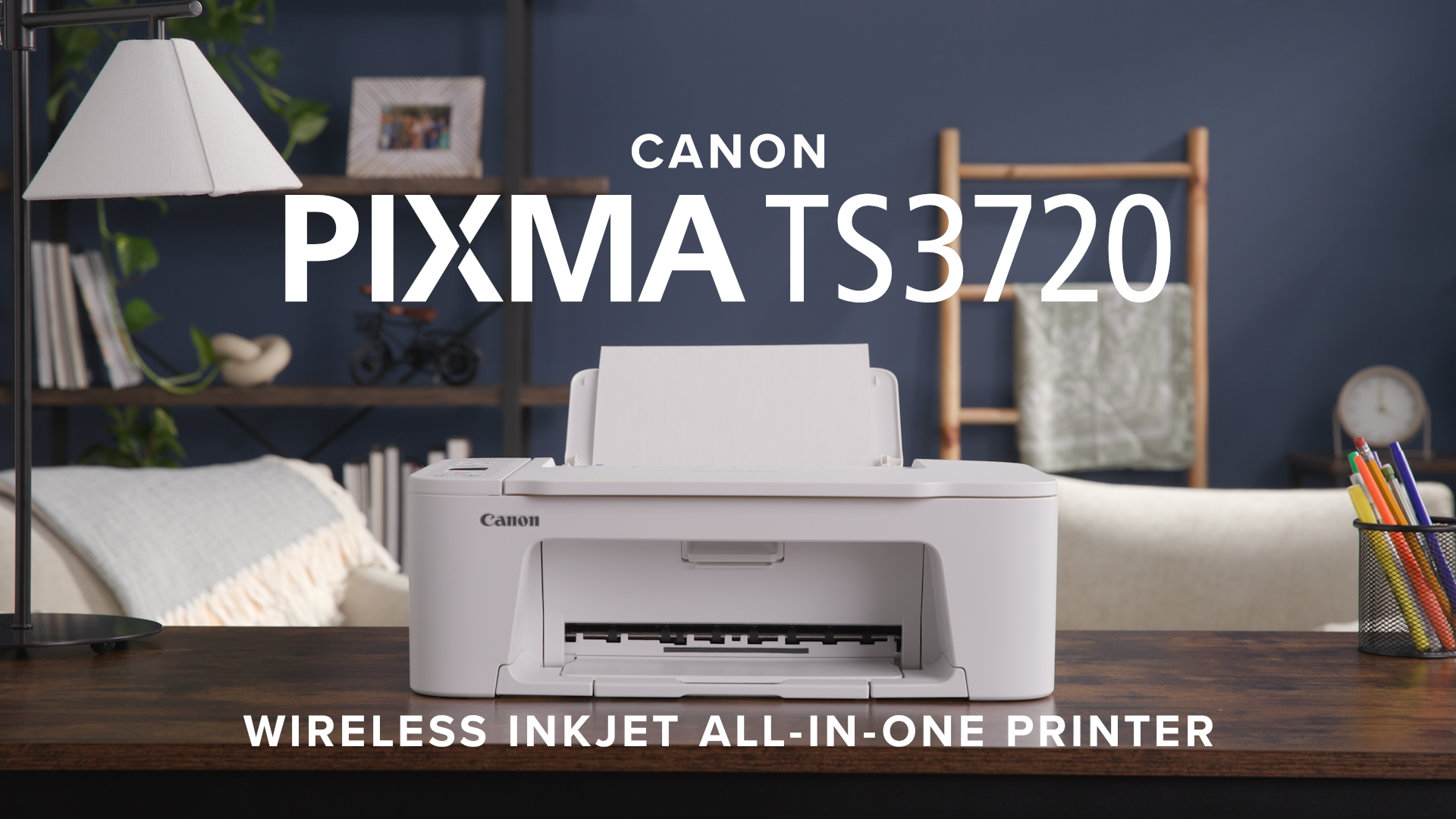
Canon PIXMA TS3720 Wireless All-in-One Printer for Basic Home Printing, White

  • Based on 1,910 reviews
Condition: New
Checking for the best price...
$51.51 Why this price?
New Year Deal · 41% off was $86.99

Buy Now, Pay Later


As low as $8.59 / mo
  • – 6-month term
  • – No impact on credit
  • – Instant approval decision
  • – Secure and straightforward checkout

Ready to go? Add this product to your cart and select a plan during checkout.

Payment plans are offered through our trusted finance partners Klarna, Affirm, Afterpay, Apple Pay, and PayTomorrow. No-credit-needed leasing options through Acima may also be available at checkout.

Learn more about financing & leasing here.

Selected Option

Free shipping on this product

FREE 30-day refund/replacement

To qualify for a full refund, items must be returned in their original, unused condition. If an item is returned in a used, damaged, or materially different state, you may be granted a partial refund.

To initiate a return, please visit our Returns Center.

View our full returns policy here.


Availability: In Stock.
Fulfilled by Amazon

Arrives Feb 4 – Feb 8
Order within 21 hours and 35 minutes
Available payment plans shown during checkout

Protection Plan Protect Your Purchase
Checking for protection plans...

Style: Basic Home Printer


Features

  • ALL-IN-ONE: Print, Copy, Scan features for full control at your fingertips. Single-sided printing only.
  • FAST PRINT SPEEDS: Print approximately 7.7 (black) / 4 (color) images per minute.
  • EASY SETUP: Get running in just a few minutes thanks to a streamlined and easy setup process out of the box.
  • EASY TO INSTALL INK: Print full color with only 2 (no mess) easy-to-replace ink cartridges.
  • 1.5 LCD SCREEN: Get the job done with an intuitive and easy to use 1.5 segment LCD screen.
  • STABLE, RELIABILE CONNECTION: Stable and reliable connection with Dual Band Wi-Fi (2.4GHz or 5GHz).
  • EASY WIRELESS CONNECT: Easy Wi-Fi setup in minutes. Connect to Wi-Fi without the need for a computer.
  • MOBILE DEVICE PRINTING: Print from your compatible mobile devices using the free Canon PRINT app, Apple AirPrint, and Mopria Print Service. The TS3720 also works with Chromebook, so you can print schoolwork and other documents hassle-free.
  • VERSATILE MEDIA SUPPORT: Print envelopes, photos, high resolution paper, banners, and more! Print 5 x 5 square photos and borderless photos up to 5 x 7. Be creative with POSTERARTIST Online, a free web-based poster creation software you can use to create banners, signage and more!
  • 1-YEAR WARRANTY: Have peace of mind with a 1-year warranty.

Description

Designed for home use, the Canon PIXMA TS3720 All-in-One inkjet printer delivers high-quality printing and outstanding wireless connectivity in a compact size. The PIXMA TS3720 is easy to set up and maintain and offers great media versatility to print on a variety of media types and sizes, including photo paper, envelopes, borderless photos, banners and more. Use PosterArtist Online to create professional-posters, banners and signage. Print both documents and photos on a variety of paper types using a hybrid ink system with pigment black for sharp black text and dye-based colors for vivid photos up to 8.5” x 14”. Produce crisp, colorful documents and photos quickly and cost-effectively with fast print speeds and high-quality 2 cartridge FINE Hybrid ink system. Keep printing with a plain paper capacity of up to 60 sheets in the rear paper tray. Easily connect and print through high-speed USB or wirelessly from computers or mobile devices, and easily print from your compatible mobile devices using the free Canon PRINT app and more. This comes with a 1-year limited warranty and is backed by Canon's Service and Support network.

Brand: Canon


Connectivity Technology: USB, Wi-Fi


Printing Technology: Inkjet


Special Feature: Borderless Printing


Color: White


Model Name: PIXMA TS3720


Printer Output: Color


Maximum Print Speed (Color): 4 ppm


Max Printspeed Monochrome: 7.7 ppm


Product Dimensions: 17.2"D x 12.9"W x 5.8"H


Controller Type: iOS


Maximum Media Size: 8.5 x 14 inch


Included Components: Inkjet Cartridges, Paper


Print media: Envelopes, Glossy photo paper, High-resolution paper, Paper (plain)


Scanner Type: Flatbed


Max Input Sheet Capacity: 60


Max Copy Speed (Black & White): 7.7 ppm


Compatible Devices: PC, Smartphones


Maximum Color Print Resolution: 4800 x 1200 dpi


Sheet Size: 4” x 6”, 5” x 5” (Square), 5” x 7”, Letter (8.5” x 11”), Legal (8.5” x 14”)


Maximum Black and White Print Resolution: 4800 x 1200 dpi


Warranty Type: Limited


Color Depth: 24 bpp


Dual-sided printing: No


EU Spare Part Availability Duration: 1 Years


Max copy resolution color: 4800 x 1200 dpi


Max copy resolution black-white: 4800 dpi


Duplex: Manual


Hardware Interface: USB


Ink Color: black, color


Additional Printer functions: All In One


Control Method: App


Number of Trays: 1


Total USB Ports: 1


Model Series: TS


UPC: 013803377620


Printer Ink Type: Liquid Ink Cartridges


Product Dimensions: 17.2 x 12.9 x 5.8 inches


Item Weight: 10.88 pounds


Item model number: 6671C022


Date First Available: May 1, 2024


Manufacturer: Canon USA


Frequently asked questions

If you place your order now, the estimated arrival date for this product is: Feb 4 – Feb 8

Yes, absolutely! You may return this product for a full refund within 30 days of receiving it.

To initiate a return, please visit our Returns Center.

View our full returns policy here.

  • Klarna Financing
  • Affirm Pay in 4
  • Affirm Financing
  • Afterpay Financing
  • PayTomorrow Financing
  • Financing through Apple Pay
Leasing options through Acima may also be available during checkout.

Learn more about financing & leasing here.

Top Amazon Reviews


  • Easy Setup - Works Great
UPDATE This was a great purchase! Printers always come with very little ink so I'm amazed that after 2 months of light use I haven't run out yet. Would recommend! Because I've returned 2 printers this year because of setup glitches, I was fully prepared to return this if there was even a slight indication that setup was going to be a hassle. Everything was simple and Wifi linked right up and I was printing in 15 minutes. I don't need any yet but I like that the ink cartridges are reasonably priced. I was very pleasantly surprised since this is a budget printer but it's great. ... show more
Reviewed in the United States on November 24, 2025 by Doogie

  • Fantastic printer for the price!
Excellent printer for the price. Performs prints very well and also photocopies. It comes with 2 inks already which is great. While this printer is fantastic for home use it does take a bit to print it’s not necessarily fast but it’s average speed that’s designed for home use. Overall excellent quality and performance for a mid range printer. In my opinion I like it more than HP! I highly recommend buying it! ... show more
Reviewed in the United States on January 1, 2026 by LEELA PERSAUD

  • Good first impression.
I ordered this printer as a replacement for an older Canon PIXMA MG 6821, which I was using mainly as a scanner and rare occasional color printing. This is also my intended use for this TS3720. The printer was delivered yesterday well packaged. It is fairly light in weight and decent nice esthetics. It came with a power cord, 2 starter printer cartridges (Black PG-275 and color CL-276), and few pieces of paper documentation, namely useless legal stuff. No printed guide or manual and no USB cable (No biggie). Canon lists a sampler of 3 photo papers included in the box, which was missing and not there (Again, no biggie). Initial basic set up overall was fairly easy and straightforward. There is a brochure with a website to go to. Just follow the instructions which include getting the 'Canon PRINT' app to install the needed drivers. Initial testing for the print and scan functions worked. I have not tested the copy feature. I used a direct USB cable connection to my desktop PC. The little LCD display is a nice feature to have. The print speed is good enough and the print quality is very good for both black and white letter/document, as well as color photo (4x6 photo paper). I have not tested the mobile/Android connection. It takes some searching to find what you need for instructions (e.g. placing the photo paper print side forward and long side up). The wireless connection was a bit of a challenge, but the online instructions helped. I recommend you press the info "i" button to print (3 pages) for network set up. It will have the SSID, MAC address and the printer password which you will need. I created a Canon account and may possibly look into the PIXMA print plan (cheapest for occasional use is currently at $3.99/month, and Canon currently has a 4-month free offer). For $50, it is a good value for this printer and would recommend and purchase again. If your main go-to printer for daily frequent use is a color inkjet multifunction all in one, then spend more and get a better one. Otherwise, for occasional home use, it serves the bill, and time will tell as to durability. The main reasons for dinging one star are some shortcomings: The lack of more adequate instructions (A printed basic user guide would have been nice), better resources on Canon's website in terms of downloads and support (I would have preferred the option of downloadable drivers, instead of an app from the Microsoft store), true advertising (If you say photo paper is included in the box, then by golly include it). Thank you. ... show more
Reviewed in the United States on December 12, 2024 by Chouch

  • Cannon Printer
Works Fine. Doesn't always feed paper well.
Reviewed in the United States on January 3, 2026 by Bill Stokes

  • Quick setup
So far so great! It was very easy to set up. I printed in five minutes of setting it up. Ink Is easy to install. Fast print and quality is good! I purchased for basic printing. Great price!
Reviewed in the United States on January 7, 2026 by Jennifer Foster

  • Poor directions
Fair for the price but 3 problems. 1. You download the QR for directions but they are insufficient. 2. FYI: to replace ink cartridge pull down the plastic levers. You feel like you’re going to break them but they don’t break. 3. Connecting printer to the internet is quite difficult. I haven’t figure out yet to have 2 different phones connected to this printer and you need a phone to operate. ... show more
Reviewed in the United States on October 31, 2025 by Kindle CustomerS Brunner

  • This is great for non-experts. The apps are easy to use and the print quality is excellent.
I’m no expert and I haven’t had a printer for over 5 years. This is the first wireless printer I’ve ever used. With help from some YT videos I had it set up and printing in less than an hour. After that, I figured out how to make copies without looking at any instructions. I recommend this one to anyone looking for an affordable, easy to use wireless printer. It works well with my iPad Pro 3rd gen. ... show more
Reviewed in the United States on December 14, 2025 by Phil

  • Pretty good for the price...
It's decent for the price...easy setup...gets the job done...a bit slow, but tolerable...
Reviewed in the United States on January 5, 2026 by TerriE

Can't find a product?

Find it on Amazon first, then paste the link below.
Checking for best price...