Search  for anything...

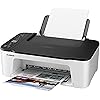
Canon PIXMA TS Series Wireless All-in-One Color Inkjet Printer, White - Print, Scan, Copy - 4800 x 1200 dpi, Borderless Printing

  • Based on 721 reviews
Condition: Used - Like New
Checking for the best price...
$159.00 Why this price?
Save $140.89 was $299.89

Buy Now, Pay Later


As low as $26.50 / mo
  • – 6-month term
  • – No impact on credit
  • – Instant approval decision
  • – Secure and straightforward checkout

Ready to go? Add this product to your cart and select a plan during checkout.

Payment plans are offered through our trusted finance partners Klarna, Affirm, Afterpay, Apple Pay, and PayTomorrow. No-credit-needed leasing options through Acima may also be available at checkout.

Learn more about financing & leasing here.

Free shipping on this product

This item is eligible for return within 30 days of receipt

To qualify for a full refund, items must be returned in their original, unused condition. If an item is returned in a used, damaged, or materially different state, you may be granted a partial refund.

To initiate a return, please visit our Returns Center.

View our full returns policy here.


Availability: Only 1 left in stock, order soon!
Fulfilled by Harmony Tech( SN Recorded)

Arrives Mar 17 – Mar 18
Order within 18 hours and 15 minutes
Available payment plans shown during checkout

Protection Plan Protect Your Purchase
Checking for protection plans...

Features

  • What's in the Box: PIXMA TS Series Wireless All-In-One Printer; 4" x 6" Photo Paper Sample Pack (3 Sheets PP-301); Manual, and Other Documentation; Set of Starter (PG-275/CL-276) Ink Cartridges; Power Cord.
  • 1.5" segment LCD screen and straightforward buttons: Use the intuitive screen for printing, copying, and scanning directly from the printer.
  • 4800 x 1200 dpi print resolution for rich and bright photos up to 8.5 x 14". Print Speed up to 7.7 ipm in black and up to 4 ipm in color.
  • Number of Nozzles - Color: 960 / Pigment Black: 320/ Total: 1,280. Standard paper handling Features a 60-sheet input capacity.

Description

PIXMA TS Series Wireless All-in-One Printer Welcome to simple and intuitive printing with the PIXMA TS Series Wireless All-in-One Printer. Easy to setup and easy to use with a simple to replace 2-Cartridge FINE Hybrid Ink System, improved Wi-Fi setup through Wireless Connect, a Rear Paper Tray for quick reloading of plain or photo paper, plus a flatbed scanner — the PIXMA TS Series is more than your basic printer. You can also easily print from your mobile devices using the Canon PRINT app, AirPrint, Mopria Print Service6, or from computers with built-in Wi-Fi.

Brand: Canon


Connectivity Technology: USB, Wi-Fi


Printing Technology: Inkjet


Special Feature: Borderless Printing, Display Screen, Network-Ready


Color: White


Model Name: PIXMA


Printer Output: Color


Maximum Print Speed (Color): 4 ppm


Product Dimensions: 12"D x 20"W x 3"H


Maximum Media Size: 8.5 x 14 inch


Included Components: 1


Print media: Glossy photo paper


Scanner Type: Flatbed


Max Input Sheet Capacity: 60


Compatible Devices: Laptops, PC, Smartphones


Maximum Color Print Resolution: 4800 x 1200 dpi


Sheet Size: 8.5 x 11


Maximum Black and White Print Resolution: 4800 x 1200 dpi


Warranty Type: Limited Warranty


Color Depth: 16 bits


Dual-sided printing: No


Maximum copies per run: 20


Max copy resolution color: 4800 x 1200 dpi


Max copy resolution black-white: 4800 x 1200 dpi


Duplex: Automatic


Hardware Interface: USB


Ink Color: Black, Color


Additional Printer functions: All In One


Control Method: Voice


Number of Trays: 1


Processor Count: 1


Number of USB 2 Ports: 1


Total USB Ports: 1


Model Series: TS Series


UPC: 808222511218


Printer Ink Type: dye-based ink, pigment-based ink


Smart Home Compatibility: Smart Home Compatible


Product Dimensions: 12 x 20 x 3 inches


Item Weight: 11.73 pounds


Item model number: TS


Date First Available: June 10, 2021


Manufacturer: Canon


Frequently asked questions

If you place your order now, the estimated arrival date for this product is: Mar 17 – Mar 18

Yes, absolutely! You may return this product for a full refund within 30 days of receiving it.

To initiate a return, please visit our Returns Center.

View our full returns policy here.

  • Klarna Financing
  • Affirm Pay in 4
  • Affirm Financing
  • Afterpay Financing
  • PayTomorrow Financing
  • Financing through Apple Pay
Leasing options through Acima may also be available during checkout.

Learn more about financing & leasing here.

Top Amazon Reviews


  • Works a little slowly and very clear printing.
Easy to install.
Reviewed in the United States on May 28, 2025 by Paulette Lipkind

  • Great printer/scanner but get a USB cable for scanner
As the title suggests, I wasn’t able to get the scanner working on wifi (my 2020 MacBook Pro recognized the printer on wifi just not the scanner). Did a lot of research on Canon forums and tried a few things but it didn’t work. However, once I got a Mac compatible USB cable it worked fine. I am happy with my purchase overall. Not being able to use it over wifi isn’t a deal-breaker for me. Some solutions posted on the forums seemed to have worked for some people for what it’s worth. As far as the printer goes, it’s great quality and prints at a decent speed too. The scans come out well too. Lots of resolution options. Great device all in all. Good value for money. ... show more
Reviewed in the United States on June 30, 2021 by JerseyGuy

  • Fine, I guess
Due to space constraints, I needed a wireless printer. My Brother decided it would no longer work wirelessly, so I had to replace it. This one is fine for basic printing. It's reliable and fairly quick. The print quality is fine in black and white, but I can't speak to the quality of its color printing. The scanning function is easy to use and high quality. I've only used it with my PC and haven't tried it with my mobile devices. Two drawbacks: 1) It turns off (or sleeps?) when it's done printing and has to physically be turned back on before it prints again. This is annoying, since I have to go to another room. 2) It gobbles ink at an insane rate. I do occasional printing for basic household stuff, and I've had to replace cartridges twice in four months. 3) The manual double-sided printing is annoying. If you print a lot, definitely don't buy it, but if you need a printer for occasional household use, why not buy it? It won't change your life, but it'll do the job. ... show more
Reviewed in the United States on September 25, 2022 by Avery T

  • Not worth it- get an HP
Keep in mind when buying canon printers, their warranty is only for a year because that's how long their products are built to last. I got this printer in Sept of 2022 and in less than a year it wasn't functioning anymore but still under warranty so they sent me another. During that year I had AWFUL wifi connectivity issues as well. I would spend almost an entire work day on the phone trying to get the printer connected to internet. This happened once every couple months. When I received the second Canon printer, that one also only lasted a year and had wifi connectivity issues as well. My internet provider informed me that plugging the printer straight into the internet with an ethernet cable is the only solution. Except this printer has no ethernet port, so thats not an option. When I called Canon customer service they informed me that the second printer was old and reached its max life and they offered me a discount on an a new one. Mind you, the lowest "discounted" price was the same price as an HP printer. I politely declined their offer, canceled my subscription, and ordered an HP printer. With the HP printer, set up was done in minutes, unlike my Canon printer, I have had no internet connection issues, and it printers faster and same quality on paper. I haven't tried printing photo yet to compare the 2 printers, but for print quality, I can tell you I wasn't impressed with Canons picture printing qualities they boast about. Will I ever purchase a Canon printer again? Definitely not. And this was by far the worst printer I have ever wasted my money on. I see now this printer around $40. At the time of purchase, I paid $100. In my opinion, this printer isn't worth $1. I bought my new HP printer for $40 on sale, came with 6 months of ink valued at up to $170 depending on how much I print (usually around 100-300 pages a month), so to me that's basically a free printer, and I also have a 2 year warranty with my HP printer. I hope this review saves at least 1 person from going through the 2 years of headaches I had from Canon. ... show more
Reviewed in the United States on November 30, 2024 by Jenn

  • Its true about the ink but what a damn good home printer!
Yes, who ever thought changing ink was going to be like a oil change on a car? After you get the "feel" for the locking in and taking out its just okay. But its a Great Printer. I use the canon print app and its so SMOOTH! I'm 70 and I love it...i would not recommend this for a person with hand or finger issues ( arthritis, ect. ) the ink issue would be too much. How long can they sit on the shelf? I was going to get a 2nd one, the price is great, and put it up. I go through printers every 3-4 yrs. Thanks, love it! ... show more
Reviewed in the United States on March 23, 2022 by Sue Ellen

  • Good printer
Easy to use,uses ink fast
Reviewed in the United States on June 6, 2025 by Joseph Regan

  • Luke says it’s picture and
Printer works very nice is easy to load the ink easy to load the paper and he has remarkable printing quality
Reviewed in the United States on October 24, 2024 by Barbara Rito-Bodkin

  • Hot to setup
Forget all the menus or instructions shipped with your printer (they can only make you more confused), just need to do one simple but very important thing - to connect your printer with your WIFI network. To do this you need: 1. Startup your printer 2. Press the button which displaying phone and WIFI icons (called Wireless select button on the menu) 3. When you see the WIFI icon displaying on the small LED screen (on the top of OK and Paper buttons), don't do anything with the printer, and go to your ROUTER and press the WPS button for 2 min 4. When you see WIFI icon and WIFI signaler icons lit on the LED screen of the printer, the connection has been completed 5. Go to your computer and/or your phone NOW and you should be able to find the printer named Cannon TS3500 Series - AirPrint 6. All done. ... show more
Reviewed in the United States on July 3, 2022 by chen chen

Can't find a product?

Find it on Amazon first, then paste the link below.
Checking for best price...