Search  for anything...

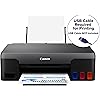
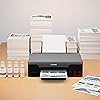
Canon PIXMA G1220 Single Function MegaTank Inkjet Printer, Print Only, Black, (4469C002)

  • Based on 363 reviews
Condition: New
Checking for the best price...
$229.00 Why this price?
New Year Deal · 76% off was $949.95

Buy Now, Pay Later


As low as $38.17 / mo
  • – 6-month term
  • – No impact on credit
  • – Instant approval decision
  • – Secure and straightforward checkout

Ready to go? Add this product to your cart and select a plan during checkout.

Payment plans are offered through our trusted finance partners Klarna, Affirm, Afterpay, Apple Pay, and PayTomorrow. No-credit-needed leasing options through Acima may also be available at checkout.

Learn more about financing & leasing here.

Free shipping on this product

Returnable until Jan 31, 2026

To qualify for a full refund, items must be returned in their original, unused condition. If an item is returned in a used, damaged, or materially different state, you may be granted a partial refund.

To initiate a return, please visit our Returns Center.

View our full returns policy here.


Availability: In Stock.
Fulfilled by Unique Photo, Inc.

Arrives Jan 31 – Feb 5
Order within 9 hours and 35 minutes
Available payment plans shown during checkout

Protection Plan Protect Your Purchase
Checking for protection plans...

Features

  • Enjoy an ink savings of $1,175 and experience high yields of up to 6,000 black/7,700 printed pages with a single set of colorbottles. Plus, your printer comes with 2 bonus black ink bottles.
  • Print both documents and photos on a variety of paper types using a hybrid ink system with pigment black for sharp black textand dye-based colors for vivid borderless2 photos up to 8.5 x 11. With fast print speeds this printer can handle large volumeprinting with ease.
  • FOR NUMBERS LISTED IN PRODUCT DESCRIPTION SEE SPECIFICATION SHEET IN TECHNICAL SPECIFICATION SECTION BELOW
  • Form factor: Print Only
  • No wireless connectivity

Description

The Canon PIXMA G1220 MegaTank Inkjet Printer makes it simple to save on printing. Fitted with refillable ink tanks and enough ink to do the work of 30 conventional ink cartridge sets1 — that means you can print to up to 6,000 black / 7,700 color pages1 with one set of ink bottles. The PIXMA G1220 printer easily delivers on a variety of media types with its versatile hybrid inks that produce crisp blacks and rich colors for both documents and borderless2 photos. High volume, low cost printing— get more for less with the Canon PIXMA G1220 MegaTank inkjet printer.

Brand: Canon


Connectivity Technology: USB


Printing Technology: Inkjet


Special Feature: wireless


Color: Black


Model Name: PIXMA G1220 MegaTank Inkjet Printer


Printer Output: Color


Maximum Print Speed (Color): 5 ppm


Max Printspeed Monochrome: 9.1


Item Weight: 10.6 Pounds


Product Dimensions: 13"D x 17.6"W x 5.4"H


Maximum Media Size: 8.5 x 14 inch


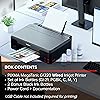
Included Components: PIXMA MegaTank G1220 Inkjet Printer; Set of Ink Bottles (PGBK, C, M, Y); 2 Bonus Black Ink Bottles; Documentation; Power Cord


Print media: Glossy photo paper


Scanner Type: Photo


Max Input Sheet Capacity: 100


Compatible Devices: Devices with USB connectivity


Maximum Color Print Resolution: 4800 x 1200 dpi


Sheet Size: 4” x 6”, Letter (8.5” x 11”), Legal (8.5” x 14”),Custom size (width 2.1–8.5 in, length 3.5–47.2 in)


Maximum Black and White Print Resolution: 600 dpi


Dual-sided printing: Yes


Max copy resolution color: 4800 x 1200 dpi


Max copy resolution black-white: 600 dpi


Duplex: Simplex


Hardware Interface: PictBridge


Ink Color: CMYK


Additional Printer functions: Print Only


Control Method: App


Number of Trays: 1


Total USB Ports: 1


Model Series: PIXMA


UPC: 013803330571


Printer Ink Type: Pigment and Dye-based


Supported Media Sizes: 4 x 6 inches, Legal (8.5 x 14 inches), Letter (8.5 x 11 inches)


Global Trade Identification Number: 71


Item Weight: 10.6 pounds


Item model number: 4469C002


Date First Available: December 2, 2020


Manufacturer: Canon USA


Frequently asked questions

If you place your order now, the estimated arrival date for this product is: Jan 31 – Feb 5

Yes, absolutely! You may return this product for a full refund within 30 days of receiving it.

To initiate a return, please visit our Returns Center.

View our full returns policy here.

  • Klarna Financing
  • Affirm Pay in 4
  • Affirm Financing
  • Afterpay Financing
  • PayTomorrow Financing
  • Financing through Apple Pay
Leasing options through Acima may also be available during checkout.

Learn more about financing & leasing here.

Top Amazon Reviews


  • Great little printer for very little cost
Easy to set up. USB connection to my computer. Dump in the ink. Download the drivers. Print stuff. I didn't want an all in one with a scanner and extra stuff that I don't need. The big ink tanks will last a long time. I have already used it a lot for the past couple of months and the ink levels have hardly moved. I print paper craft projects on both cardstock and photo paper. The rear feed means that heavier weight paper will print without issue. The color is wonderful as you can see in the photo. I am very happy with this printer so far. Honestly, for 100 bucks, if it only lasts a year I will feel like I got my money's worth. ... show more
Reviewed in the United States on June 1, 2023 by RHathaway RHathaway

  • Printer Uses More Ink in CLEANING than in Printing!! And Prints Poorly!
Update 2024/10/15: Do NOT buy this printer. It is hopeless. If I print a single 8X10 iPhone photo, it's guaranteed to start off beautifully (because of my frequent, costly, and time-consuming cleanings), but by the middle of the page serious problems start showing up that make the print unusable. This super low-tech printer (no digital readout, no network connection, nothing, just a simple workhorse printer) COULD have been awesome. How wonderful to practically NEVER have to deal with replacing ink cartridges! But this printer is an absolute failure. Concept A+, engineering D-. I want a voucher from Canon to buy a newer model of it and give it a chance. My previous Cannon was perfectly reliable for 17 years! This one has always been junk! [Update 2024/08/26] I posted a review in 2022 (see below) in which I was pretty hard on this printer because of cleaning and ink problems, but now I'm to the end of my rope. I have been printing out a test page monthly to make sure that the print heads stay usable and to avoid the expensive, ridiculous cleaning I had to do in the past. But still, even using the printer a few times a month, plus printing these nozzle-check pages, it keeps getting dirty and printing unusable pages and I have to keep cleaning it. After owning it for over 3 years, I can say I've used WAY more ink in cleaning it than in printing! THAT is crazy. I would like a very generous trade-in payment from the company so I can try a newer version of this ink-tank printer. The ink-tank concept is GREAT. They just failed to execute it properly with this model. Almost all of the ink I have used, shown in the picture, has been for cleaning and flushing. Maybe for people who print many pages a day, there is no problem, but I only print about 30-40 pages a month, sometimes going for a couple of weeks without printing anything. ======== [Written in 2022:] It really matters WHEN someone writes a review. I've had my Canon PIXMA G1220 ink-tank printer for a year and 5 months, and if I'd written a review a month ago, I'd have given it a solid B. Super straightforward and simple, basic, everyday printer and NO worrying about replacing ink cartridges all the time. Plus it was doing a decent (but not spectacular) job of printing. I was happy that after printing 204 pages during the past 17 months, the visible ink tanks still looked nearly full. But after the print heads for magenta and yellow failed, I had to do 2 cleanings (uses some ink), a deep cleaning (uses a lot of ink), an INK FLUSH ("consumes an extremely large amount of ink!"), and print out nozzle-check pages each step of the way. I watched as all 3 of my color tanks lose 18% (almost 1/5) of their ink. Plus the ink goes into a $17 dollar cleaning tank, labeled "Mc" in the included photo, and you have to replace it when it fills up with ink. It was nearly empty before this one somewhat successful printhead servicing job. (My final nozzle-check page is about B-, but at least all the colors are showing up again!) My problem may be a result of rarely using the printer, sometimes only printing in black and only occasionally. I might print something in color once a month. The company should warn you that if the printer is infrequently used, perhaps printing a test page (nozzle-check page) every couple of weeks would keep everything working without requiring this expensive and time-consuming cleaning. The company should send me some color ink replacements to pay me for the ink and 30 minutes of my time. ... show more
Reviewed in the United States on August 19, 2022 by jeffsyrop jeffsyrop

  • Simple and Good
Like many others here I wanted a printer that would just print. I had several issues with other overcomplicated printers (w scan/print and more functionality)--some forced you to sign up for accounts, others would fall off network never to be usable again, others would rope you into cartridge subscription. I love that this one just prints. I miss the option of wireless, but that's a small price given this printer literally took me seconds to install and I printed off a batch of 100 holiday envelopes within 30 minutes of the printer arriving to our door. Not having to buy cartridges ever again also makes me super happy. it's terrible for the environment and that problem is so easily solved w tank type printers. ... show more
Reviewed in the United States on January 5, 2024 by jc

  • Adequate printer, large ink reservoirs
This is a cheap little printer that would sell for maybe $69 if it had the traditional small reservoirs. Maybe an extra $100 is worth it if you plan to do a lot of printing and you like those big ink reservoirs. What concerns me is the awful documentation. In the setup booklet, printed on tissue-thin paper, tiny drawings are almost incomprehensible. Go online and you find the same drawings as a slide show that advances before you've had time to comprehend what you just saw. Looks to me as if Canon hired a new company to generate documents, and they had "a better idea." After you figure out that a couple of reservoir-shaped tubs contain removable/replacement ink heads, and a few similar details, the Win10 driver installation is painless, and you end up with a shortcut on your desktop named "Learn more about your Canon G1020 series." Of course this is a G1220, not a G1020, and maybe there are some differences--who knows? Canon doesn't tell you. But the effort that went into the little "getting the most" docs would have been better spent guiding the user through setup. Videos, for instance, would have been nice. As for the print quality--it's okay. I've read reviews describing it as excellent, but to me it looks no different from the cheap little Epson that I owned 15 years ago. The coverage is not entirely uniform. The big question is whether the ink jets will remain unclogged if you forget to print something every couple of weeks. In my experience Canon has pretty much solved this problem, through frequent purges of the ink supply--which are maybe not so aggravating now that those big big reservoirs are there. Time will tell. As for the build quality--it's minimal. You wouldn't want to drop this printer from a height of more than six inches. Plus of course those big ink reservoirs are liable to leave some interesting and permanent stains if the printer tips over. The manual says you should put it in a sealed plastic bag before transporting it anywhere. So those of us who begged for big ink reservoirs over the years--we should be careful what we wish for. ... show more
Reviewed in the United States on April 15, 2022 by Charles Platt

Can't find a product?

Find it on Amazon first, then paste the link below.
Checking for best price...