




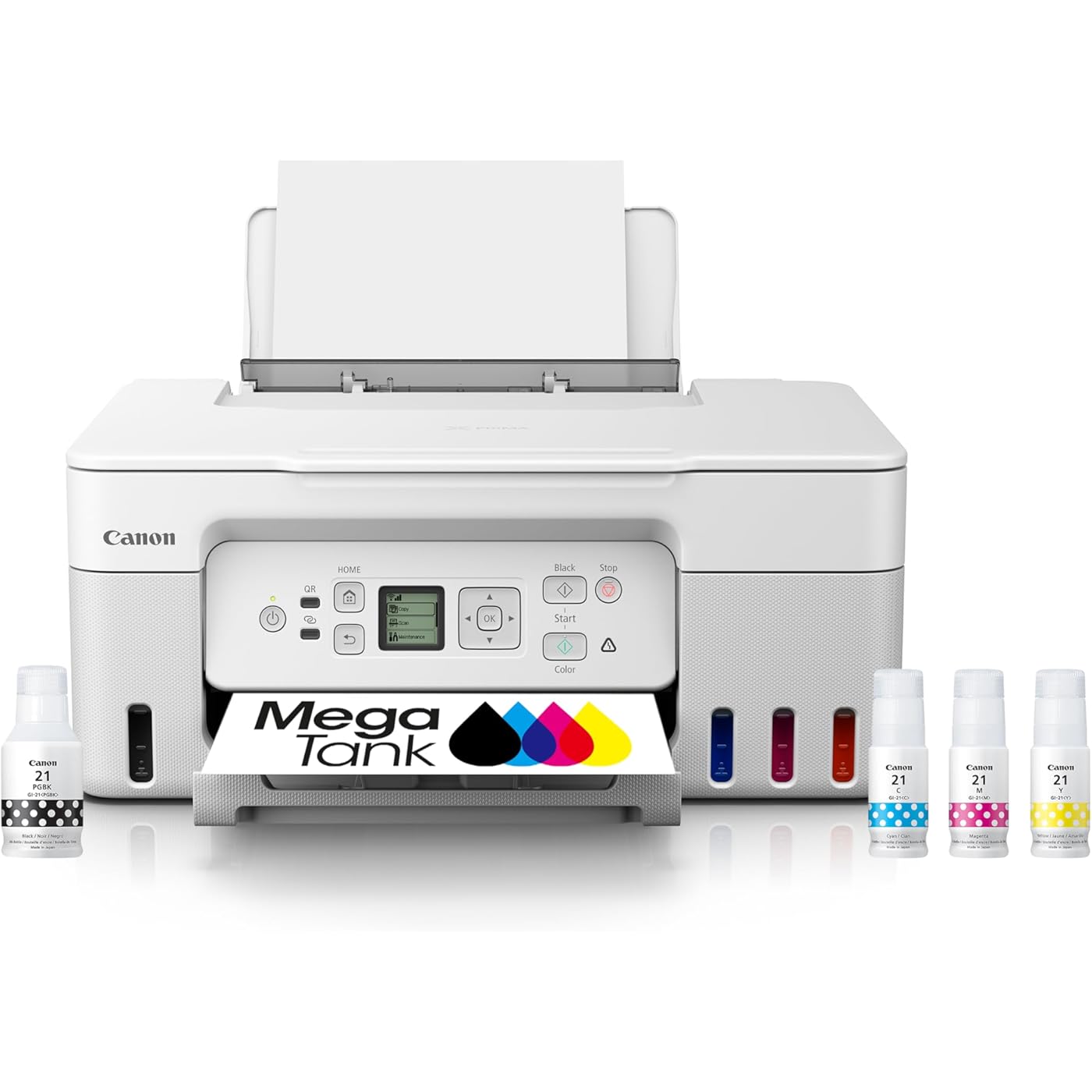
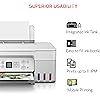
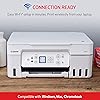
Canon MegaTank G3270 All-in-One Wireless Inkjet Printer. for Home Use, Print, Scan and Copy,White
Condition: New



$218.97
Save $30.02
was $248.99
Buy Now, Pay Later
As low as
$36.50
/ mo
Learn more
- – 6-month term
- – No impact on credit to apply
- – Instant approval decision
- – Secure and straightforward checkout
Ready to go? Add this product to your cart and select a plan during checkout.
Payment plans are offered through our trusted finance partners Klarna, Affirm, Afterpay, Zip, Apple Pay, and Google Pay. No-credit-needed leasing options through Acima may also be available at checkout.
Learn more about financing & leasing here.
Selected Option
Free shipping on this product
30-day returns
Learn more
Returnable until Jan 31, 2026
To qualify for a full refund, items must be returned in their original, unused condition. If an item is returned in a used, damaged, or materially different state, you may be granted a partial refund.
To initiate a return, please visit our Returns Center.
View our full returns policy here.
Availability:
14 left in stock
Arrives
Tuesday, Nov 3
Recently Viewed



At a glance
- Condition
- New
- Color
- White
- Model
- 5805C022
- Storage
- 64 MB
- Dimensions
- 21.9"D x 16.4"W x 10.6"H
- Weight
- 13.2 lb
- Printing Technology
- Inkjet
- In the box
- PIXMA MegaTank G3270 Wireless All-in-One PrinterSet of Ink Bottles (GI-21 PGBK, C, M, Y)Print HeadsDocumentationPower Cord
- Works with
- PC, Smartphones
Features 7
- Wireless Print/Copy/Scan
- Up to 2 years of ink included (2)
- Print up to 6,000 black & white / 7,700 color pages using a single set of inks! (1)
- Save up to $1,000 on ink (1)
- 1.35 Square LCD display
- Single-sided printing
- See below for disclaimers
Specs 42
| Brand | Canon |
|---|---|
| Connectivity Technology | USB, Wi-Fi |
| Printing Technology | Inkjet |
| Special Feature | Borderless Printing, Display Screen, Energy Star, Epeat Qualified, Network-Ready, Refillable Ink Tank |
| Color | White |
| Model Name | PIXMA G3270 WH |
| Printer Output | Color |
| Maximum Print Speed (Color) | 6.0 |
| Max Printspeed Monochrome | 11.0 |
| Item Weight | 13.2 Pounds |
| Product Dimensions | 21.9"D x 16.4"W x 10.6"H |
| Controller Type | iOS |
| Maximum Media Size | 8.5 x 14 inch |
| Power Consumption | 16 Watts |
| Print media | Envelopes, Labels, Paper (plain) |
| Scanner Type | Flatbed |
| Max Input Sheet Capacity | 100 |
| Max Copy Speed (Black & White) | 11 Images per Minute |
| Maximum Color Print Resolution | 4800x1200 Dots Per Inch |
| Sheet Size | 3.5” x 3.5” (Square), 4” x 6”, 5” x 5” (Square), 5” x 7”, 7” x 10”, 8” x 10”, Letter (8.5” x 11”), A4, A5, A6, B5, Legal (8.5” x 14”), U.S. #10 Envelopes, Card Size (91 mm x 55 mm), Custom size (width 2.1–8.5 in, length 3.5–47.2 in) |
| Maximum Black and White Print Resolution | 600 x 600 Dots Per Inch |
| Warranty Type | Limited |
| Dual-sided printing | No |
| Max copy resolution color | 4800 x 1200 dpi |
| Max copy resolution black-white | 600 dpi |
| Duplex | Simplex |
| Hardware Interface | Ethernet |
| Ink Color | Black, Cyan, Magenta, Yellow |
| Additional Printer functions | All In One |
| Control Method | App |
| Output sheet capacity | 100 |
| Number of Trays | 1 |
| Total Ethernet Ports | 1 |
| Total USB Ports | 1 |
| Model Series | PIXMA |
| Specific Uses For Product | Home, Office |
| UPC | 013803351538 |
| Printer Ink Type | Pigment-based |
| Supported Media Sizes | A4, A5, A6, B5, Legal (8.5 x 14 inches), Letter (8.5 x 11 inches) |
| Memory Storage Capacity | 64 MB |
| Item model number | 5805C022 |
| Manufacturer | Canon |
No specs match.
Frequently asked questions
If you place your order now, the estimated arrival date for this product is:
Tuesday, Nov 3
Yes, absolutely! You may return this product for a full refund within 30 days of receiving it.
To initiate a return, please visit our Returns Center.
View our full returns policy here.
To initiate a return, please visit our Returns Center.
View our full returns policy here.
- Klarna Financing
- Affirm Pay in 4
- Affirm Financing
- Afterpay Financing
- Zip Pay in 4
- Financing through Apple Pay
- Financing through Google Pay
Learn more about financing & leasing here.
Similar Products




Top Amazon Reviews
Wi-Fi hard to set up but works fine when it's set up. Mega Tank only way to go.
Color: White
Style: Canon G3290 Printer - Touch LCD Screen
Usual Canon quality, Megatank a huge plus on ink costs, once I finally got it working on my wireless network, it was great! Just a bit difficult to get it to work. Now prints easily from PC and smartphone. Good price and would recommend. Auto feed for scanning and copying would be a huge plus but flatbed scanner does fine. Seems to be faster and as good a quality as HP Smart Tank 651, which was touted to be a higher volume printer. That might be why I had to replace the print heads after a year (lack of constant use?). After 2 months, Canon still working fine. Would recommend.
...
show more
Reviewed in the United States on October 5, 2025 by Retired 911 Guy
Great Little Printer - fantastic printing, clear and sharp.
Color: White
Style: Canon G3270 Printer (WH)- Backlit LCD Sc...


Pros: Easy setup, 1, 2, 3, follow the instruction, No problem. WiFi with the tiny screen took a second to connect. This is a great little printer. Good quality prints, sharp and clear, good color, Ink lasts a long time. Cons: The printer feels cheap, the quality of the plastic all around feels thin and fragile. I have a Canon Pixma 7120 that feels like a tank, glossy plastic cover, felt strong, still going after 8 years or more of good printing. The little tiny LCD screen, really Canon, its hardly visible. What happened to the giant (in comparison) LCD screen like the one on the P7120??? Only reason I'm replacing it is Windows 11 - printer is not 100% compatible. It will print but I can't scan and I need that feature. Back to the G3270 - Love this little printer, I'm careful opening and working around the covers so nothing will break. Double sided printing is possible but you have to reload the sheets into the try and print the second side. It does not print double sided sheets automatically like the P7120, bummer. Takes up more space, although a smaller footprint because of the rear paper tray. The paper stands tall so you need room above the printer to load the paper. I raised the shelf to 14" above the printer to accomodate the paper tray. It's easiler to load the paper but it takes up space. Beautiful pages of black and white text, color printing is wonderful, really improved over the P7120. Mega Tanks are awesome, easy fill and they remain full after literally 100's of pages of printing. I've been through three reams of paper and still going strong. I'm talking about double sided pages of full text, powerpoint presentations with notes and various signs in color. GREAT. I looked a the big brother the G3290 (with the larger screen) couldn't find one online or at a local store?? Yeah, they are available now after I bought the G3270 WHAT?
...
show more
Reviewed in the United States on June 21, 2025 by Nellie & Joe Nellie & Joe
Pretty good all-in-one ink tank printer.
Color: Black
Style: Canon G3270 Printer (BK) - Backlit LCD S...
When my 3-year-old Epson Eco tank AIO printer gave out I did some research online and this printer kept coming up with consistent 5-star ratings, so I thought "why not"? Now first off, I have to say Amazon REALLY messed up the delivery! The day it was supposed to arrive I got a text saying it had been delayed in transit and was going to be here the following day. When it didn't arrive, the Amazon driver stated he couldn't "gain access" to the apartment. Further investigation determined he "got lost", and these drivers have a satellite map system in their delivery trucks? When it eventually arrived another day later (2 days late in all) one corner of the packing box was damaged and there was no Styrofoam "peanut fill" inside the box, and as the packing box was much larger that the printer box, I was worried about damage to the printer from it sliding around in the packaging due to the rigors of transportation. Fortunately, there were none. SO, for all the mess up with delivery, sorry, but Amazon only gets 1 star for their role in this. Unpacking the printer was easy, and after placing on the printer stand section of my computer desk, I started the installation. No instructions are provided - you are directed instead to Canon's website for installation and setup instructions. As I did not want this taking up bandwidth on my Wi-Fi I used a USB cable; BEWARE, if you want to do the same as no cable is provided, but fortunately I had one hanging around to do the job. Following the installation instructions online was pretty simple as was filling the ink tanks, however, DON'T use ALL the ink in the bottles, but instead watch closely on the outside "windows" for each color ink tank until the ink reaches the clearly marked "FULL" line and then quickly remove the ink bottles. The rest of the set up was pretty straight forward, downloading software, drivers etc., but for some reason Windows 11 didn't auto detect the printer the first time I went to use it, so I had to shut the printer down and re power it up for before Windows found the printer. The print test was perfect, and the auto alignment also set the thing up perfectly. I scanned a document and a picture, and both appeared to be reproduced faithfully when compared to the original documents. I deducted 1 star because unlike most AIO ink tank printers in its class, it doesn't print on both sides, but I was aware of that before purchase, and the issue of initially failing to find the printer in Windows 11 also factored into that 1-star deduction. As I said, I use mine plugged into a multi-USB port extender bank so I can't speak to ease of set up for Wi-Fi. I also don't do any highly sophisticated color printing, such as high-res photos, so I'm not sure if it will hold up to that type of usage but it certainly meets my needs. Conclusion? A pretty good ink tank All-in-One printer for home and home-office use, and it goes without saying that in common with all these ink-tank printers available now, this will save a TON of $ compared to the old inkjet cartridge system available on other inkjet printers on the market. Will it last as long as its predecessor? Don't know obviously but the initial build quality appears to be top notch.
...
show more
Reviewed in the United States on June 7, 2024 by Trevor D.