Search  for anything...

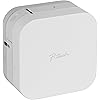
Brother P-Touch Cube Label Maker, Thermal, Inkless Printer for Home & Office, Portable Lightweight, Smartphone Bluetooth Wireless Compatible, Multiple Templates for iPhone & Android, PTP300BT, White

  • Based on 5,909 reviews
Condition: New
Checking for the best price...
$44.99 Why this price?
New Year Deal · 25% off was $59.99

Buy Now, Pay Later


As low as $11 / mo
  • – 4-month term
  • – No impact on credit
  • – Instant approval decision
  • – Secure and straightforward checkout

Ready to go? Add this product to your cart and select a plan during checkout.

Payment plans are offered through our trusted finance partners Klarna, Affirm, Afterpay, Apple Pay, and PayTomorrow. No-credit-needed leasing options through Acima may also be available at checkout.

Learn more about financing & leasing here.

Selected Option

Free shipping on this product

30-day refund/replacement

To qualify for a full refund, items must be returned in their original, unused condition. If an item is returned in a used, damaged, or materially different state, you may be granted a partial refund.

To initiate a return, please visit our Returns Center.

View our full returns policy here.


Availability: Only 1 left in stock, order soon!
Fulfilled by Amazon

Arrives Feb 13 – Feb 17
Order within 10 hours and 3 minutes
Available payment plans shown during checkout

Protection Plan Protect Your Purchase
Checking for protection plans...

Color: White


Features

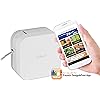
  • Personalized Labels: The P-touch CUBE label maker is smartphone compatible, design and print labels from a smartphone or tablet when connected to a wireless network using the free Design&Print2 App
  • Multiple Label Templates: Choose from a wide-variety of pre-designed templates or design your own labels choosing from 450 symbols, over 60 frames, and a variety of fonts
  • Operating System Compatible: The Design&Print2 app works with both Android and Apple devices and utilizes voice to text and spell check
  • Bluetooth Wireless: Connect using Bluetooth wireless technology to the P-touch CUBE label maker with a mobile device or tablet to make labels on the go
  • Personalize with Color: Choose from bold standout colors to soft pastels, Brother Genuine P-touch TZe label tapes that are durable, laminated easy-peel available in widths of up to 12 mm

Description

Conveniently design and print personalized labels from your smartphone or tablet when connected to a wireless network using the free, easy to use P touch Design&Print2 app. Works with Apple and Android devices. Choose from a wide selection of home and home office label templates or easily design your own labels using 450 symbols, 60 frames and a variety of fonts including most Google and Apple font libraries. Uses Brother P touch TZe durable, laminated tapes up to 12mm (½”) wide, in a variety of colors and types.

Brand: Brother


Connectivity Technology: Bluetooth


Printing Technology: Thermal


Special Feature: wireless


Color: White


Model Name: P-Touch Cube


Printer Output: Monochrome


Maximum Print Speed (Color): 5


Max Printspeed Monochrome: 20


Item Weight: 0.84 Pounds


Product Dimensions: 2.5"D x 4.6"W x 4.6"H


Controller Type: Android


Printer Media Size Maximum: 3 x 5 inch


Included Components: Brother P-touch Cube Label Maker, Black on white standard laminated Tze starter tape 0.47" (12mm) x 13.1' (4m), AC Power Adapter (white), Users guide


Print media: Labels


Scanner Type: Portable


Max Input Sheet Capacity: 1


Compatible Devices: Smartphones


Maximum Black and White Print Resolution: 180


Dual-sided printing: No


Maximum copies per run: 9


Hardware Interface: Bluetooth


Control Method: App, Touch


Is Electric: Yes


UPC: 012502643975


Global Trade Identification Number: 75


Item Weight: 13.4 ounces


Item model number: PTP300BT


Batteries: 1 AAA batteries required.


Is Discontinued By Manufacturer: No


Date First Available: April 30, 2007


Manufacturer: Brother Printer


Country of Origin: China


Frequently asked questions

If you place your order now, the estimated arrival date for this product is: Feb 13 – Feb 17

Yes, absolutely! You may return this product for a full refund within 30 days of receiving it.

To initiate a return, please visit our Returns Center.

View our full returns policy here.

  • Klarna Financing
  • Affirm Pay in 4
  • Affirm Financing
  • Afterpay Financing
  • PayTomorrow Financing
  • Financing through Apple Pay
Leasing options through Acima may also be available during checkout.

Learn more about financing & leasing here.

Top Amazon Reviews


  • So much easier than the handheld label printers
Color: Blue
I really wasn't sure about getting this label printer, since I already have a handheld model, but this one is SO much faster and easier to use. I have it connected to my tablet with a keyboard, so I can type stuff in, make edits, and add images and clip art very easily. It's very useful for work; I use it to label computers and servers, USB drives, light switches, control panels, and to add important notes to my monitors. I also like that I can use it with a power supply instead of eating up a zillion batteries. ... show more
Reviewed in the United States on August 16, 2024 by Captain Packrat

  • EASY Setup & Great Quality - Ignore the Nonsense!
Color: White
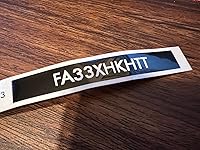
I was very glad I decided to read the App Store reviews for the app for this product before I invested too much in the Amazon reviews. The App Store reviews were steller, this unit was $60 at the time so I took a leap despite a lot of negative reviews here. I had this set up and printing labels in 5 minutes and I didn't bother with reading any instructions. Some of the information on this product is outdated (as are a lot of the reviews I suspect), there is ONE app now for this - Brother Design & Print 2 (just search "Brother P-Touch" and you'll find it) and Brother has done a great job with this app. It comes with a ton of easy to use templates to create your labels. I had turned on my printer before I even downloaded the app, after installation the app instantly found the printer on Bluetooth and I was set to print in moments. I got this printer mainly to print FAA registration numbers for my drones and it did that very well. Is there a little bit of tape wasted? Yes, yes there is. My guess would be this is because the printer laminates AFTER it does the thermal print job. The label looks to be separated with a base and laminate in the cartridge and laminates when it prints. Therefore, you can't just wind the tape back in so none is wasted as it's been laminated. Two seconds with scissors and your problem of extra space is solved. Is larger text a bit fuzzy at some of the edges? Yes, yes it is, this is a thermal label printer, not some laser printer generating print copy. I found the label perfectly appealing and legible, if you want to stick your face in it to see some fuzziness, have at it, can't see the point. I thought about getting the higher-end ones with the power cutter, it's completely unnecessary, quick push of the button and it cuts perfectly. This is a great little printer and was very easy to use in the app, much preferable to some big clunky device with a keyboard on it. For $60 it's also the same price if not less than most of them. Great product, ignore the whining in a lot of these reviews, I found it to be super easy to use. ... show more
Reviewed in the United States on April 13, 2022 by William G. Finley William G. Finley

  • More Customizable!
Color: Blue
I already had a Brother P-Touch that uses batteries that has a full keyboard of tiny pushbuttons. The labels are really useful to help organize my stuff, especially my toolbox and organizer cabinets and drawers the garage. However, the small buttons and limited ability to customize the look of the labels are a bit of a pain. Not to mention how it chews through batteries! This model does a better job… I control and customize on my iPhone using Bluetooth, and there are many more options to change fonts and other appearance features. It also can use more sizes of tapes. Another plus is it comes with power cord, although you can still use batteries if you want more portability. I find this new label maker much more convenient and a good value for the money. ... show more
Reviewed in the United States on March 11, 2024 by Dave In Akron

  • Makes Really Nice Labels
Color: White
It works as advertised and has lots of templates. You have to fiddle and hunt around the phone app a little to really understand it - some functionality is not glaringly obvious. All in all I got what I had expected, and maybe a little more because of the really nice labels it makes. The only negative comment I have is that it came with one sample tape, not two as shown in the current picture. ... show more
Reviewed in the United States on April 5, 2024 by Armas

  • Better and faster than the P-Touch label makers with a keyboard
Color: White
I bought this P-Touch label maker on sale, so it was actually cheaper than some of the Brother P-Touch label makers with keyboards. The P-Touch Cube uses my previous TZe cartridges, which was nice. Another nice feature is that the P-Touch Cube comes with a plug-in power supply, which was not included with my previous P-Touch device. The Cube can also be powered by batteries, if you desire. The P-Touch Cube requires you to install an Android or Apple phone app to configure and print your labels. The phone app has a lot more features than my previous keyboard P-Touch, providing the capability to save labels, select from a family of label templates, and even adds some nice graphical options. I also found the Android "Design & Print 2" phone app much quicker to create labels due to the use of the phone keyboard. The Brother P-Touch keyboard was always slow and clunky to use, especially when searching for basic special characters like a colon or dash. The quicker access to common characters on the phone keyboard was a big hit for me. Highly recommended if you are looking for a new label maker. ... show more
Reviewed in the United States on March 7, 2024 by AzJazz

  • Great so far
Color: White
"Design&Print 2" is the app you want for this. The "iPrint&Lable" works but was leaving a lot excess blank tape after printing, for me at least. Customer service was quick to resolve. Very pleased on decided on this over a handheld device with a keyboard. Lots of nice borders & symbols to choose from, easy to use and customize, many more neat options that I'll probably never use but nice to know I can lol. ... show more
Reviewed in the United States on March 24, 2024 by Nickolas L. Hinderer

  • My OCD went into overdrive
Color: White
Jumped on this during Prime Day, no hesitation. Once I started labeling I was searching what items needed to be labeled. We have the older generation P-Touch label maker with the keyboard but this unit is just leaps and bounds. First off the unit comes with a power supply whereas the power supply is optional with the older generation. Using the app you can clearly get a preview of the label with the type and size font along with the label type. With the older generation you’re kind of rolling the dice. The size of the unit is compact and hardly takes any space on your desk or tabletop. Its so small and light it’s portable, just stick it in your bag and backpack. I love that I can add icons or graphics on the label itself. The only regret with this unit is the limitation on the width of the label which stands at 1/2”. So label away. ... show more
Reviewed in the United States on November 14, 2023 by WookinPnub

Can't find a product?

Find it on Amazon first, then paste the link below.
Checking for best price...