Search  for anything...

Brother MFC-J805DW XL Extended Print INKvestmentTank Color Inkjet All-in-One Printer with Mobile Device and Duplex Printing with Up To 2-Years of Ink In-box , White

  • Based on 2,327 reviews
Condition: New
Checking for the best price...
$519.00 Why this price?

Buy Now, Pay Later


As low as / mo
  • – Up to 36-month term if approved
  • – No impact on credit
  • – Instant approval decision
  • – Secure and straightforward checkout

Ready to go? Add this product to your cart and select a plan during checkout.

Payment plans are offered through our trusted finance partners Klarna, Affirm, Afterpay, Apple Pay, and PayTomorrow. No-credit-needed leasing options through Acima may also be available at checkout.

Learn more about financing & leasing here.

Selected Option

Free shipping on this product

This item is eligible for return within 30 days of receipt

To qualify for a full refund, items must be returned in their original, unused condition. If an item is returned in a used, damaged, or materially different state, you may be granted a partial refund.

To initiate a return, please visit our Returns Center.

View our full returns policy here.


Availability: Only 1 left in stock, order soon!
Fulfilled by Ohio Autism Transition (We Record and Report)

Arrives Dec 20 – Dec 22
Order within 3 hours and 58 minutes
Available payment plans shown during checkout

Protection Plan Protect Your Purchase
Checking for protection plans...

Style: XL Version: Includes 2 years of ink


Pattern Name: Printer


Features

  • Up to 2-years of ink in-box: experience truly uninterrupted printing, exceptional savings and super convenience with up to two years of ink, based on printing approximately 300 pages per month, using only the cartridges provided in-box. (1)
  • Revolutionary Investment tank system: Brother Investment tank inkjet all-in-one printers feature reengineered ink cartridges that hold more ink and work with an internal ink storage tank to deliver uninterrupted printing.
  • ELIMINATE INK REPLACEMENT GUESSWORK: You can print with confidence using the Brother Page Gauge to help take the guesswork out of when to replace ink. The Brother Page Gauge(2) is a visual, numerical way to know the amount of ink youve used and the amount of ink you have remaining.
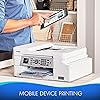
  • Enjoy mobile device printing: print and scan wirelessly from your desktop, laptop, smartphone and tablet. Desktop and mobile device wireless printing using air Print, Brother imprint & Scan and Wi-Fi Direct. (3)
  • USE WITH BROTHER GENUINE INKS: Intelligently engineered to work with your Brother INK vestment Tank inkjet printer for reliable results. Super-high Yield - LC3033BK, LC3033C, LC3033M, LC3033Y; Ultra-high Yield - LC3035BK, LC3035C, LC3035M, LC3035Y for rich, vivid colors and sharp black.

Brand: Brother


Connectivity Technology: Wi-Fi


Printing Technology: Inkjet


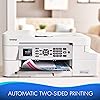
Special Feature: Auto-Duplex


Color: White


Recommended Uses For Product: Office, Home


Model Name: MFCJ805DWXL


Printer Output: Color


Maximum Print Speed (Color): 6 ppm


Max Printspeed Monochrome: 12 ppm


Product Dimensions: 17.1 x 13.4 x 7.7 inches


Item Weight: 21 pounds


Item model number: Brother MFC-J805DW XL Extended Print INK


Is Discontinued By Manufacturer: No


Date First Available: July 9, 2019


Manufacturer: Brother Printer


Frequently asked questions

If you place your order now, the estimated arrival date for this product is: Dec 20 – Dec 22

Yes, absolutely! You may return this product for a full refund within 30 days of receiving it.

To initiate a return, please visit our Returns Center.

View our full returns policy here.

  • Klarna Financing
  • Affirm Pay in 4
  • Affirm Financing
  • Afterpay Financing
  • PayTomorrow Financing
  • Financing through Apple Pay
Leasing options through Acima may also be available during checkout.

Learn more about financing & leasing here.

Top Amazon Reviews


  • Overall a decent printer
Style: MFC-J805DW Pattern Name: Printer
Printing is very good overall but there's a few quirks that I can't get past to rate this printer higher. 1. the web interface sucks, if you want to perform any utilities or configurations, you have to go through the 2" screen on the printer. HP figured this out years ago and it is sorely missed on this printer. 2. Ink jets dry out quickly. Unless this printer is excersized daily, you have to clean the jets before using, and agin, navigate through the panel and push buttons on the printer. Besides being a pain to do so, it wastes ink and a sheet of paper. I could see this if it was a month or more between use but this is simply crazy! 3. The print utility screen doesn't follow Windows or Mac conventions, for instance to adjust paper and print settings, the gray dialog box does scroll up and down but you'd never know it for lack of slider buttons. After all the buttons are selected on the main page, you think, "what if I try scrolling with the mouse in the box?" and lo, it does slide up revealing additional settings. I can't say it uses less ink than a comparable HP and with the frequency of cleaning, it likely uses more. At least the Brother ink is a little more affordable than HP. ... show more
Reviewed in the United States on April 30, 2023 by Ron Santelik

  • Best printer I ever had
Style: MFC-J805DW Pattern Name: Printer
I bought it in Jan. 2021 and am still using the same ink that came with it. I bought for $159 but now the price is over double for some reason.
Reviewed in the United States on April 18, 2023 by Gene

  • Relatively Easy Setup
Style: MFC-J805DW Pattern Name: Printer
I've only just set the printer up and tested it so this review is mainly about the setup. None of the computers I installed it on have CD/DVD drives so I had to download the driver from the website address given in the instructions. My satellite internet is relatively slow lately, probably due to increased internet traffic related to Covid-19, and downloading the nearly half gigabyte driver file was the longest part of the installation. I followed the quick guide instructions to set up the printer hardware....loaded paper, plugged in the printer, installed the ink cartridges, and followed the instructions on the printer control panel. My first attempt to download the Windows 10 64 bit driver with Firefox failed with just 5 MB left on the download. I switched to Chrome and the file downloaded without a hitch. The only other setup hitch was on the first installation, my desktop. The setup software didn't find the printer. After making sure the printer wireless was turned on the setup software still could not find the printer. This problem was resolved by using the setup wizard from the printer control panel. It found my wireless network and once I entered the password connected almost immediately. From that point I followed the instructions on the setup software and everything went smoothly. I was asked if I wanted to download the iPrint and iScan software and I chose yes. I declined sending Brother diagnostic information. Finally the setup software looked for and installed the latest driver update. That was followed by a printer update that didn't work because the software indicated the printer was offline. I ignored this and closed the window and test printed a photo and document. I printed the photo on plain paper and it was an excellent reproduction of the image as it looked on my computer screen. It's worth noting that once you finish the setup on the printer itself, before installing the printer driver, the printer automatically prints a test page and instructions for installing the software. The print quality of the instructions is not high and it looks like something from an old dot matrix printer. Don't be alarmed. When I printed a document from the computer the print quality was excellent and just what I expected from a quality inkjet printer. I next installed the driver on two Windows 10 laptops. I copied the file I downloaded to my desktop onto a USB memory stick. I copied the file from the USB stick to the download directory on each laptop and double clicked on the file. The file extracted the setup software and began the setup. The setup went off without a hitch. The computers had no problem recognizing the printer. For these two computers I declined installing the iPrint and iPhoto software. I tested this software on my desktop and while it worked fine I didn't find it to be necessary for my purposes. It would be useful for those who want to print photos and documents without having to use separate image editing or word processor software like Photoshop or Word. As with my desktop, after installing the latest software update the setup software said the printer was offline and didn't install a printer update. I again just closed that window and ran test prints. I didn't time the laptop installations but I'd guess I completed each one in 5 to 10 minutes. ... show more
Reviewed in the United States on April 4, 2020 by Hermes Ten

  • start up easy...until you get to registration and a little problem developed
Style: MFC-J805DW Pattern Name: Printer
i finished the installation part in an hour. then it took me almost half an hour to register the printer, b/c I kept getting messages that my password did not match. and then I had to go back and reset the password. then I had to go back a 3rd time to reset the password and, wow, they let me continue. I did not have too much trouble finding the serial #, and fortunately have a small flashlight and remembered paper and pen. the letters and numbers are way too small, Brother, if you read this. my eyesight is okay (I have to switch glasses which slows things down) but anyone with reduced eyesight: good luck. I have read you can get the serial # online, but no one bothers to say how. the file I printed came out looking terrific. the speed I guess is maybe a bit faster than my last printer (n.b. this is the 4th printer I have had this year. so maybe I am a bit cranky?) have not tried color printing yet. basically I need b&w, and the speed is no big deal. now, on to copying. sheesh. you have to through several ?s about print type, etc. then, like my last printer, the same ?s come up again. so you need to go ahead and press the start key. if you have several items to copy, you better have them ready to go as the system goes back to the first page if you don't. also, I found paper placement to be odd. it cut off the top of each page. fortunately, there was not much to copy at the bottom so I got it all copied, but something on the paper guide seemed screwy. maybe it is just me. I am rather a luddite at times. so four stars now. I will say that the critiques of this printer and other brother printers as being flimsy seem quite unfair. is the paper try a bit flimsy. maybe. but if you treat it as you should, there should be no problem. other than that this seems a well-built machine. I will add more comments if necessary and hope I can add the 4th star. I will say price-wise this was a nice treat. originally in the basket it was 169. but then it came down to 139, and unlike some other brother printers, where delivery time can be several weeks, I got this on prime 2 day delivery. after 3 weeks, I can say I am pretty well satisfied with this printer. it prints very well, b&w, color, fairly quiet. does not seem to use much ink. I have been having some 'paper jam' issues every other time I print. only once was there is a paper jammed. the other two??? I pulled out the paper drawer, lifted the lid. and then went back and printed the rest of the document. not a big deal, but irritating. btw, don't bother trying to turn off the printer. it will turn off when it damn well pleases. and sometimes pop back on when I am not even w/processing. no big deal. after six months I rate this 5 star. this is an exceptional printer. not cranky. it works. occasional jam, usually able to do a few things if there is no paper jam. if not, just shut your puter down and restart. no problem. I suppose my one problem is printing 4x6 pics. sometimes I only get half the pic paper printed. I admit I have not really researched it, so.... again, so far, a truly great find. and, boy, does the ink last!!! ... show more
Reviewed in the United States on August 12, 2019 by Bruce C. Miller

Can't find a product?

Find it on Amazon first, then paste the link below.
Checking for best price...