




Brother MFC-J1010DW Wireless Color Inkjet All-in-One Printer with Mobile Device and Duplex Printing, Refresh Subscription and Amazon Dash Replenishment Ready (Renewed Premium)



Buy Now, Pay Later
- – 6-month term
- – No impact on credit to apply
- – Instant approval decision
- – Secure and straightforward checkout
Ready to go? Add this product to your cart and select a plan during checkout.
Payment plans are offered through our trusted finance partners Klarna, Affirm, Afterpay, Zip, Apple Pay, and Google Pay. No-credit-needed leasing options through Acima may also be available at checkout.
Learn more about financing & leasing here.
Selected Option
FREE 365-day refund/replacement
To qualify for a full refund, items must be returned in their original, unused condition. If an item is returned in a used, damaged, or materially different state, you may be granted a partial refund.
To initiate a return, please visit our Returns Center.
View our full returns policy here.





Style: Previous Model: MFCJ1010DW
Pattern Name: Renewed (Refurbished)
Features
- DELIVERING FULL FUNCTIONALITY IN A SMALL SPACE. Theres no sacrificing features with this welcome addition to any home, home office or small office space. This compact inkjet all-in-one delivers full functionality plus fast print and scan speeds.
Description
The Brother MFC-J1010DW color inkjet all-in-one printer is ideal for your home, home office or small office. Delivers robust features and business- centric functionality not found in similarly priced inkjet printers plus print up to 17 ppm for black and 9.5 ppm for color(5). Compact and economical, perfect for small spaces and budgets. Includes multiple connection options, including a built-in wireless(3) interface for sharing with multiple network users, Wi-Fi Direct(R), or connect locally via a USB interface. Delivering high quality, reliable printing, copying, scanning and faxing and enabling wireless printing from your desktop, laptop, smartphone or tablet(3). Use the 1.8-inch color display to navigate on screen menus. Featuring the Brother Mobile Connect(1) App, that gives you the freedom to print and manage your printer from virtually anywhere. The MFC-J1010DW also features the unique Brother Page Gauge(2) that estimates remaining page levels, so you always know how much ink you have left. Use the 20-page capacity automatic document feeder or the 150-sheet capacity adjustable paper tray for generous output without constant monitoring. Duplex printing helps save paper, while mobile device printing(3) and Cloud connectivity let you print-from and scan-to popular Cloud services(4) directly from the device. Has a 1-year limited warranty and free online, call, or live chat support for the life of the printer. Works with Alexa. (1) Requires wireless network connection; Brother Mobile Connect free app download not available in all countries. (2) Page Gauge is an estimate for informational purposes only. For actual cartridge yield information refer to manufacturer’s website. (3) Requires wireless network connection. (4) Requires Internet connection and account with desired service. (5) Based on ISO/IEC 24734 (after first set of ISO test pages). For inkjet print speed methodology, please visit manufacturer’s website. (6) All page yields are approximate and are calculated in accordance with ISO/IEC 24711; for additional page yield info, see manufacturer’s website. (7) Based on average monthly print volumes of approximately 100 pages at 60% black pages/40% color pages in accordance with ISO/IEC 24711 using 4 cartridges provided in-box. For additional page yield information, see manufacturer’s website. (8) Based on average monthly print volumes of approximately 150 pages at 60% black pages/40% color pages in accordance with ISO/IEC 24711 using 4 cartridges provided in-box. For additional page yield information, see manufacturer’s website. (9) Requires connection to a wireless network. AirPrint is a registered trademark of Apple Inc. Mopria® is a registered trademark or service mark of Mopria Alliance, Inc. in the United States and other countries. Unauthorized use is strictly prohibited. Wi-Fi Direct is a registered trademark of Wi-Fi Alliance®. Brother Mobile Connect and Brother iPrint&Scan free app download are not available in all countries. (10) The mobile device must have NFC capability and run Android OS 4.4 or later. Images are for illustrative purposes only. Specifications subject to change.
Brand: Brother
Connectivity Technology: Ethernet, USB, Wi-Fi
Printing Technology: Inkjet
Special Feature: Wireless
Color: Black
Model Name: Renewed MFCJ1010DW
Printer Output: Color
Maximum Print Speed (Color): 9.5 ppm
Max Printspeed Monochrome: 17 ppm
Item Weight: 16.4 Pounds
Printer Type: Inkjet
Other Special Features of the Product: Wireless
Printer Output Type: Color
Item Weight: 16.4 Pounds
Item Dimensions D x W x H: 13.5"D x 15.7"W x 6.8"H
Controller Type: Android
Print media: Paper (plain)
Scanner Type: Sheetfed
Maximum Copy Speed Black and White: 17 ppm
Compatible Devices: Laptops, PC, Smartphones
Warranty Type: limited warranty
Maximum Copies Per Run: 99
Ink Color: Color
Additional Printer Functions: Copy
Control Method: App
Compatible Cartridge: LC401
Number of Trays: 2
Processor Count: 1
Number of Drivers: 3
Resolution: 600 x 600
Display Type: LCD
Color: Black
Color Depth: 24 bpp
Maximum print Resolution Color: 1200 x 1200 dpi
Maximum Print Resolution Black and White: 600 x 1200 dpi
Dual-sided printing: Yes
Duplex: Automatic
Maximum Copy Resolution Color: 600 x 1200 dpi
Maximum Copy Resolution Black and White: 6000 x 1200 dpi
Brand: Brother
Model Name: Renewed MFCJ1010DW
Model Number: MFCJ1010DW
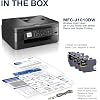
Built-In Media: Brother MFC-J1010dwBlack, Cyan, Magenta, Yellow Starter Ink CartridgesQuick Setup Guide Product Safety Guide Reference Guide Warranty Card Telephone Line Cord
Model Series: MFC
Specific Uses For Product: Office
UPC: 012502671350
Manufacturer: Brother
Warranty Description: 2 year limited manufacturer
Item Type Name: Multifunction Printer
Unit Count: 1.0 Count
Color Pages per Minute: 9.5 ppm
B&W Pages per Minute: 17 ppm
Initial Page Print Time: 6.9 Seconds
Maximum Media Size: 8.5 x 14 inch
Maximum Sheet Capacity: 150
Paper Size: 8.5 x 11, 8.5 x 14 Inches
Output sheet capacity: 150
Printer Connectivity Type: Ethernet, USB, Wi-Fi
Hardware Interface: Ethernet, USB 2.0
Number of Ethernet Ports: 1
Total USB 2.0 Ports: 1
Total Usb Ports: 1
Frequently asked questions
To initiate a return, please visit our Returns Center.
View our full returns policy here.
- Klarna Financing
- Affirm Pay in 4
- Affirm Financing
- Afterpay Financing
- Zip Pay in 4
- Financing through Apple Pay
- Financing through Google Pay
Learn more about financing & leasing here.
Similar Products




Top Amazon Reviews


