Search  for anything...

Basicolor Macro Pad,Stream Controller Deck with 15 Customizable Macro Keys Compatible with OBS/PowerPoint/Excel/Youtube/Word/Photoshop/Adobe Premiere Pro Windows 10/Mac14.0 (293SV3) Black
  • Based on 34 reviews
Condition: New
Checking for inventory...

Notify me when this product is back in stock

$47.99 Why this price?
Holiday Deal · 20% off was $59.99

Buy Now, Pay Later


As low as $8.00 / mo
  • – 6-month term
  • – No impact on credit
  • – Instant approval decision
  • – Secure and straightforward checkout

Payment plans are offered through our trusted finance partners Klarna, Affirm, Afterpay, Apple Pay, and PayTomorrow. No-credit-needed leasing options through Acima may also be available at checkout.

Learn more about financing & leasing here.

Selected Option

Free shipping on this product
This item's return window has been extended for the holiday season: Returnable until Jan 31, 2026

To qualify for a full refund, items must be returned in their original, unused condition. If an item is returned in a used, damaged, or materially different state, you may be granted a partial refund.

To initiate a return, please visit our Returns Center.

View our full returns policy here.


Availability: Unavailable
Fulfilled by Amazon
Available payment plans shown during checkout

Color: Black


Features

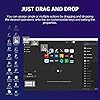
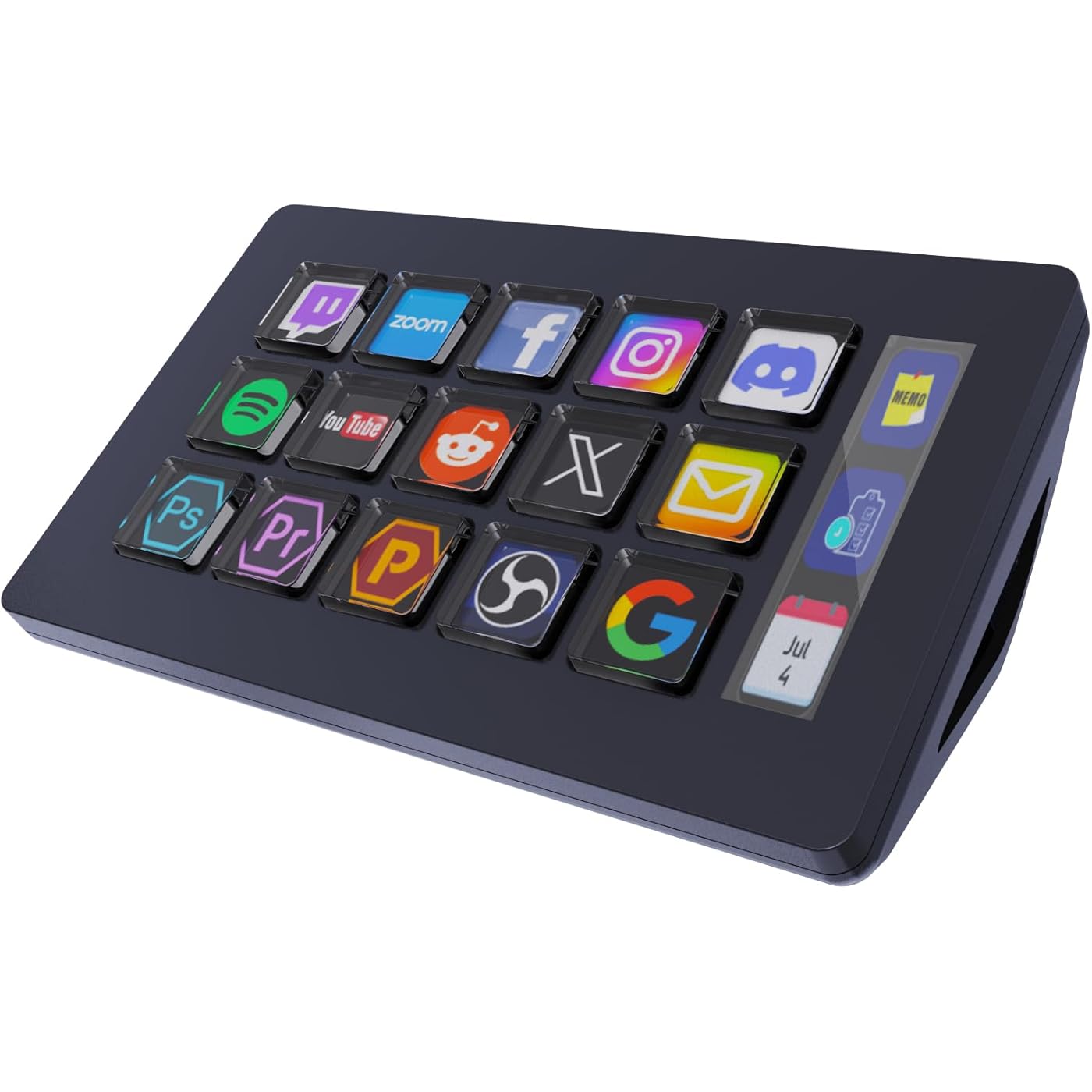
  • Freely customizable You can assign single or multiple actions by dragging and dropping the desired operation to 15 customizable LCD keys in a 3 x 5 grid and setting the properties. In addition, it has an LCD inside the key, so you can add your favorite images or animations (JPG, PNG, GIF) to each LCD key and make it your own favorite icon to enhance button recognition and memorization. Equipped with a 3-frame LCD display to the right of the LCD key, it can display CPU temperature, time, net speed, etc.
  • Perform any operation with one click With the customizable macro keyboard, you can work efficiently with one click. The uses are endless, including launching macros, entering text, opening documents and websites, performing game combos, launching apps, controlling media, switching scenes and hiding sources in OBS, and more, all with one click. In addition, by utilizing the "Action Flow" function, you can execute multiple macro actions in a specific order and freely control your tasks.
  • Various Compatibility This stream controller deck is compatible with both Windows and macOS. It works seamlessly with popular software such as OBS, PowerPoint, YouTube, Twitter, Discord, Excel, Word, Photo shop, Adobe Premiere Pro, and more, making your work even smoother.
  • Multifunctional to meet your needsThis macro shortcut keyboard's application space offers hundreds of plugins such as schedule reminders, clocks, stopwatches, weather, calendars, etc., making it not only a productivity tool but also a great desk accessory. In addition, 60 types of icon packs are available for you to download and use according to your needs.
  • Customer Support If you are still unsure of how to set up or operate the product after reading the Quick Start Guide that comes with the product, you can get support in the following ways: Watch the tutorial video for each operation below the product image. Or select the "Ask a Question" button to contact us.
  • Warranty periodThe product warranty period is 24 months from the date of receipt.
  • Note The VSD Craft software is compatible with the Stream Dock software. Even if you do not have Stream Dock installed, VSD Craft is also compatible with models that are compatible with Stream Dock. (If both Stream Dock and VSD Craft are installed, the device may not be recognized.)

Brand: Basicolor


Model Name: HSV293S V3 Stream Dock


Compatible Devices: Laptop, Mac, PC


Controller Type: Keyboard


Connectivity Technology: USB


Product Dimensions: 5.11 x 3.15 x 1.96 inches


Item Weight: 6.6 ounces


Manufacturer: Shenzhen An Rui Xin Technology Co., Ltd.


Language: English


Item model number: HSV293S V3


Date First Available: July 10, 2025


Frequently asked questions

This product is currently out of stock. Please check back later for shipping info.

Yes, absolutely! You may return this product for a full refund within 30 days of receiving it.

To initiate a return, please visit our Returns Center.

View our full returns policy here.

  • Klarna Financing
  • Affirm Pay in 4
  • Affirm Financing
  • Afterpay Financing
  • PayTomorrow Financing
  • Financing through Apple Pay
Leasing options through Acima may also be available during checkout.

Learn more about financing & leasing here.

Top Amazon Reviews


  • Great purchase
Color: Black
Stream Dock is hands down one of the best tools I’ve added to my streaming setup. It strikes the perfect balance between being user-friendly for beginners and powerful enough for advanced creators. Ease of Use From the start, setup was smooth and intuitive. The interface is clean, well-organized, and doesn’t overwhelm you with clutter. Within minutes I was able to add my overlays, manage audio sources, and customize my layout without digging through endless menus. Performance What impressed me most is how lightweight Stream Dock is while still delivering professional-grade results. Switching scenes is seamless, transitions are buttery smooth, and it never bogs down my system—even when running multiple sources like webcams, screen captures, and music at the same time. Features Stream Dock packs in everything I need as a creator: Quick scene switching and customizable hotkeys Built-in audio mixer with fine-tuned control Support for background music and alerts Easy integration with YouTube, Twitch, and other platforms Reliable recording options for podcasts, gameplay, or live events I especially love how customizable it is. You can really make your stream reflect your personality without having to rely on a dozen plugins. Why It Stands Out Compared to other streaming software I’ve used, Stream Dock feels streamlined and modern. It gives you pro-level capabilities without the steep learning curve. For creators who want quality and simplicity, this is the perfect middle ground. Final Verdict If you’re serious about streaming—whether it’s gaming, podcasts, or live shows—Stream Dock is an absolute must. It saves time, reduces stress, and helps you focus on creating instead ... show more
Reviewed in the United States on September 5, 2025 by DeChez

  • Very handy
Color: Black
This Basicolor Macro Pad is absolutely amazing! The customizable keys make it super easy to set up shortcuts for all my favorite apps and programs. It works perfectly with OBS, Photoshop, and even everyday tools like Word and Excel. The build quality feels solid, and the display icons look bright and professional. Overall, it’s a great value for the price and makes my workflow much faster and smoother! ... show more
Reviewed in the United States on November 3, 2025 by laetitia k.

  • Great all around tool if you work from your computer all day long
Color: Black
Works as described not having a usb on my Mac book some time using a dongle it loses connection and the computer needs restarted to get use back. Only happens infrequently so not a big deal. I read that it may be an issue and they recommend direct connection. I tried a type c to type c cable and it didn’t recognize anything. I was hoping maybe that would have fixed it. Over all I am extremely satisfied and it’s a great multi use tool for more than gaming , editing etc. I use it primarily at work in auto sales because I’m always flipping applications and going from one ting to another now it’s all just a button click away! ... show more
Reviewed in the United States on September 23, 2025 by Joseph Specht Joseph Specht

  • WARNING: THE SOFTWARE IS MALWARE/SPYWARE.
Color: White
WARNING: THE SOFTWARE IS MALWARE/SPYWARE. Just received the Stream Dock today, model-HSV293S . Seems like a cool product and I liked that there wasn't some brand logo slapped across the top. I want to like this product but there is a major issue with the software. First of all, the manual is very small and almost unreadable. I had to take a photo and zoom in to read. Once I did that, it spends a couple of pages trying to convince you that the software is safe. Huge RED FLAG. Then it directs you to a very sketchy Chinese website to download the software. A quick internet search identified this software as Malware. I did find some guy on the You-tube who posted a "malware free" version of the software on his Patrion. I figured I'd give it a shot and no dice. Still has the malware which thankfully windows defender stopped. I uninstalled the program and deleted all the files it created and didn't delete after the uninstall. I'll be returning. ... show more
Reviewed in the United States on September 24, 2025 by Nathan Wolfel

  • Looks so cool! 😎
Color: Black
The screens look surprisingly sharp, and you can even load animations, which is cool.
Reviewed in the United States on November 10, 2025 by Jacob

  • Worth the purchase
Color: White
Easy to set up, attractive (full color and beautiful on desk). It has helped me to streamline my workflow in the ways I want to fine tune.
Reviewed in the United States on October 26, 2025 by Kathryn Marcotte

  • Small and portable
Color: White
The delivery came quick and easy. So far everything is in its package, and the instructions was straightforward
Reviewed in the United States on November 1, 2025 by Ghost Blood Ghost Blood

  • I love it
Color: White
The Stream Deck is great, and it works phenomenally. A lot more shortcuts can be added to it.
Reviewed in the United States on November 1, 2025 by Nabeel

Can't find a product?

Find it on Amazon first, then paste the link below.
Checking for inventory...