Search  for anything...

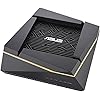
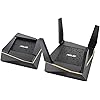
ASUS AX6100 WiFi 6 Gaming Mesh Router (RT-AX92U 2 Pack) - Tri-Band Gigabit Wireless Internet Router, Gaming & Streaming, AiMesh Compatible, Included Lifetime Internet Security, Adaptive QoS

  • Based on 1,293 reviews
Condition: Used - Very Good
Checking for the best price...
$237.22 Why this price?
Save $92.77 was $329.99

Buy Now, Pay Later


As low as $39.54 / mo
  • – 6-month term
  • – No impact on credit
  • – Instant approval decision
  • – Secure and straightforward checkout

Ready to go? Add this product to your cart and select a plan during checkout.

Payment plans are offered through our trusted finance partners Klarna, Affirm, Afterpay, Apple Pay, and PayTomorrow. No-credit-needed leasing options through Acima may also be available at checkout.

Learn more about financing & leasing here.

Selected Option

Free shipping on this product

This item is eligible for return within 30 days of receipt

To qualify for a full refund, items must be returned in their original, unused condition. If an item is returned in a used, damaged, or materially different state, you may be granted a partial refund.

To initiate a return, please visit our Returns Center.

View our full returns policy here.


Availability: Only 1 left in stock, order soon!
Fulfilled by Atomic Cellular

Arrives Monday, Mar 9
Order within 5 hours and 31 minutes
Available payment plans shown during checkout

Protection Plan Protect Your Purchase
Checking for protection plans...

Style: WiFi 6 | AX6100 | 2PK


Features

  • Connector Type : USB
  • The most powerful mesh system: AiMesh technology allows you to establish an even stronger Wi-Fi system with 802.11ax technology as wireless backhaul to transmit data between two RT-AX92U, ensuring the most stable Wi-Fi for connected devices
  • Certified for Humans Smart home made easy for non-experts. Setup with Alexa is simple.
  • Most connections for any mesh system solution with 4 x lan, 1 x USB 3.1, 1 x USB 2.0 ports giving you connections for your wired devices. OS Support - Windows 10 64-bit, Windows 8.1, Windows 8, Windows 7, Mac OS X 10.6, Mac OS X 10.7, Mac OS X 10.8, Linux
  • Commercial-grade network security for family AiProtection Pro protects all the connected devices on your home network and advanced parental controls allow you to manage the family's internet usage.
  • Ax technology: with ofdma and mu mimo, AiMesh AX6100 Wi-Fi system enables more efficient, stable, and faster transmission even when multiple devices are transmitting data at the same time

Description

Asus rt-ax92u AX6100 Wi-Fi tri-band mesh system, a I protection Pro network security by Trend Micro, a I mesh compatible for mesh Wi-Fi System, Adaptive QoS, parental control. Rich and easy management controls, easily set priority for devices, enable VPN support and much more. Power Supply: AC Input 110V~240V(50~60Hz) DC Output 19 V with max. 1.75 A curr.

Brand: ASUS


Model Name: RT-AX92U 2 Pack


Special Feature: QoS,Internet Security,Alexa Compatible,Parental Control,Beamforming,WPS,LED Indicator


Frequency Band Class: Tri-Band


Wireless Communication Standard: 802.11ax


Compatible Devices: Laptops, Personal Computer, Smartphone, Tablet


Recommended Uses For Product: Gaming, Home


Included Components: Power Adapter, QSG, RT-AX92U (2 pack), WAN ethernet cable, Warranty card, Wtfast user guide, hotline card, intel WLAN adapter driver update guide See more


Connectivity Technology: Ethernet, USB, Wi-Fi, Wireless


Color: Black, Gold


Wireless Type: ‎802.11ax


Number of USB 2.0 Ports: ‎1


Brand: ‎ASUS


Series: ‎RT-AX92U 2 Pack


Item model number: ‎RT-AX92U 2 Pack


Operating System: ‎Apple iOS, Microsoft Windows


Item Weight: ‎1.44 pounds


Product Dimensions: ‎15.43 x 8.66 x 4.25 inches


Item Dimensions LxWxH: ‎15.43 x 8.66 x 4.25 inches


Color: ‎Black, Gold


Voltage: ‎240 Volts


Manufacturer: ‎ASUS Computer International


Date First Available: ‎May 1, 2019


Frequently asked questions

If you place your order now, the estimated arrival date for this product is: Monday, Mar 9

Yes, absolutely! You may return this product for a full refund within 30 days of receiving it.

To initiate a return, please visit our Returns Center.

View our full returns policy here.

  • Klarna Financing
  • Affirm Pay in 4
  • Affirm Financing
  • Afterpay Financing
  • PayTomorrow Financing
  • Financing through Apple Pay
Leasing options through Acima may also be available during checkout.

Learn more about financing & leasing here.

Top Amazon Reviews


  • A completely customizable router pair -- what I'd expect from ASUS!
There are many reviews regarding the RT-AX92U routers that have a lot of either dis- or mis-information, so I'd like to clarify things with this review. First of all, I've been dealing with networking of all sorts for several years -- even have a degree in this stuff (though, presently, I'm in the world of quality assurance, so I really do understand what it means to not only break things but also why something is breaking). This doesn't mean I know it all, but it does mean I'm pretty familiar with the intent behind much of the tech being dealt with here. Next, the hardware itself is at least to the caliber of pro-sumer with this product -- it appears to fit somewhere on the high end of consumer and very low end of professional. Admittedly, I had been skeptical that something the size of one of these routers could really pull off any sort of practical, whole-home WiFi, but that's exactly what it does. In fact, the only downside to these routers that I've found is they do get pretty warm as they work, but that's why they're designed the way they are -- with enough venting to keep the devices from locking up (and after having ran them for several weeks, they're still doing quite well). Out of the box, you're going to have to update the firmware on these devices. It's as simple as that if you want the latest in bug fixes and security to be applied. Fortunately, ASUS makes this a pretty simple process if you know how to navigate their UI (which, by the way, is a pretty nice UI, though it won't win any grammar awards, hence my four star rating on that aspect). Further, on the UI part, since this really is more of a pro-sumer product, if you don't already understand the differences between 2.4Ghz and 5Ghz networks and which standards of the IEEE 802.11 apply to which band, you'll likely want someone you trust to go through and really help you set this thing up. Granted, the "intro wizard" (as I call it) will get you through the very basics of setup when first turning on or resetting the router, you'll really want to know what you're doing if you want to expand/customize the system to your own liking. I prefer to follow along with folks over at snbforums.com (where they even have forums that ASUS employees frequent) to really get into the nitty-gritty of settings. However, in the interest of those of you who are trying to decide which is the best router for the money, I'll let you know in the following paragraphs, because you likely are wanting a setup similar to how I've set my own pair up. Our setting? A 4k-square-foot house across two floors. Plenty of walls that really attenuated (broke down) the signal of the previous mesh system we used that I tested from at least 5 years ago (Linksys Velop). They were good for a while, but after we moved into our present house, even with gigabit fiber Internet to the house, they couldn't keep up with internal demands. So, it was time for me to look. I set up the first router pretty much straight out of the box with little customizing (as much as I just went on about it, it's nice to know they're highly configurable). We're choosing to keep one SSID for all three bands. However, on attempting to set up the second router as an AIMesh system, that's where personal preferences had me back off. It isn't that the mesh topology doesn't work; it's because I would have had to use the second 5Ghz band (the band used for 802.11ax, the latest wireless standard) as both backhaul (direct communications between both routers) as well as a separate SSID for devices like our iPhone 11 devices that take advantage of the AX standard. Further, while it is true that you can set up a wired Ethernet connection between the two, there's currently no way to "make" the routers use this as main backhaul and completely "let go" of the 5Ghz band. Some folks might not care about that, but single SSID convenience was better for us. Also, even with a singular router, we were able to get twice as much coverage as we had with our previous mesh system, so even if we had to stick with one router, that would have been more than sufficient for multiple Apple devices, such as phones, TVs, watches, a few IoT (Internet of Things) devices, computers, etc., and not a blip of buffering anywhere. After performing some searches on the aforementioned snbforums.com, there was another alternative whereby the second router could be set up for AP (Access Point) mode. Since I wanted to use Ethernet backhaul exclusively for router-to-router communications, I thought I'd give this a shot. This setup allows your primary router to handle all administrative functions (more on that shortly) while the second AP node essentially handles device (or "clients," as they're called in networking) WiFi needs from a "roaming" perspective. Regarding Ethernet backhaul, I chose to use our unused coaxial cable outlets to make this happen. I used two Ethernet over Coax (MoCA 2.0) adapters from Actiontec (they work flawlessly) in order to then connect CAT5e cabling between the adapters and the LAN port on the main router to the WAN port on the AP router (important to plug into the right ports). After setting all of this up, we are now more than fully blanketed with WiFi throughout our house, and even have excellent 2.4Ghz range outside on our driveway for when we watch movies outside under the stars :) An important note to customize the AP setup between both of these routers. If you click on the Professional tab in the UI, make sure that you disable roaming (there's a specific setting for this) under each of the radios that you're using (all three bands in our case). While this might sound unintuitive, the truth is that ASUS has integrated the standards 802.11k/v/r (roaming standards) into the router, and I have to say -- roaming is flawless with our "clients!" The included AiProtection Pro is great for us -- has already protected from a potential attack or two. This is an anti-virus/intrusion service provided by Trend Micro for free for the life of the product. Also, baked in is parental controls, which we absolutely love and work well. Also, the QoS (Quality of Service) functionality is great. If you ever have "that" much traffic on your network, ASUS allows you to set either categories of traffic type (such as for work from home, learning, gaming, etc.) that it can prioritize, and/or you can also assign specific devices on a scale of who would get the available bandwidth first. Again, after monitoring our own network traffic when we go full-tilt (even at gigabit Internet speeds), we've never come close to really maxing this out. This also includes a security system with cameras and that barely puts a dent into our usage. Speaking of which, how's the Internet coming into the router? Typically we're reaching speeds of ~800Mbps which, for a gigabit WAN port, is what you'd expect (we use the router as a PPPoE modem as well, so there are no intervening devices to our service provider). There's a lot more functionality that's available with this device, but the above can get you more than going for whatever your needs are. For those who have had major issues with the device, I'd suggest that (1) they might be "astro-turfing" for competing products; (2) didn't plug the right cables in the right ports; (3) haven't properly customized their own settings; (4) haven't properly updated to the latest firmware; and/or (5) could have a legitimate hardware issue (as good as ASUS is, they're not perfect). I would not hesitate to recommend this set to anyone looking for a router that should cover your needs for the next five years. And the great thing is that if you're willing to learn, ASUS has a fantastic array of features that you can learn about as you're using the router. Just make sure you back up your settings before making changes (which can be done over PC, Mac or mobile device). ... show more
Reviewed in the United States on May 13, 2020 by Philip Clapper

  • High speed mesh
Review of RT-AX92U 2 Pack after two week. The pair of routers replaced a three year old dual band Dlink router and Dlink wifi extender. The setup was very easy and I prefer the Asus managing software compared to the Dlink. I very much appreciate the smart connect so that I can set up one wifi network ID and the AX92U manages which band, 802.11n or 802.11ac, the device connects to based on signal strength and device compatibly. WiFi signal range is good but not radically better than the high quality Dlink router it replaced. Where the AX92U excels is the mesh connection between the two routers. The primary router is set up on the second floor and the AiMesh router is in the basement where all the entertainment systems are located. I have several entertainment devices wired to the AiMesh router and those devices now "see" the full bandwidth of the internet service we get from Comcast, for the first time. In other words, there is no reduced bandwidth to the cable modem just like the devices wired to the primary router on the second floor. We have ~ 20 internet connected devices, depending on what is turned on and who is home, and the Wifi has continued to be strong and stable. I previously had to reset my whole Wifi setup about twice a week and so far the AX92U has not had a hiccup in 16 days. For the size of house we have almost any solution would have involved two devices, so the price point of the AX92U was actually competitive and there is currently no faster Wifi connection between two routers, so this was a reasonable purchase as an early adopter. So far, all my expectations have been met. ... show more
Reviewed in the United States on June 3, 2019 by Amazon Customer

  • Almost Fantastic
I bought this because my old, long-reach d-link DIR-655 router never reached the downstairs kitchen from my upstairs data closet. Now I get blazing speed, full strength everywhere. I used the standard, not advanced setup wizard. I was pleasantly surprised to learn from the printed guide that ASUS has a take-back recycling program for these routers. I'm not sure I needed both of these with my modest house size, but the 2-pack was only 10% more than the single price. It has OFDMA and beam-forming, so no need to fumble around with antenna angles. It took a few minutes for them to pair during setup. I plan to try to connect a hard drive to the USB ports. My Okidata printer is supposed to be ethernet network capable, and maybe now I can get it to work. Lastly, the styling is cool, if anybody ever looks at them. Speeds below are connected to a cable modem, and using a 100 ft. ethernet backhaul. Ethernet backhaul might be less fast. PROS Reaches everywhere in this 2000 ft2 house Rock steady Sizzling speed over 500 Mbps WiFi Sizzling speed over 700 Mbps ethernet CONS Initial installation ethernet to laptop failed (but 2nd attempt worked) Installing app to iPhone after setup fails. I plan to call Tech Support. ... show more
Reviewed in the United States on August 7, 2022 by Aukauk

  • Not as long range as I thought it would be
I used 2 of these routers (1 pack) to replace 3 Luma mesh routers. Very easy to set up with the app. 2 units don’t quite have the coverage that 3 Lumas had but good enough. Biggest difference was much increased speed. My cable is 300 Mbs down and with the Lumas I was only getting 90 Mbs down. Now I get 320 to 350 Mbs download. Also really like the status lights on each unit so you can see what is active (can turn off in the app). 4 ethernet ports plus wan per unit. Good value at 125 per unit. Update: It has been about a year since I bought these. Now dropping internet and device connections every day. Has to be powered off and on to restore. There is NO support available just FAQ. Still under warranty but you have to return to a walk in service center more than120 miles away. Poor choice in retrospect. ... show more
Reviewed in the United States on November 23, 2022 by mike

Can't find a product?

Find it on Amazon first, then paste the link below.
Checking for best price...