Search  for anything...

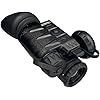
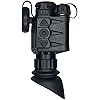
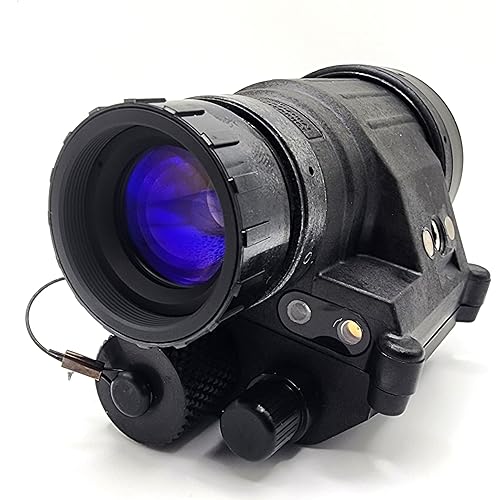
Armasight Sidekick 640 Mini Thermal Monocular with Armacore 640 Thermal Core, 3-Button Control, Compass, and Image Detail Enhancement (Gray)

  • Based on 0 reviews
Condition: New
Checking for the best price...
$2,649.99 Why this price?
Save $30.01 was $2,680.00

Buy Now, Pay Later


As low as / mo
  • – Up to 36-month term if approved
  • – No impact on credit to apply
  • – Instant approval decision
  • – Secure and straightforward checkout

Ready to go? Add this product to your cart and select a plan during checkout.

Payment plans are offered through our trusted finance partners Klarna, Affirm, Afterpay, Apple Pay, and PayTomorrow. No-credit-needed leasing options through Acima may also be available at checkout.

Learn more about financing & leasing here.

Free shipping on this product

FREE 30-day refund/replacement

To qualify for a full refund, items must be returned in their original, unused condition. If an item is returned in a used, damaged, or materially different state, you may be granted a partial refund.

To initiate a return, please visit our Returns Center.

View our full returns policy here.


Availability: Only 5 left in stock, order soon!
Fulfilled by Amazon

Arrives Monday, Jun 22
Order within 3 hours and 26 minutes
Available payment plans shown during checkout

Protection Plan Protect Your Purchase
Checking for protection plans...

Features

  • Smallest Monocular: The Armasight Sidekick 640 is the smallest fully multi-functional 12-micron 640 thermal imaging monocular on the market
  • Fast Frames: This unit boasts a fast 60Hz frames for smooth operation and industry-best, outstanding visual acuity, based on Armasights Iron Wolf thermal technology platform
  • Lightweight: Weighing under 250 g, the Sidekick can be used as a handheld mini-monocular or can be headset and helmet-mounted utilizing the built-in mini-rail for hands-free operation
  • Crisp and Clear: The high definition 1024768 OLED display provides a crisp image, with iconography providing key information
  • Easy to Use: The Sidekick utilizes simplified 3-button controls that allow for easy manipulation in the field and offers one-touch in-unit video recording to capture all of your experiences

Description

The Armasight Sidekick 640 is the smallest fully multi-functional 12-micron 640 thermal imaging monocular on the market. This unit boasts a fast 60Hz frames for smooth operation and industry-best, outstanding visual acuity, based on Armasight’s Iron Wolf thermal technology platform. Weighing under 250 g, the Sidekick can be used as a handheld mini-monocular or can be headset and helmet-mounted utilizing the built-in mini-rail for hands-free operation. The high definition 1024×768 OLED display provides a crisp image, with iconography providing key information. The Sidekick utilizes simplified 3-button controls that allow for easy manipulation in the field and offers one-touch in-unit video recording to capture all of your experiences. It is available in a Gray color. Features The Armasight Sidekick 640 has a 1-hour runtime on 1 CR123A battery at 20-degree C. It features Image Detail Enhancement. You can record videos and capture images through it. You can use the USB port to stream videos. A USB-C interface is included for external devices. The Sidkick 640 also features a compass. A battery status indicator shows how long your battery will last before the next charge. The Sidekick 640 has a ULTEM composite body and an ergonomic design. It is made and manufactured in the USA.

Brand: Armasight


Color: Gray


Style: Hunting


Sport: Hunting


Item Weight: 0.53 Pounds


Material: Magnesium Alloy


Magnification Maximum: 1 x


Objective Lens Diameter: 19 Millimeters


Magnification Minimum: 1 x


Compatible Devices: Headset


Magnification Maximum: 1 x


Objective Lens Diameter: 19 Millimeters


Magnification Minimum: 1 x


Compatible Devices: Headset


Mounting Type: Helmet Mount


Night vision: Yes


Eye Relief: 15 Millimeters


Item Weight: 0.53 Pounds


Item Display Weight: 0.53 Pounds


Color: Gray


Product Style: Hunting


Lens Color: Gray


Material Type: Magnesium Alloy


Brand Name: Armasight


Sport Type: Hunting


Model Name: Sidekick 640


Manufacturer: ArmaSight


UPC: 810081911672


Model Number: TAVT66MN9SIDE101


Manufacturer Part Number: TAVT66MN9SIDE101


Unit Count: 1.0 Count


Warranty Description: 3 Year Warranty


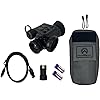
Included Components: Sidekick 640 Mini Thermal


Item Type Name: Monocular


Frequently asked questions

If you place your order now, the estimated arrival date for this product is: Monday, Jun 22

Yes, absolutely! You may return this product for a full refund within 30 days of receiving it.

To initiate a return, please visit our Returns Center.

View our full returns policy here.

  • Klarna Financing
  • Affirm Pay in 4
  • Affirm Financing
  • Afterpay Financing
  • PayTomorrow Financing
  • Financing through Apple Pay
Leasing options through Acima may also be available during checkout.

Learn more about financing & leasing here.

Top Amazon Reviews


  • A Worthy Successor to the Breach Monocular
I ended pulling the trigger on a Sidekick 640 for a little over $2,500 during the Labor Day sale, which is about $200 less than what I picked up a Breach for back in 21. It's a bit bigger and heavier than the Breach, and the ergonomics are different. I'm right handed and tend to mount these on my dominant eye, but the controls feel like they are better suited to left handed operation. Nothing bad, just have to get used to it. Buttons are stiff, same as with the Breach, but I expect they will give more with time. The FOV is night and day. I don't feel the need to have to constantly pan back and forth to ensure something isn't creeping in just out of sight, it just feels like a natural view. I like the objective lens focus adjustments, you can see when it's dialed in when the small details suddenly appear (blades of grass, tree bark patterns). Only issue I have is that objects inside 6-10 feet are not able to be focused like you can with a standard NVG, but since this is a detector I get the limitation. I am guessing the fixed objective lens on the 320 actually is clearer closer up than the 640, since the Breach can make out smaller details up close that the 640 cannot. I like that pallets can be selected with a single button push, but I don't like having to cycle through the pallets to find the one I want. Since the forward button and rear button have dedicated single press functions you can't go backwards to a pallet once you've passed it but must instead cycle back through all of them again. Zoom functions the same way with the same button, so you have to zoom all the way through until you reset back to zero. For the pallets it is jarring to go Sepia > White Hot > Black Hot > Predator Vison (OMG Eye fatigue) > Target (Black Hot with Red Overlay). I think it would be much nicer to have the dedicated pallet selection button be a user preference feature (cycle through pallets you select from a block check feature or something) and then a separate main options page where you can choose to display a specific pallet. The device uses 3 buttons, so options are limited, and everyone has their own preferences so I cannot complain too much. The options they do leave up to the user are pretty great for making the monocle perform in your specific environment. I love being able to grab one of their default settings and then going in and tweaking it until I dial in what I am looking for. It's great to be able to see how the adjustments add to or take away from what you are trying to make the monocle display. I prefer technology function the way I expect it to, I am not a fan of having to adjust anything, but thermal is just one of those areas where you have to pull out of your comfort zone to get the best out of it. I was initially underwhelmed with the video quality and refresh rate. The Breach by comparison has zero noticeable lag as you move your head to look around, in fact it is almost as close as you can get to the pass-through of a NOD. Being 6 years in the future I wasn't expecting a 60hz refresh speed on a micro HD screen to have any noticeable lag. As long as there isn't a hardware bottleneck somewhere in the design this can be fixed through firmware updates, so I expect that to improve. I'm not bothered by it anymore since there is less drastic head movement with that wide FOV, so unless you are using this to navigate it shouldn't even phase you. I can see someone getting this thermal, turning it on in a neutral thermal environment like their house, and feeling like they were cheated......ya gotta go outside and let the device show you what it can do as you adjust the settings to fit your preferences. After registering with Armasight I was able to update to the most recent firmware (5095 as of 3 SEP 24). When I got the device it was on firmware 5090, so like others have said Armasight is actively improving the device. The changes between when I first started using the thermal and two days later with the firmware update were noticeable (clearer video when panning/moving). I do not mind being a live Beta tester for a company working this hard to improve their device. What else.... - I love the extended battery tube was included so someone doesn't try to charge me $100-150 for one. If you are using 16650 batteries already, likely Orbtronic ones, they are a tight fit. You have to unscrew the extender to remove them. I've asked Armasight if there was a specific brand they were using for testing since no other device has issues fitting an Orbtronic, I'll pass along what they tell me. -The objective lens cover isn't going anywhere once it's on, but if you have the battery extender on you have to work a little bit to get the cover off since one of the edges fits in the gap between the extender and the lens. No big deal, just be aware of it since the inclination is to use the cover's strap to leverage it off and it could snap if it gets caught between the battery extender. -The little detent where you lock in your objective lens cover to stow it while the thermal is in use is a nice feature that works. It's good design I like to see. -The USB C cover is going to come off, either from you removing the objective lens cover or adjusting the lens. It has the same little knob as the lens cover and it protrudes just enough to get in the way. I am going to pop it off and replace it with a low-profile USB C port cover for phones that come in packs of 20 from Amazon and see how that works. -The rear eyecup that comes with the Sidekick is good quality, but it has some grip to it. You're going to want to add a microscopic bit of lubricant so it can spin freely. On mine trying to adjust the eyecup takes the diopter adjustment with it so I am forced to hold the diopter in place and pull/twist the eyecup into position. I don't know if I am just nitpicking since the one on my Breach free-spins like a top and has to be adjusted every time I put on the monocle. At least with the Sidekick you set it up once and don't need to move it again haha. -Popped a MOD Armory dovetail adaptor onto the MUM rail so I could use my Wilcox SKEET-IR modular bridge component and its IPD adjustment. I own the Wilcox MUM bridge which has a beautiful mini-rail coupling feature but is nearly unusable for thermal's unless your IPD matches the bridge as-is. Wilcox is heavier but stable and rock solid. Running this on a Crye nightcap and it's an easy wear. Something important to note is that because of the FOV of this unit and the details it can see, this would be the first thermal I could see navigating with if two units were bridged. The detail you can see outweigh the dangers usually associated with navigating with thermals, namely the inability to see holes/depressions in the ground. Paired with another Sidekick 640 I could easily see the surface contours beneath me, and navigate successfully. All in all I like the Sidekick 640 and I know it is helping me see and detect further than anything else in my kit. I'd recommend it to anyone looking to start out in thermal for basic defense and protection, and for exploring the night safely. ... show more
Reviewed in the United States on June 15, 2025 by J. C. Little

  • Well...
I typed up a long and detailed review and it's gone! Fine! The USB C is located in about the most inconvenient location possible and the rubber plug does not stay in because it doesn't fit well. Since it's located in such a hectic spot, running a USB cable to it without putting a lot of strain on the port is hard to do. I've purchased several different angled cables specifically for it, and the best I've been able to do is ranger band a loop off the front to reduce the strain to what appears to be a very fragile spot. I've also purchased two 16650's specifically for this unit and neither one fit. So quirky!! 7.5/10 could be better. Update: it needed a firmware update which requires registering an account, registering the unit, and then downloading the update. It was basically useless before the firmware update so the first night in the woods I was unable to use it until I did the update. ... show more
Reviewed in the United States on November 29, 2024 by TurdFerguson

  • Just do it. Better than duals and a COTI Just do it. Better than duals and a COTI
Extremely lightweight monocular. Highly recommended for a thermal imaging unit optimized for helmet-mounting. Easily paired with a PVS-14 for true fusion. Cannot recommend the Rayvn Group bridge highly enough if pairing with a PVS-14; the IPD adjustments on Rayvn bridge are above and beyond what you would get with any other option on the market. Along with the internal software adjustments, you can achieve legitimate fusion. The resolution is excellent, and the target mode is absolutely exceptional. Coming from strictly i2 technology, the ability to see in absolute darkness without supplementary lighting illumination is worth the cost of entry alone. The variety of color palettes available is extremely useful, and the sepia mode is a low-key standout. If I could come up with any negatives, it would be that, being digital technology, implementation of a green and blue color palette for seamless fusion with i2 devices should be a relatively simple process for the manufacturer. The menu system is intuitive, easy to use, and does everything you could ask for as an end-user. Build quality is excellent. I am consistently getting the manufacturer’s published specs on battery life, and the addition of a goal zero Venture 35 is getting multiple nights of use off a single charge. I’d recommend picking up a 1.6’ USB right angle cable, for optimal results with an external battery pack. The lens cap is great, and has a self-stowing feature, but I would recommend replacing with a Butler Creek MO20010, for ease of stowing. I can not recommend the Sidekick 640 and Rayvn Group bridge highly enough. Coming from running dual i2 Binos to a Sidekick 640 and PVS-14 there is no way I would ever go back to running duals. Even with an E-COTI on dual tubes, the Sidekick 640 and PVS-14 fused on a Rayvn bridge is the superior option. ... show more
Reviewed in the United States on October 22, 2025 Reviewed in the United States on October 22, 2025 by Mike L.

  • They shipped me a used, defective device. They shipped me a used, defective device.
They shipped me a used device. It came with a handwritten note inside from a previous owner telling me not to accept it as new. Pretty upsetting, honestly. I didn't pay all this money for a used device. Still, since I had it with me, I tried it out for a bit. It doesn't see clearly up close, but at distance the resolution seems pretty good. The black hot was my favorite, it was almost like looking at the world in black and white (at least when looking at wilderness landscapes), but there was a big black spot in the corner of the screen. When I switched to other colors, (hard to read some of the names as the text is the same color as the image) the rest of them had the big black spot in a different corner, diagonally across from the one on the black hot setting. In sepia there was a big red spot that covered one corner, but took up almost half the screen. There was a pattern of lines across the screen, horizontally and vertically, but it was irregular, so it wasn't some sort of grid but a defect in the optics. I wish I had gotten some pictures, but I didn't really have time to figure it out as the batteries it came with were dead in about 20 minutes, and that's with both of them installed at the same time with the included battery extender. Hopefully it's because they were used and not because this thing really is that power hungry. It's a major shame. If they hadn't shipped me a used, defective unit, I think I would have been pretty happy with this. ... show more
Reviewed in the United States on November 27, 2025 Reviewed in the United States on November 27, 2025 by E. Young

  • RMA and back in less than 5 days!
Update: Sent tit in with a label provided by Armasight for inspection. Got it back less than a week later. They reset it and reinstalled firmware. Screen lines we're gone with just some faint ones which my other thermal has also. Can't get rid of all the blooming but I think that's what you have to live with with that 19mm lens and large 24 deg FOV. It's just not as apparent in my old Incendis 384 becaus it has a 35mm lens and smaller 10.7 deg FOV so it's more forgiving. But that Sidekick 640 is small and handy so it's going on my helmet. I was torn between the Sidekick 640 ($2500), the RL25 ($1700) and the RH25 ($3500). I went with the sidekick. I have a 3 year old Acufire Incendis 384 that does everything like scanner, weapon sight and clip on. But at 24oz to heavy for a helmet mount. So when I got the sidekick I figured at 640 it would blow away the Incendis, it did'nt. The Incendis screen but the Sidekick wasn't. I had a grainy screen like a 60's TV after all the stations signed off. BUT and a big BUT is Armasight actually answers the phone!! Whereas Accufire is non existant or out of business. I talked to Nick and Mark and they we're great! They said it shouldnt look like that and sent me an RMA the same day. I was told once received it's 5days or so then shipped back. Armasight actually puts out firmware updates as their engeneers fix what owners concerns are. That's worth a lot to me. Plus they are an American manufactured and assembled here. The core isn't Chinesse but probally not USA made either. So I'll wait a week and then get back here to comment. The one bummer is it's not a weapon sight or clip on. But it has a huge field of view so it will match up with my PVS14 on a tandem helmet mount. It uses a Mum, mum14,Flir Breach mounting system if you we're curious. The reason the RL25 at $1700 was a no go is it's 2x native magnification, headaches on a bridged helmet mount for sure. The perfect thermals in a medium range would be the RH25 or RH25V2 but at $3500 and $5000 a bit rich for me but they do it all, 1x power, clip on or weapon mount and helmet capable. ... show more
Reviewed in the United States on January 14, 2025 by RDTS

  • Incredible clear
This is a great item. From a great company.
Reviewed in the United States on December 10, 2025 by Doctor M

  • Works as intended. Dual-band set-up with Ravyn Group Bridge Works as intended. Dual-band set-up with Ravyn Group Bridge
Tricky to get the firmware to work just right. Follow all directions and reformat after installing latest version of firmware.
Reviewed in the United States on December 21, 2025 Reviewed in the United States on December 21, 2025 by JD Ferguson

  • ARG! Performs a NUC calibration literally every 8-10 seconds for the first 10+ min of power on
NUC (Non-Uniformity Correction process) is a self-calibration that thermal cameras need to correct for ambient temp, and temp variance in the physical camera housing. The Sidekick 640 performs a NUC every 8-10 seconds for 10+ min breifly interrupting the video picture. This is absolutely maddening while you are trying to see anything throught the camera. I tested the camera over 2-days and every time reguardless of it being powered on previuously within less than 1-min or not, it auto-NUC's every 8-10 seconds. I can understand why the price dramatically dropped on this unit. It is functinoally useless unless you literally let it sit for +10min every time you want to use it. Then the NUC happens at a more reasonable 5-10min interval ... show more
Reviewed in the United States on December 1, 2024 by Figment

Can't find a product?

Find it on Amazon first, then paste the link below.
Checking for best price...