Search  for anything...

Amazon Kindle Paperwhite Signature Edition (32 GB) – With auto-adjusting front light, wireless charging, 6.8“ display, and up to 10 weeks of battery life– Without Lockscreen Ads – Denim

  • Based on 30,804 reviews
Condition: Used - Good
Checking for the best price...
$144.87 Why this price?

Buy Now, Pay Later


As low as $24.15 / mo
  • – 6-month term
  • – No impact on credit to apply
  • – Instant approval decision
  • – Secure and straightforward checkout

Ready to go? Add this product to your cart and select a plan during checkout.

Payment plans are offered through our trusted finance partners Klarna, Affirm, Afterpay, Zip, Apple Pay, and Google Pay. No-credit-needed leasing options through Acima may also be available at checkout.

Learn more about financing & leasing here.

Selected Option

Free shipping on this product

This item is eligible for return within 30 days of receipt

To qualify for a full refund, items must be returned in their original, unused condition. If an item is returned in a used, damaged, or materially different state, you may be granted a partial refund.

To initiate a return, please visit our Returns Center.

View our full returns policy here.


Availability: Only 5 left in stock, order soon!
Fulfilled by Amazon

Arrives Friday, Oct 30
Order within 23 hours and 35 minutes
Available payment plans shown during checkout

Protection Plan Protect Your Purchase
Checking for protection plans...

Color: Denim


Option: Without Kindle Unlimited


Offer Type: Without Lockscreen Ads


Features

  • Get more with Signature Edition Everything in the Kindle Paperwhite, plus wireless charging, auto-adjusting front light, and 32 GB storage.
  • Purpose-built for reading With a flush-front design and 300 ppi glare-free display that reads like real paper, even in bright sunlight.
  • More reading time A single charge via USB-C or compatible Qi wireless charger (sold separately) now lasts up to 10 weeks.
  • Adjustable screen Now with adjustable warm light and auto-adjusting front light for a personalized reading experience, day or night.
  • More books in more places Store thousands of titles, then take them all with you.
  • Find new stories With Kindle Unlimited, get unlimited access to over 2 million titles, thousands of audiobooks, and more.
  • Go hands-free Pair with an Audible subscription and Bluetooth headphones or speakers to listen to your story.

Frequently asked questions

If you place your order now, the estimated arrival date for this product is: Friday, Oct 30

Yes, absolutely! You may return this product for a full refund within 30 days of receiving it.

To initiate a return, please visit our Returns Center.

View our full returns policy here.

  • Klarna Financing
  • Affirm Pay in 4
  • Affirm Financing
  • Afterpay Financing
  • Zip Pay in 4
  • Financing through Apple Pay
  • Financing through Google Pay
Leasing options through Acima may also be available during checkout.

Learn more about financing & leasing here.

Top Amazon Reviews


  • 5 Stars
Color: Black Option: Without Kindle Unlimited Offer Type: Without Lockscreen Ads
I absolutely love my Kindle Paperwhite! I wasn’t sure if I’d use it as much as I do, but it has quickly become one of my favorite purchases. The screen is easy on the eyes and feels so much like reading a real book, even for long reading sessions. The adjustable warm light is a game changer, especially when reading at night. The battery life is incredible—I can go weeks without needing to charge it. It’s lightweight, comfortable to hold, and easy to take anywhere, whether I’m traveling or just relaxing at home. I also love being able to carry my entire library with me without the bulk of physical books. If you’re someone who enjoys reading or wants to get back into reading, I highly recommend the Kindle Paperwhite. It’s worth every penny and has made reading even more enjoyable for me! ... show more
Reviewed in the United States on July 14, 2026 by Jess

  • 11th-Gen Kindle Holds Up in 2026
Color: Black Option: Without Kindle Unlimited Offer Type: Without Lockscreen Ads
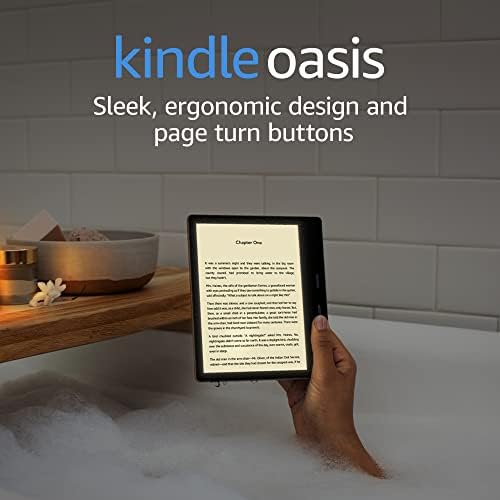
I've owned a Kindle Oasis for seven years. I thought I would replace it with another Oasis, but decided to give this Signature Paperwhite a try. I think I like them both equally, as each has its perks. I write this review from the point of view of someone who has only owned the previous flagship Oasis. — SCREEN — The screen on this is 6.8", a touch smaller than the Oasis, but still big enough to be paperback-sized, which makes me feel like reading a book. The Paperwhite Signature screen has 17 LEDs, and the Oasis has 25, and the main difference here is the gradation of brightness, but you still get the same range of brightness. The e-ink on this Signature is darker, so the contrast is better. This makes it easier to read. The auto-adjusting light on the Signature is more obvious when it's changing, but also more appropriately changes to the surrounding brightness of the environment. The screen resolutions are identical at 300 ppi. You can adjust the warmth of the screen. I chose 21/24 because I like my pages to look like the color of paperback pages that's been in your collection for some years. — BATTERY LIFE — This promises "weeks of battery life" like the Oasis. For the most part, if you keep your brightness at around 50% and turn off Wifi and Bluetooth, you can get about two weeks of reading at 30-minutes a day. For me, I keep it at 14-16/24 depending on my mood and how much brightness I want. I recommend keeping your Wifi off, as it definitely helps extend battery life. I turn my Wifi on once a month when I'm downloading my new batch of books, or if I'm trying to sync my devices. — CHARGING — You can charge wirelessly if you have a Qi charger, or you can use USB-C. If you don't like to put cables in and out of your devices and mess up the port, I suggest wirelessly charging it. — STORAGE — After owning an 8GB Oasis, I upgraded to the 32GB Signature. I download a lot of Audible audiobooks, so those take up a lot of space, and 32GB is more than enough to download all the immediate listens I wish to have on hand. — SUMMARY — It's 2026, and I chose this 6.8" 11th-gen model over the newer 7.0" 12th-gen version because it was half the price. I also bought an Amazon Resale version and essentially got a like-new Kindle—without ads. If I need that extra line of text, I can still use my 7" Oasis. Overall, I enjoy this Kindle very much, and it's become my travel Kindle. I got a cute Amazon cork case, and when I open it up to read, it's nearly the same as reading a physical book. I couldn't be happier using it every day. Highly recommended. ... show more
Reviewed in the United States on July 4, 2026 by benjamin bannister

  • Signature vs Paperwhite: Observations from Owning Both
Color: Black Option: Without Kindle Unlimited Offer Type: Without Lockscreen Ads
I own the 11th Gen (newest model 2022) standard Kindle Paperwhite and the Signature Paperwhite. I love them both. If dough is not the issue, I would buy the Signature model for fifty bucks more. Here’s some of my particular findings in use. Cases: Note that I do not like the Amazon cases because I don’t like folding over cover type cases; I prefer cases that simply help with holding the device. I purchased the “MoKo Case for 6.8" Kindle Paperwhite (11th Generation-2021) and Kindle Paperwhite Signature Edition, Ultra Clear Soft Flexible Transparent TPU Skin Bumper Back Cover Shell, Clear” from Amazon and it fits the Kindle ideally, and most importantly this case DOES go on the proprietary charging stand made by Anker and the charge does go through the case (that is, I do not need to remove the case to charge the Kindle in that charging stand). Battery: Amazon states that the Kindle 11th gen will hold a charge for 10 weeks, when used at limited brightness for 90 minutes a day (and a lot of other stipulations, like WiFi and Bluetooth off, etc). In reality, many may turn up the brightness, read more than 90 minutes, and Airplane mode on, or use other features that drain the battery faster (See audiobooks below). I have found that my battery drains faster than 10 weeks, but I am using the device with Airplane mode off, Wifi on, Bluetooth On. I do not like turning off wifi in particular because it MUST Be on to sync books between devices, and since I have two Kindle 11th gens, plus a MacBook, iPhone, iPad, and I read 5 books at a time simultaneously, I have no desire to turn wi-fi off. Thus, having Qi charging is helpful…not mandatory but helpful. Another BIG reason for the Qi charging is Audible audiobooks. I do listen to them through the Kindle itself, and the battery drains fairly quickly when listening to audiobooks. Memory Storage: The Kindle has 8 GB storage, but only 5.8 GB after their software OS. The Signature Kindle has 32 GB storage, but only 28 GB after their software OS (there is slightly different software between the two models as the Signature supports more menu and charging features). So if you love downloaded “off-line” reading, and in particular if you enjoy having audiobooks in your downloaded library (they take much more storage than an e-book), the 32 GB is reassuring. Auto-light adjust: I can’t even detect that it’s doing anything, but if one rides a train daily to work and it passes through dark tunnels, this feature may be of benefit to you. Advertising free: Many forget the $20 value of the ad-free that is part of the Kindle Signature. Even those that wouldn’t pony up for it on their own may enjoy it here as “icing on the cake” for the price difference. I like seeing my own book cover on the sleep screen, and that is not possible with the “with ads” version. I thought I enjoyed the ads for editors choice books and book sales and stuff, but I much prefer the ad-free model. And, little discussed fact, the ad-free version has one less swipe to get to your Library or current book every single time you turn on the Kindle. True! Dedicated Signature Charger Stand: I bought the Qi charging stand and like it greatly. It does work with my “MoKo Case for 6.8" Kindle Paperwhite (11th Generation-2021) and the Kindle Paperwhite Signature Edition, Ultra Clear Soft Flexible Transparent TPU Skin Bumper Back Cover Shell, Clear”., and charges through the case and the case fits the stand (but not quite as bump-proof as the Kindle without the case). I like that the stand sits quietly on my desk as I am working, or on my coffee table while I’m watching sports do I can read during commercials. I do not need to keep the AC cord attached to the stand at all times; sometimes I use the charger stand as simply a free-standing stand for either of my Kindles. I like that it can hold my Kindle 11th generation normal edition without Qi charging and I can read on it as an easel stand. I feel the utility as an easel stand is underrated. Qi chargers in general are not free, and neither are easel stands, so coupling those two together, you get the price of this Anker model. I find no issues with the size of the “wall wart” or the plug in the back of the stand. Some people complain with the charging stand that the white light indicator does not turn to another color, such as green, to indicate full charge. A “work around” for this is to place the charging Kindle on the stand upside down; now the LED light at the bottom of the Kindle device itself, which does change color when fully charged, is face upward and easily seen. Frankly, there is no issue with simply assuming the Signature PW is charged after an hour or two. I like this stand much more than I thought I would. I’ve owned every Kindle since the first one! I use library Libby, and am an Audible and Kindle Unlimited subscribers. I guess you could say I’m a “power user”. I definitely prefer the Signature version, but both are good readers. If I could change one thing about these Kindles, it would be to add a physical button like the Oasis. I realize that sounds outdated, but to reach and switch with the other hand, or reach thumb across screen to scrub, every page turn is a chore that is solved with an under-thumb button like Oasis. Additionally, the e-ink is good, but after two decades, one would think the text versus background contrast would be better…that is, darker text, whiter background. Instead, it remains darkest gray text in lightest gray background, not ideal. Happy reading! ... show more
Reviewed in the United States on March 19, 2022 by WayneChicago

  • Great upgrade to older Kindle generations
Color: Black Option: Without Kindle Unlimited Offer Type: Without Lockscreen Ads
My Kindle Paperwhite 7th gen (released 2015), was still working fine when I upgraded to this. I have been waiting for the USB - C Kindle, and I'm now officially micro-usb free. I traded in and paid the extra to get the wireless charging so that, when this Kindle lasts many years to come, I can still use it when we're someday cable-free entirely. At a high level, this Kindle is a terrific device. Until color Kindles come out some day years from now, it's going to be perfect for reading use. It's lightweight and a pleasure for me to use with one or two hands. All my minor complaints aside, I truly love this device and use it daily. I have no complaints with regard to my daily use. If you have the Kindle paperwhite I had before, it's not worth upgrading unless you want to treat yourself. I have no regrets about the purchase, as I wanted to treat myself. If you don't have a Kindle, this is the best, and you will enjoy it. The reasons I upgraded: -Larger screen. Nice, not necessary but apprecated -Dark mode. Old generations didn't have this (thanks, Amazon, for artificially limiting older generations' software) -USB-C. I was way too excited about this, but I stand by it. I was concerned that the flush glass screen would be worse than my old paperwhite's recessed screen. It is, but not noticeably so, which I'm pleasantly surprised to say. It's less paper-y than the old Kindles, but makes the Kindle look very clean and crisp. It's plenty responsive, and there's still enough bezel to hold it without touching the screen. It also has the same ppi (Pixels per inch) of my 2015 Kindle, and the new screen type makes it less clear because of the layers. I was concerned about that too, but it's not noticeable. Side-loading books is still very easy with new versions of Calibre. Dark mode is great for reading in bed with the lights off without bothering a partner next to you in bed. I upgraded primarily for the dark mode, as regular mode is too bright for me when I'm trying to go to sleep (same for real books with a reading light). It wirelessly charges on both of my phone chargers, one of which is one of the stand-style chargers (like the Amazon-branded Kindle one). I'm a little surprised that the larger Kindle still works on my phone's charging stand, and it is an excellent little surprise. A couple other notes for you future owners: -Don't buy the Amazon-branded cases for this generation. They're a rip-off and poorly designed this generation. There are many generic cases that work just as well, such as Ayotu's. I use that case for when I travel with the Kindle in a bag. -Don't buy the Amazon-branded USB wall adapters. They're ridiculously overpriced, and their maximum wattage is below the Kindle's maximum charging wattage. Amazon scam. -Don't buy the Amazon Kindle charging stand. It's got a weird proprietary cable to hook into the wall. You're better off getting one flat wireless charging pad, as pretty soon (if you're not already there), your phone, earbuds, and Kindle will all charge wirelessly, and a flat pad will be able to fit all of them. How often will you really need to charge your Kindle, anyways? -I got a Harris Tweed sleeve from SarahJayneDesi9ns on Etsy, and highly recommend it. It's beautiful. Other miscellaneous gripes: -It's a ripoff that Amazon charges for you to remove ads from a product you bought, but that's not relevant to this version, as there is no ad version with wireless charging. -It's a ripoff that I couldn't have dark mode on my old paperwhite. It's black and white. It's not too difficult to push a software update to it to make it white and black. They just wanted me to upgrade (and it worked). Buying this product supports that corporate mentality. -The screen is the same ppi and slightly blurrier than my 2015 Kindle. -To reiterate, the main upgrades are a charging port that Android phones have used since 2008 and a software update that they wouldn't let my 2015 Kindle have. I still love this Kindle and will use it daily for years to come. For being a mainstream product, I really appreciate Kindles' longevity, and I truly hope this one will last for years like the previous generations have. ... show more
Reviewed in the United States on February 10, 2022 by Ben

  • Easily the Best I've Experienced
Color: Black Option: Without Kindle Unlimited Offer Type: Without Lockscreen Ads
I've experienced almost every Kindle since they arrived on the scene and this, so far, is my favorite. My previous Paperwhite was the Generation 10. Bigger screen, faster response all around (touchscreen & page-turning, etc., I like the screen-light change for evenings. It is bigger than the 10, but not heavier. It charges faster and the battery life is incredible. Like any other device, battery life is affected by how you use it (audiobooks seem to use battery life faster than the Kindle format). I haven't used the Scribe so cannot speak to any differences there. People have written about how they don't like the on/off button where it is. I have found on my Gen10 and this Signature that if I make my reading screen go landscape instead of portrait, this solves a lot of problems. No accidentally turning off my device AND the sort of top-heavy thing that happens even with paper books is eliminated. I can read longer without making my hand tired. One must make this change in a book by using the Aa icon and changing the Orientation in the Layout section. If you save this Theme, you can re-instate it if necessary. When I figured this out in my Gen10, it made a world of difference. This is the first device I've felt like I would want to have all my books available to me on my Kindle, Kindle & Audible. I've used the option of sending PDFs to my Kindle as well as books purchased elsewhere or library books in Kindle format. It all works well on the Signature. I purchased a case for my Signature as I do most all my devices. I don't live an in-one-place life and this is the best way to keep my devices safe as I can from being damaged accidently from being pulled in and out of a purse or backpack or suitcase while visiting away from home. I take my Kindle most everywhere I go as I listen to audio in the car and sometimes at work when I'm working alone. With Bluetooth earbuds, it is easy to put a pause on an audiobook and answer the phone. I don't think I'm alone in having this help me be productive in working through tedious projects. I tend to purchase the Kindle AND the audiobook together whenever I can as I will read in both formats over the time I'm reading any particular book. In my Gen10, I wasn't successful in purchasing the Kindle & Audible book through the device. I had to go on my computer to do that successfully. With the Signature, it worked quite well. I'm very happy about that as that is my preferred outcome. That means I love Whispersync. Since I also have a Fire, this keeps me in the right place at the right time, anywhere. ... show more
Reviewed in the United States on January 5, 2023 by Lise N. Pellerin

  • Almost perfect, but no page turn buttons
Color: Black Option: Without Kindle Unlimited Offer Type: Without Lockscreen Ads
Let me start by saying this is my 4th overall Kindle e-reader, including owning the 4th generation Paperwhite and the Oasis 3rd generation. I have fallen in love with e-readers and reading again because of the Kindle line and this model is almost perfect. Starting with the screen, it is now 6.8”, up from 6” from the previous model. Personally, I liked the smaller form factor of the prior version, but with the bigger size, you do get more words per line. I don’t normally read books with lots of graphics, but I’m sure that would be an improvement as well. The one major feature that I loved on my Oasis was the warm lighting at night and now, that is available on the Paperwhite line. Great addition! The screen is the same 300 ppi as before and the text is sharp. Another addition to the Signature Paperwhite is an auto-brightness feature. Personally, I never used it on my Oasis and probably won’t on this one either. However, I have no complaints about the screen, it is near-perfect for an e-reader. Amazon finally updated the Kindles for USB-C charging! Personally, that should have been added in the previous generations, but it's here now. Finally, I don’t have to carry around an extra Micro USB cord just for my Kindle. In addition to that, the Signature Paperwhite also includes wireless charging. I first thought that feature was a bit hokey, but after using it on my iPhone and Kindle Fire HD 8”, it is nice to have, even if you don’t normally charge that way. One feature that Amazon really didn’t mention too much about was that they surely updated the processor in this model. It is fast, well, fast for an e-reader :) In my prior Paperwhite, sometimes I’d tap the screen for a page turn and nothing would happen, so I would tap it again, only to have it then turn 2 pages. The Paperwhite Signature Edition is very responsive and there is very little to no lag time, which is more like the Oasis line. Very nice! Personally, I much prefer the form factor of the Paperwhite over the Oasis’ asymmetrical design. I just never really liked it and although I don’t care that Amazon continues to sell them, I wanted to see a more premium version in the standard form factor, like the prior Kindle Voyage, since retired, and it here in the Paperwhite Signature Edition…ALMOST…. There is one MAJOR issue I have and that is that Amazon didn’t include page turn buttons on this model. I of course knew this before purchasing, but nonetheless, I feel it deserves mentioning. I think that Amazon would have hit a home run out of the ballpark had they included page turn buttons, but apparently, they want to keep that feature (for now) on their premium Oasis line. And because Amazon choose to exclude page turn buttons, I only gave this model 4 stars. If you’re new to e-readers, although this is a fantastic option, if you don’t care about auto-brightness, wireless charging, or unless you absolutely need 32 GB of storage (most don’t for just regular books, audio books and graphics novels are an exception), consider the regular 11th generation Paperwhite. It’s $50 less and you still get the same large screen and warm lighting. Or better yet, while they are still available, get the 10th generation Paperwhite. As of this writing, I saw them on sale for $84.99, That’s a steal for that model. Finally, one gripe I have is that Amazon did not include the latest version of their Kindle software. I went to Amazons site to manually run the update and it is not listed there either. I have it on my Oasis and it is a nicer layout. I am sure it will be available at some point in the future, but it is perplexing that Amazon would create an update and then a month later, release a new Kindle without the ability to update it. Overall, I do recommend the Kindle Paperwhite Signature Edition, if you have a few extra bucks for the features. But they aren’t a must have to be honest, and for most people, the regular Paperwhite will be more than sufficient. UPDATE 11/5/2021 The latest software update was released a couple of days ago and I was able to update it. I wanted to comment of a couple of other complaints people had. First, the fact that this is only available in wi-fi. Personally, I thought the 3G/4G models were a bit overkill. I mean, how hard is it to download a book at home before you leave? Or for that matter, find a wi-if hotspot somewhere? I think most people are not going to miss that feature, especially since it was a pricey upgrade anyway. Secondly, the fact the power button is on the bottom of the unit. This has been there for quite a few generations now and on the prior models I’ve owned. It personally has never been a problem for me. Yes, I’d prefer that it was on top, but I’ve never accidentally pressed it while reading. And on this new model, the button itself does require a bit of force to depress, so I really can’t see too many people hitting it by mistake and actually turning the device off. Finally with the screen, well, my prior comment stands. It really is nice. Not sure how some can feel it is a downgrade. The lighting is very uniform when reading at night and there are no dead spots. Furthermore, the contrast ratio seems higher, resulting in deeper blacks and whiter whites. ... show more
Reviewed in the United States on October 29, 2021 by William A. Watson

  • I absolutely LOVE this!
Color: Black Option: Without Kindle Unlimited Offer Type: Without Lockscreen Ads
I’ve been wanting a Kindle for ages and finally went for it. I have to tell you- I am in love with it! As an avid reader, this is just what I needed. I’ve always been a fan of paperback, but have jumped into the ebook world instead of needing to carry multiple books on me at a time (or being forced to choose what I would take with me that day). After using the kindle app for a long time, this is infinitely better and exceeded my expectations. Fast touch response, lightweight but durable, nice feel with a soft touch, and picture quality is great. The lighting has been great so far through dark and bright sun, easy to read in both. Brightness is adjusted automatically (there’s an option to turn this feature off) and works quickly. Very simple and fast setup, even easier when using the connection with the app. The battery life came out of the box at 55%, which has held up well throughout the day but I can’t say too much on it this early on. I may update later with my experience with the battery life and how it performs with airplane mode. **BATTERY UPDATE** ~ Amazing. I haven’t charged it in 8 weeks and it’s still going strong. I read a few hours a day, and I keep it on airplane mode unless I need to download a book. Note: this is the replacement kindle I was sent and it works perfectly. Unfortunately, the first kindle I got had a hardware issue that would not hold charge and had to plug it in at least 2-3x a day. I did all the tips and tricks and eventually contacted Amazon for assistance after a few days. They were very helpful and fast! I was immediately sent a replacement and have had zero issues in the last 2 months. ~ I even made a few screensavers for the lock screen! I highly recommend getting this Kindle! I would argue that even those who love physical books would enjoy it. ... show more
Reviewed in the United States on May 14, 2024 by H

  • Never saw a use for a dedicated eReader until I used this.
Color: Agave Green Option: Without Kindle Unlimited Offer Type: Without Lockscreen Ads
Up until now I never saw a use. I've always used an app on a tablet. Both have their pros and cons, but now that I have a dedicated reader I can see the difference. TL-DR: While a tablet offers more flexibility with a number of other uses and priced similar to a Kindle, this Kindle is so much better for reading that I don't see myself going back to my tablet. I'd advise getting a case with a cover, and skipping a screen protector. A feature of the Kindle display is that it has minimal/almost no glare, and can look close to the page from a book. A screen protector can only detract from that. A case has a cover to keep it protected while not is use, and a hand strap for when you're using it. The Kindle is a dedicated reader, while a tablet is a multi use device. I've never had another e-reader, but I have had a couple tablets in the same price range, so that's what I have to compare it too. The Kindle is lighter and easier to hold for longer periods than my tablet, but it's also a couple inches smaller than my tablet. The size has been a non-issue for me as far as reading goes. Does miss out on a feature I enjoyed on my tablet which is turning it sideways. The Kindle is a great size and format for displaying one page at a time, but on my tablet I can hold it landscaped and display two pages at once. It's just cosmetic, but it was neat. The screen is crisp and clear, and I do find it easier on the eyes. I guess they said they upgraded the displays on this model, and it's excellent for reading. I tweaked the brightness and added a bit of yellowing to suit my preferences, and if it wasn't for the lack of that wood pulpy texture, it looks like a real page from a book. I've never had an issue reading on the tablet as you can customize reading apps in many ways, and the display is adequate, but this just "feels" better. However it is a monochrome screen. For reading the Kindle display is top notch, but it does miss out on some other things a tablet can provide. I guess it's a pretty minor issue, but it'd be nice if the storefront had a splash of color, and I'd absolutely love to have my book covers in color again! The Kindle has all the features you NEED to customize an tailor it to suit you, I can't find any faults. But the app I liked using on my tablet might have more, and has done some better. By some I guess I'm only referring to one Kindle feature which I liked more on my app. The Kindle's page turning effect is more like a dissolve wipe moving from one side of the screen to the other. The page turning effect on the app I used was perfection. You could flick or touch for an actual page turning effect, or you could click and drag it watching the page actually turn like a book. This might be a limitation of the special screen they use for the Kindle though. I think the same goes for it being a monochrome screen. Again, the Kindle has the better display for reading, but it isn't as flexible as the screen on your tablet or phone. It's light weight making it easier and more comfortable to hold, which I said near the beginning, but I think you're going to want to get a case. The Kindle is rather thin, and the bezel/margins are small enough to give you some hand/wrist strain after a while. It's also easy to tap the side and turn the page by accident. Having a case doesn't just provide more protection, but it makes it easier to hold. It's still light wight, but now thicker and easier to hold. If you get one with a hand strap like I did, you really don't even need to hold it. Depending on the case, it can make it more pleasing to the eye and also more like a book (I used the "Fintie Stand Case" which I found here on amazon for anyone curious. It comes in a large variety of styles, and has features that improve the reading experience. It's inexpensive too. (I get no incentives from either Amazon or Fintie, I just really enjoy the case the made for this Kindle.)). Lastly, I'd caution getting a screen protector. Normally I do this for my other electronics, but adding a screen protector to this Kindle I think would defeat one of it's better features, being no screen glare. It already has a display designed for reading, and I think a screen protector would just end up adding more glare. The glare is so minimal on the Kindle that it can look like a real page in a physical book. Oh, and my battery is still at 70% after... I dunno, a dozen hours of reading, and I increased the brightness from the default. ... show more
Reviewed in the United States on June 16, 2024 by Darth Chalupa

Can't find a product?

Find it on Amazon first, then paste the link below.
Checking for best price...