Search  for anything...

AAWireless Two - Android Auto Wireless Adapter - Convert Factory Wired Android Auto to Wireless - Multifunctional Button - Easy Plug and Play Setup - Seamlessly Connect Via Bluetooth - Made in Europe

  • Based on 1,561 reviews
Condition: New
Checking for the best price...
$54.99 Why this price?
New Year Deal · 7% off was $58.99

Buy Now, Pay Later


As low as $9.17 / mo
  • – 6-month term
  • – No impact on credit
  • – Instant approval decision
  • – Secure and straightforward checkout

Ready to go? Add this product to your cart and select a plan during checkout.

Payment plans are offered through our trusted finance partners Klarna, Affirm, Afterpay, Apple Pay, and PayTomorrow. No-credit-needed leasing options through Acima may also be available at checkout.

Learn more about financing & leasing here.

Free shipping on this product

FREE refund/replacement until Jan 31, 2026

To qualify for a full refund, items must be returned in their original, unused condition. If an item is returned in a used, damaged, or materially different state, you may be granted a partial refund.

To initiate a return, please visit our Returns Center.

View our full returns policy here.


Availability: In Stock.
Fulfilled by Amazon

Arrives Friday, Feb 6
Order within 3 hours and 51 minutes
Available payment plans shown during checkout

Protection Plan Protect Your Purchase
Checking for protection plans...

Features

  • Compatibility | The TWO is compatible with cars and/or head units that exclusively support wired Android Auto. The TWO is compatible with phones that have Android 11 or higher and are on Google's official list Android Auto compatible smartphones.
  • Note: While AAWireless TWO is designed for a seamless Android Auto experience, externat interference (e.g., cell towers, Wi-Fi hotspots, dashcam, or other wireless devices) may affect connection stability. We have added an extra feature in the app that allows for localized Wi-Fi settings to help mitigate interference, but in some cases, external disruptions may be unavoidable.

Compatible Devices: AAWireless TWO is compatible with smartphones that have Android 11 or higher. Please check if your car and/or head unit is compatible via See more


Connector Type: USB Type A


Item dimensions L x W x H: 2.17 x 1.38 x 0.59 inches


Brand: AAWireless


Item Weight: 18 Grams


Product Dimensions: 2.17 x 1.38 x 0.59 inches


Item Weight: 0.635 ounces


Item model number: AAW2


Other display features: Wireless


Manufacturer: AAWireless


Date First Available: August 1, 2024


Frequently asked questions

If you place your order now, the estimated arrival date for this product is: Friday, Feb 6

Yes, absolutely! You may return this product for a full refund within 30 days of receiving it.

To initiate a return, please visit our Returns Center.

View our full returns policy here.

  • Klarna Financing
  • Affirm Pay in 4
  • Affirm Financing
  • Afterpay Financing
  • PayTomorrow Financing
  • Financing through Apple Pay
Leasing options through Acima may also be available during checkout.

Learn more about financing & leasing here.

Top Amazon Reviews

  • Best Android Auto dongle hands down!!!
This dongle is wonderful! Easy to setup and works exactly as it should. My phone seamlessly connects to my car within seconds without extra cables. Also reduces the wear on my phone USB port. Highly recommend!!
Reviewed in the United States on November 30, 2025 by Jason Slovin

  • Easy setup, no problems using it
Started looking into getting a wifi adapter for using android auto in my car so I could get rid of the USB cable. Saw that the previous version of this device had some good reviews, with several reviewers noting that a new version was due out before the end of the year and it was supposed to be even better. So I went to the AAWireless site and signed up to get notified when it was available. Bought it the day I got the email notification. After it showed up, it took me all of 5 minutes to get it synced to my phone and have Android Auto on the infotainment screen, but this time no wires. I'm using a Pixel 7 Pro in a 2016 Ford Focus ST. Plugged the device into the USB port in the storage area under the arm rest. Keeps it out of the way and hidden, but reachable if I ever need to hit the button on it. It's so small it fits easily with the other stuff I keep in that compartment. Then: Downloaded the AA Wireless app Started the car Ran the app and went through the bluetooth syncing/setup process in just a couple minutes WiFi came up, phone connected to it Car asked if I wanted to use the new device and run Android Auto, select yes The map and music apps come up and it even resumes playing the song from where it left off earlier Done No muss no fuss. Later I added my wife's phone to it (same model as mine) since my son's been using her car lately and she's been driving mine more. Again, less than 5 minutes. And in case it gets confused over whose phone should be in control when we're both in the car, you can hit the button on it to switch to another synced phone. That worked perfectly. Using the app I also configured it to just always connect to the last device it was connected to. This also works perfectly. When we're both in the car, whoever was driving/using android auto last (usually me) gets connected. Get back in after shopping/dining/whatever, same device gets connected. When she goes to use the car without me, her phone just immediately connects. If we're both in and I'm driving after she used it last, it will connect to her phone, but she just opens the arm rest compartment, hits the button, and it's my AA now. Another nice surprise was how quickly it connects. The reviews i read of using a wireless adapter all mentioned how most would take up to a few minutes to get connected once you start the car. The AAWireless TWO is usually connected and AA is up and running before I put the car in reverse. If you add the time it used to take to plug in the USB cable (and sometimes fish it out after it got stuck under the seat or wrapped around something on the dash) and then place the phone in the holder, I think this device is actually faster. I ended up replacing my old spring-loaded claw type phone holder with a magsafe one, so now I just get in, stick the phone to the mount, start the car and everything just works. No tangled cables, no waiting for everything to connect. Couldn't be happier with it. ... show more
Reviewed in the United States on November 3, 2024 by Richard M Ferko

  • Flawless Device
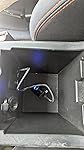
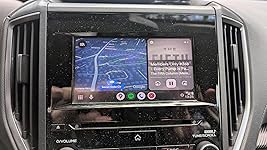
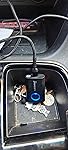
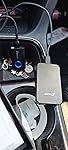
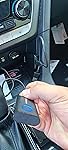
The AAWireless Two worked flawlessly for me. I have a 2019 Subaru CrossTrek. I love this car, but one disappointment was the awkward USB cable required to hook up my Android phone to the car's display. The USB port is in a weird spot in the under-arm-rest compartment, it is hard to see and the connection was a bit flaky. I was envious of my friend's new car where his phone connected wirelessly. Then my AAWireless Two was delivered. I immediately plugged it into AC to charge it. Once it was charged, I took it out to my car, plugged it in (See pic #1), set it into pairing mode and it was up and running in a minute. In contrast to the USB cable connection, it has never failed to connect when I start the car. It also interoperates perfectly with the phone control buttons on the steering wheel (Speak, Call, Hangup). Between the AAWireless Two and the recent upgrade to AndroidAuto, I feel like I just got a $1500 upgrade for just $69. ... show more
Reviewed in the United States on August 20, 2025 by Nicholas J. Whitehead Nicholas J. Whitehead

  • Buttery smooth in operation but takes about 30 seconds to power up
It works well and the packaging is small and hardly wasteful. Once connected the audio plays smoothly and the navigation is smooth and is better than the carlinkit with less delay. Setup is pretty easy to do. You just connect it to Bluetooth and you can use you android auto or carplay. The one thing I don't like is that it tries to connect 3 to 4 times and takes about 30 seconds to connect the phone to Android auto from being plugged into the USB port. Compared to the Carlinkit wireless android auto receiver it much slower than the carlinkit one which connects in about 15 seconds when plugged into the USB port. Also fair warning to people is some cars can still supply power to the USB port on the car when it is off and it will connect your phone back to the car through android auto if you are in range of your car. ... show more
Reviewed in the United States on October 4, 2025 by Cross.Aaro Cross.Aaro

  • Works well in my F150
I am using this in my 2017 F150 Platinum with Sony stereo system. This unit works great and connects to my system each time I start it up. Updates are seamless and the sound quality is just fine for the stock radio. It's a small unit so it sits in my front storage compartment and doesn't take up any space at all. It's easy to use ... show more
Reviewed in the United States on November 12, 2025 by BKM

  • Holy Grail of Android Auto wi-fi adapters. Also works for Carplay now, I think.
THE HOLY GRAIL of Wi-Fi Android Auto Adapters. SO easy. Super fast. The app is killer..total game change. If your USB port does not shut off when you turn off the car, there is a setting in the app, I believe it's additional or advanced settings that will fix this. There is also a setting in there that will make Android Auto hook up immediately. I'd give this 10 stars if I could. 2 seconds to hook it up. Push button on device to switch connection to paired devices. LOVE THIS. ... show more
Reviewed in the United States on October 26, 2025 by Mrs U

  • Better than stock Wireless Android Auto
My wife's car has wireless Android Auto and it's so finicky. It seems to pair to the wrong phone every time, no matter which we used last or which is set as primary. And that's if it even pairs. Half the time it complains and instructs us to use USB. I mention that only because this AAWireless device works flawlessly. With a single push of the button it pairs to the last used phones. One more click and it switches to the other saved device. It's so simple. I do recommend getting the optional app to be able to tweak the settings, especially if you have a vehicle that turns on the USB ports every time the door opens. I didn't appreciate my phone pairing to the car just because I was grabbing something out of the back. There's an option in the app to enable sleep mode which requires a click of the button to wake the device. ... show more
Reviewed in the United States on October 7, 2025 by Corey

Can't find a product?

Find it on Amazon first, then paste the link below.
Checking for best price...