Search  for anything...

VIWOODS 6.13'' Carta1300 AiPaper Reader with 4G Connectivity, Ultra-Thin & Light E Ink eReader Device, AI Integrated, 300PPI, Adjustable Front Light, 128GB Storage

  • Based on 64 reviews
Condition: New
Checking for the best price...
$279.99 Why this price?
Save $239.91 was $519.90

Buy Now, Pay Later


As low as $46.67 / mo
  • – 6-month term
  • – No impact on credit to apply
  • – Instant approval decision
  • – Secure and straightforward checkout

Ready to go? Add this product to your cart and select a plan during checkout.

Payment plans are offered through our trusted finance partners Klarna, Affirm, Afterpay, Zip, Apple Pay, and Google Pay. No-credit-needed leasing options through Acima may also be available at checkout.

Learn more about financing & leasing here.

Free shipping on this product

FREE 30-day refund/replacement

To qualify for a full refund, items must be returned in their original, unused condition. If an item is returned in a used, damaged, or materially different state, you may be granted a partial refund.

To initiate a return, please visit our Returns Center.

View our full returns policy here.


Availability: In Stock.
Fulfilled by Amazon

Arrives Friday, Jul 31
Order within 7 hours and 42 minutes
Available payment plans shown during checkout

Protection Plan Protect Your Purchase
Checking for protection plans...

Features

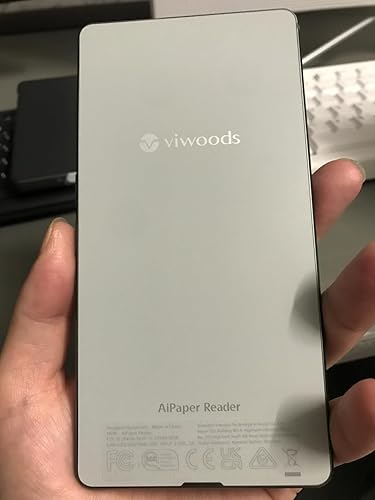
  • Ultra-Thin & Lightweight Design: Weighing only 138g with a super-slim 6.7mm body, the VIWOODS e reader features a compact 6.13-inch screen that perfectly balances portability and usability. Its sleek design fits effortlessly in your pocket, making it ideal for commuting, traveling, or enjoying your favorite reads anytime, anywhere
  • Stunning Carta 1300 Display: Enjoy a premium reading experience with the advanced Carta 1300 E-Ink display. It delivers faster refresh rates, reduced glare, and a true paper-like feel for comfortable, long reading sessions
  • Adjustable Front Light: Read comfortably in any environment with 20 levels of adjustable cool light, designed without warm light. Whether in low light or bright sunlight, the VIWOODS e-reader adapts to your needs for strain-free reading
  • AI Button for Instant Assistance: Access AI-powered assistance with ease using the dedicated AI side button. Long-press for voice input or short-press for text-based queries, providing you with quick solutions, learning tools, or helpful summaries in seconds
  • AI Screenshot Q&A: Struggling with a complex topic? Simply take a screenshot, let the AI analyze it, and receive a detailed summary or explanation. Dive deeper into any subject with follow-up questions, making learning easier than ever
  • Personal Knowledge Library: Save AI interactions and Q&A sessions into your personal knowledge bank. Build a searchable repository of insights and information over time, perfect for lifelong learners and professionals alike
  • High-Resolution 300 PPI Display: Featuring a 300 PPI high-resolution display, the VIWOODS reading tablet ensures sharp, crystal-clear text and images, making every word and detail easy to read and visually stunning
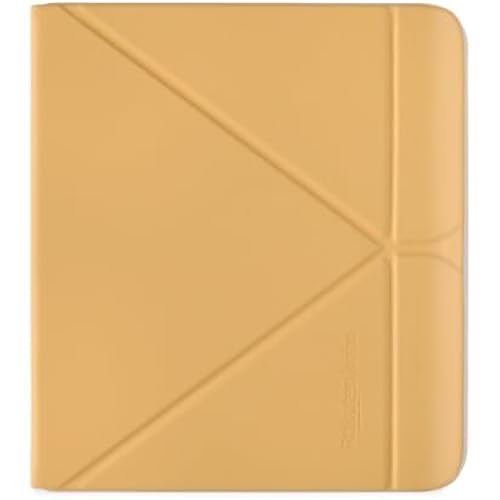
  • Whats in the Box: The VIWOODS AiPaper Reader includes a protective case, A-to-C adapter, card tray eject tool, and quick start guide
  • Note: Does not support handwriting or built-in speaker. Compatible with Bluetooth headphones for audiobook playback

Description

Long-press the side AI button to ask questions using your voice. Perfect for quick, hands-free interaction. Whether you're reading local documents, browsing the news, or using third-party apps, click the Picking floating icon to capture a specific area of the screen. Select the desired screenshot region and ask AI for instant insights. Picking feature is an exclusive and innovative design by VIWOODS, enhancing the smart reading experience. Save AI responses directly to your Knowledge Base. Organize and categorize insights to build a personalized library for easy access anytime. Does it support handwriting with a stylus pen? No, it does not. The AiPaper Reader is designed to offer users a portable and immersive deep reading experience, rather than serving as a portable notebook. Does it have a speaker for audiobooks? To achieve an ultra-thin and ultra-light body for a more comfortable grip, AiPaper Reader does not include a built-in speaker. Users can connect Bluetooth headphones to enjoy audiobooks. What AI models are supported? Are AI features free to use? The AiPaper Reader supports multiple advanced AI models, including the latest Chat GPT 5, Chat GPT 4O, 4Omini, Gemini-2.5-flash, 2.5pro, Deepseek-R1, and Deepseek-V3. All AI features are free to use. Does the AiPaper Reader have warm light? The AiPaper Reader has a single front light with a color temperature of approximately 5000K. Can AiPaper Reader be used for calls after inserting a 4G SIM card? Only supports T-Mobile 4G SIM card. The AiPaper Reader's 4G functionality is designed to allow users to access reading materials and AI services anytime, anywhere. Call performance may vary depending on the user's location.

Brand: VIWOODS


Model Name: AiPaper Reader


Display Technology: Electronic Ink


Connectivity Technology: 4G connectivity, Bluetooth, USB, Wi-Fi


Screen Size: 6.1 inches


Memory Storage Capacity: 128 GB


Display resolution: 824x1648


Included Components: AiPaper Reader, Card tray eject tool, Charging Cable, Protective Case, Quick Start Guide


Color: AiPaper Reader


Product Dimensions: 6.28"L x 3.16"W x 0.26"Th


Display Technology: Electronic Ink


Connectivity Technology: 4G connectivity, Bluetooth, USB, Wi-Fi


Screen Size: 6.1 inches


Memory Storage Capacity: 128 GB


Native Resolution: 824x1648


Color: AiPaper Reader


File Format: DOC, DOCX, EPUB, HTM, HTML, PDF, TXT


Other Special Features of the Product: 128GB storage, 300 PPI, 4G connectivity, AI integrated, Adjustable Front Light


Battery Description: Lithium-Ion


RAM Memory Installed: 4 GB


Human-Interface Input: Buttons, Touchscreen


Item Dimensions L x W x Thickness: 6.28"L x 3.16"W x 0.26"Th


Item Weight: 138 g


Brand: VIWOODS


Model Name: AiPaper Reader


Built-In Media: AiPaper Reader, Card tray eject tool, Charging Cable, Protective Case, Quick Start Guide


Manufacturer: VIWOODS


Model Number: AiPaper Reader


Mfr Part Number: AiPaper Reader 6.13


Warranty Description: 14 months


Frequently asked questions

If you place your order now, the estimated arrival date for this product is: Friday, Jul 31

Yes, absolutely! You may return this product for a full refund within 30 days of receiving it.

To initiate a return, please visit our Returns Center.

View our full returns policy here.

  • Klarna Financing
  • Affirm Pay in 4
  • Affirm Financing
  • Afterpay Financing
  • Zip Pay in 4
  • Financing through Apple Pay
  • Financing through Google Pay
Leasing options through Acima may also be available during checkout.

Learn more about financing & leasing here.

Top Amazon Reviews


  • Great for me but there are some improvements that would make it really shine!
My primary reason for getting this was the size, e-ink display for reading. Also the main reason I got this particular one was because it came with the kindle app built in, plus others such as B&N, Kobo etc ready to install. This alone makes it perfect for my needs. Others I researched didn’t have that and you also had to convert kindle into another format on your computer then transfer it to the device. Sorry but I’m old and don’t want to do that. The older I have become the more I don’t want to deal with extra steps/BS. This device is the exact same size as my iPhone pro max and about the same weight. Having a magnetic thing on the back like my phone would be really helpful to just attach it to my phone. Just saying! This makes it perfect for taking it with me to appointments. Yes I have several kindles and tablets however they are larger than I prefer for carrying them around. I use crutches and it and my phone fit perfectly in the cup holders on my crutches. And yes I don’t like carrying a purse or bag. So far it’s been problematic free which is always a good thing. While I have to leave the brightness at about 14 and use a mid sized font with the Amazon bold, it’s great for my old eyes to read with. I have tried to read on my iPhone but mybeyes don’t like it and they become blurry and give me a headache after just a few minutes of reading. Because of the e ink I was able to read for an hour the first night with no eye problems or headaches. That in itself justified getting it. I do have a couple of dislikes, the battery life isn’t great, it drains quicker than I care for. The 128 GB storage is fine for people like me to like to keep a ton of books loaded up. If you store photos etc then a larger storage space would be a nice option, 256, 512GBs. Like others have mentioned I agree that the placement of the AI button is poor however I have disabled it so that takes care of accidental issues. Maybe either it or the power button on top. It’s all about holding it and not accidentally pressing it. Although disabling it does defeat the AI purpose. My other main concern is the user unfriendliness, guess I just don’t know what the icons are for and the navigation and trying to figure out how to do things is poor. The user guide needs improvement. I’m old school and prefer to have a manual in front of me as I try to figure out how to do things. Reading an onboard manual and then to go out to try to do whatever it is is not conducive for me. I think that they need to work on making normal tasks easier to do in one or two screens not several. T mobile is not a good choice where I live so the phone option isn’t something I would use. As I have said my primary usage for this device is reading not for using it as a phone or anything else, that’s what my phone is for. Speed is fine for me. Prior to getting this one, trying to decide if I should get the this one or the color one was the biggest challenge for my usage. In the end I decided to go with this one because the color one supposedly is not as crisp and clear with the letters. All in all, while a little pricey, it’s a great product for me. Reliability remains to be seen since I haven’t had it long enough to make a determination, hopefully it will last with no problems. ... show more
Reviewed in the United States on May 11, 2026 by onewac

  • Best device for immediate access and nimbleness for ereader apps
A nice little device with the usual oddities you get with ereaders, such as them not being as fast in terms of scrolling on top of bleeding carrying over the more you read and cycle through things. There are features in the device that help cut that down but I am quite surprised at how nimble it is, I think another review critiqued that but I honestly think it a Godsend in it mimicking a phone (and in many ways being a phone) while almost being paperthin in weight and slimness (while still feeling as durable as phone would when carrying it around). It does come with a case as well and with said case it does give enough grip to keep it held when reading in bed or even just generally holding onto it, but it's more of an edge case to keep the back and corners covered rather than being a typical phone case with full protection on the edges and sides. It has a nice feel however to the screen and I mainly bought it to have an all-in-one android device for reading kobo, kindle and general epub files all on one device rather than being beholden to one side or the other. A little bit of a jank setup as Viwoods wants to keep you in their environment but you can enable the Play Store to get other apps if needed, I heard Mihon for manga works on here--however I often scroll manga rather than page it and to be honest despite the power from the device, scrolling still has that jank stuttery feel that most ereaders have. Aside from that, and a couple updates that took most of the time in the setup (maybe a good ten minutes of the device getting up to speed on the latest app and android updates with its first time setup) it has everything you need right off the bat in terms of available apps without any need of enabling the play store if you're just looking for the most accessibility off the rip. Right from the get go I had readera, kindle and kobo, so no need for enabling the playstore unless you absolutely have to have it for certain apps. I think what I'm trying to figure now is the battery life, currently it's noon from when I'm typing this and I've charged it since last night and reading throughout most of my hours since 8 this morning, it's only gone down to 89%. I don't know if it'll keep that way for longer periods of time but so far the charge has been pretty good which doesn't take too long, but admittedly I haven't really gone through a full cycle yet on using the device all day. So far though, best purchase I've had, easily fits my pocket with my other phone and often is what I pull out instead of doomscrolling. ... show more
Reviewed in the United States on June 29, 2026 by Broadus McGuffin

  • Amazing!
This has acceded my expectations. Great quality screen. Light weight. An elegant device. I use the KInda app, Headway app, blinkist and others without issue.
Reviewed in the United States on June 27, 2026 by audioremixer

  • Flawed but good product
Good device that feels like a few years/iterations away from a refined experience. Pros: Great size -- convenient for taking everywhere. Build quality seems economic with material choice but not cheap -- high quality design even though it's primarily plastic. Screen is crisp and has a matte quality (not quite like paper, more like a matte laminated surface if that makes sense). Cons: Buttons -- all of them -- are jiggly and cheap-feeling. Buttons are placed in such a way that they are difficult not to accidentally press. Even after the February 2026 update which adjusted the granularity of brightness control, the brightness at the lowest settings is too high. I think the software currently allows adjustment between 12 and 33% brightness at the lowest two stops; there needs to be an option for like 25%. Also, people say the backlight is "paper white" or whatever online. The backlight is cold and blue compared to most room lighting, which is when you'd normally use a backlight. It's noticeable and not adjustable. Battery life is not as phenomenal as a Kindle -- maybe 3-4 days of heavy (2-3 hours/day) of use, and idle battery drain significantly worse than Kindle. ... show more
Reviewed in the United States on February 21, 2026 by K

  • Six month review. I still love this little e-reader.
Great cellphone sized e-reader. Nice and very lightweight, and pretty responsive to touch. I only use it for reading books and haven't used it for internet or social media. It's great, the Kindle app is great and I can use the Libby app to borrow books from the library which is AWESOME. I had a Boox Palma but it became unusable within six months with horrible ghosting problems, and the speed was annoying. This is much nicer. I'm a huge Kindle fan which I would buy if they made one in this size and weight, and while this is a bit pricey, it's a really nice option that'll fit in your pocket (even pockets on women's clothing!) and you can purchase books from other e-book sellers besides Kindle. ... show more
Reviewed in the United States on June 18, 2026 by ryssee

  • BEAUTIFUL, well made device. But the UI is still not up to par with competitors
I bought this device to use as a more compact e-reader than my kindle paperwhite, also breaking away from the amazon ecosystem to explore what else is out there. And let me say, I am so thoroughly impressed with this device. It is thin, it is light, and the contrast of the screen is beautiful. I found myself able to use it over 70% of the time with no backlight on at all. It is an understatement to say this screen is the best for mobile-sized readers on the market. That being said, the biggest drawback, which is unfortunately a dealbreaker for me, is the UI. This device is still notes-forward. I have no plans to use this device for note taking, but unfortunately the UI is largely limited to hiding those features, dedicating over half of the screen space to a 'knowledge base' for notes. Similarly, there's a dedicated button on the side for ai chat agents, but I have no plans to use the device for that either, and wish it were a button that could be multipurpose or used for other things. I find myself accidentally pushing it frequently too because of its location. That being said, I am a huge fan of viwoods quality, so if they make future updates to improve the ui for those looking to have a reader-focused, mobile e-ink device, I will repurchase this again in a heartbeat. Competitors don't come close to build quality or screen resolution and contrast. ... show more
Reviewed in the United States on January 7, 2026 by jm2019

  • Don't believe all the hype
Sending this back. Don't believe all the hype about it. If you're a serious reader of ebooks you probably use Calibre . . . the ViWOODS AiPaper Reader doesn't work with Calibre. With my KOBO I just put it in to Calibre and I can easily transfer ebooks - this device doesn't allow that. Calibre doesn't even recognize the device. Also, not many Reader Apps are available to install. I use Moon+ Reader Pro or Play Books, not so with the AiPaper Reader. I tried to search for a reader and got the message that the device is not compatible with Google Play Service, and it's supposed to be an Android device . . . I don't think so. Trying other methods to side load ebooks and saw a recommendation to install my Google Drive on the device and I was able to do that. However, ViWoods wanted full access to the drive and I'm not comfortable with that, so I 86'd that method. Or you can email files once you set-up an email account on the AiPaper . . . nope ! The device is not compatible with Google Play Store so my Gmail addresses wouldn't install. The "best" setting for the display was awful, smearing, artifacts and terribly slow. I bumped it up to the highest setting and it was better but still slow. Finally, I looked at the battery status on the device and saw that it was manufactured in 1969. It's going back and I'm disappointed. I read all the reviews and got sucked in. Still looking for a new ereader this one is limited and seems to be a very proprietary device - not what I want. ... show more
Reviewed in the United States on December 11, 2025 by Tom Burch

  • fast,accurate,and super easy to use
The AiPaper Reader turned out to be exactly what I needed! The more I used it, the more it became part of my daily routine. One of the most refreshing aspects is the lack of constant notifications, apart from calls and messages. Starting my day without being bombarded by alerts and only checking updates later on my computer has made mornings feel much calmer and more focused. The device itself is incredibly well-made. The e-ink screen is sharp and clear, making it perfect for reading eBooks, while being far gentler on the eyes than regular screens. So far, I’ve experienced no bugs, and the overall experience has been smooth. I also use the device to read French articles for study purposes, and the built-in AI feature has been surprisingly helpful. When using third-party apps to read, I often take screenshots of useful information to organize into my knowledge base. Annotating these screenshots allows me to quickly reference important points later, which has made studying much more efficient. This device strikes a great balance between functionality and simplicity, and it’s become an invaluable part of my daily life. ... show more
Reviewed in the United States on November 24, 2025 by eric zhang

Can't find a product?

Find it on Amazon first, then paste the link below.
Checking for best price...