Search  for anything...

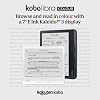
Kobo Libra Colour | eReader | 7” Glare-Free Colour E Ink Kaleido™ 3 Display | Dark Mode Option | Audiobooks | Waterproof | Black

  • Based on 2,592 reviews
Condition: New
Checking for the best price...
$199.99 Why this price?
Holiday Deal · 13% off was $229.99

Buy Now, Pay Later


As low as $33.33 / mo
  • – 6-month term
  • – No impact on credit
  • – Instant approval decision
  • – Secure and straightforward checkout

Ready to go? Add this product to your cart and select a plan during checkout.

Payment plans are offered through our trusted finance partners Klarna, Affirm, Afterpay, Apple Pay, and PayTomorrow. No-credit-needed leasing options through Acima may also be available at checkout.

Learn more about financing & leasing here.

Selected Option

Free shipping on this product
This item's return window has been extended for the holiday season: Returnable until Jan 31, 2026

To qualify for a full refund, items must be returned in their original, unused condition. If an item is returned in a used, damaged, or materially different state, you may be granted a partial refund.

To initiate a return, please visit our Returns Center.

View our full returns policy here.


Availability: In Stock.
Fulfilled by BlueProton

Arrives Tuesday, Dec 30
Order within 13 hours and 35 minutes
Available payment plans shown during checkout

Protection Plan Protect Your Purchase
Checking for protection plans...

Color: Black


Features

  • BROWSE AND READ EBOOKS IN FULL COLOUR - Book covers, comics, graphic novels, illustrations, note-taking and more come to life. No glare in sunlight, no notifications just you and your eBooks in full-color
  • YOUR JOURNAL, DAILY PLANNER, AND MORE - Dive into your stories with colorful markups. With Kobo Stylus 2* compatibility (*sold separately), annotate, highlight, and note take your eBooks in color
  • LIGHTWEIGHT ERGONOMIC DESIGN - Ergonomically designed with page-turn buttons, left/right screen rotation, full font size and margin customization, and landscape mode
  • IPX8 WATERPROOF EREADER - Full waterproof protection and meets requirements of IPX8 rating waterproof for up to 60 minutes in up to 2 metres of water
  • BETTER BY DESIGN - Thoughtfully made with recycled and ocean-bound plastic and repairability to waterproof protection
  • CARRY THOUSANDS OF BOOKS - Carry up to 24,000 eBooks or 150 Kobo Audiobooks with 32GB of storage and enjoy weeks of battery life
  • ENDLESS WAYS TO READ & LISTEN - Join Kobo Plus and indulge in unlimited eBooks and audiobooks with a 30-day trial, shop the Kobo Store, read saved articles with Pocket, and borrow eBooks from your local library with built-in OverDrive.

Brand: Kobo


Model Name: Kobo Libra Colour


Display Technology: Electronic Ink


Connectivity Technology: USB


Screen Size: 7 Inches


Memory Storage Capacity: 32 GB


Battery Life: 4 Hours


Display resolution: 1264x1680


Included Components: User Manual


Color: Black


Product Dimensions: 5.69 x 0.33 x 6.34 inches


Item Weight: 7.1 ounces


Item model number: N428-KU-BK-K-CK


Batteries: 1 C batteries required. (included)


Date First Available: April 5, 2024


Department: unisex


Manufacturer: Rakuten Kobo


Frequently asked questions

If you place your order now, the estimated arrival date for this product is: Tuesday, Dec 30

Yes, absolutely! You may return this product for a full refund within 30 days of receiving it.

To initiate a return, please visit our Returns Center.

View our full returns policy here.

  • Klarna Financing
  • Affirm Pay in 4
  • Affirm Financing
  • Afterpay Financing
  • PayTomorrow Financing
  • Financing through Apple Pay
Leasing options through Acima may also be available during checkout.

Learn more about financing & leasing here.

Top Amazon Reviews


  • Kobo Libra Color offers good e-ink color, lightweight ergonomics, and extensive customization.
Color: White
Versatile E-Reader with Color and Flexible Display Options I’ve been using the Kobo Libra Color for several weeks now, and I’m thoroughly impressed by its combination of features, ergonomics, and vibrant display. Here are the highlights: • Fun Color Screen: The full-color display brings book covers to life, especially in graphic novels and cookbooks. It’s great without sacrificing battery life. • Multiple View Modes: I love being able to toggle between list view, grid view, and detailed covers—depending on whether I’m quickly browsing or savoring each title’s artwork. • Customizable Reading Settings: From font choices and margins to background shading and line spacing, you can tailor the reading experience precisely to your preferences. • Comfortable Form Factor: The ergonomic page-turn buttons on both sides make one-handed reading effortless, and the edge-lighting remains gentle on the eyes, day or night. • Lightweight & Natural Feel: At just 192 g (6.77oz), the Libra Color is light. Its slightly textured back feels natural in hand, reducing fatigue during long reading sessions. • Optional Pen & Handwriting Conversion: With the optional Kobo Stylus, you can jot notes or mark up pages freehand—and have your handwriting automatically converted into typed text. It turns your reader into a true digital notebook. • Protective Covers Available: There are many stylish covers to choose from for added protection—just keep in mind that a cover will add some extra weight and bulk. • Library Organization: Sorting by author, title, or “Most Recent” works seamlessly, and the Collections feature makes it easy to group books by theme or genre. Suggestions for Improvement: • Always-On Clock Option: It would be fantastic to have a setting that permanently displays the current time in the corner of the screen—especially for those of us who read in short bursts throughout the day. • Series Ordering Feature: Currently, adding books to a series can feel a bit convoluted. A simpler, more intuitive way to flag and auto-sort series entries would make keeping track of trilogies or multi-book sagas much easier. Overall, the Kobo Libra Color strikes an excellent balance between cutting-edge features and user-friendly design. Whether you’re a casual reader or a bibliophile with a diverse collection, this reader delivers performance and flexibility that rival much more expensive models. Highly recommended! ... show more
Reviewed in the United States on July 30, 2025 by Gray Panther

  • GET IT, YOU WON'T REGRET IT
Color: White
December 2025: I have only had this thing for about one week so take my review with a grain of salt. I ABSOLUTELY love it! I think it is one of THE best purchases I've ever made. I did a lot of research on this device before I bought it (not so much on other e-readers) and I found that all the features that this thing had to offer was something I absolutely wanted! As you can see I've already added over 500 books to my reader and it still has 18.5GB still available for content! And I added a lot of manga volumes so I'm very happy there's still a lot of space left! (FYI, total storage is 32GB) I even added Sudoku books, coloring books, and crossword puzzles on this device in hopes of using it instead of bringing my Sudoku out to places since it can be written on, to be honest I don't know how well these types of books will work as I don't have a pen yet to test out the writing feature but I imagine that it'll work just fine. The only thing that might not work as well as I hope MIGHT be the coloring feature, as this isn't a coloring device it's a "mark up and annotate" device, but I figure I like to just fiddle around sometimes while I'm out and about and I don't need something perfect to color, I just need to keep my hands busy. And if the coloring doesn't work as I planned I bet the puzzles and Sudoku will work just fine for times I don't necessarily want to read. But I have hundreds of regular books and manga's I can read if all else fails! So I'm not worried! I wanted an e-reader so I don't spend so much time on my phone doom-scrolling. I also thought this might save the wallet and physical space in the long run as I won't be buying as many books and having to store them since this device connects to my local library and I can check out books! There's a couple things I don't like about this reader, when I imported my e-books all the covers were all sorts of different sizes, and it drove me absolutely nuts, so I stuck my books in Calibre and had all the covers sized as 1072x1448, if you have Calibre get the "resize cover" plugin and select all your books and set it to this size and it'll automatically set all your covers to this size and that way it'll fit perfectly on your screen and also make all the covers the same size when you are browsing your library. As for the battery life, I really need to let it drain the majority of the way down and then charge it again to actually start seeing how accurate this device is in terms of how long it'll last. Because this device is so new to me and I'm just so excited I think the device's battery drain is a bit more at the moment, for example, I've only read on it for a total of 8.5 hours and I charged it pretty much completely yesterday but the total reading time was in the span of the last few days except this morning it's already at 75% so I think I've just been doing a lot of fiddling around with it to make the battery drain. haha. So I'll update battery later. I love the physical buttons on this device and the fact that it also is a touch screen. It gives me multiple ways to turn the page. I mainly use the buttons as I'm more comfortable with those than touching the screen, I do a lot of reading in the bed and the buttons are great for lazy page turning, I just position my hand on a button and get comfortable and it works perfectly. I love the size of this thing, it's not too big and not too small either, and I can zoom in or out on books, it also remembers the zoom for each book, for example, if I zoom up really close to my Sudoku puzzle and then go to a regular book it won't be super zoomed up, which I really appreciate this small detail! Because that would be super annoying to zoom back and forth from book to book. I will come on here and update my review when I get a pen and tell you how well it works on my stuff. UPDATE (still December 2025): I got the Metapen M1 and have been using it with my Kobo, I love writing on it but the only thing I don't like is the palm action, I have switched it to "swipe to turn page" and also turned off "pinch to zoom" and my palm still reacts to the screen which is very annoying but other than that the pen with the device is great! As you can see in my images I do Sudoku on it when I don't want to read. I also have coloring books on there, just take picture of your coloring book pages and stick it in a document, I use Canva at 1072x1448 document size and then export the document as a PDF and stick it on the eReader. As you can see I colored very little of the coloring page, it is great but I don't see myself doing too much coloring as I don't have that much time on my hands but have it on there JUST IN CASE I am bored, haha. I've even added habit, gratitude journals just to help me keep track of things since I plan on carrying this device with me EVERYWHERE I go. It's almost like my new phone without all the notifications and doom-scrolling social media stuff. After using the device for a bit longer I noticed it would be nice if they added just a LOCK all rotate feature, meaning they do have a lock rotate but it only locks orientation, like if I turn the device sideways it may not rotate but if I turn it completely upside down it will rotate, sometimes I don't want it to rotate AT ALL. Also, another cool feature would be to JUST have pen usage and turn off all touch controls and only use buttons to turn page and then using the pen to do stuff and if I want my touch controls back on then a button on the pen could pull up the menu and then I can just navigate to the "turn touch back on" type of thing....but I imagine this might be hard to do, I just hate my palm reaction so much, I do have one of those drawing gloves but the material still reacts to this screen so that didn't help much and I hate writing in a hovering position, my handwriting looks awful if I have to hover. But overall I still absolutely love this little e-reader and I hope it lasts me for MANY MANY years! ... show more
Reviewed in the United States on December 10, 2025 by Pandora Pandora

  • Kobo Libra Color is Worth Your Money
Color: Black
How do I love thee? Let me count the ways. I’m so glad I bought the Kobo Libra Color—it’s a product that’s on par, if not better, than the Kindle. One feature I absolutely love is the page-turn buttons; they add such a satisfying, tactile experience. It’s also incredibly lightweight and easy to handle. The color display is another highlight—it really enhances my reading experience, making it feel more like holding a real book. The battery life is excellent, and I find myself using this e-reader more than my Kindle now. Adjusting the screen brightness is also much more intuitive compared to the Kindle. Overall, in my opinion, this is the superior option. I’m so glad there’s a great alternative to the Amazon brand. The ironic part? The Kobo Libra Color is actually priced cheaper on Amazon than on the Kobo site! ... show more
Reviewed in the United States on March 26, 2025 by The First Noel

  • Kobo E-Reader is the best device for reading e-books
Color: White
The Kobo is the best device for reading e-books in my opinion. Its strengths include a wide variety of font choices, allowing me to customize text for optimal comfort and readability. The device’s wide edge design makes it easy and comfortable to hold (especially compare to Kindle e-reader or iPad mini). It has an impressive battery life, letting me read books without frequent recharging. However, there are some limitations. It does not support e-books from Kindle or Hoopla, and compatibility with Libby can be inconsistent. Pros: • Extensive font customization options • Comfortable wide-edge design for easy handling • Long-lasting battery life Cons: • Incompatible with Kindle and Hoopla e-books • Occasional issues with Libby e-book support ... show more
Reviewed in the United States on October 27, 2025 by EE

Can't find a product?

Find it on Amazon first, then paste the link below.
Checking for best price...