Search  for anything...

XPPen Artist Pro 24 Gen2 23.8" Drawing Tablet with Screen, △E < 1 Graphic Tablet with Full Laminated AG Screen, Drawing Monitor with Dual 16384 Pen Pressure Battery-Free Stylus, Mini Keydial

  • Based on 480 reviews
Condition: New
Checking for the best price...
$762.30 Why this price?
Memorial Day Sale · 31% off was $1,099.99

Buy Now, Pay Later


As low as / mo
  • – Up to 36-month term if approved
  • – No impact on credit to apply
  • – Instant approval decision
  • – Secure and straightforward checkout

Ready to go? Add this product to your cart and select a plan during checkout.

Payment plans are offered through our trusted finance partners Klarna, Affirm, Afterpay, Apple Pay, and PayTomorrow. No-credit-needed leasing options through Acima may also be available at checkout.

Learn more about financing & leasing here.

Selected Option

Free shipping on this product

FREE 30-day refund/replacement

To qualify for a full refund, items must be returned in their original, unused condition. If an item is returned in a used, damaged, or materially different state, you may be granted a partial refund.

To initiate a return, please visit our Returns Center.

View our full returns policy here.


Availability: In Stock.
Fulfilled by Amazon

Arrives Wednesday, May 27
Order within 15 hours and 30 minutes
Available payment plans shown during checkout

Protection Plan Protect Your Purchase
Checking for protection plans...

Size: 23.8 Inch


Style: with Shortcut Keys


Features

  • 2.5K QHD Professional Clarity: The Artist Pro 24 Gen 2 with 2.5K QHD (2560 x 1440) resolution, setting a new industry standard. it offers near-zero latency. Tailored for animators and artists, effortlessly manages high-frame-rate videos and complex images by minimizing flickering, motion blur, and stuttering. Whether for creation or browsing, it effectively reduces eye strain and enhances visual comfort
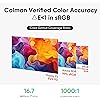
  • Calman Verified Color Accuracy: The Artist Pro 24 Gen 2 features professional-grade color accuracy,E<1 in sRGB, with 99% Adobe RGB, 99% sRGB, and 94% P3 color gamut coverage, a 1000:1 contrast ratio, and 250 cd/m2 brightness. With ready-to-use calibration results right out of the box, this not only ensures vibrant color richness but also ensure accurate color display. Enabling professional artists and designers to create works that align with their vision
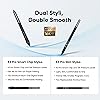
  • Dual Stylus, Double Smooth: The X3 Pro Slim Stylus is a lightweight stylus that features removable buttons to avoid accidental touches, while the X3 Pro Smart Chip Stylus has a comfortable silicone grip for long creative sessions. Both styluses are battery-free and have 16,384 pressure levels and a 60 tilt function for a smooth drawing experience. The pen case holds both styluses, acts as a stand, and includes 28 extra nibs and 2 detachable pen clips for easy replacement
  • Color Calibration Software: XPPen ColorMaster, powered by Calman's Aurora Color Engine, ensures consistent, professional color performance on both Windows and macOS. It allows adjustments across three color spaces and provides a permanent color management service for Artist Pro 24 (Gen 2) users
  • Paper-feel Drawing Experience: Featuring AG Nano Etched and AF Coating glass, this advanced technology, offers a paper-feel drawing experience by minimizing distractions with its anti-glare and anti-fingerprint properties. The full-laminated display eliminates visual gaps between the pen nib and cursor, enhancing precision and accuracy in every stroke
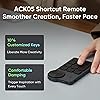
  • ACK05 Wireless Shortcut Keyboard: Featuring a standout physical dial for comfortable rotation and precise feedback, this remote boasts ten customizable keys. Awarded the Good Design Award 2023, it supports Bluetooth 5.0, enhancing your workspace flexibility and efficiency.
  • Flexible Stand: The ACS02 Stand supports single-handed angle adjustment from 16 to 72, adapting to various creative environments for personalized comfort and reduced fatigue during long sessions. The optional ACS15 Stand offers additional height adjustment, under-desk creation, and rotation, enhancing versatility and comfort in the creative process
  • Clear Line Management: Connect the display to your computer using a USB-C, Display Port, or HDMI cable for seamless switching between devices like MacBooks and Windows laptops. The built-in cable harness enhances stability, while multi-functional buttons enable quick brightness adjustments and signal switching, reducing the need for frequent cable changes. PLEASE NOTE: It is NOT a standalone drawing tablet, you need to use it with your computer or laptop
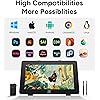
  • High Compatibility: Works smoothly with various systems and software. Compatible with Windows 7 (or later), macOS 10.13 (or later), Android (USB3.1 DP1.2), ChromeOS 88 (or later), Linux. Support popular digital art software such as Adobe Photoshop, Illustrator, SAI, CDR, Clip Studio Paint, GIMP, Krita, MediBang, FireAlpaca, Toonboom, Maya, and Blender3D, etc.
  • What You Get: X3 Pro Stylus, X3 Pro Slim Stylus, Pen Clip, X3 Pro Slim Stylus nibs*10,X3 Pro Stylus Standard nibs*10,Pen Case with Nibs (X3 Pro Slim Stylus nibs *4, X3 Pro Stylus felt nibs*4), Wireless Shortcut Remote and Bluetooth Receiver, Power Adapter and Power Cord, DisplayPort Cable, HDMICable, USB-C to USB-C Cable, USB-C to USB-A Cable, Glove, Cleaning Cloth, S02 Stand

Brand: XPPen


Connectivity Technology: Display, HDMI, USB


Operating System: Android (USB3.1 DP1.2), Linux, Windows 7 (or later), macOS 10.13 (or later)


Special Feature: ACK05 Wireless Shortcut Keyboard, AG Nano Etched and AF Coating glass, Dual 16,384 levels Stylus, World's First 165hz Display, △E<1 in sRGB, Calman Verified See more


Model Name: MD240QH-US


Connectivity Technology: Display, HDMI, USB


Operating System: Android (USB3.1 DP1.2), Linux, Windows 7 (or later), macOS 10.13 (or later)


Additional Features: ACK05 Wireless Shortcut Keyboard, AG Nano Etched and AF Coating glass, Dual 16,384 levels Stylus, World's First 165hz Display, △E<1 in sRGB, Calman Verified


Specific Uses For Product: Drawing,Amimation,Designing,E-Signature,Editing,Painting, Photo editing,lllustration,Online education,Document markup,Signing, Teaching,Online Education,3D Modelling,Writing,Remote Work,Graphic design,lmage


Display Type: LCD


Compatible Devices: Windows 7 (or later), macOS 10.13 (or later), Android (USB3.1 DP1.2), ChromeOS 88 (or later), Linux


Native Resolution: 2560x1440


Screen Size: 23.8


Item Weight: 19 Pounds


Active Surface Area: 23.8 inches


Item Dimensions L x W: 29.1"L x 19.3"W


Brand: XPPen


Model Name: MD240QH-US


Built-In Media: 1 x Glove1 x Cleaning Cloth , 2 x Pen Clip , 1 x Pen Case , 1 x ACS02 Stand, 1 x Power adapter and power cord , 1 x DisplayPort cable , 1 x HDMI cable , 1 x USB-C to USB-C cable , 1 x USB-C to USB-A cable, 1 x X3 Pro Smart Chip Stylus , 1 x X3 Pro Slim Stylus , 10 x X3 Pro Slim Stylus nibs , 10 x X3 Pro Stylus Standard nibs , 1 x Pen case with nibs (X3 Pro Slim Stylus nibs *4, X3 Pro Stylus felt nibs*4), Artist Pro 24 165hz Drawing Tablet, Wireless Shortcut Remote and Bluetooth Receiver


Target Audience: Designer, Digital artist, Student, Teacher


Model Number: MD240QH-US


Manufacturer: XP-PEN


Color: Black


Frequently asked questions

If you place your order now, the estimated arrival date for this product is: Wednesday, May 27

Yes, absolutely! You may return this product for a full refund within 30 days of receiving it.

To initiate a return, please visit our Returns Center.

View our full returns policy here.

  • Klarna Financing
  • Affirm Pay in 4
  • Affirm Financing
  • Afterpay Financing
  • PayTomorrow Financing
  • Financing through Apple Pay
Leasing options through Acima may also be available during checkout.

Learn more about financing & leasing here.

Top Amazon Reviews


  • Excellent Drawing Tablet – Smooth, Accurate, and Well Worth It
Size: 13.3 INCH Style: with Shortcut Keys
This drawing tablet has been a fantastic upgrade for my digital art setup. The display is crisp and vibrant, with excellent color accuracy and minimal parallax, which makes drawing feel very natural. The pen response is smooth and highly accurate, with great pressure sensitivity that translates well into detailed line work and shading. I really appreciate how lightweight and comfortable the pen feels, even during long drawing sessions. Setup was straightforward, and it works seamlessly with my software without lag or connection issues. The tablet itself feels solid and well-built, and the adjustable stand makes it easy to find a comfortable drawing angle. Overall, this is an excellent value for the quality you get. Whether you’re a beginner or a more experienced digital artist, this tablet delivers professional-level performance at a reasonable price. Highly recommend. ... show more
Reviewed in the United States on January 2, 2026 by Savannah

  • Great for the occasional drawing needs - artistry or work presentations
I order this item on a whim during a prime day sale, the price seemed too good to be true. Maybe the holiday packaging in the middle of summer threw people off. I won't turn down random value-added swag anyway! What I liked: + Narrow pencil-inspired (hexagon shaped), batteryless stylus, with eraser function + Glorious 1080P resolution screen + Scroll surface for zooming in your drawing application + Modern, quality Windows drivers + Works with Windows Ink + Top notch build quality + Freebies, like carry case, glove, and keychain + Nice, long breakout cable What I didn't like: - Cable connector doesn't *lock* into place - Gets hot with extended use - Eraser not supported in SAI 1.2 - No built-in angle stand legs My previous tablet was a Yiynova MVP10UHD+IPS (what a name), which was a 10" USB-powered digitizer screen. It worked well enough, had function buttons, and a battery powered pen. The build quality was okay, not great. This XP-PEN display tablet hands down blows it out of the water. Not only was it half the cost, it's larger, and has more functions. It was also vastly easier to configure. The drivers for windows 10 seem modern, thoughtful, and solid. Since the screen is direct from HDMI, there is no "DisplayPort" software to mess with. It is important to consider how you're going to use this Artist 12 display. It requires HDMI and a USB power adapter. If you don't have HDMI or would prefer a simpler, USB only connection, check for that in a different product. After using this one though, I don't miss the USB only style of the Yiynova. The 1920x1080 screen resolution is crystal clear and I don't seem to be missing anything color wise. The connection to the device is through a single port, and it is up and out of the way. (A left-handed user may disagree, if you rotate the display 180 degrees.) It did not take me long to get it working with PaintToolSAI, but, as advertised, the eraser function does not work in that program. (Sai is over 3 years since it was last updated, so I don't blame XP-PEN.) You can still get pen events from the eraser side and draw with it, but SAI does not understand to switch to the eraser mode. Input lag? There ain't any. The visual screen surface/digitizer surface distance appears shorter than the Yiynova too, so its less jarring if you're using to traditional drawing. Then pen itself is a thing to behold. It's not fat, clunky, or oddly shaped, like most tablet screens I've used. It's a hair over 1cm thick. It has an eraser function, 8k levels of sensitivity, and a barrel button, which is recessed ever so slightly to help cut down on accidental clicks. The pen also has a grippy quality to it, so it stays nice and firm in your hand. Another cool use of this tablet is for business presentations if you are working with remote teams. Whiteboarding is often crucial to planning and explaining things, and this tablet--right out of the box--works with windows ink and the neat features that provides (like, basically white boarding during a screen-share meeting). On a downside, it does get very hot after a while. (This is a sign for me to take a break!) 7-month update: I noticed one day, the colors presented on the screen were off. Almost like a color channel was not working correctly on the screen. I contacted XP-Pen support, and they were extremely helpful. They sent me a dongle device which delivers a firmware update, and the color issue was resolved. Still 5 stars from me! ... show more
Reviewed in the United States on August 16, 2019 by Kyle H.

  • I Love This Tablet!
Size: 13.3 INCH Style: with Shortcut Keys
This is a great tablet the size is a bonus for it’s price which is super affordable and it works seamlessly with your desktop or laptop the pen has nice feel and weight to it, while the tablet is light shortcuts are easy to set up on the tablet ke
Reviewed in the United States on January 12, 2026 by Gregory Martin

  • High quality hardware, some problems with drivers
This is my second xp-pen tablet. I first purchased the artist 12 but returned it due to an intermittent problem with the connection to my PC. I was very happy with xp-pen support so I decided to stick with xp-pen and upgrade to the artist 13.3 pro. 3 months later and after being used almost every day by my 11 year old daughter I continue to be impressed by the quality. This is a significant upgrade from the artist 12. The additional controls make my daughter extremely productive in all of the programs she uses this with. The screen is tough and is still flawless. I was concerned about the screen because 11 year olds are t the most careful of people when using technology. My daughter also uses this as a second screen when she is not drawing. The documentation provides instructions that when mirroring the screen their instructions must be followed to have a good experience. I can confirm that when following their advice it works flawlessly. When not mirroring the display there are not supposed to be limitations in matching the resolution of the tablet with the primary display, but we have found that unless we match the resolution on both displays the pen often doesn’t work correctly and the onscreen response is significantly misaligned with where the pen touches the screen. My daughter is okay with having both monitors set to 1080p, but it bothers me that she has a 4K display running in 1080p when it shouldn’t be necessary. This is reproducible on 2 computers running windows 10. I suspect this is a driver issue and it is by no means a showstopper. I highly recommend this. It is fantastic for the price and is just the right size for my daughter. I was going to order a larger model but changed my mind and am glad I did. If it was for my use I would probably have bought a larger model but as my daughter uses the tablet both with the included stand and holding it a larger model would have been too large for her to hold comfortably. ... show more
Reviewed in the United States on April 5, 2021 by Jonathan

  • No longer works after one hour.
Now: I put the table on the side then did something else, the computer went in display sleep mode where the cpu was still active. When I returned the tablet was no longer displaying anything and restarting the computer did nothing. Was: I never used a screen tablet, only ipad air and this is a tad less responsive and less well registered than an ipad but it's PC, super easy to connect and the screen is quite good. Suddenly drawing feels like drawing and things get done faster. ... show more
Reviewed in the United States on May 9, 2023 by Pedro

Can't find a product?

Find it on Amazon first, then paste the link below.
Checking for best price...