
Search  for anything...

Wyze Cam v3

  • Based on 3,917 reviews
Condition: Used - Very Good
Checking for inventory...

Notify me when this product is back in stock

Buy Now, Pay Later


As low as $9.17 / mo
  • – 6-month term
  • – No impact on credit to apply
  • – Instant approval decision
  • – Secure and straightforward checkout

Payment plans are offered through our trusted finance partners Klarna, Affirm, Afterpay, Zip, Apple Pay, and Google Pay. No-credit-needed leasing options through Acima may also be available at checkout.

Learn more about financing & leasing here.

Selected Option

Free shipping on this product

30-day refund/replacement

To qualify for a full refund, items must be returned in their original, unused condition. If an item is returned in a used, damaged, or materially different state, you may be granted a partial refund.

To initiate a return, please visit our Returns Center.

View our full returns policy here.


Availability: Unavailable
Fulfilled by BEST_LIQUIDATORS
Available payment plans shown during checkout

Style: V3 Only


Features

  • Motion & Sound Detection: Wyze Cam sends an alert to your phone when baby is crying. 24/7 Continuous video recording with a Wyze micro SD card (sold separately) lets you monitor your home security throughout the night easily.
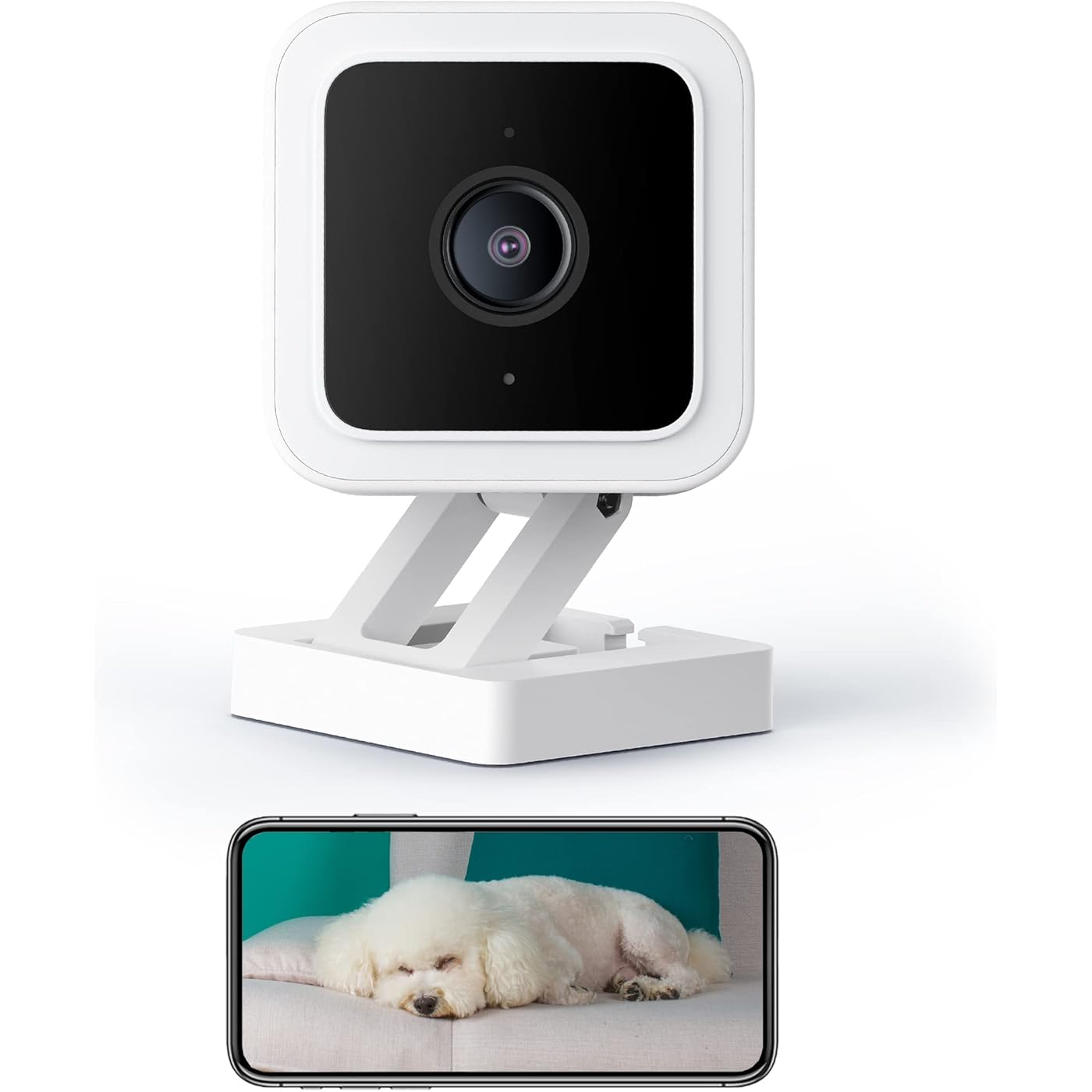
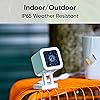
  • Indoor/Outdoor: Wyze Cam v3 is a wired video camera with an IP65 rating so you can confidently install it outside in the rain or inside in the baby room. (Only work with 2.4GHz WiFi)
  • 2-Way Talk: Wyze Cam now comes with simultaneous 2-way communication. Let your baby hear the sound of your voice no matter where you are.
  • Color Night Vision: An all-new Starlight Sensor records night time video in full, vivid color. The Starlight Sensor can see full color in environments up to 25x darker than traditional video cameras and the new f/1.6 aperture captures 2x more light.
  • Works with Alexa and Google Assistant: Use your voice to view Wyze Cam's live stream on any Alexa or Google Assistant device with a screen. You can say things like Alexa, show me the living room or Ok Google, show the baby' room.

Recommended Uses For Product: Baby Monitoring, Indoor Security, Outdoor Security, Pet Monitoring


Brand: WYZE


Model Name: Cam v3_2


Connectivity Technology: USB, Wi-Fi


Special Feature: 2-Way Audio, HD Resolution, Local Recording, Night Vision


Indoor/Outdoor Usage: Indoor


Compatible Devices: Smartphone


Power Source: Battery Powered


Connectivity Protocol: Wi-Fi


Mounting Type: Wall Mount


Video Capture Resolution: 1080p


Color: White, with black accents


Number of Items: 1


Included Components: Indoor USB Power Adapter x1/6 Feet Outdoor Rated USB Cable x1, Quick Start Guide x1, Screw Kit x1, Wall Mount Plate x1/Wall Mount Plate Tape x1, Wyze Cam v3 x1


Number of Channels: 2


Wireless Communication Technology: Wi-Fi


Form Factor: Box


Effective Video Resolution: 1080.0


Night Vision Range: 6 Feet


Frame Rate: 30 fps


Material: Plastic


Voltage: 110 Volts


Wattage: 24 watts


Item dimensions L x W x H: 2.05 x 2.01 x 2.3 inches


Water Resistance Level: Water Resistant


Batteries Required?: No


Item Weight: 0.21 Kilograms


Shape: Square


Focus Type: automatically


Field Of View: 130 Degrees


Low light technology: Night Color


Zoom Type: Digital Zoom


Alert Type: Audio and Motion


Room Type: Living Room


Light Source Type: Infrared


Video Capture Format: MPEG-4


Specific Uses For Product: Outside, Surveillance


Unit Count: 1.0 Count


Photo Sensor Technology: CMOS


International Protection Rating: IP65


Control Method: Voice


UPC: 604467915015


Product Dimensions: 2.05 x 2.01 x 2.3 inches


Item Weight: 7.4 ounces


Item model number: C3


Batteries: 1 Lithium Polymer batteries required.


Date First Available: October 12, 2021


Manufacturer: WYZE


Frequently asked questions

This product is currently out of stock. Please check back later for shipping info.

Yes, absolutely! You may return this product for a full refund within 30 days of receiving it.

To initiate a return, please visit our Returns Center.

View our full returns policy here.

  • Klarna Financing
  • Affirm Pay in 4
  • Affirm Financing
  • Afterpay Financing
  • Zip Pay in 4
  • Financing through Apple Pay
  • Financing through Google Pay
Leasing options through Acima may also be available during checkout.

Learn more about financing & leasing here.

Top Amazon Reviews


  • Best Security camera I ever bought
I like this security camera. I started using Wyze with the previous version, then this newer one come on the market. The price is very reasonable. The picture quality is very good, Day n Night. It has Night Vision feature that working very well. Motion detector working very well too. You can set the starting point. It will follow a subject until it disappears then go back to it set starting point by itself. Night vision color is perfect. It has Mic and Speaker so you can speak and hear to a person detected by the camera. Very easy to set up. Take me only 5 minutes to set up. The only cons I have is, it's not compatible with Apple Home app. ... show more
Reviewed in the United States on July 19, 2025 by Hans O.

  • Great Basic Security Cam
Purchased this to monitor our patio area and I didn't want to bother with screws. It fits it on a slat in one of our indoor shutters. The cord was long enough to reach a nearby outlet. The quality of the video is akin to an older smartphone model but the nightvision is pretty impressive. The camera quality is sufficient for what I intended - just to see what's going on outside my door. The camera comes with a free 2-week trial of their subscription service, which is comparatively cheap to other competitors. I let the trial lapse to see what the difference is. If you have a SD card in the camera, it's still able to record events and so far, I don't see a need to continue with the subscription unless you need to keep the recordings of the previous days. Otherwise, the SD card will record over itself when it gets full. I'm pretty happy with the purchase because it was pretty easy to set up and inexpensive for the quality. ... show more
Reviewed in the United States on June 9, 2022 by Sophie

  • Seems to be good
I've used this camera for 2 weeks now. When I first set it up I had to do several updates but not a big deal. The first day it acted weird where it stopped and I had to restart it but that hasn't happened since. I read lots of reviews and found out you could use a 256gb high endurance sd card to keep a month's worth of recordings at all times. A lot of people in the past reported problems with that size sd card saying that it would only record up to a little under 100gb, around 98gb, but not any more than that, but at least with mine that's not true and so far the sd card is using about 110gb and growing so it seems to be working fine. I use this camera to continuously record my front door and yard and I use an old android phone to view the feed in my bedroom 24/7 while it records and it's working fine so far. Would recommend. ... show more
Reviewed in the United States on November 17, 2023 by Tech Guy

  • Error: Connection failed - please try force closing the app or power cycling the camera.
First - Let me say I'm satisfied with the camera in terms of value for the money. I'm considering purchasing another for the back of the house but I'm dreading another experience with the setup. Also, if you prefer the short version - read the last paragraph of my review. I consider myself pretty tech savvy. But I ran into an issue with the setup of this camera that led to a less than desirable start. Here is my experience. THE ERROR - "Connection Failed - Please try to force close app or power cycle the camera." INSTALLATION - 1) Downloaded the app and I plugged everything in. 2) Upon opening the app I was instructed me to scan a QR code with the camera to continue set up. You will be sent through multiple set up screens like you would expect - asking you to select the wifi network to connect to, and enter the name of the network, and the password etc. This is when the trouble started. I hadn't even made it through entering the wifi login credentials when suddenly the camera beeped. I received a message that setup had timed out and the camera needed to scan the QR code. There was no way for me to go back to scan the QR code again. So I finished entering in the wifi information and figured I would be able to scan the QR code again at some point. Nope. Once I got through the process, I was given an error message that told me the camera could not connect, and try putting the camera closer to the router. It was on the desk less than 2 feet from the router, but I moved it closer. TROUBLESHOOTING These are some of the things I tried: 1) Turn it off and turn it back on. Did not work. 2) I removed the camera in the app, and then started all over with a fresh setup. This time I sped through the set up and finished it before it asked to scan the QR code again. I thought maybe there was something with how long I took and things timed out. Nope. It didn't work. 3) I went on and looked in the Wyze forums to see what others had experienced. They mentioned flashing the most current firmware. Using the Wyze branded sd card I purchased with the camera, I followed the instructions and loaded on the latest firmware from the website. Restarted everything and... It still didn't work. 4) I have a dual band router, so I made sure all connections were on the 2.4ghz channel. Tried multiple attempts of removing the camera from the app, and starting from scratch. RESOLUTION The odd thing was, even though the camera gave me an error message and said it could not connect when attempting to access the live feed, it WAS recording and detecting motion the whole time. I checked the memory card and it even recorded when I was scanning the QR code during the set up process! I gave up and sent an email to customer service and went to sleep. And you know what? When I woke up - it magically fixed itself? I got out of bed and went to my computer to see if customer service had responded. Before I could check my email, I received a notification on my phone from the Wyze app. It didn't have any information in the banner notification - I clicked on it to see what happened. It opened directly to the live feed and was functioning perfectly. TL:DR - Received an error message that the camera could not connect. Make sure you are connecting the camera to the 2.4ghz (not 5G channel of your router.). Double check in the app the version of firmware is up to date. If all of this is in order, check and see if your camera has a blue light on. If so, it may be in the process of updating. If all else fails, email the customer service team - they did respond quickly, but by then my issue had resolved itself. 2 YEAR UPDATE PROBLEM: Camera went offline and would not reconnect, made clicking noises when plugged in. SOLUTION: Try another power block or usb cable. In my situation, the power block failed. Camera still working fine! ... show more
Reviewed in the United States on January 27, 2024 by John L.

  • So Impressed!!
I got one of these years ago to keep an eye on my cat food dispenser when we were on vacation to make sure it didn't malfunction. We recently got a puppy so I got another one to keep an eye on what he's up to in his crate while gone for the day. It is really easy to set up the camera using the app, and just as easy to add additional cameras. The app itself is easy to use as well. The picture quality is phenomenal, and the night vision is excellent. I've never used it outside, but the cord has a rubber sheath over it where it disconnects to keep moisture out. It's simple to mount anywhere using the magnetic mounting option. That also makes it detachable so you can move it around easily. I've also never used the SD card option to be able to save the video and review it, but it's nice to know that function is available if I wanted to. Also, I love that you can remotely listen to, and even speak to anyone (or any dog) who is near the camera if you wanted and the motion detector works great too. I've used it to see my cats when they come to the food bowl so I know they are still eating and happy, and haven't locked themselves in a closet accidentally or gotten out when the cat visitor comes and goes to clean their litter boxes. It's an easy thing to turn on and shut off too because it can get distracting if you don't want to hear it all day every day. Get these cameras! They are awesome! ... show more
Reviewed in the United States on March 10, 2024 by Jen Jen

Can't find a product?

Find it on Amazon first, then paste the link below.
Checking for inventory...