Search  for anything...

Wireless/Wired Adapter for CarPlay Android Auto Compatible with Toyota Tacoma 2014-2019 Entune 2.0 High Definition Audio High Screen Resolution.

  • Based on 0 reviews
Condition: New
Checking for the best price...
$297.49 Why this price?
Save $17.50 was $314.99

Buy Now, Pay Later


As low as $49.58 / mo
  • – 6-month term
  • – No impact on credit to apply
  • – Instant approval decision
  • – Secure and straightforward checkout

Ready to go? Add this product to your cart and select a plan during checkout.

Payment plans are offered through our trusted finance partners Klarna, Affirm, Afterpay, Apple Pay, and PayTomorrow. No-credit-needed leasing options through Acima may also be available at checkout.

Learn more about financing & leasing here.

Free shipping on this product

FREE 30-day refund/replacement

To qualify for a full refund, items must be returned in their original, unused condition. If an item is returned in a used, damaged, or materially different state, you may be granted a partial refund.

To initiate a return, please visit our Returns Center.

View our full returns policy here.


Availability: In Stock.
Fulfilled by Amazon

Arrives Tuesday, Apr 14
Order within 6 hours and 20 minutes
Available payment plans shown during checkout

Protection Plan Protect Your Purchase
Checking for protection plans...

Features

  • [IMPORTANT] Please reach to us for installation support. Installation may require assesment with connections and software. We will get back quick to answer any questions. How to contact us: Product Page-->Sold by Car Sync Tech-->Ask a question (we will reply you in a few hours)
  • [CarPlay and Android Auto] Introducing the revolutionary CarPlay and Android Auto Wireless Upgrade Kit - the ultimate solution to enhance your driving experience while keeping your beloved radio unit intact! Embrace the future of in-car entertainment and connectivity with this decoder that seamlessly integrates with your current setup.
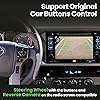
  • [100% Factory Compatible] Retain all the functionalities you love in your existing radio unit - no need to part ways with the features you are accustomed to. The CarPlay and Android Auto Wireless decoder ensures that your favorite functions remain fully operational, providing you with a familiar and hassle-free interface.
  • [It's Wireless] Say goodbye to the inconvenience of tangled wires and cables. With the auto-connect feature, you can establish a seamless wireless connection in mere seconds. Effortlessly access all your smartphone applications and content without even taking your phone out of your pocket! Of course, for those who prefer a wired connection, we've got you covered too.
  • [High resolution screen] Transform your factory radio screen into a vibrant, full-color touch display no need to replace your screen.
  • [Auto-connect] The system has auto-connect feature that will pair to your phone in seconds. CarPlay will load automatically. Android Auto loads manually with Home button.

Brand: CarSyncTech


Connectivity Technology: Bluetooth, USB, Wi-Fi


Controller Type: iOS


Special Feature: Android Auto, Apple CarPlay


Compatible Devices: Android, Smartphone, iPhone


Connector Type: USB


Audio Output Mode: Stereo


Surround Sound Channel Configuration: 2.0


Video encoding: H.264, H.265/HEVC


Color: Black


Product Dimensions: 5.04 x 7.09 x 1.97 inches


Item Weight: 1.54 pounds


Item model number: CST-TMA-1419


Date First Available: July 4, 2023


Manufacturer: CarSyncTech


Frequently asked questions

If you place your order now, the estimated arrival date for this product is: Tuesday, Apr 14

Yes, absolutely! You may return this product for a full refund within 30 days of receiving it.

To initiate a return, please visit our Returns Center.

View our full returns policy here.

  • Klarna Financing
  • Affirm Pay in 4
  • Affirm Financing
  • Afterpay Financing
  • PayTomorrow Financing
  • Financing through Apple Pay
Leasing options through Acima may also be available during checkout.

Learn more about financing & leasing here.

Top Amazon Reviews


  • An elegant, almost seamless solution to add CarPlay / AA to 2014-2018 Tacomas
This is probably the most elegant way to add Car Play and Android Auto to an Entune 2.0 Tacoma. I installed this in a 2017 Tacoma TRD Off-Road that came with the factory premium radio (Entune 2.0 with apps and navigation) with the factory JBL speaker upgrade. I had been researching options to get Car Play and Android Auto for a while and was almost ready to order a whole new head unit. If you've got factory JBL, replacing the head unit is significantly more complicated than normal as the speakers are not wired to the head unit, but instead to a separate JBL amplifier located behind the rear seat with a digital connection between the amp and the head unit. To replace the head unit, I was looking at spending $1,000 or more, between the new head unit and all of the various adapters, harnesses, iDataLink products, steering wheel control adapters, etc. and I would still lose at least some vehicle features (compass and current road name display in instrument cluster - both are provided by the nav system). At $300, for my needs, this was a superior solution, and for about a third of the money. Installation: The installation, as others have pointed out, is invasive though straightforward if you have basic prior electronics / car audio experience. The manual recommends professional installation, and I think that's reasonable if you're not confident in your abilities. The most difficult portion of the install is removing, replacing and re-locking delicate ribbon cables. The key is care and patience - take your time and work slowly and methodically. I had one of the black plastic ribbon cable locking 'keys' fly off when attempting to (very gently) reinsert a ribbon cable and it took a bit of time, patience and a very steady hand to get it re-attached. Did I mention being slow and patient - it is absolutely key. There is a step where, after the decoder is attached, the ribbon cables are routed and the OEM faceplate is reattached. There is a a metal edge/lip that ends up pressing against the ribbon cables. I'm pretty confident it wouldn't be an issue right away, but I was concerned about damage to the cable over time by rubbing and vibration along this edge. I put a small amount of of electrical tape on this edge to smooth it out a bit. Despite these challenges, installation requires the easy hand removal of just one trim piece, and there are no permanent or non-reversible changes like drilling, cutting, splicing or soldering. The included wiring harnesses make it a plug-and-play solution in that regard. Unit Performance - The Good: The display quality is excellent. While today's head units would have larger and higher resolution screens, this decoder is getting the most of whatever the factory head unit can deliver and it's more than adequate. The sound quality, at least through CarPlay/AA, is just fine. It's Bluetooth audio straight from your phone to the factory head unit. I can't imagine it is any different than before the upgrade, but other than the 1-2 seconds of latency, I've never had any complaints about the factory Bluetooth audio. It sounds fine to my ears. When playing video/audio from USB on the decoder (head unit in AUX mode), the quality is also very good. There is a basic graphic EQ built-in to the decoder for fine-tuning AUX-delivered audio. Other reviewers have mentioned some of the quirks, including no on-screen display of volume level and the inability to use the voice assistant button on the steering wheel. If you attempt to do so, both the decoder and the original factory interface attempt to respond. The factory interface will "win", and you'll get a nasty reminder of just how bad the factory voice recognition feature is. None of these are significant impediments - you can still tap the on-screen microphone to send a voice command. Unit Performance - Improvements: The decoder supports playback of video and audio files via USB. There is very little information on what video/audio file formats are supported, same with USB drive file systems. So far, I have found that USB must be formatted FAT-32, others report 'No USB Device Found'. Most video files I've tried have been supported (even some fairly obscure/older codecs), and I was impressed with this. When playing files from USB, the factory unit needs to have its audio source set to "AUX" (it's normally set to Bluetooth when running CarPlay or Android Auto). Tacomas with pushbutton start will still have a 15 or 20 minute accessory power timeout ('Powering OFF to conserve battery') but that is not new. The factory SirusXM radio module needs to be removed to install the decoder with its supplied equipment. They could have included a bracket to enable keeping the factory XM radio module, or designed their solution to fit under the factory XM module, leaving it in its original position. The ribbon cables on the decoder are too short to do this (at least mine were). I've opted to remove the XM module for now, but others, particularly those that drive in areas with poor cell service, may wish to keep it. Other Thoughts: You 'switch' to the decoder by holding the HOME button for about 1-2 seconds. I would prefer it *default* to the new decoder interface on startup (or at least for that to be an option), but it's not a deal breaker. When in either the OEM interface or the decoder interface, a momentary tap of the HOME button takes you to the home screen of the currently active interface, while a press-and-hold of the HOME button switches between the OEM and the decoder interfaces. It is pretty slick, all things considered. The decoder's USB port is completely independent of the original factory port in the dash, and while it will charge a device (if you're not pushing it), it's not going to be fast. The best I've seen out of it is 0.5A, so about 2.5 watts, so it's more of a "battery level maintainer". My phone is Samsung Galaxy Note 20 Ultra, so wireless Android Auto plus a standalone USB-C fast charger is my preferred setup. Finally, the decoder ships with an 8GB USB memory stick with different firmware on it for some models of head unit. Mine didn't need it and worked fine with whatever the default software is. Overall though, this really is a creative and well engineered solution, with a few areas for improvement, and I'm glad it exists. It keeps all of the factory features (XM caveat aside) and keeps the OEM look, and works well with JBL-wired vehicles. It is still early days and I will edit the review if my experience changes. ... show more
Reviewed in the United States on August 18, 2024 by Brett Brett

  • Great buy for someone wanting to keep their interior looking OEM.
It does require an invasive installation to your head unit. Would recommend once they come back in stock. Works with Android Auto and Car Play. I have been wanting to upgrade my radio to get something with Android Auto ever since I got my Tacoma a couple years ago. Unfortunately, I am one of those people that really wanted something OEM or looked like it. I looked into the CarABC product that came out a while ago, but I was not impressed with the resolution and the problems people had long-term that I read in reviews. I recently read about this new "decoder" box from CarSyncTech that you could install. It looked sort of sketchy considering they had one review on Amazon at the time and their internet presence was minimal and not super professional. Well, I contemplated it for a few weeks and decided to give it a go. After two weeks, I am pleasantly surprised with how great the thing is. For context, I am using a Pixel 7 and this is installed in my 2017 TRD Off Road. Installation I ordered it from Amazon for about $200. (If you are considering getting one, they are currently unavailable. I would assume they will have more coming back in stock. Their Instagram responded to a question I sent after a few days, so you might ask for updates there.) The package came quickly, in good condition, and wasn't missing any parts. I used a combination of their installation video (there are no words, so you can mute the music if it's not your vibe) and the paper guide in the box to get the decoder box installed. The installation took about an hour and required just a few basic tools. It did require finding a flash drive smaller than 32gb to update the firmware that I downloaded from their website. Believe it or not, flash drives that small are getting hard to find now. The hardest part of the installation was probably putting the ribbon cables back in or fitting the head unit with all of the extra wiring back into the vehicle. Take your time and be gentle with both and you'll eventually figure it out. I would recommend watching the entire installation video before ordering and again while installing. Kee your screws organized because there are quite a few different kinds you'll remove. You will need to remove some stickers to get to the necessary screws, which the video does not show. There is also a Wi-Fi antenna that you have to find a place to stick behind the unit. I ended up sticking it on the top side under the insulation. It worked just fine. Do note that you will end up with an extra, small wiring harness that was in there originally. You also should have a wire or two that don't actually connect to anything. One looked like a video feed, possibly for a front or 360 camera system? First Impressions From my experience so far, all of the OEM radio features are retained, and I did not lose and data from installing the product. Everything from playing music to phone calls, it all works. To activate the product, you hold the "HOME" button until it loads. If it doesn't after a few seconds, then get a flash drive within spec and install the updated firmware. (The firmware instructions say the screen will glow and return to normal when it is finished. Mine started doing this a second time. After it finished the second time, I went forward with the instructions. Not sure what was up with that.) So definitely give the system a test run before putting everything back into place. The paper instructions have the info about pairing your phone, which are pretty simple. I didn't know this before ordering, but the product does support wireless connections! Because of that, I just kept the USB connector behind the radio. I did have to play around with the display settings to get the brightness and contrast right. Right off the bat, the resolution is great. I definitely think it is the native screen resolution. It isn't great compared to screens coming out now, but it is totally enough and the best I think these units can do. The touch controls are actually responsive, which was also a pleasant surprise. Using voice controls is also really fast, which is a nice change from the 1-2 second delay when using the normal Bluetooth connection. So, yeah, the product totally works. The Bad There have been two medium-large issues that I have come across so far. The first was the unit decided to disconnect and kicked out of Android Auto. This has happened once in the few hours of driving time I have had since getting it. Not sure why it did that, but it hasn't happened again since. The second issue is that my phone will start calling someone randomly. I am pretty certain it is because the original OEM screen is still "active", and the product's screen is an overlay on top of it. So, sometimes the touch registration goes through to the original system. Since I had some contacts set for quick calling on my OEM's home screen, I think I was pressing those. I changed my home screen layout on the OEM radio to no include them and haven't had it happen again. I thought it would be smart to use the "Turn off screen" function so no touch inputs register on the original system, but it returns back to the original home screen when trying to load up the system with the long "HOME" button press. This brings me to my two minor issues. The first is that the system has to be loaded up manually. There is no auto-start function from what I can tell that works. Every time you get in the car, you do need to start the system to access it. The second minor issue is that the voice control button on the steering wheel triggers the Google Assistant in Android Auto as well as the OEM voice assistant in the radio. At the end of the day, these are just some nitpicky issues and nothing that has made me even remotely consider removing and returning it. Conclusion So, if you are a snob like me and want to keep the OEM look while having Android Auto (or Car Play if that's your thing), then this is totally your solution. I wouldn't waste your time with the CarABC or similar products. These definitely seem superior from what I have read about in reviews. ... show more
Reviewed in the United States on February 27, 2024 by Tyler Smart Tyler Smart

  • Works great!! Almost seamless.
Couldn't believe it when I heard this product was available. Through word of mouth and good reviews I decided to give it a try myself. Install is straight forward/plug and play and self explanatory if you're at all familiar with car stereo harnesses. Steering wheel controls are maintained and I haven't noticed any change in audio quality (calls or music). Setup/modification is tedious and requires your full focus, but the finished product is very professional. Take...Your...Time. Pay extra attention to the ribbon cables when removing and re-inserting them. My only complaint is that when you turn on the vehicle you must manually switch the HU to engage Android Auto. But not at all a deal breaker and the performance is otherwise perfect. Not necessarily related to the product itself, but the customer service is GREAT with quick responses and helpful feedback. Installed in a 2019 DCLB Tacoma TRD OR and paired with a Pixel 7. ... show more
Reviewed in the United States on February 12, 2024 by Steven

  • Good quality.
So far so good after installing it. Quality is good and seems to work good. It was a little involved for the installation but nothing terrible. I’m happy with the purchase and even happier to have CarPlay for a fraction of the price of new head unit to keep all the factory head unit features. Their customer service was very responsive and quick to reply. ... show more
Reviewed in the United States on January 5, 2026 by Kimberly Federman

Can't find a product?

Find it on Amazon first, then paste the link below.
Checking for best price...