Search  for anything...

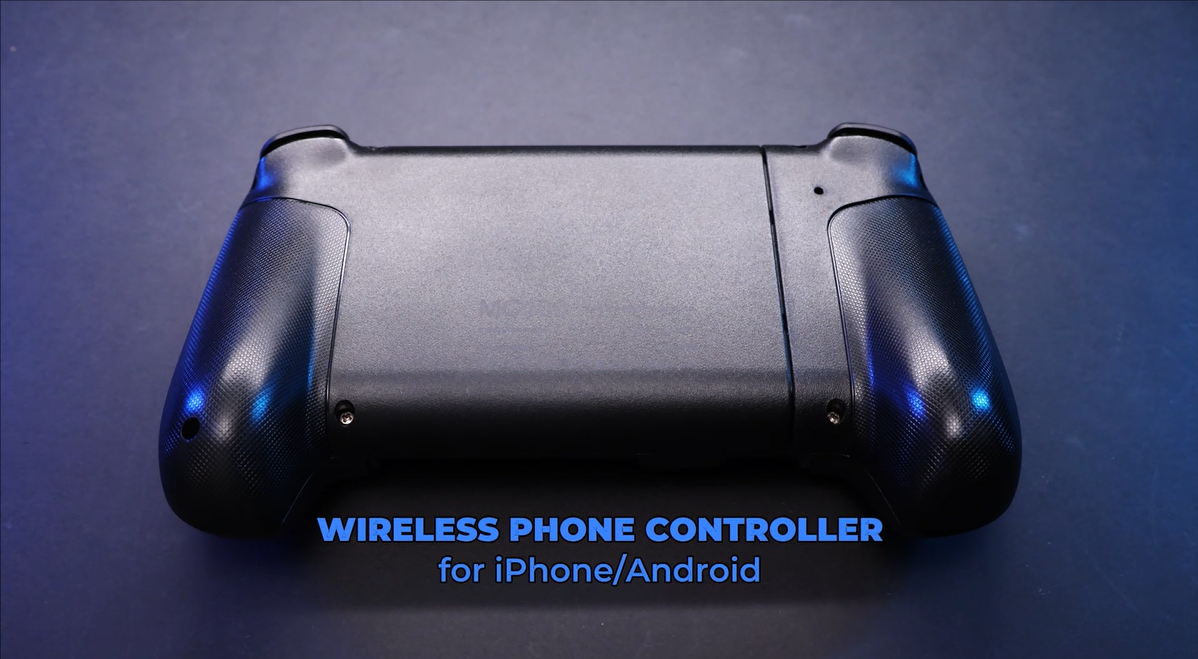
NinjaPlusOX Wireless Phone Controller for iPhone/Android with Hall Joystick, Moblie Controller for iPhone Support Xbox Game Pass, Steam Link, Call of Duty, Roblox, Nintendo DS Consoles

  • Based on 214 reviews
Condition: New
Checking for the best price...
$39.99 Why this price?
New Year Deal · 6% off was $42.34

Buy Now, Pay Later


As low as $9 / mo
  • – 4-month term
  • – No impact on credit
  • – Instant approval decision
  • – Secure and straightforward checkout

Ready to go? Add this product to your cart and select a plan during checkout.

Payment plans are offered through our trusted finance partners Klarna, Affirm, Afterpay, Apple Pay, and PayTomorrow. No-credit-needed leasing options through Acima may also be available at checkout.

Learn more about financing & leasing here.

Selected Option

Free shipping on this product

FREE refund/replacement until Jan 31, 2026

To qualify for a full refund, items must be returned in their original, unused condition. If an item is returned in a used, damaged, or materially different state, you may be granted a partial refund.

To initiate a return, please visit our Returns Center.

View our full returns policy here.


Availability: Only 5 left in stock, order soon!
Fulfilled by Amazon

Arrives Friday, Feb 6
Order within 18 hours and 39 minutes
Available payment plans shown during checkout

Protection Plan Protect Your Purchase
Checking for protection plans...

Color: Black


Features

  • CONNECTION GUIDE 1Make sure the phone controller is NOT in charging before connected. 2Observe if the 4th LED on controller is flashing quickly (if flashing 1.2.3, it is incorrect), If not, press and hold the 'HOME' button to turn off the controller and then connect again: Open your bluetooth on mobile phone, then long press 'HOME' and the 4th light will flash quickly, then find corresponding Bluetooth name and connect.
  • TIPS FOR IPHONE GAME CONTROLLER When the wireless phone controller encounters abnormal situations such as inability to connect/charge, joystick offset, you can try resetting it: poke the 'RESET' hole on the back of controller with a needle, and then restart the controller for iphone to solve most non quality problems
  • TIPS FOR CLOUD GAMING CONTROLLER Please use this mobile game controller to play games on a high-speed and stable network. This is because cloud games have high network requirements and require a high-speed and low latency network environment to reduce latency caused by network congestion and enhance the gaming experience
  • PLAY ANY CONTROLLER SUPPORTED APP GAMES The iphone game controller is designed to enjoy unstoppable gaming experience, work for iPhone/Android, support nearly all cloud gaming services including Xbox Game Pass, Steam Link, GeForce NOW, MFi Apple Arcade & hundreds of popular mobile games like Call of Duty, Roblox, etc. The phone controller perfects your mobile gaming experience beyond a console by making it happen anywhere, anytime, to anyone
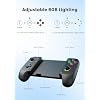
  • WIRELESS IPHONE GAME CONTROLLER WITH HALL JOYSTICK Only hold on 'HOME', you can connect controller for iphone with phone via Bluetooth. The Hall effect joystick provide ultra precise control, No drift, No deadzone! It helps you gain dominant position of games faster and the performance and game experience has been improved qualitatively
  • ADJUSTABLE TURBO SPEED & 8H PLAYING TIME The iphone controller for gaming has adjustable TURBO function (5/12/20 shots/s), free your fingers and make you easier to win in action game. Dual vibration motors enhance the game immersion, provide you realistic and stimulated gaming experience! Built-in rechargeable 600mAh high capacity battery provides over 8 hours game playing, and it can be fully charged within 2-3 hours. Never worry about game interruptions, enjoy your gaming time
  • EXTENDABLE DESIGN & SUPPORT PHONE CASE The scalability of phone controller for iphone allows you to install a 10-17.5cm phone, don't have to remove your phone case every time. Non slip rubber provides a secure fit that wont come loose while gaming. And the grip with texture provides better comfort and a delicate feel, allowing you to play games for a long time without feeling tired
  • WHAT YOU GET & CUSTOMER SERVICE 1X Phone Controller for Android/iPhone; 1X USB C Charging Cable; 1X User Manual for Android Controller. We are dedicated to providing customers with the best products and services. Please feel free to contact us if any issue

Package Dimensions: 8.31 x 5.47 x 2.72 inches; 15.84 ounces


Type of item: Video Game


Item Weight: 15.8 ounces


Manufacturer: NinjaPlusOX


Date First Available: March 1, 2024


Frequently asked questions

If you place your order now, the estimated arrival date for this product is: Friday, Feb 6

Yes, absolutely! You may return this product for a full refund within 30 days of receiving it.

To initiate a return, please visit our Returns Center.

View our full returns policy here.

  • Klarna Financing
  • Affirm Pay in 4
  • Affirm Financing
  • Afterpay Financing
  • PayTomorrow Financing
  • Financing through Apple Pay
Leasing options through Acima may also be available during checkout.

Learn more about financing & leasing here.

Top Amazon Reviews


  • Great, reliable, sturdy and lag free gaming controller!
Color: Black
Awesome phone controller (also works for PC). Easy to setup, battery lasts forever, only charging when I think I need to top it off. Perfect to turn your phone into a handheld console for gaming. Call of Duty and Diablo Immortal feel amazing, no lag over Bluetooth.
Reviewed in the United States on October 19, 2025 by J B

  • This Mobile Controller is Worth Every Penny
Color: Black
I "tolerated" the first time I set it up. I played Mega Man 64 via Lumeroid and it seemed like the buttons were mapped in a specific spot. I grew suspicious about it after reading other comments sharing how perfect this controller is. I found out that it wasn't properly connected to my phone and wasn't seen as a controller for whatever reason. It became flawless after I disconnected it and reconnected it! (Hold the Button+Home and make sure the "4" is blinking vs others. Easy step to overlook) Every button worked as if I was using the N64 controller (right analog represents the C buttons). I absolutely love this controller and am super thankful it was a user error that caused a bit of ruckus. Definitely worth reconnecting the controller with your phone if there are any issues like mine. I highly recommend this to anyone suffering through the touch screen buttons for gaming. Update 11/27 This controller is still one hell of a purchase. I've used it with Steam games on my PC like Binding of Isaac, GTA IV and Resident Evil and it plays like a legit Xbox controller. Still feels great, holds a great charge. I'll be using it for some N64 games on my phone after I finish this update. ... show more
Reviewed in the United States on May 22, 2025 by Alex

  • This is a the kind of controller people want
Color: Black
The controller feels solid, the expansion is not wobbly, jerky or flimsy. Expands smoothly and held my phone and max length with no issues. The Instructions to setup were clear and easily followed. None of the controls seemed cheap and I have a strong enough grip to break these things usually in a short period of use so will follow up how it holds up. The bluetooth connection worked perfectly with my earbuds so I could connect both and had no signal loss for framerate or audio. Right now, my overall opinion at purchase and first couple days use... this is a quality product so far and immensely happy with it. ... show more
Reviewed in the United States on October 19, 2025 by Amazon Customer

  • Misconception with the Controller Seeming to Not Retain a Charge
Color: Black
I bought one of these controllers a couple of weeks ago. I saw the other review, in which that guy made a video explaining his frustration with the controller not holding a charge. When I first got the controller, I thought I was having the same problem. First I turned it on, and LED 4 was flashing rapidly, followed by the controller turning itself off. The instructions indicate that when LED 4 is flashing rapidly, the battery is depleted. So I thought the battery is probably dead from sitting in storage for a long time, and so I tried charging it for a couple of hours. While charging, LED 4 flashed at a slow rate, indicating that it's charging. But after a couple of hours, the controller would still rapidly flash LED 4, and immediately turn itself off after a few seconds. So it was appearing to not hold a charge. So I actually took the thing apart, took out the battery, cut the leads, and tested it with a multimeter, and it turns out it was fully charged at 4.178V. So I thought what the hell, why is the controller acting like the battery is dead? So I soldered the leads back together, put some electrical tape around the solder joints, reassembled the controller, and same problem again. And then I figured out what the problem was with some trial and error with the buttons. So first of all, the controller was indeed charging, it just needed a couple of hours to get all the way up, and it was pretty much there when I took it apart. Secondly, I discovered that when the controller has not been paired to any device yet, it will turn off after a few seconds because there is no saved device to pair with. And when it is searching for a device, the LED 4 flashes rapidly, just as it does if the battery is low, and these two factors put together give the impression of a dead battery, even when it is charged. The third issue that I discovered is that in order to enter into pairing mode, you push Home + B, and if you do this in the wrong order, the device will not enter pairing mode, and will instead just try to search for a saved device to pair with, which is what it automatically does when it is turned on, and since the there was no saved device to begin with, it would just turn off after not finding one, because I pushed Home + B to enter pairing mode, but it did not do that because I pushed them in the wrong order. You have to push B before Home to get it to go into pairing mode, if you do it in the reverse order, it will not, and will just try to find a saved device. So long story short, if you're trying to get it to pair for the first time, and seems like the battery is not holding a charge even though you have been charging it for a while, then check the order in which you are pressing the Home + B combination, and it should enter pairing mode and stay on, instead of just turning off after a few seconds. I spent all afternoon screwing around with taking this thing apart, which was not easy, plus cutting and resoldering the battery cable, all because I pushed Home + B in the wrong order, and felt like an idiot afterwards. But honestly, the order shouldn't matter in my opinion, as long as they're both pressed together. ... show more
Reviewed in the United States on July 29, 2025 by Sean M.

  • Battery sucks
Color: Black
Looks cool and works great for like 15-20. Battery is awful and wont keep a charge and I have had ut fir two days.
Reviewed in the United States on December 27, 2025 by Steve in AZ

  • A Nice Gaming Controller
Color: Dark Black
This is a nice little gaming controller. The buttons are responsive and work properly. The grip is confortable and holds the phone tightly. I haven’t experienced any stick drift or other problems. Overall it’s a nice product for the price.
Reviewed in the United States on December 14, 2025 by Burch22

  • Controller
Color: Grey
Works and fits good for my phone
Reviewed in the United States on December 1, 2025 by 7207674749

  • Great product
Color: Black
Perfect for my daughter’s iPhone
Reviewed in the United States on December 27, 2025 by Carole

Can't find a product?

Find it on Amazon first, then paste the link below.
Checking for best price...