Search  for anything...

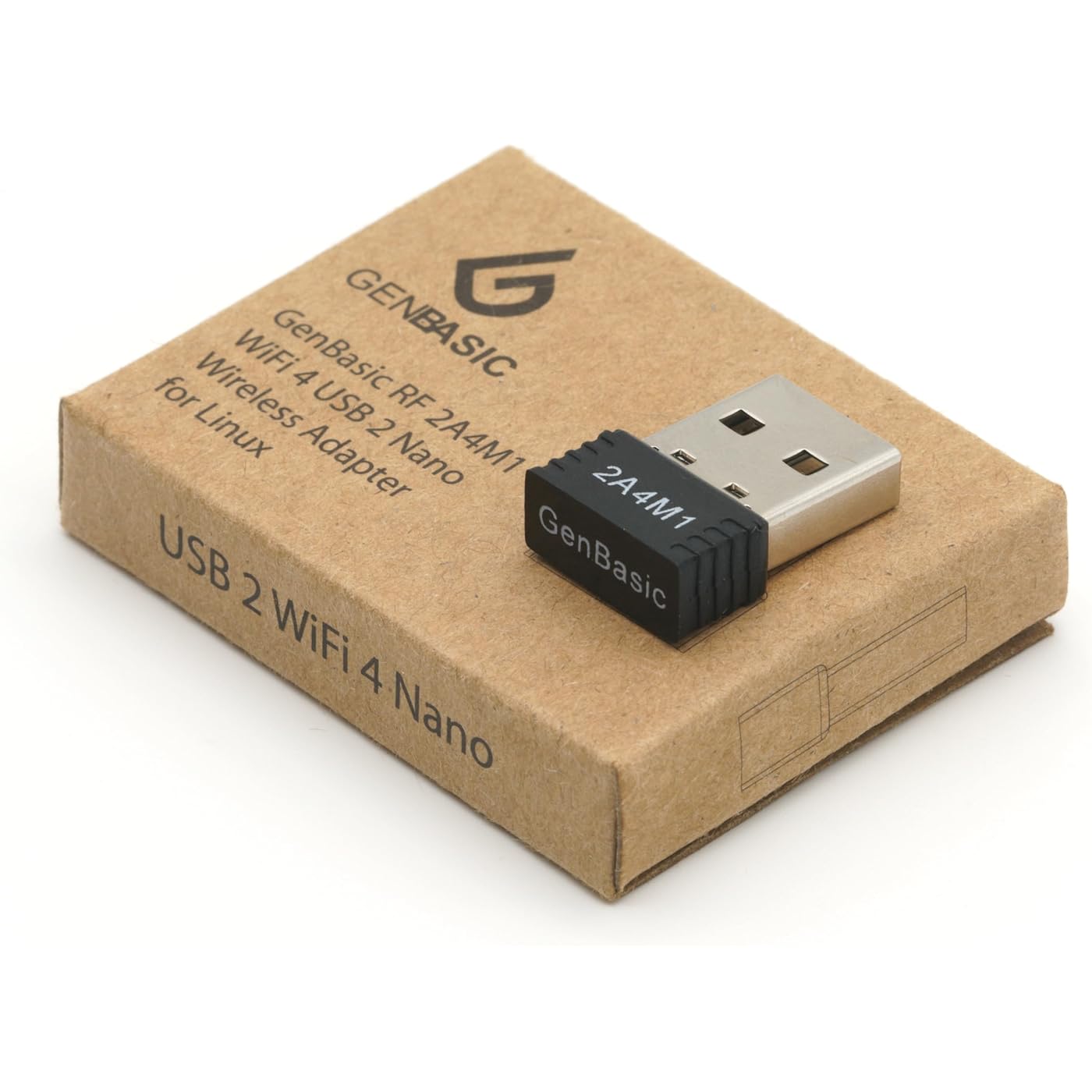
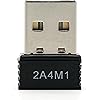
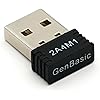
WiFi 4 USB Nano Wireless Network Dongle Adapter for Linux (Black)

  • Based on 288 reviews
Condition: New
Checking for the best price...
$10.01 Why this price?
Save $4.98 was $14.99

Buy Now, Pay Later


As low as $2 / mo
  • – 4-month term
  • – No impact on credit to apply
  • – Instant approval decision
  • – Secure and straightforward checkout

Ready to go? Add this product to your cart and select a plan during checkout.

Payment plans are offered through our trusted finance partners Klarna, Affirm, Afterpay, Zip, Apple Pay, and Google Pay. No-credit-needed leasing options through Acima may also be available at checkout.

Learn more about financing & leasing here.

Free shipping on this product

FREE 30-day refund/replacement

To qualify for a full refund, items must be returned in their original, unused condition. If an item is returned in a used, damaged, or materially different state, you may be granted a partial refund.

To initiate a return, please visit our Returns Center.

View our full returns policy here.


Availability: In Stock.
Fulfilled by Amazon

Arrives Monday, Oct 19
Order within 22 hours and 1 minute
Available payment plans shown during checkout

Protection Plan Protect Your Purchase
Checking for protection plans...

Features

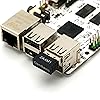
  • WIFI 4 USB NANO DONGLE FOR LIBRE COMPUTER SBCs: Small plug and play 2.4GHz WiFi for single board computers with up to 150Mbps speed. Measuring 19mm x 14mm x 5mm, keep neighboring USB ports unobstructed. Low power design stays within the 500mA power budget of USB 2.0 ports.
  • PLUG AND PLAY FOR LINUX: Supports all current Linux LTS versions and Windows. No installation required for most Linux kernels, just insert into any USB 2.0 or higher port and connect to any 2.4GHz wireless network. Compatible with personal computers with USB 2.0 and 3.0 Type A ports. Built on the Linux mac80211 and cfg80211 frameworks, supports in-kernel wireless management.
  • LATEST WPA3 SECURITY STANDARDS COMPLIANT: Supports the latest WPA3 SAE security standards. Simultaneous Authentication of Equals provides additional protection from password brute forcing and dictionary attacks. WPA2 / WPA are no longer secure and passwords can be defeated in minutes. 802.1X network access control, and SoftMAC for future extensibility.
  • ADVANCED FUNCTIONALITY: AP mode, monitoring/sniffing mode, and 40MHz channels for up to 150Mbps (18.75MB/s) rates via integrated 1T1R 2dB antenna with 18dB transmit power. Configurable MAC to programmable protocol handling.
  • PREREQUISITES: 150Mbps (18.75MB/s) PHY rates require AP advertising 40MHz channels. 20MHz channels are limited to 72.2Mbps (9.025MB/s). Actual transmit efficiency is a function of dongle temperature and signal to noise ratio. Peak performance around 75% of PHY rate in low noise environment at 10M. Linux support requires CONFIG_MT7601U. WiFi 4 operates on the 2.4GHz band (2.400GHz-2.4835GHz) using the IEEE 802.11b/g/n standards.
  • CHECK FOR POWER SUPPLY ISSUES: Make sure that the device is getting 5V or higher during load. If power to your SBC is insufficient, this device may become underpowered and drop off the USB bus or periodically disconnect and/or exhibit low throughput. If you are unsure, please test this device with the GenBasic 5V 3A power supply.

Description

GenBasic WiFi 4 USB Nano Wireless Network Dongle Adapter for Linux

Brand: GenBasic


Hardware Interface: 802.11 b/g/n, Radio Frequency, USB, USB 2.0, USB 2.0 Type A


Color: Black


Compatible Devices: Desktop


Product Dimensions: 0.75"L x 0.5"W x 0.2"H


Data Link Protocol: IEEE 802.11b, IEEE 802.11g, IEEE 802.11n, USB


Data Transfer Rate: 150 megabits_per_second


Item Weight: 0.02 kg


Number of Packs: 1


Unit Count: 1 Count


Brand: GenBasic


Number of Packs: 1


Unit Count: 1 Count


UPC: 647923366945


Number of Items: 1


Manufacturer: GenBasic


Built-In Media: USB Nano Dongle


Model Number: 2A4M1


Mfr Part Number: 2A4M1


Warranty Description: 3 Years Parts


Hardware Interface: 802.11 b/g/n, Radio Frequency, USB, USB 2.0, USB 2.0 Type A


Compatible Devices: Desktop


Data Link Protocol: IEEE 802.11b, IEEE 802.11g, IEEE 802.11n, USB


Data Transfer Rate: 150 megabits_per_second


Compatible Operating System Family: Linux, MacOS, Windows


Minimum Required Operating System Version: Ubuntu 22.04 Jammy Jellyfish


Item Dimensions L x W x H: 0.75"L x 0.5"W x 0.2"H


Item Weight: 0.02 kg


Color: Black


Frequently asked questions

If you place your order now, the estimated arrival date for this product is: Monday, Oct 19

Yes, absolutely! You may return this product for a full refund within 30 days of receiving it.

To initiate a return, please visit our Returns Center.

View our full returns policy here.

  • Klarna Financing
  • Affirm Pay in 4
  • Affirm Financing
  • Afterpay Financing
  • Zip Pay in 4
  • Financing through Apple Pay
  • Financing through Google Pay
Leasing options through Acima may also be available during checkout.

Learn more about financing & leasing here.

Top Amazon Reviews


  • Works out of the box on an ancient HP Netbook!
Color: Black
I've had an HP Mini 210 netbook since 2011. The original Broadcom wireless card has been a constant source of frustration under Linux over the years. Because the HP BIOS only allows certain internal Wi-Fi cards, replacing it with a newer Intel card wasn't an option. I specifically bought this adapter because it uses the MediaTek MT7601U chipset, which is supported by the Linux kernel. I'm currently running Q4OS with the Trinity Desktop Environment, and it was truly plug-and-play. As soon as I inserted the adapter, Linux recognized it, loaded the `mt7601u` driver automatically, and I was connected to my wireless network within seconds. No additional drivers, compiling, or configuration required. If you're looking for a small USB Wi-Fi adapter that works well with modern Linux distributions, this one is worth considering. It solved years of intermittent Broadcom issues on my old netbook. So long, Broadcom! ... show more
Reviewed in the United States on June 29, 2026 by Scott Kenney

  • Works with Surface Pro 3 on Chrome OS
Color: Black
Reformatted Surface Pro 3 with 64-bit Chrome OS Version 152.0.7977.113. The Surface Pro would not connect to a 2.4mhz network from my newer Asus Router. I kept getting a 'Bad Password' error. Found a comment online that said : "The “Bad password” error on a Surface Pro 3 running ChromeOS Flex is a known compatibility issue, often tied to the older Marvell Wi‑Fi adapter and how ChromeOS Flex handles certain router security settings or band configurations." This dongle was suggested as a plug-and-play option for the ChromeOS Surface Pro 3. I plugged dongle into USB A slot, rebooted, and was able to connect to my wireless network! Literally plug-and-play. ... show more
Reviewed in the United States on September 20, 2026 by Gigrantor

  • Zero setup, works stunningly well
Color: Black
Works WONDERFULLY. I really enjoy the way you can just plug it into the back of your device and it has the ability to connect to the internet, no setup required. The speed of it is good, I haven't tried it with tasks such as online gaming but it works or browsing. Very small yet powerful little device that's great to upgrade your linux PC. ... show more
Reviewed in the United States on May 27, 2026 by Milla

  • Linux compatible
Color: Black
For users installing Linux on Machines with Broadcom Wireless devices (such as Intel Macbook Airs or pros, Intel Mac Minis)... Past installations needed a wired connection or one of these to install updates. Current updates may cause Kernel Panic if Broadcom driver remains installed. Uninstall the Broadcom driver and use one of these or a wired connection instead. Reliable, easy plug and stay installation, works with linux, connects to WiFi, is not a Bluetooth device, has adequate WiFi speed. ... show more
Reviewed in the United States on August 17, 2026 by Nuclear Sandbox

  • Works with ChromeOS Flex
Color: Black
I needed to connect an old Microsoft Surface 2 (circa 2013) running ChromeOS Flex to WiFi. Over the years, I upgraded this device from Win8 to Win11 to ChromeOS Flex. The inbuilt wifi modem stopped working. It's a known limitation with ChromeOS on some old devices. I was able to connect to the net using a USB wired ethernet dongle. However, this limited device portability. After some research, I found this dongle that has a compatible MediaTek chipset. Plugged it into the USB 2.0 port on the Surface, and was able to connect to my home wifi. It required a couple of device restarts to connect. Speeds are quite slow (about 50Mbps), but that is not a concern, since I use the tablet only to display recipes while cooking. I took away one star because occasionally, when I power up the device, it does not connect to Wifi and I have to restart it to successfully connect. I'm glad I was able to solve my portability problem and extend the useful life of this device. ... show more
Reviewed in the United States on July 11, 2026 by Efty

  • It genuinely works.
Color: Black
It worked instantly when I plugged it. Amazing tech piece.
Reviewed in the United States on September 19, 2026 by Francis Floyd Doe

  • It works
Color: Black
Great wi-fi adapter, works great with my Zimablade.
Reviewed in the United States on July 5, 2026 by Mason

  • Finally a USB wifi nic that works perfectly with Ubuntu.
Color: Black
Over the years I've tried several that caused problems and created error messages. This is the first that worked perfectly, right out of the box. I'm using version 18.04, in an old 32 bit computer. I can't speak to it's speed or range, I don't need much of either. I use the Mate desktop, if that matters. ... show more
Reviewed in the United States on March 15, 2026 by MAVN

Can't find a product?

Find it on Amazon first, then paste the link below.
Checking for best price...