Search  for anything...

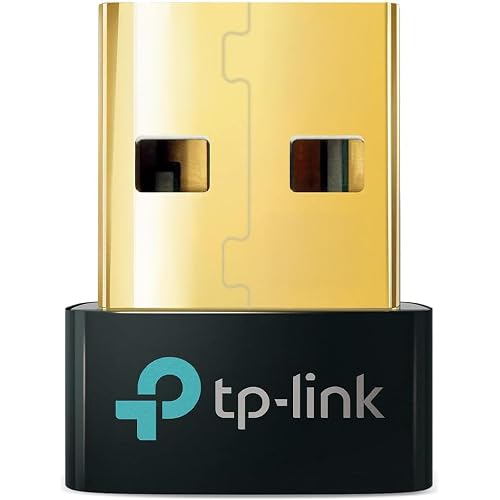
TP-Link AC600 USB WiFi Adapter for Desktop PC (Archer T2U Plus)- Wireless Network Adapter for Desktop with 2.4GHz, 5GHz High Gain Dual Band 5dBi Antenna, Supports Win11/10/8.1/8/7/XP, Black

  • Based on 42,505 reviews
Condition: New
Checking for the best price...
$14.99 Why this price?
Save $4.99 was $19.98

Buy Now, Pay Later


As low as $3 / mo
  • – 4-month term
  • – No impact on credit to apply
  • – Instant approval decision
  • – Secure and straightforward checkout

Ready to go? Add this product to your cart and select a plan during checkout.

Payment plans are offered through our trusted finance partners Klarna, Affirm, Afterpay, Zip, Apple Pay, and Google Pay. No-credit-needed leasing options through Acima may also be available at checkout.

Learn more about financing & leasing here.

Selected Option

Free shipping on this product

FREE 30-day refund/replacement

To qualify for a full refund, items must be returned in their original, unused condition. If an item is returned in a used, damaged, or materially different state, you may be granted a partial refund.

To initiate a return, please visit our Returns Center.

View our full returns policy here.


Availability: In Stock.
Fulfilled by Amazon

Arrives Thursday, Jul 30
Order within 11 hours and 1 minute
Available payment plans shown during checkout

Protection Plan Protect Your Purchase
Checking for protection plans...

Size: AC600, WiFi 5


Features

  • Long Range Adapter This compact USB Wi-Fi adapter provides long-range and lag-free connections wherever you are. Upgrade your PCs or laptops to 802.11ac standards which are three times faster than wireless N speeds.
  • Smooth Lag Free Connections Get Wi-Fi speeds up to 200 Mbps on the 2.4 GHz band and up to 433 Mbps on the 5 GHz band for upgraded web surfing, gaming, and streaming. Performance varies by conditions, distance to devices, and obstacles such as walls.
  • Dual-band 2.4 GHz and 5 GHz Bands Dual-bands provide flexible connectivity, giving your devices access to the latest routers for faster speeds and extended range. Wireless Security - WEP, WPA/WPA2, WPA-PSK/WPA2-PSK
  • 5dBi High Gain Antenna The high gain antenna of the Archer T2U Plus greatly enhances the reception and transmission of WiFi signal strengths.
  • Adjustable, Multi-Directional Antenna: Rotate the multi-directional antenna to face your router to improve your experience and performance
  • Windows Compatibility Only This WiFi receiver only supports Windows versions: 11/10/8.1/8/7/XP. Please visit the TP-Link website for the latest drivers for your operating systems.
  • Easy Setup - This WiFi Adapter is equipped with a friendly user interface to ensure smooth and simple installation. Download the required driver from the Download Center on the TP-Link site to get started.

Description

TP-Link Long Range AC600 USB WiFi Adapter | 2.4G/5G High Gain Dual Band Wireless Network Adapter for PC Desktop and Laptop | Supports Windows 11, 10, 8.1, 8, 7, XP. Experience reliable lag free connectivity with the Archer T2U Plus USB WiFi adapter. Simply plug in the adapter to your desktop or laptop to upgrade legacy WiFi cards to take advantage of faster and smoother connections. From gaming, surfing, streaming, to online computing, the demand for quick reliable connectivity is more important than ever. With the long range power of the T2U Plus, you can connect for high performance and a smooth online experience.

Brand: TP-Link


Hardware Interface: USB


Color: Black


Compatible Devices: Desktop, Laptop


Product Dimensions: 2.28"L x 0.71"W x 6.83"H


Data Link Protocol: USB


Data Transfer Rate: 600 megabits_per_second


Item Weight: 18.14 g


Unit Count: 1 Count


UPC:


Hardware Interface: USB


Compatible Devices: Desktop, Laptop


Data Link Protocol: USB


Data Transfer Rate: 600 megabits_per_second


Compatible Operating System Family: MacOS, Windows


Minimum Required Operating System Version: Windows 7


Item Dimensions L x W x H: 2.28"L x 0.71"W x 6.83"H


Item Weight: 18.14 g


Color: Black


Brand: TP-Link


Unit Count: 1 Count


UPC: 840030700033


Global Trade Identification Number: 33


Manufacturer: TP-Link


Built-In Media: Archer T2U Plus


Item Type Name: USB WiFi Adapter


Model Number: Archer T2U plus


Mfr Part Number: Archer T2U plus


Warranty Description: 2 year manufacturer


Frequently asked questions

If you place your order now, the estimated arrival date for this product is: Thursday, Jul 30

Yes, absolutely! You may return this product for a full refund within 30 days of receiving it.

To initiate a return, please visit our Returns Center.

View our full returns policy here.

  • Klarna Financing
  • Affirm Pay in 4
  • Affirm Financing
  • Afterpay Financing
  • Zip Pay in 4
  • Financing through Apple Pay
  • Financing through Google Pay
Leasing options through Acima may also be available during checkout.

Learn more about financing & leasing here.

Top Amazon Reviews


  • Works great — highly recommend
Size: AC600, WiFi 5
This TP-Link AC600 USB WiFi Adapter works GREAT on our desktop PC. It was easy to set up and delivers reliable, fast wireless connection. What I like: • Strong signal and good speeds. • Simple plug-and-play installation. • Compact and stable. • Much better performance than built-in options. If you need a solid, affordable WiFi upgrade for a desktop, this is an excellent choice. Highly recommend! ... show more
Reviewed in the United States on July 9, 2026 by melissa williams

  • Honest review: It is awesome
Size: AC600, WiFi 5
Out of the box, the WIFI adaptor was well packed. Both the antenna and the usb port were wrapped in plastic and placed in a nice plastic mold to reduce chance of damage. The instructions and the disc driver were found inside as well, with the disc inside of its own protective cover. Install was extremely easy. I have an old PC tower that used to have a wifi adaptor that randomly stopped working (not this brand), so I always had it plugged directly into the Ethernet cable. However, my new house, an Ethernet would have been possible, but it would have been ugly. So, I hoped on Amazon and found this adaptor for 12 dollars. I was skeptical. My pc is old and is still running windows 10. All I had to do, was plug in the adaptor and it immediately found my home wifi and after I typed in my password, I was back on the web. I did not even have to install the disc driver. Less than 3 minutes to install with the majority of that time being spent unboxing the product. Value for the money, and functionality is fantastic. 12 dollars (got it on sale, originally 19), and I’m back on the internet with no ugly cables. I wish I did this sooner. I will update later on if I have issues with too much heat (Amazon idea during my review?) or if it randomly dies. Other than that, I recommend!! Thanks for reading!! ... show more
Reviewed in the United States on July 19, 2026 by Shadowofintent

  • Fast and sleek
Size: AC600, WiFi 5
Compact size, plug and play, fast, reaches far, and is small! Best bang for your buck! It also worked great in a hotel Environment!
Reviewed in the United States on June 13, 2026 by Itsamystery757

  • Solid WiFi Boost with a Few Caveats
Size: AC600, WiFi 5
Solid WiFi Boost with a Few Caveats I’ve been using the TP-Link Archer T2U Plus USB WiFi Adapter to give an older desktop some wireless capability, and overall, it does the job well. Setup was quick—plugging it in and letting Windows handle the driver worked fine for me, though TP-Link’s website offers updated drivers if needed. Performance is solid for everyday use. On the 5GHz band, speeds are noticeably faster and more stable than 2.4GHz, which is expected. Streaming video and browsing felt smooth, and I had no trouble with Zoom calls. The long, high-gain antenna makes a real difference for range—signal strength stayed strong in parts of the house where built-in laptop WiFi usually dips. That said, this isn’t the most compact option. The antenna is large and sticks out quite a bit, so it’s not ideal if you plan to move the computer around or use it with a laptop on the go. Also worth noting: while it supports Mac, it only works up through macOS Mojave (10.14), so newer Mac users are out of luck. Bottom line: A reliable and affordable way to add or upgrade WiFi on a desktop, especially if you need stronger range. Just keep in mind its bulky design and limited MacOS compatibility. ... show more
Reviewed in the United States on August 27, 2025 by Everyday Reviews

  • Simple and Works Great!
Size: AC600, WiFi 5
Wi-Fi Adapter went bad on a 10 year old PC. Still had some life left in it so I got this USB connected device. Immediately recognized and installed. Working great and I'm back in business. You can't beat it for the price!
Reviewed in the United States on June 10, 2026 by Wayne Karess

  • Worked Great after Learning About WiFi Channels
Size: AC600, WiFi 5
I have a very old Windows 10 tablet that still works great but has WiFi connectivity issues because the area I use it tends to be right on the edge of where it can reach my router. Some days it’s ok and some days it’s unusable. I figured the internal antenna is probably small and likely using pretty old technology, and that perhaps attaching a larger newer USB antenna, I would improve my signal. After switching to the USB WiFi adapter it offered very minimal improvement at first. My connection was still very hit and miss. But, the USB adapter offered more channel options than my old internal antenna and I was able to get much better connectivity by switching to 802.11ac in the adpater properties inside the device manager. This probably worked because it's a combination of newer technology and because there are not other nearby devices using this channel. To understand what channels can be used to improve your signal and how to switch them you need to look into 2.4GHz and 5Ghz and the different 802.11 channels (a/b/g/n/ac/x etc) also known as wifi 1, 2, 3, up to 7. What works for you can depend heavily on how your network and other nearby networks are set up and how many devices you have on each channel. The initial setup of the USB adpater was easy. I went to the website and downloaded the driver because I already had access to the internet on my tablet. If you don’t have internet on your device because you don’t have WiFi, the antenna conveniently comes with a CD that has the drivers. The difficulty I had is that even after adding the additional WiFi adapter, my tablet wanted to keep using the old one no matter what. But I learned that if you go to the WiFi symbol on your task bar and go into the WiFi options where you can choose a network to connect to, the very top shows the WiFi adapter you are using and it is actually a drop down menu where you can easily select the other adapter. I never knew this because I never had two WiFi adapters on a computer before. But this is nice because if I want I can easily switch back to the other adapter. I should note that my router is the same brand TP-Link, but I expect the WiFi adapter will work with fine with other routers. However, if you're trying to get maximum range and signal strength you will probably need a router that supports the same 802.11 channels as the USB WiFi adapter. Most new routers probably will but older ones might not. ... show more
Reviewed in the United States on March 24, 2024 by Galdor

  • Very Satisfied
Size: AC600, WiFi 5
Easy installation. Boosted my wifi signal greatly. Worth a try. Would buy another if I need one.
Reviewed in the United States on June 22, 2026 by JT

  • Unreliable, Frustrating, and Potentially Harmful – Avoid This USB WiFi Adapter
Size: AC600, WiFi 5
I purchased the TP-Link Archer T2U Plus USB WiFi adapter hoping it would solve a specific issue: my older laptop’s onboard WiFi struggles to detect my work network, even though it connects just fine at home and to public networks. Initially, this adapter seemed like the answer—but it quickly became clear I had traded one set of problems for another, much worse one. The Core Issue: Intermittent Disconnections This seems to be a widespread problem among USB WiFi adapters, especially those using Realtek chipsets (which includes this one). The connection will randomly lag, drop, and completely fail to reconnect. The only fix? Yank the adapter out of the USB port and plug it back in, essentially giving it a hard reboot. Sometimes it reconnects; sometimes it doesn’t. In extreme cases, it disconnects again within seconds. This isn’t a one-off fluke—I’ve experienced it consistently, and it matches what countless others have reported. Not Just This Adapter—Likely a Realtek Chipset Problem After some digging, it appears Realtek-based adapters are notorious for poor driver support, unstable performance, and strange power-related issues. Frustratingly, most affordable adapters on the market use Realtek chips, and it’s difficult to find ones that don’t—there's no central list of alternatives, and product pages rarely specify the chipset used. Bigger Problems: USB Port Glitches and System Instability It didn’t stop with network drops. One morning, I booted up my PC and realized multiple USB ports had stopped functioning. Devices like my speakers wouldn’t work when plugged into these “dead” ports—unless they were already connected when the PC powered on. Even weirder, unplugging the TP-Link adapter would instantly bring those ports back to life. Plug the adapter back in, and things might work—until the next reboot. This wasn’t isolated to my machine either. My wife’s PC experienced an even worse issue: the adapter caused power draw problems during Windows boot, leaving the M.2 SSD underpowered and triggering boot failures. Booting from Linux confirmed the adapter was acting strangely, with system utilities flagging it as a misbehaving USB device. Poor Setup Experience and Misleading Instructions Setup was frustrating too. The adapter couldn’t even detect the specific network I bought it for, although it could see every other nearby network. It also created a TP-Link-branded network that demanded a password or security key that’s never mentioned in the instructions. The manual says to use the WPS button on your router, but guess what—Spectrum routers don’t have one. Dead end. No Real Support from TP-Link Trying to get help from TP-Link is an exercise in futility. Their customer service is almost nonexistent, and their online resources are focused mainly on their routers and modems—not adapters. You’re far better off looking up YouTube videos and Reddit threads. Just don’t expect any kind of direct support. Bottom Line: Don’t Waste Your Time or Money This product, and frankly most USB WiFi adapters using Realtek chipsets, are unreliable at best and potentially damaging at worst. If you’re lucky, you’ll get a week or two of decent performance before the headaches begin. In my case, and in my wife’s, these adapters caused serious system-level problems. I’ll be returning both units and requesting a refund through Amazon—which, thankfully, is usually pretty hassle-free. It’s sad, but I’ve come to view these devices as temporary fixes with a built-in expiration date. You might get lucky. Or, more likely, you’ll end up with a defective product that quietly disrupts your entire system. Recommendation: Avoid this adapter and any USB WiFi device using Realtek chipsets. It’s not worth the instability, power issues, or the time spent troubleshooting. ... show more
Reviewed in the United States on April 30, 2025 by XZ3RO

Can't find a product?

Find it on Amazon first, then paste the link below.
Checking for best price...