Search  for anything...

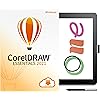
Wacom One Drawing Tablet with Screen + CorelDRAW Essentials 2021 Software Bundle | for Beginners | 13.3 Pen Display [PC/Mac Compatibility]

  • Based on 3,180 reviews
Condition: New
Checking for inventory...

Notify me when this product is back in stock

$399.94 Why this price?
Holiday Deal · 24% off was $528.95

Buy Now, Pay Later


As low as / mo
  • – Up to 36-month term if approved
  • – No impact on credit
  • – Instant approval decision
  • – Secure and straightforward checkout

Payment plans are offered through our trusted finance partners Klarna, Affirm, Afterpay, Apple Pay, and PayTomorrow. No-credit-needed leasing options through Acima may also be available at checkout.

Learn more about financing & leasing here.

Selected Option

Free shipping on this product

This item is eligible for return within 30 days of receipt

To qualify for a full refund, items must be returned in their original, unused condition. If an item is returned in a used, damaged, or materially different state, you may be granted a partial refund.

To initiate a return, please visit our Returns Center.

View our full returns policy here.


Availability: Unavailable
Fulfilled by Amazon
Available payment plans shown during checkout

Style: Display with CorelDraw Essentials 2021


Features

  • See your imagination come to life in full color on a 13.3 display with a natural surface friction that makes for intuitive drawing on screen It feels like youre drawing or writing on paper
  • Feels like a real pen no need for batteries, the pen feels and looks right. Plus, this one pen uses software to act as multiple pens and brushes in a full range of colors, with superb accuracy
  • Digital freedom sketch or paint directly on screen, draw diagrams, annotate documents, enhance photos and videos, plus you can delete, edit and share your creations with ease
  • Easily create invitations, greeting cards, calendars, social media images, and more with CorelDRAW Essentials 2021 software
  • Design and lay out your DIY creative projects in a fun, affordable, and user-friendly application
  • Effortlessly enhance, retouch, and edit your photos with the tools you need
  • WACOM: Windows 7 and later, Mac OS X 10.13 and later; Connection to select Android devices requires an additional 3rd party adapter. CORELDRAW ESSENTIALS: See graphic in image carousel

Description

Experience the power of the pen. Wacom One is a digital pen display for all creative uses – a seamless experience whether at home, work or play. Sign documents digitally, view a phone app on a bigger screen, quickly take notes, sketch, paint or edit photos – the 13.3” HD screen is ready to go and comes with creative software to get you started. Use the Wacom One pen or get a digital pen from a range of leading brands to customize your experience. Everyone from creative beginners to digital natives will appreciate the simple way in which Wacom One can be used as an extension of Mac, Windows PC, Chromebook and Android smartphones for drawing, gaming, or office productivity applications. This product works with devices capable of running the latest version of Chrome OS and has been certified to meet Google's compatibility standards. Google is not responsible for the operation of this product or its compliance with safety requirements. Chromebook, Android, and the Works With Chromebook badge are trademarks of Google LLC. With CorelDRAW Essentials 2021, create for the fun of it! It’s your affordable design toolkit for DIY graphics projects. If you’re new to graphic design, this intuitive vector illustration and photo editing software will have you creating invites, greeting cards, social media images—and whatever else sparks your interest—with complete confidence and ease. Design and lay out graphics in a user-friendly environment that provides more creative control than a basic design application. Add your unique touch to produce stunning visuals that are sure to impress.

Brand: Wacom


Connectivity Technology: Android


Operating System: Windows 7 & above, Mac OS X 10.13 and later


Special Feature: Pen


Screen Size: 13.3 Inches


Standing screen display size: ‎13.3 Inches


Brand: ‎Wacom


Operating System: ‎Windows 7 & above, Mac OS X 10.13 and later


Color: ‎Black


Date First Available: ‎December 2, 2021


Frequently asked questions

This product is currently out of stock. Please check back later for shipping info.

Yes, absolutely! You may return this product for a full refund within 30 days of receiving it.

To initiate a return, please visit our Returns Center.

View our full returns policy here.

  • Klarna Financing
  • Affirm Pay in 4
  • Affirm Financing
  • Afterpay Financing
  • PayTomorrow Financing
  • Financing through Apple Pay
Leasing options through Acima may also be available during checkout.

Learn more about financing & leasing here.

Top Amazon Reviews


  • Quality product made by an amazing brand
Style: Display
I wanted to wait a decent amount of time to write a review so I could attest to it's durability. I bought this 6 months ago and I am extremely happy. I'm a traditional artist who desired to try digital drawing. I started using my HP 360x touch screen but it was too old for a responsive stylus. I didn't need another stand alone tablet (Ipad) so I looked at display tablets that attach to a PC, laptop, or tablet. I knew I didn't want to go through buying a cheap one only to be frustrated and then buy a more expensive one essentially doubling the amount of money spent. After doing my research I decided to try the Wacom One. I am very satisfied with my purchase. Unlike other inexpensive brands I never have any issues with it responding. I can easily switch it to any of my devices. It's small enough to place in my lap if I want to use it on my Chromebook to be more comfy. It came with an abundance of long trials of the most popular software that I have utilized. That alone was worth the slightly higher price. You can easily get half a year or longer out of the trials getting time to learn them and pick a preferred drawing app. The stylus is precise and very responsive. The colors are vibrant. As a traditional artist I appreciate the paper feel it has. It comes with extra nibs to replace as they do wear down over time. I replaced mine immediately just to see how easy it was to do. It's so easy my kids could do it. The only thing I would change is the length of cord. It is bound together in the middle. Depending on how I am set up it can take a bit of rearranging to get the cords neatly arranged. If you like to use short cut keys you will need to set them to your keyboard as the stylus has the only on board button. You could also buy the accessories to add more buttons. I'm so pleased with Wacom I am already eyeing the Cintiq all in one. The appeal of the Cintiq All In One being able to have it connect and be able to be a stand alone tablet seems worth it. ... show more
Reviewed in the United States on July 28, 2023 by M. Denner

  • Other Brands Offer More for a Lesser Cost
Style: Display
As someone who has now had this for over two years, I feel like I can give it a somewhat proper review despite only having a couple of small experiences with other (drawing) tablets. For starters, this tablet overall is fine, but there are a lot of cons surrounding it that have soured my opinion on it within even the first week of this product. I'll, however, start with the pros: 1. Cheap, but decent in quality. To bring up some experiences I've had with other drawing tablets, I've on a couple of occasions used my friend's iPad that was compatible with the Apple Pencil, to which I can say that the screen on the Wacom One is rougher and matte (kind of like paper, but much smoother feeling), which is ideal for less glaring on the screen (unlike the iPad). It's simple, it has a decent stylus that is both wireless and doesn't need to charge, the corners are smooth, the built-in stand is about 2-3 inches high and holds the screen decently at a downwards incline toward you (unless you use it backwards like the chaotic person you aim to be). 2. Comes with some free test-trial products I never used them and have long forgotten about 'em, but a free bonus is a free bonus— and my Asian heart eats that up and requires me to list it. 3. Comes with Wacom Benefits I'm sure other tablets will come with a certain program to install that allows adjustments to be made for both the screen and the stylus, but it's still worth listing as the program Wacom uses is simple enough to use, but I do still get confused about options relating to the stylus and pressure (because the program gives you an option to have automatically varied pressures 'n whatnot to be set for different programs on your computer (i.e. Clip Studio vs just on your Browser)). Now, the reasons as to why I really regret this purchase: 1. Lack of Research (on my end) I am at fault for this, but I do strongly implore others to thoroughly research the best tablet for YOU. There are much cheaper options from 'lesser' brands that are often recommended for good reason; they're cheaper, and a lot of that is because it just ain't from Wacom. I now look back at such great deals for tablets with larger screens, the same benefits as this one, buttons on the side of the tablet, and a more robust stylus (that does likely require charging, but I'm just clumsy and lazy). PLEASE do your lengthy research! 2. The Quality I did somewhat command the quality, but that's because it isn't a flimsy product and has lasted me this long with no needed replacements so far. But, and a BIG but, is that I hate the execution of it all. For one, the wires; they make my laptop setup messier that it already was because of how inconsiderate everything was made. The HDMI is on the left, the USB on the right whilst branching off to the outlet. Did I also mention that these wires— while still being two wires as they acknowledge the fact that not everyone owns a PC with a comfortable layout for plugs— is connected by a bulky square in order for it to be one plug only (despite the plug taking up the space of two outlets anyways). It's bulky, but that doesn't mean that it's sturdy, as— guess what? It's stiff and hard to bend while also being put in a situation where most laptops will require the wires to bend around (unless you used an adapter (which I tried for multiple varying adapters, but the wires are so picky that the tablet either won't detect the laptop and therefore won't turn on OR the tablet is a blank screen). The wires have also opposed a BIG problem within the first week that has lasted to this day: It glitches out the screen. Due to whatever factors I just listed, within the first week did I already encounter issues with the screen quickly flashing black to then come back. I evaluated a bit, and not only is the wire just bad quality for what it is supposed to do, the PORT connecting the tablet to the computer isn't secure for the plug, and it feels flimsy and therefore often disconnects from simple movement of the wire or screen or even just pressure on the screen (like from drawing. On a DRAWING tablet. Made by a brand known for DRAWING TABLETS). On top of that, over time, sometimes the screen would reconnect and be shown with RGB colors as if all glitched out, so I then have to wiggle the wire into the port again multiple times to get my actual screen and its colors back to normal. 3. HDMI issues If you wanted to try using the tablet with your phone, it's possible, and I can attest to that; however, the wires and everything are just so finicky that it took me 3 different adapters to get it to work, and not for the reasons you may assume. The tablet always properly connected (indicated by the tablet being able to be turned on at all), but the screen would either never turn on or just show the error of not being able to read the device. For starters, I believe that you unfortunately need to access the driver prior to any phone usage (which I didn't know until researching about it a lot after getting the tablet since there was no actual information prior at the time of my purchase). Secondly, I forget how, but I did find a workaround since I didn't have a laptop or any computer at the time, and the problems with the screen persisted with EVERY DEVICE until I did some inconsistently varied means (amongst trying different adapters, slots, etc.). So, yeah, I kind of hate this thing, so thanks past me for being dumb and buying this for me on sale for my own birthday. EDIT: Wow, I think I jinxed myself since— despite my initial thoughts of its durability— my screen now has small glitch-like marks on the top right somehow. They're very small and barely noticeable, mind you, but I notice it and it's a downer. ... show more
Reviewed in the United States on July 22, 2022 by MeiMei

  • A Professional Cartoonist Review
Style: Display
The normal PROS and CONS Review with a WHY I chose what I chose. Lets GO! As the title says I am Professional Cartoonist, I am also IT support for my Office. Keep this in mind as you read. PROS: NO hot spots!!! If you are an artist and have worked on tablets long enough, you know what I am talking about. I never got that with this. Awesome!!! stylus. I have never drawn with anything like this. Loved the line control. Strokes looked wonderful. AND NO BATTERY (woot woot) Runs with the MacBook like a dream. ( this will also be con. so check back below in the review) CONS: WIRES. wires everywhere. This is the trade off for NO hot spots. A tablet gets hot because the PC inside is doing all the work. This dedicated drawing device has no PC (so to speak). For me, this is not a portable device. Great for a home studio. Set it up, and leave it in place. Drivers and Settinsgs: You have to download those drivers and you have to make setting corrections to get this to work. In my role as an IT specialist, I have these simple tasks, are a challenge for a LOT of People. WHAT I CHOSE: iPad Gen 9 with Apple Pencil. WHY: For right at the same price, you get an independent machine. That draws almost as well. Very portable. No wires. I can just AirDrop art to the Mac. Hopefully you found this helpful. Later all! ... show more
Reviewed in the United States on June 25, 2023 by Frank Frank

  • Oh my goodness the hassle we went through with this!
Style: Display
After buying two different computers and three different adapters and two near divorces we finally go this thing set up for my daughter. It took four adults to figure this thing out. What a headache but it’s cool once you get it all worked out.
Reviewed in the United States on August 28, 2023 by E Cobb

  • Perfect For Hobbyists & Starters
Style: Display
Small compact design makes this perfect for storing away for when it’s needed. Very clean detection on the stencil for precise accuracy.
Reviewed in the United States on August 29, 2023 by adegorr2x

Can't find a product?

Find it on Amazon first, then paste the link below.
Checking for inventory...