


Buy Now, Pay Later
- – Up to 36-month term if approved
- – No impact on credit to apply
- – Instant approval decision
- – Secure and straightforward checkout
Ready to go? Add this product to your cart and select a plan during checkout.
Payment plans are offered through our trusted finance partners Klarna, Affirm, Afterpay, Zip, Apple Pay, and Google Pay. No-credit-needed leasing options through Acima may also be available at checkout.
Learn more about financing & leasing here.
Selected Option
FREE 30-day refund/replacement
To qualify for a full refund, items must be returned in their original, unused condition. If an item is returned in a used, damaged, or materially different state, you may be granted a partial refund.
To initiate a return, please visit our Returns Center.
View our full returns policy here.
Recently Viewed



Size: Movink 13 for Windows/Mac computers
Features
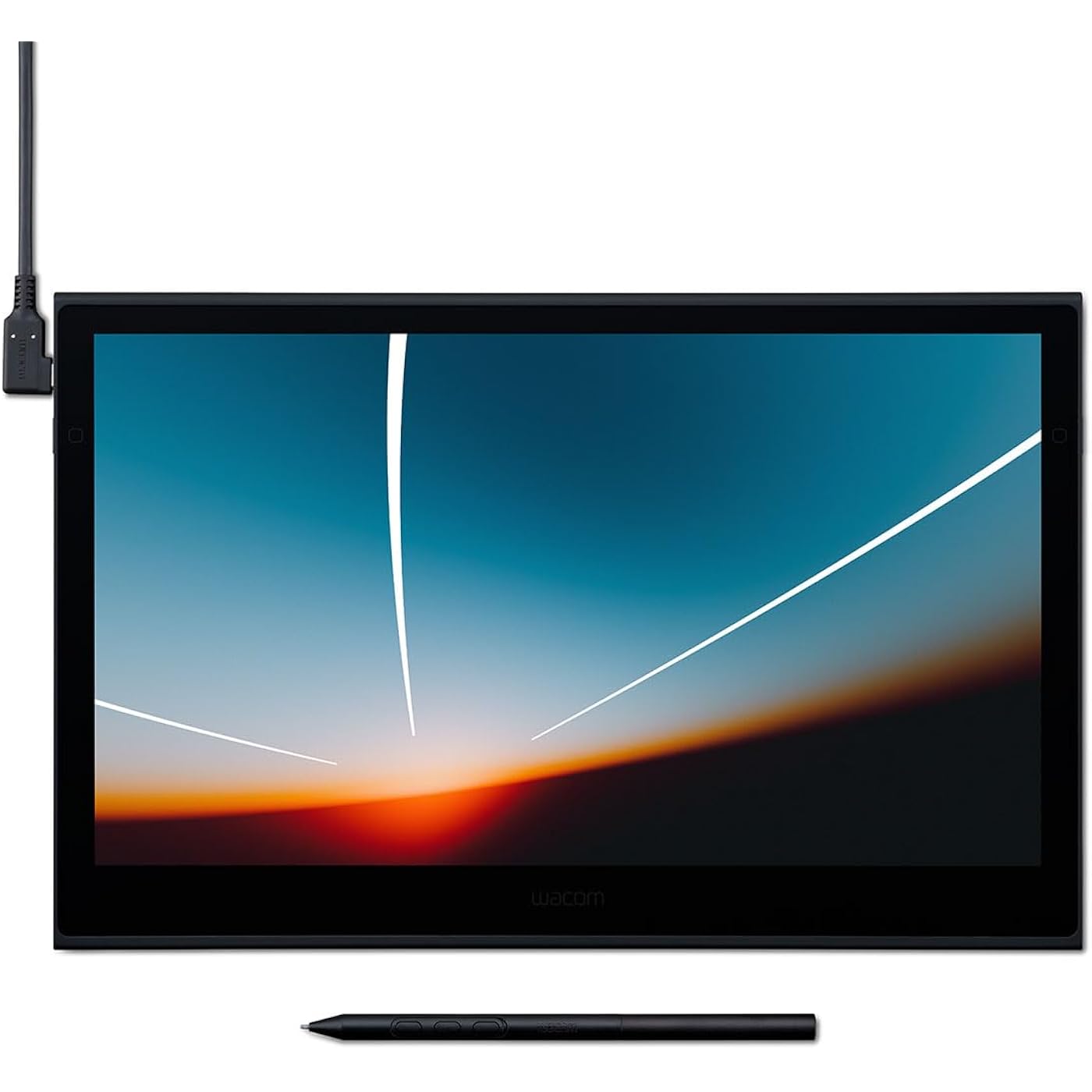
- Thin, Lightweight Display: Wacom drawing tablet features OLED display, weighs less than 1 lb. and measures 4-6.6mm thick; Compact digital art tablet ideal for use on campus, in the studio, or at home
- Remarkable Pen Performance: Exclusively designed for the Movink drawing tablet, the included Pro Pen 3 has extra nibs stored in the back end, features 8k pressure sensitivity and three side switches
- Vibrant Color: ChromeOS, Android, macOS and Windows tablet features 10-bit color, contrast ratio of 100,000:1, and hardware presets for Adobe RGB, sRGB, DCI-P3 and Rec. 709, EBU, & Rec2020
- Touchscreen & Shortcut Keys: Pantone verified graphic tablet provides easy navigation with touch gestures, on-screen shortcuts, and ExpressKeys, all customizable to streamline your creative workflow
- Includes: Movink 13 digital drawing pad, Pro Pen 3, USB-C cable for connectivity and charging (1m), Nib holder with 3 replacement Nibs (1 standard, 2 felt), Nib remover, quick start guide, and professional software trials
Description
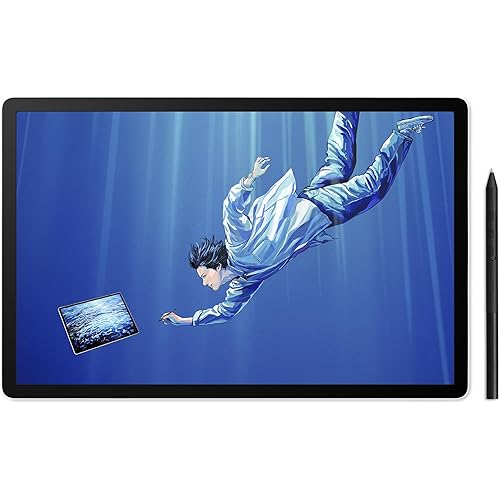
What if you could turn any place into your own studio? Like the café you stopped by after leaving an art exhibition, the client’s office, or the photoshoot you’re on. Something clicks, and you seize the moment, moving your pen across the screen before the idea gets away. With a tool that’s always ready to go, the world is your studio. Compact, slim, and sturdy, this 13” OLED touchscreen display weighs under a pound and is incredibly thin. Wacom Movink 13’s magnesium alloy exterior is lightweight yet durable enough to carry in a bag, so you can bring it with you without adding bulk. Connect it to your computer, and you'll have the processing power you need for your professional work, in a graphics tablet that’s always ready to go. Work with confidence knowing your colors are accurate from screen to print. The Samsung 13” OLED display delivers 10-bit color (1.07 billion colors) with 100,000:1 contrast and full DCI-P3 coverage, while Pantone Validated and Pantone SkinTone Validated certification ensures what you see matches real-world output. Built-in presets for Adobe RGB, sRGB, DCI-P3, and more eliminate guesswork, and the sub-1ms response time keeps your pen strokes fluid and responsive. Movink 13 features the slim Pro Pen 3, representing 40 years of innovation in Wacom's most sensitive and accurate pen performance. This battery-free pen delivers 8,192 pressure levels, 3 programmable switches, and ±60-degree tilt support for unparalleled control. With 5080 LPI resolution, 10mm reading height, and 240 RPS report rate, it tracks every stroke with precision - ideal for detailed illustration, photo retouching, and complex design. Replacement nibs are housed in the back end, ensuring you have the tools you need wherever you create. Navigate naturally with 10-point multi-touch support that lets you pan, zoom, and rotate with familiar gestures while keeping your pen in hand. Customize your workflow with physical ExpressKeys on the tablet sides and virtual touch keys that appear on-screen when you need them. Assign your favorite shortcuts to streamline repetitive tasks and use on-screen Radial Menus and Grid Panels for quick access to tools. Every control is designed to keep you in your creative flow without needing to reach for the keyboard. Wacom Movink connects to Windows, Mac, or Chromebook with a single USB-C cable that delivers power, video, and pen data - no clutter, no hassle. Most modern laptops with USB-C (Thunderbolt 3/4 or DisplayPort Alt Mode) work right out of the box with the included cable. We included only the most universally compatible USB-C cable to help reduce e-waste - since most users won’t need anything else to start creating. For HDMI connections, the Wacom Converter (ACK45219Z) is required, along with HDMI and USB cables and a power adapter. Enhance your mobile workflow with accessories built for life on the go. The ultra-portable Wacom Foldable Stand folds flat for travel and props Movink at a comfortable working angle. The Movink Tablet Sleeve provides slim, protective portability that fits easily in any bag. Need to connect via HDMI? The Wacom Converter adapter ensures compatibility with computers that don't have USB-C with DisplayPort Alt Mode, so you can use your Movink 13 on any system. When you choose Wacom Movink 13, you're getting more than a portable, pro-quality drawing display – you're tapping into over 40 years of pen technology trusted by creative professionals around the world. The Wacom Pro Pen 3 delivers unmatched pressure sensitivity, accuracy and natural feel that others can't replicate. Movink 13's OLED display brings your work to life with incredible color and contrast, while the lightweight magnesium alloy construction is built for durability and life on the go. With dedicated expert support and compatibility across multiple pen generations, Movink 13 delivers exceptional value for creative pros and students who want a portable, professional-quality display without compromise.
Brand: Wacom
Connectivity Technology: DisplayPortl Alt Mode, USB-C / Thunderbolt 3 or 4
Pressure Sensitivity: 8192 levels
Operating System: macOS, Windows, ChromeOS, Android
Special Feature: 2 ExpressKeys, Anti-Glare Glass, Extra-Slim, Multi-Touch Screen, Shortcut Key
Brand: Wacom
Model Name: Movink 13 for Windows/Mac computers
Built-In Media: Quick Start Guide, Regulation Sheet, Replacement Nib, USB-C Cable, Wacom Pro Pen 3
Target Audience: Teacher
Model Number: Movink 13 for Windows/Mac computers
Number of Items: 1
Manufacturer: Wacom Technology Corporation
UPC: 753218984135
Item Highlight: Portable, color-accurate pen display with touch for photo-editing, illustration, concept art, and creative work anywhere
External Testing Certification: Não aplicável
Mfr Part Number: DTH135K0A
Warranty Description: 2 year manufacturer
Connectivity Technology: DisplayPortl Alt Mode, USB-C / Thunderbolt 3 or 4
Pressure Sensitivity: 8192 levels
Operating System: macOS, Windows, ChromeOS, Android
Additional Features: 2 ExpressKeys, Anti-Glare Glass, Extra-Slim, Multi-Touch Screen, Shortcut Key
Specific Uses For Product: 3D Modelling, Animation, Designing
Compatible Devices: Desktop, Laptop, Smartphone
Native Resolution: 1920x1080
Screen Size: 13.3 inches
Item Weight: 14.8 ounces
Item Dimensions L x W: 12.6"L x 0.26"W
Active Surface Area: 11.6 x 6.5 in
Color: Black
Software Update Supported to Date: unknown
Frequently asked questions
To initiate a return, please visit our Returns Center.
View our full returns policy here.
- Klarna Financing
- Affirm Pay in 4
- Affirm Financing
- Afterpay Financing
- Zip Pay in 4
- Financing through Apple Pay
- Financing through Google Pay
Learn more about financing & leasing here.
Similar Products




Top Amazon Reviews