


Search  for anything...

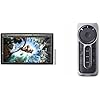
Wacom Cintiq Pro 27 Creative Pen Display (4K Graphic Drawing Monitor) and Wacom Express Key Remote

  • Based on 0 reviews
Condition: New
Checking for inventory...

Notify me when this product is back in stock

$3,241.95 Why this price?
Save $377.95 was $3,619.90

Buy Now, Pay Later


As low as / mo
  • – Up to 36-month term if approved
  • – No impact on credit
  • – Instant approval decision
  • – Secure and straightforward checkout

Payment plans are offered through our trusted finance partners Klarna, Affirm, Afterpay, Apple Pay, and PayTomorrow. No-credit-needed leasing options through Acima may also be available at checkout.

Learn more about financing & leasing here.

Selected Option

Free shipping on this product

30-day refund/replacement

To qualify for a full refund, items must be returned in their original, unused condition. If an item is returned in a used, damaged, or materially different state, you may be granted a partial refund.

To initiate a return, please visit our Returns Center.

View our full returns policy here.

Availability: Unavailable
Fulfilled by Amazon
Available payment plans shown during checkout

Style: 27 inch touch


Pattern Name: Monitor + Remote


Features

  • Featuring 8,192 levels of pressure sensitivity, 3 side switches, and customizable grips or weight adjustments, the Wacom Pro Pen 3 offers advanced control (Wacom Cintiq Pro 27).
  • 27 4K UHD display with 10-bit color, 99% Adobe RGB, 120Hz refresh rate for immersive creation (Wacom Cintiq Pro 27).
  • Equipped with 8 customizable ExpressKeys and easy-to-adjust on-screen menus (Wacom Cintiq Pro 27).
  • 17 customizable buttons and Touch Ring for quick access to shortcuts (Wacom Express Key Remote).
  • Connect up to 5 Express Key Remotes simultaneously, one for each software application (Wacom Express Key Remote).

Description

Wacom Cintiq Pro 27 Creative Pen Display (4K Graphic Drawing Monitor with 8192 Pen Pressure and 99% Adobe RGB (DTH271K0A), Black Wacom Cintiq Pro 27 Creative Pen Display (4K graphic drawing monitor with 8192 pen pressure and 99% Adobe RGB Wacom Express Key Remote for Cintiq & Intuos Pro (ACK411050) The wireless Express key remote for Cintiq and Intuits Pro is designed for more efficiency and comfort. A set of 17 customizable buttons and touch Ring allow for instant one-touch access to timesaving shortcuts in all your favorite creative applications. Place the Express key remote anywhere It's most convenient while drawing - on screen, in your hand or beside your keyboard. Connect up to five Express key remotes at one time, one for each of your creative software applications, to optimize your workflow. Spend less time searching for what you need and more time getting lost in your ideas.

Brand: Wacom


Connectivity Technology: USB


Pressure Sensitivity: 8192 Levels


Operating System: Windows


Special Feature: Pen


Standing screen display size: ‎27 Inches


Screen Resolution: ‎3840x2160


Brand: ‎Wacom


Series: ‎wacom pro


Item model number: ‎DTH271K0A


Operating System: ‎Windows


Color: ‎Black


Manufacturer: ‎Wacom


Date First Available: ‎April 7, 2023


Frequently asked questions

This product is currently out of stock. Please check back later for shipping info.

Yes, absolutely! You may return this product for a full refund within 30 days of receiving it.

To initiate a return, please visit our Returns Center.

View our full returns policy here.

  • Klarna Financing
  • Affirm Pay in 4
  • Affirm Financing
  • Afterpay Financing
  • PayTomorrow Financing
  • Financing through Apple Pay
Leasing options through Acima may also be available during checkout.

Learn more about financing & leasing here.

Top Amazon Reviews


  • Thought I Would Never Need a Cintiq...
Style: 27 inch touch Pattern Name: Monitor
I'm a professional artist and have avoided getting a Wacom Cintiq due to the price. Instead, I'd been using off-brand interactive screen displays, my last one being the Dell Canvas 27. I'd used the Canvas for years and loved it, though it was never perfect. Since Dell stopped supporting the Canvas a few years back, I thought it best to get a different interactive pen display in case Windows updates caused the old drivers to cease to work. I really liked the size of the Canvas 27, but it seemed that no one other than Wacom had a 27" interactive pen display. So, I bit the bullet and bought this, hoping I wouldn't regret my decision. The fact is, drawing and painting on the Cintiq Pro 27 is by far the best experience I've ever had. It's smooth, fluid, and simply a joy to work with. I thought the Canvas was a better alternative when I'd purchased it because I didn't really think there could be that much difference in experience. I freely admit I was wrong. The quality of line, the effortlessness of drawing/painting on the Cintiq is unparalleled. For anyone who thinks that these off-brand pen displays can compare ... they can't. Don't get me wrong, they are good. Even great. And they are certainly not near as expensive. But the experience using the Cintiq simply blows them away, from my limited experience having owned and used a few different brands. Having said that, the Cintiq Pro 27 is not perfect. While I like the pen (the adjustable weight really helps it), it seems cheap, which is surprising considering it's importance and what you pay for this entire unit. The buttons on the left and right side (at the back) are useless. They are just not comfortable nor convenient to work with. The pen holder is ... bad. I don't use it. If you screw it into one side or the other, you block use of the buttons (but since you probably won't use them anyway, perhaps that's not a big deal). That's pretty bad design, imo. If you place the pen holder at the top, then you block some of the air vents used to cool the Cintiq. Again, bad design. Not sure what they were thinking when they made this thing. I've heard people complain about the fan noise using the Cintiq Pro 27. I don't even hear it. So, it's a total non-issue for me. I'm giving this 5 stars because it's an utter joy to draw/paint on and the small form factor makes it pretty light overall, which makes it easy to move about on the monitor arm I have it attached to. ... show more
Reviewed in the United States on September 4, 2023 by Argent Arts

  • Amazing Display Tablet
Style: 24 inch pen only Pattern Name: Monitor
After using Wacom Intuos Pro for a long time I decided to switch to a pen display tablet for the first time. I just couldn’t get used to make line art with Intuos or any other tablet without screen (painting and other stuff was ok). So my review will be based on that experience. The packaging and protection of the product was great. I was relieved to see no dead pixel or anything. I chose the non-touch model and glad with this decision so far, having remote controller magnetized on the side and using its wheel to rotate. In addition, 3D modeling programs in which pressure sensitivity is important work with this screen splendidly. 4K resolution is appealing to the eye and fun to work on. Pro Pen 2 included in the package is great considering design, grip and pressure sensitivity. The drawing feel on the screen is good. 24 ‘’ screen size is enough for most of the people including me. I would recommend stands designed for this product to avoid back and neck pain but if you are used to draw leaning forward you can skip it at least for a start. Having an Ergo or any other proper stand will help you to use Cintiq as a screen properly because without a stand or similar mechanism it’s impossible to place it 90 degree in front of you easily due to its size and weight. Fan noise didn’t bother me, maybe because I usually keep its brightness at %50-60. If you work for a long time the screen may feel a bit warm for the hand but I am not sure if it is a problem. In conclusion it’s been a huge jump in my workflow. Due to its price it may be a luxury but if you have opportunity to get this product I think this one is the best in the field and it may also keep you motivated for the work. ... show more
Reviewed in the United States on April 9, 2019 by Zeki

  • A Professional Tool for a Professional Price
Style: 24 inch pen only Pattern Name: Monitor
To keep things brief, The Wacom Cintiq Pro is the best display tablet on the market. It's long-lasting, durable, and offers a beautiful 4K Display with high color fidelity, but... it's not for everyone. In this review I'm going to discuss the Cintiq Pro from the perspective of both a layperson and the perspective of a professional artist. I've been using Wacom tablets for about 10 years now, and I've been working as a professional artist for about three. First and foremost, if you're combing through reviews, I assume you're asking yourself the same question I did when I was shopping for a display tablet: -Between Huion's Kamvas, XP Pen's Graphic Display, and Wacom's Cintiq, which brand of display tablet is right for me? Why is Wacom's product so much more expensive than both Huion and XP Pen? Is there something here I'm missing? It really depends on what you want out of your tablet. Wacom's premium price tag is largely due to the fact that the brand dominated the tablet space for nearly half a decade before any real competition (Huion) entered the game, and it established itself as the brand for professionals. That said, Wacom's hardware is designed to last... and last... and last. There's a reason that Wacom still sells and supports the tablets they released a decade ago: they still work as well as ever! In my opinion, buying a Wacom tablet is like buying a pair of expensive leather shoes. It might cost more now, but you know it won't be giving out on you... even if it gets roughed up a bit. My old Cintiq 13HD went through a LOT, and it's still kickin' like new. But does this longevity really justify the difference in price? In my opinion, not really. If all you want out of this purchase is a display tablet that you can draw/paint on, there's nothing you'll get out of the Wacom Cintiq Pro 24 that you wouldn't get out of Huion or XP Pen for a fraction of the price. INSTALLATION: The installation process was surprisingly painless. The tablet comes with two different setup configurations depending on the build of your PC/Mac, allowing you to use either a USB -Type C connection OR a USB and Displayport connection. Because the Cintiq 24 Pro is a 4K display, a standard HDMI port will not work without an adapter. all the cables were neatly packaged and clearly labeled, and I was able to get things running out of the box with no hassle. ACCESSORIES & PORTS: The tablet comes with Wacom's ExpressKey and their new pen. The ExpressKey was the biggest surprise for me; I expected to toss it to the side and keep using my keyboard shortcuts, but the ExpressKey is extremely easy to configure and very easy to get used to. Incorporating it into my workflow was a snap, and it's a feature I think I'll sorely miss if I'm working elsewhere. The additional USB ports and audio port allowed me more flexibility in my workstation setup, which I appreciate seeing as a few of the ports on my main machine are now taken up by Wacom's wiring. SIZE: The size of this tablet is formidable, but not too large for a dedicated office space. In some ways I wish I'd upgraded to the 32 because I'm used to a slightly larger monitor size, but when I'm using it as a drawing surface the tablet feels almost too large! Likewise, when I'm using it as a monitor, the bevels are a bit annoying. When I'm using it as a tablet, I'm glad they're there! WORKFLOW BOOST: The ExpressKey and pen work intuitively with most any software I've tried so far. ZBrush, Substance Painter, Photoshop, Clip Studio, Maya... Being able to customize those hotkeys is fantastic! CONS: The glass on the front is beautifully matte, but does catch a glare just a little more than a standard monitor might. I have to close the blinds in my office (which are directly across from my workstation) while I work to avoid this. I would not recommend buying this tablet without buying a Flex Arm or an Ergo Stand. In the images I've provided you can see it mounted to the Flex Arm. The freedom of being able to rotate and twist this tablet so freely makes it so much more of a joy to use. I've seen other reviews mention that their tablet dies out within 6 months to a year of purchase, so I paid extra for insurance. If any issues arise, I will return to this review with updates. UPDATE: 15 Months later and I have had no issues with the tablet’s functionality. The only thing that’s changed is that the ExpressKey accessory doesn’t stick to the magnetic bevel as well as it used to because the rubber backing of the ExpressKey is prone to collecting dust (which makes it slide). It’s a little difficult to clean, but otherwise… no complaints! ... show more
Reviewed in the United States on May 24, 2022 by M Christie M Christie

Can't find a product?

Find it on Amazon first, then paste the link below.
Checking for inventory...