Search  for anything...

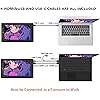
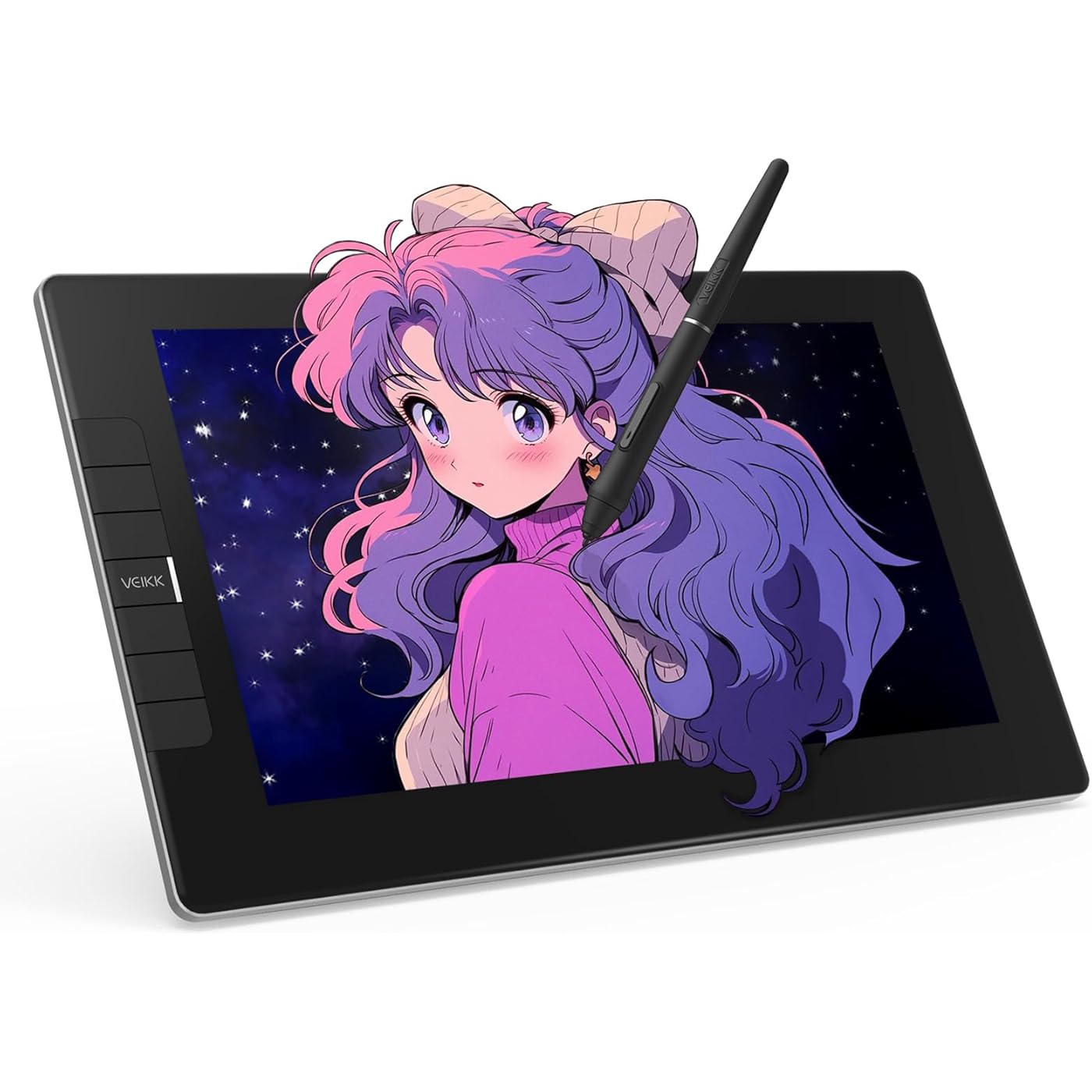
VEIKK VK1200 V2 Drawing Tablet with Screen,11.6-inch Full-Laminated Graphic Drawing Monitor,2 Battery-Free Pens with Tilt Function,6 Customizable Keys,Anti-Glare Glass(Must be Connected to PC to Work)
  • Based on 1,070 reviews
Condition: New
Checking for the best price...
$139.99 Why this price?
Memorial Day Sale · 22% off was $179.99

Buy Now, Pay Later


As low as $23.33 / mo
  • – 6-month term
  • – No impact on credit to apply
  • – Instant approval decision
  • – Secure and straightforward checkout

Ready to go? Add this product to your cart and select a plan during checkout.

Payment plans are offered through our trusted finance partners Klarna, Affirm, Afterpay, Apple Pay, and PayTomorrow. No-credit-needed leasing options through Acima may also be available at checkout.

Learn more about financing & leasing here.

Selected Option

Free shipping on this product

30-day refund / replacement

To qualify for a full refund, items must be returned in their original, unused condition. If an item is returned in a used, damaged, or materially different state, you may be granted a partial refund.

To initiate a return, please visit our Returns Center.

View our full returns policy here.


Availability: 20 left in stock
Fulfilled by Amazon

Arrives Wednesday, May 27
Order within 22 hours and 56 minutes
Available payment plans shown during checkout

Protection Plan Protect Your Purchase
Checking for protection plans...

Size: 11.6 inch


Style: 6 shortcut Keys


Features

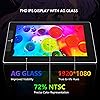
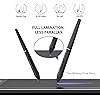
  • Full-Laminated Technology & Anti-Glare Glass:The VEIKK VK1200 V2 drawing tablet features advanced full-laminated technology, seamlessly integrating the glass and screen to minimize parallax and ensure cursor accuracy. Its 11.6-inch active area is protected by anti-glare glass, providing scratch resistance and a natural paper-like drawing experience. The IPS display offers 19201080 resolution with 72% NTSC color gamut
  • Tilt Function & 8192-Level Pressure-Sensitive Battery-Free Pen:This drawing monitor includes two battery-free pens with 8192 levels of pressure sensitivity and 60-degree tilt recognition. The pens require no charging or batteries, ensuring uninterrupted creativity
  • Easy Setup:The VK1200 V2 drawing tablet with screen supports single-cable connectivity via a full-featured USB-C cable (transmitting data, power, and DP signals simultaneously). For devices without USB-C, use the included HDMI and black USB-A to C cables. Compatible with Windows 7+, macOS 10.12+, and Linux
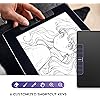
  • Customizable Shortcut Keys: Six programmable shortcut keys can be customized according to your drawing habits in different software, which can improve efficiency and create a highly ergonomic and convenient work platform
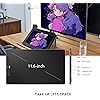
  • Compact & Stylish Design: VK1200 V2 pen display features a full-screen design with an almost frameless all-screen infinity display. With the same active area of 11.6 inches, the VK1200 V2 is more compact, stylish, and easy to carry on the go. The VK1200 V2 graphic display has an all-metal body, and the back adopts an anti-slip design ensures stability during use
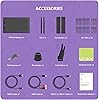
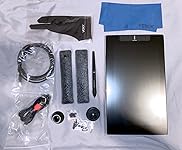
  • Premium Accessories:VK1200 V2 drawing display includes 2 pens in the package for a longer using experience, also includes 28 replacement nibs, a pen holder, an artist glove and a cleaning cloth. Supported by a 1-year hardware and lifetime driver upgrades. NOTE: VEIKK VK1200 V2 drawing tablet must be connected to a computer to work

Brand: VEIKK


Connectivity Technology: HDMI, USB


Pressure Sensitivity: 8192 Levels


Operating System: Windows 7 or later , Mac OS 10.12 or later, Linux


Special Feature: Full Lamination, Extra-Slim, Shortcut Key, 60° Tilt Support


Product Dimensions: 12.52 x 7.4 x 0.51 inches


Item Weight: 1.78 pounds


Item model number: VK1200


Date First Available: August 19, 2020


Manufacturer: VEIKK


Frequently asked questions

If you place your order now, the estimated arrival date for this product is: Wednesday, May 27

Yes, absolutely! You may return this product for a full refund within 30 days of receiving it.

To initiate a return, please visit our Returns Center.

View our full returns policy here.

  • Klarna Financing
  • Affirm Pay in 4
  • Affirm Financing
  • Afterpay Financing
  • PayTomorrow Financing
  • Financing through Apple Pay
Leasing options through Acima may also be available during checkout.

Learn more about financing & leasing here.

Top Amazon Reviews


  • Good quality and budget-friendly. Perfect for travel or beginners.
Size: 11.6 inch Style: 6 shortcut Keys
I had been looking for a decently sized tablet to travel with and I'm really glad I came across this product! I've used a lot of different tablet brands in the past and this is on par with the expensive big name ones. It's portable, budget-friendly, and perfect if you're looking for a good starter for tablet monitors. What you need: 1 desktop or laptop computer 1 USB port 1 HDMI port. That's it! :D - Lightweight but thick enough that I feel safe traveling with it. - No power outlet needed! Power cords also tend to be rather bulky so I'm glad this tablet doesn't need it. - Setup and driver installation was easy. You only have two cords to plug in and the driver is available to download directly from their website. - Pen is very light. I prefer a heavier weight for my stylus so I'll be seeing if I can find a grip to add onto this. (Plus Ergo Grip for Wacom Pro/Pen Stylus does *not* work for this stylus. The pen is too thick to get the grip on.) - Screen has a smooth matte texture! I prefer drawing on matte instead of glossy because it's got a better feel to it. It has the resistance similar to drawing on paper and helps control my brush strokes. - Shortcut buttons can be programmed in multiple ways and you can even set different button functions for different programs! - Battery-free pen!!! All my previous tablet pens required charging and I remember that feeling of waiting for your stylus to charge while your body demands to draw. I'm so happy this pen doesn't need to be charged and works right out of the box. Also, there's two of them :) - Parallax is not as noticeable. From a top view, as you're using the tablet normally, there is no visible gap between the pen nib and the screen. Things to keep in mind: - The USB cord they give you has a black and red connector extension. Make sure to insert the black one into your computer, not the red! - The driver program will not display settings if your tablet is not connected. - If you have another tablet driver installed, uninstall it first or some functions won't work properly. - Remember to calibrate your tablet! :D ... show more
Reviewed in the United States on February 22, 2021 by sync sync

  • Great display tablet for it's price
Size: 11.6 inch Style: 6 shortcut Keys
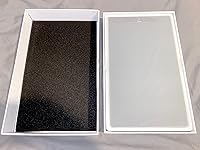
Let me first start off by saying how impressed I was by the packaging. The box is very sturdy (the lid has padding to protect the tablet) and everything was packed neatly inside. When you first open the box, the VK1200 is the first thing you see and I have to say that I'm loving the minimalistic design. Super sleek! Once you lift the tablet, there is a paper and underneath that lies all the other accessories. Just like the listing says, this product comes with: the VK1200 tablet display, hdmi cable, usb cable, replacement pen nibs, pen holder, nib remover, artist glove, cleaning cloth, 2 pen pockets, and 2 pens. For someone who had been contemplating getting an ipad pro because I've been wanting a display tablet to draw on. I think the VK1200 is an excellent alternative because of the price, even if it is not a standalone product and needs to be plugged into a computer, but also because of the size. Personally, I haven't been outside due to Covid restrictions (besides for essentials) so the VK1200 is perfect for me since I simply keep it on my desk and draw when I need to. Set up was a bit confusing at first (after the initial installation), but I think that was mostly because I am using a dual monitor set up and so the VK1200 is my third monitor and it messed up my settings a bit. With a bit of tweaking in the VEIKK tablet settings, however, I was able to map my VK1200 so that it is an extended monitor rather than mirroring one of my other monitors. One issue I did run into was after I set that up, the pen calibration wasn't functioning correctly (on Windows 10). To fix the issue I had I needed to uninstall my old driver and then install the newer driver on the VEIKK website. This is the first time I've had a display tablet so I'm still getting used to it, but so far I love it. It is so convenient to be able to see what I'm drawing directly instead of starting at a second screen. It gives me the sense of drawing traditionally since I can see my art coming to life right underneath the pen in my hand instead of just under a cursor on my screen. Another thing I've noticed is that the tablet itself seems to have a slight texture to it and that was a pleasant surprise because I fully expected there to be super smooth glass (which I don't really like). This was great since I'm used to my tablets having a slight texture to mimic a 'paper' feel. The tablet also comes with six keys which can be customized to any shortcut you want (I changed mine to undo and redo. Haha as an artist you'll always need that ctrl+z!). You'll just have to go under the VEIKK tablet settings to change them. Would I recommend this to others who have been looking for a display tablet? Definitely. ... show more
Reviewed in the United States on June 18, 2021 by Tiffany Pham

  • Best upgrade to my workstation.
Size: 21.5 Inch Style: 8 Shortcut Keys & 2 Quick Dials
My wife and I own a home business making promotional products, this also includes making logos and other artwork. I had been using a smaller drawing tablet, but knew I needed a larger one that was a display. I have spent months looking into drawing displays, pricing them, watching reviews, and yes pondering how big of one can I get away with before the wife gets mad. The price on this was perfect with the $50 coupon it was right in my price range and only $20 more than the 16" units I was looking at. The pros for me was the size, hotkeys plus 2 dials, plenty of extra bezzle for hand rest, every review I saw showed it coming with 2 pens, and to top it all off it has visa mount. The only cons I could find before ordering was issues with photo shop, well I don't use adobe so that was a non issue. The unit showed up in great condition, in a box, that was in a box, that was in yet another box. So much care and design went into the packaging that even ups and fedex will be hard pressed to damage. Don't get me wrong they can damage anything, but this will be a challenge. I can't say much about the stand as I put mine on a monitor arm. The image quality is great too, I have heard in reviews about pixelization but on my rtx 2060 powering 3 screens it is clear. The software is easy to use but I wish it had some tool tips. All in all I give it 9/10. ... show more
Reviewed in the United States on April 27, 2025 by Jeff Thompson

Can't find a product?

Find it on Amazon first, then paste the link below.
Checking for best price...