Search  for anything...

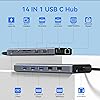
USB C Docking Station Dual Monitor for Dell/HP/Lenovo/Surface Laptop, 14 in 1 Triple Display Hub Multiple Adapter, Dongle with 2 HDMI 4K+VGA+5 Port+100W PD Charger+Ethernet+SD/TF+Audio

  • Based on 3,595 reviews
Condition: New
Checking for the best price...
$55.99 Why this price?
Save $4.00 was $59.99

Buy Now, Pay Later


As low as $9.33 / mo
  • – 6-month term
  • – No impact on credit to apply
  • – Instant approval decision
  • – Secure and straightforward checkout

Ready to go? Add this product to your cart and select a plan during checkout.

Payment plans are offered through our trusted finance partners Klarna, Affirm, Afterpay, Apple Pay, and PayTomorrow. No-credit-needed leasing options through Acima may also be available at checkout.

Learn more about financing & leasing here.

Selected Option

Free shipping on this product

30-day refund/replacement

To qualify for a full refund, items must be returned in their original, unused condition. If an item is returned in a used, damaged, or materially different state, you may be granted a partial refund.

To initiate a return, please visit our Returns Center.

View our full returns policy here.


Availability: In Stock.
Fulfilled by Amazon

Arrives Wednesday, Jun 3
Order within 12 hours and 59 minutes
Available payment plans shown during checkout

Protection Plan Protect Your Purchase
Checking for protection plans...

Color: Grey


Features

  • USB C Docking Station 14 IN 1: With this USB C hub multiple adapter you can easily extend your laptop from one type c/thunderbolt 3 port into 14 ports, you get 2*4K HDMI, VGA, 3*USB 3.0 ports, USB C Data Transfer port(Speed up to 5Gbps), 2*USB 2.0 ports, USB C Power Delivery Port(Up to 100W), Gigabit Ethernet(1Gbps), SD/Micro SD card readers and 3.5mm Mic/audio. USB C to dual HDMI Adapter widely applicable for Dell XPS13/15, Dell Latitude 13 7000/ E7370, Surface/Lenovo/HP etc. laptops
  • 4K Dual Monitor&Triple Display: The Docking Station Dual Monitor can easily to achieve dual-monitor and triple-monitor displays for Windows OS, using different monitors to do different projects will make your work/life more efficient. Single use HDMI 1max up to 4K@60Hz, HDMI 2 up to 4K@30Hz(DP1.4 source). When connect 2 displays, 2 HDMI resolution will be 4K@30Hz and 1080P@60Hz(DP1.4). Display output will be 1080P when dual or triple display with VGA. Please Note: Mac OS ONLY support mirror mode
  • USB C to Gigabit Ethernet Adapter and Mic/Audio Port: The Dell Docking station supports 10/100/1000BASE-T Lan networks, just plug in an ethernet cable, you can enjoy the ultra-fast gigabyte ethernet speed and the reliability of a wired connection directly. Worry-free about WIFI's instability and interference from USB 3.0; Also, this usb c dock have a 3.5mm Mic/Audio(2 in 1) port for you to put in your wired headset, so that you can enjoy music without disturbing others
  • 100W Power Delivery Port & USB C Card Reader: Dual Monitor Docking Station supports charging your laptop at power up to 87W(Safty) while connecting multiple peripherals, offers significantly faster charging time, worry-free about power storage; Also with this usb c to sd card reader, you can conveniently browse photos instantly on your USB-C smartphones/laptops and transfer lots of photos in seconds(up to 104Mb/s) to your laptop. Also this sd card adapter support SD & TF work simultaneously
  • USB 3.0 Hub with Super Speed Data Transfer: This HP Docking Station comes with 3 usb 3.0 ports and one usb c port, speed up to 5Gbps, allows you transfer files in seconds from your usb flash driver, usb/usb c hard disks. In addition, you can connect the keyboard or mouse without any lag via 2 USB 2.0 ports. Note: The USB C dongle only 1 HDD/SSD can be connected at the same time. ABIWAZY can provide these products and service. Please let us know about your concerns

Brand: ABIWAZY


Color: Grey


Hardware Interface: MicroSD, VGA, USB Type C, Ethernet, HDMI, USB 3.0, USB 2.0


Special Feature: Portable, Lightweight, Fast Charging, Fast Data Transfer, Plug and Play


Compatible Devices: Laptop, phone(Full-featured usb c port)iPhone 15 Series/HP Envy x360; HP Elitebook 630/640/645/650/655 G9; Elitebook 840/850 G6/G7/G8/G9; Elitebook 845/Elitebook 830 G7/G8/G9/G10; EliteBook x360 830 G9/G10; EliteBook x360 1030 G2/G3/G4/G7/G8; HP EliteBook x360 1040 G5/G6/G7/G8/G9/G10; Elitebook X2; Probook 440 G8/G9; Probook 450/455 G9/G10; Probook 650 G5; ZBook Fury 15/17 G8; OMEN 16/17; Dell XPS 13/15/17; Dell Latitude 5540/5440/7340/7440/5340/3520/7280/ Latitude 5310 2-in-1/9330 2in1; New Inspiron 14/16 Plus/13/16 ; Precision 7730/ Precision 7750; Lenovo ThinkPad X1 Carbon; ThinkPad t14/t480/t490s;Thinkpad Yoga 900/920/720/730/C930/C940/C740/C730; Surface Pro 9/8/7; Microsoft Surface Book 2/ Surface Go/ Surface Laptop 4/3; Huawei MateBook X/ MateBook X Pro/Switch Alpha 12/Chromebook Plus/Google Chromebook Pixel Book etc.. See more


Product Dimensions: 6.5 x 3.54 x 0.71 inches


Item Weight: 2.12 ounces


Item model number: AB0218


Date First Available: March 24, 2022


Manufacturer: ABIWAZY


Country of Origin: China


Frequently asked questions

If you place your order now, the estimated arrival date for this product is: Wednesday, Jun 3

Yes, absolutely! You may return this product for a full refund within 30 days of receiving it.

To initiate a return, please visit our Returns Center.

View our full returns policy here.

  • Klarna Financing
  • Affirm Pay in 4
  • Affirm Financing
  • Afterpay Financing
  • PayTomorrow Financing
  • Financing through Apple Pay
Leasing options through Acima may also be available during checkout.

Learn more about financing & leasing here.
Top Amazon Reviews


  • Transformed My Work Setup – Highly Functional and Reliable!
Color: Grey
I’ve been using the ABIWAZY USB C Docking Station for about four months now, and it has completely transformed my work-from-home setup. This 14-in-1 hub is an absolute powerhouse! It turns a single USB-C port into 14 functional ports. The dual monitor support is a game-changer for productivity. I can easily connect two 4K monitors (or three with VGA) and multitask like a pro. I also love the Gigabit Ethernet port—it provides a stable, ultra-fast wired connection that’s way more reliable than Wi-Fi. The build quality is solid, and everything works as advertised. If you’re looking for a reliable, feature-packed docking station, this one is worth every penny. ... show more
Reviewed in the United States on March 9, 2025 by Ezekiel Zeke

  • Takes the sweat out of connections.
Color: Grey
So-o-o handy dandy and easy to use. Makes all those connections so easy. No searching on back of computers or sides, it's right there in front. Cord length is great, lays right in the middle or beside your laptop and easily accessible.
Reviewed in the United States on March 20, 2025 by Dee

  • Easy set up
Color: Grey
Edited: The supplier contacted me and asked 2 specific questions. 1) What brand(s) have I used the hub with? My husband has a Lovono (personal use) , I have a Dell which is company issued. The hub sent by my employer did not allow for dual monitors. 2) Did the adapter work with/ well with my device? For my husband is working very well. It's connected via the USB-C and will charge and connect the monitors. For my work device, the laptop has the old pin version of the charger so will not charge my laptop but will connect the monitors. I will also note if you have a monitor with built in meeting camera and mic, this hub will allow this to work very well. I bought the first docking station for my husband and it works great. When it came time to replace mine we reordered. Easy set up plug and play. Only drawback it does not come with a power supply. You will either need to purchase one or you may have an extra around the house. A USB to a USB-C with a power brick and is ready. ... show more
Reviewed in the United States on March 9, 2023 by Carrie King

  • Works well on Dell XPS15
Color: Grey
I bought this docking station to expand my I/O possibilities on a Dell XPS15. I was wary as I have tried several of these from different vendors, and there is a multitude of other options out there. I was intrigued by the many connections it supports (14). Could it maintain the performance and how would power work. So what did I learn? 1. It worked fairly flawlessly right out of the box. I was able to hook up to a display capture device without any problems. Plug and play. Yay! Previous experiences with other vendors were not so good (e.g., the adapter that came with my Dell never worked). 2. I tried the USB expansions, which also work very well. I had one brief issue, but that turned out to be an inadequate USB cable, and had nothing to do with the adaptor. Another victory. 3. There is a power feed-through port that I tried next. Unfortunately, it does not supply enough power for my laptop. So I decided to use on USB-C port on the laptop to connect to the original power adaptor. However, I also decided to have a separate power for this hub to power the peripherals (USB-2.0 devices, etc.) This seems to work quite well and reduces stress on the PC's power supply. Overall I am quite happy with this purchase. It does what it advertised for my needs. I have not yet tried to stress the data throughput, but I don't have that need. ... show more
Reviewed in the United States on December 14, 2022 by David C. Black

  • This device burned my USB C Port
Color: Grey
I normally wait a few months before writing a review. Everyone goes thru the "honeymoon" phase when they buy a shiny new toy. It's only after a few months that you really get to see if the "shiny new toy" was worth the hard earned money you spent on it. Yea, it worked great & as expected for about a month. However, I immediately noticed that my laptop was complaining about an inconsistent charging by displaying an exclamation on the battery. I pulled the charger from the device and plugged it directly to my laptop to avoid any charging issues. It was still in the "honeymoon" phase and I didn't let it bother me. This should have been a red-flag for me. One day (shortly after having it plugged in for a month) the 2 monitors I had plugged into this device stopped working. I'm an extremely technical person so I started doing some troubleshooting. It works when I plug it into another laptop. Same symptoms with charging. I plugged in the monitors directly to the laptop using the one HDMI connection available. Both monitors work perfectly fine individually. I plugged in each monitor using an HDMI -> USB-C cable. This was the original setup that worked perfectly fine. I was just trying to reduce the number of wires that I had to plug and unplug on a daily basis. However, the port just wasn't working. Each monitor was not being recognized using the HDMI -> USB-C Cable. After a month of having this device plugged in the USB-C port on my laptop is no longer working. I've tried using other USB-C devices and they don't work using the the same port that this device was plugged into. Luckily it's my work laptop which is probably worth a $couple thousand. I just need to let the I.T. Dept know it's not working to get it replaced - it's an inconvenience but had it been my laptop I would've been much more upset. ... show more
Reviewed in the United States on November 10, 2023 by Mr. Victor M. Campos

Can't find a product?

Find it on Amazon first, then paste the link below.
Checking for best price...