Buy Now, Pay Later
- – 4-month term
- – No impact on credit to apply
- – Instant approval decision
- – Secure and straightforward checkout
Ready to go? Add this product to your cart and select a plan during checkout.
Payment plans are offered through our trusted finance partners Klarna, Affirm, Afterpay, Zip, Apple Pay, and Google Pay. No-credit-needed leasing options through Acima may also be available at checkout.
Learn more about financing & leasing here.
Selected Option
FREE refund/replacement until Jan 31, 2027 Learn more
To qualify for a full refund, items must be returned in their original, unused condition. If an item is returned in a used, damaged, or materially different state, you may be granted a partial refund.
To initiate a return, please visit our Returns Center.
View our full returns policy here.
Recently Viewed


At a glance
- Condition
- New
- Color
- Yellow
- Dimensions
- 3.94 x 3.15 x 1.97 in
- Controller Type
- Joystick
- Additional Features
- Headphone Jack
- Hardware Platform
- Gaming Console
- Works with
- Xbox One, Xbox Series S, Xbox Series X
Features 7
- NOTE !!!that the controller needs to be paired with a 2.4G receiver (the controller itself does not have Bluetooth) to connect to the host and computer Windows system - preferably Windows 7 or above. (NOTE Not compatible with TV and Phone)
- (4 RGB Lighting Modes&7 Colors RGB Light) - Lighting Modes;Monochrome light constant on mode:Light setting key+A key.Light setting key+B key.Press the light button once: the lights on the left and right joysticks will breathe and change in sequence. Color sequence: Blue, ice blue, green, orange, yellow, red, and pink. The breathing patterns change in sequence. Press the light key+A key to restore the constant light mode. Circle running marquee changing mode:Press the+Y key to set the lighting.
- (Wide Compatibility Platform&Dual Vibration Motor) - Our wireless xbox one controller with 2.4GHZ wireless adapter for Xbox One/Xbox One S/Xbox One X/Xbox Series X/Xbox Series S Consoles,Steam PC Windows 10 and above.plug and play, without the need to install additional drivers. (Dual use of wired and wireless). Wireless xbox one controller comes with a dual vibration motor and a 360 all-round Joystick. Vbration motor provides precise feedback, making weapons,impacts, and vibrations realistic.
- (AUTO TURBO&Programmable Keys) - In any mode.Press (first)A/B//Y/L1/L2/R1/R2 key and Turbo key to set turbo function. Press tubro again(second) to achieve auto turbo function. When setting turbo/auto,turbo light flashes.Press A/B/X/Y/L1/L2/R1/R2 key and turbo key again (for the third time) to clear turbo function of a single button.Buttons "ML"/"MR" on the back of the wireless xbox one controller can map basic function keys of A/B/X/Y/LB/RB/L3/R3/D-PAD, achieving 1-16 combination function keys.
- (Type-C Charging&3.5mm Stereo Jack) - Insert a type-C cable into the computer or host USB-C port, and the indicator light of the controller starts to flash slowly, indicating that the controller is being charged. When fully charged, the indicator light of the controller will remain on, indicating that the battery is fully charged.Wireless Xbox series s controller has a 3.5mm stereo jack that can connect headphones and microphones,allowing users to receive and transmit audio simultaneously.
- (2.4GHz Wireless Adapter&Built-in 1000mAh Lithium Battery&360Joystick) - Xbox one controller adopts 2.4GHz wireless transmission technology, allowing you to enjoy delay free gaming within a range of 33 feet.Built-in 1000 mAh lithium battery, supporting Type-c port charging, it only needs 2-3 hours of charging and can be used for 10-14 hours.Our wireless. And vibrations realistic.360 Omnidiretianal joystick with rapid rebound and higher accuracy.Let you enjoy an immersive gaming experience.
- (Buy with Confidence) - SZDILONG has been committed to the research and development of Xbox One controller for more than ten years. Committed to improving good game experience and good products for game lovers. If you encounter any problems during use. Please contact us by email in time, our high-quality customer service will solve your problem as soon as possible.
Description
1.What I Get? 1. 2.4GHz Xbox controller * 1 2. 2.4GHz wireless adapter * 1 3. USB-C cable * 1 4. 2.4GHz Xbox controller User manual * 1 2.Why does the joystick drift?How should I solve it? The joystick cannot be moved before turning on, which will affect the positioning of the center point. Simply turn off the controller and reconnect it. 3.Why is the charging handle damaged? Fast charging cannot be used, it can be rated for 5v1a charging. You directly connect data cable to USB interface of computer for charging. Excessive voltage during fast charging can cause chip damage, so it should be avoided to use fast charging. 4.Why does it disconnect when I plug in my earphones after connecting the controller? You need to plug in the headphones first and then connect the controller. Ensure that the earphones are plugged in before connecting the handle. This will not cause your controller to disconnect. 5.If I encounter a situation where my controller cannot charge or shut down. How should I solve it? If such an extremely special situation arises. You can use a needle or toothpick to poke the reset hole on the back of the controller. Then try again to use it normally. YUYIU has been committed to the research and development of switch 2 controller for more than ten years. Committed to improving good game experience and good products for game lovers.As a controller experience the explorer, we focus on each detail, break through the boundary, combine technology and experience, play more pattern. 1.High-quality products give you the best user experience. 2.We have a strong R&D team, master the core technology YUYIU Brand is a group of technologies and game enthusiasts created.Our goal is to make excellent quality products, provide ultimate shopping experience and creating a pleasant life for customers.
Specs 11
| Controller Type | Joystick |
|---|---|
| Additional Features | Headphone Jack |
| Hardware Platform | Gaming Console |
| Compatible Video Game Console Models | Microsoft Xbox SERIES X |
| Package Quantity | 1 |
| Item Dimensions | 3.94 x 3.15 x 1.97 inches |
| Color | Yellow |
| Brand Name | SZDILONG |
| Manufacturer | SZDILONG |
| Item Highlight | 1000mAh Battery,7 Colors RGB Light,Turbo/Programmable,Hall Effect Sticks,Type-C Charge,Dual Vibration,3.5mm Audio Jack,Yellow |
| UPC | 717235853256 |
No specs match.
Frequently asked questions
To initiate a return, please visit our Returns Center.
View our full returns policy here.
- Klarna Financing
- Affirm Pay in 4
- Affirm Financing
- Afterpay Financing
- Zip Pay in 4
- Financing through Apple Pay
- Financing through Google Pay
Learn more about financing & leasing here.
Similar Products

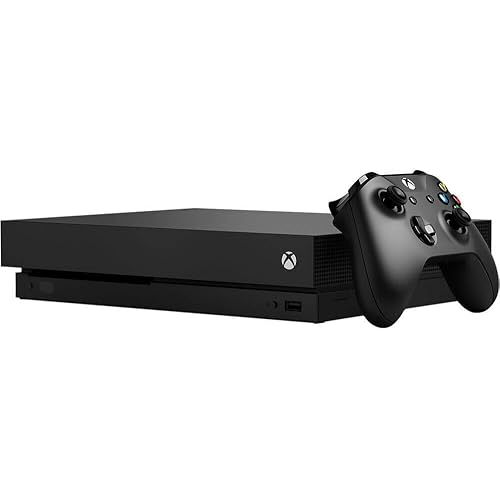

Xbox One X 1TB Console - Gears 5 Bundle [DISCONTINUED]