Search  for anything...

SwitchBot Universal Remote Control with Hub Mini Matter Enabled, Multi-use Smart Remote with Customize App, Control 25 IR/Bluetooth Devices and 10 Scenes, Compatible with TV/AC/SwitchBot BLE Devices

  • Based on 5,299 reviews
Condition: New
Checking for the best price...
$85.49 Why this price?
Save $4.50 was $89.99

Buy Now, Pay Later


As low as $14.25 / mo
  • – 6-month term
  • – No impact on credit to apply
  • – Instant approval decision
  • – Secure and straightforward checkout

Ready to go? Add this product to your cart and select a plan during checkout.

Payment plans are offered through our trusted finance partners Klarna, Affirm, Afterpay, Zip, Apple Pay, and Google Pay. No-credit-needed leasing options through Acima may also be available at checkout.

Learn more about financing & leasing here.

Selected Option

Free shipping on this product

FREE 30-day refund/replacement

To qualify for a full refund, items must be returned in their original, unused condition. If an item is returned in a used, damaged, or materially different state, you may be granted a partial refund.

To initiate a return, please visit our Returns Center.

View our full returns policy here.


Availability: Only 10 left in stock, order soon!
Fulfilled by Amazon

Arrives Friday, Oct 2
Order within 17 minutes
Available payment plans shown during checkout

Protection Plan Protect Your Purchase
Checking for protection plans...

Color: White


Features

  • Control Up to 25 Devices IR + Bluetooth Combination: Control multiple devices with a single remote and reduce desktop clutter. This Universal Remote supports up to 25 devices in total (10 IR devices + 15 Bluetooth devices). Bluetooth TV boxes such as Apple TV, Fire TV, and Nvidia Shield can be paired directly via Bluetooth for basic control like power, navigation, and settings. Up to 3 Bluetooth TV boxes can be connected simultaneously. Works only with 2.4GHz Wi-Fi (not compatible with 5GHz).
  • Matter & Apple Home Integration (Hub Required): To use Matter, this Universal Remote must be paired with SwitchBot Hub Mini (Matter) or Hub 2. After pairing, IR appliances and compatible SwitchBot devices can be added to Apple Home and controlled alongside other Matter products such as Philips Hue lights or IKEA blinds. Currently supported only in Apple Home. Google Home and Alexa do not support this remote device type via Matter.
  • Quick Setup with Large IR Code Library: Add appliances in about 10 minutes using a large infrared code library supporting nearly 100,000 appliance models, trusted by over 1 million users and continuously updated. The remote supports multiple IR learning methods including one-tap matching and key-by-key learning when used with a Hub. If your device is not listed in the code library, manual learning may be available.
  • User-Friendly Design & Long Battery Life: Designed with 19 simple buttons and a touch wheel for easy device switching, channel selection, and volume adjustment. Buttons are spacious and comfortable for elderly users and children. Built with a 2000mAh battery lasting up to 150 days per charge and durable buttons rated for 100,000 presses, ensuring reliable long-term use.
  • 1-Year Warranty with Free Replacement for Quality Issues: This product comes with a 1-year warranty starting from the date of purchase. During the warranty period, if any product quality issues occur causing malfunctions or improper functioning, you can contact SwitchBot Customer Support to request a free replacement. Enjoy peace of mind with reliable after-sales support.

Description

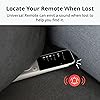
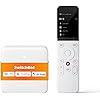
With our intuitive Touch Wheel you can now select devices more conveniently. With just 19 simple buttons, you can control TV volume, lighting, air conditioning, and more, all with just one hand. Uses a simple operating system with 4 Custom Buttons that allow you to easily turn on TVs, home appliances, and SwitchBot smart devices with just one click. There's no need to use voice, smartphones, or a smart home account, making it perfect for the elderly or children. Even without a network, you can locally control your air conditioning, TV, and SwitchBot smart devices. Buttons are easy to press and can be used with one hand. High product quality ensures over 100,000 presses, ensuring durability. Equipped with a 2000mAh battery, you'll only need to charge once every 150 days. *Based on 5 minutes of screen use per day.* If you can't find your remote, use Find My Remote in our app. The Universal Remote will emit a sound to help you locate it. UR & Hub Mini Matter UR & Hub 3 Hub 2 Hub Mini

Brand: SwitchBot


Special Feature: Universal


Color: White


Max Number of Supported Devices: 18


Compatible Devices: Air Conditioner


Additional Features: Universal


Maximum Number of Supported Devices: 18


Compatible Devices: Air Conditioner


Connectivity Technology: Wi-Fi


Button Quantity: 2


Controller Type: Button Control


Maximum Range: 123.99 feet


Number of Batteries: 1 Lithium Polymer batteries required.


Battery Type: Lithium-Polymer and AAA or Lithium-Ion and AAA


Color: White


Item Weight: 374 g


Brand: SwitchBot


Model Name: Universal Remote


Model Number: W4600001


Warranty Description: 1 Year


Number of Items: 1


UPC: 810150540727


Unit Count: 25 Count


Number of Packs: 1


Built-In Media: After-sales card, Charging cable, Charging cable., Instruction manual (English language not, Manual, Reset Thimble, Universal Mini Remote Control & Hub


Manufacturer: Wonderlabs


Mfr Part Number: W4600001


Frequently asked questions

If you place your order now, the estimated arrival date for this product is: Friday, Oct 2

Yes, absolutely! You may return this product for a full refund within 30 days of receiving it.

To initiate a return, please visit our Returns Center.

View our full returns policy here.

  • Klarna Financing
  • Affirm Pay in 4
  • Affirm Financing
  • Afterpay Financing
  • Zip Pay in 4
  • Financing through Apple Pay
  • Financing through Google Pay
Leasing options through Acima may also be available during checkout.

Learn more about financing & leasing here.

Top Amazon Reviews


  • My 3 weeks of experience with this item!
Color: White
I recently purchased and tested about 3 weeks since I purchased about 3 weeks ago. For me, it has been a great addition to my smart home setup. Good stuffs below (also cons will follow after this ;) - As a non-techy(?) person (esp me, lol), the entier setup was incredibly straightforward, taking only about 10 minutes to pair with my existing devices. The vast code database made the process smooth. - I love the convenience of controlling up to 25 devices, including both IR and Bluetooth options. It has significantly decluttered my living space by replacing multiple remotes. - The ability to set up custom scenes is fantastic. I particularly enjoy the “Leave Home Mode” where my devices automatically power down, and my little itti bitty smart Robovac starts cleaning. - Integration with Matter is a game-changer. I can now control my Philips Hue lights and IKEA curtains seamlessly through the SwitchBot remote. - The battery life is impressive, lasting up to 150 days on a single charge. It provides peace of mind, knowing I won’t have to recharge frequently. I think it has motion sensor or movement sensor since I noticed it turns on the LED when I lift or grab the remote which was great! As not all products are perfect there are some cons as well: - The initial connection with some of my older devices took a bit longer than expected. While the extensive code database is helpful (I have attached screenshot of the app), it required a bit of patience to get everything working correctly. - Although it works with many devices, it would be nice to see support for even more brands in the future (more likely U.S. based), particularly for newer smart home products. Overall, this one was a solid investment (imo) for anyone looking to streamline their smart home experience. It brings convenience and efficiency to managing multiple devices, and the long battery life is a definite plus. Idk why it has some negative reviews, it might be not for someone who doesn't undeerstand any of technical products like this. For me? well, highly recommended, with just a few areas for improvement! ... show more
Reviewed in the United States on November 11, 2024 by Really

  • A Lifesaver for Multi-Device Management
Color: White
The SwitchBot Universal Remote Control with theHub Mini(matterversion) has been a game changer for my household. We have a complex setup with multiple devices like an Nvidia Shield, Dreo fan, and various home entertainment systems. This remote has managed to bring everything under one roof, making our lives much easier. Setting it up was pretty straightforward, although I did face some challenges initially. The app guided me through the process smoothly, and the customer support team was quick to assist with any issues. The Matter support integration is brilliant, allowing the remote to communicate with other smart home devices effortlessly. What I love most is the IR blaster, which can learn commands from older remotes. The build quality is robust, and the remote feels solid in hand. If you're looking to simplify control over multiple devices, this remote is worth every penny! ... show more
Reviewed in the United States on October 27, 2024 by Owen

  • Long battery and reliable action.
Color: Gray
Catch these on sale and you have one of the cheapest ways to have a manual switch for HomeKit devices and scenes. The battery life is quite incredible and I can’t even remember the last time I replaced batteries in one of these.
Reviewed in the United States on September 6, 2026 by anon2654

  • Absolute garbage.
Color: White
I bought this remote because it was cheaper than competing products and from a well-known brand in the home automation industry. Big mistake. My experience with this product was awful. Set-up is extremely frustrating and there are some glaring limitations that are impossible to work-around. First, you will need to install the SwitchBot app on your smartphone. Then, you will need to sign up for an account - giving them a name and e-mail address to attach to all the data they're harvesting from your phone and sending over the internet to 15 different tracking companies. The app requests access to Phone, Camera, Microphone, Media, Files, GPS Location, Nearby Devices, and Notifications. Nearby Devices makes sense as it will need to pair with both the remote and the hub via Bluetooth, but the rest seems excessive. You will need to set up your remotes in the app with the Hub before syncing them to the universal remote. It can be used as a standalone device once set-up, but it cannot be configured as a standalone device. There are 3 ways to add your remotes: Make/Model lookup - i.e. take your TV off the wall and check the sticker on the back. (there is no make/model lookup for the model# of your original remote) Smart Matching - using the hub to learn one button and it'll supposedly figure out the rest. Learn individual buttons - The painstaking process of learning 40+ buttons one at a time. Smart Matching was 100% worthless - it didn't work at all. Make/Model lookup works, but may be incomplete - you'll have to still add some buttons manually. Learn individual buttons is the most reliable, but slowest process. It will wait up to 15 seconds to learn each button, and the hub may take that long to enter learning mode, resulting in a timeout and the need for a second attempt. Then you'll have to test the virtual button via the hub before saving it. This means spending several minutes learning each remote. Now that you have your remotes in the app via the hub, you can assign them to the universal remote. The app claims this process will take 1-2 minutes, but it is more like 5-10 minutes. Making any change to the remote profile or button assignment afterwards will require the full 5-10 minute re-sync to update it. There is no way to just "save changes". The more buttons/remotes you have, the longer it takes - even if you only make a single change. Now for the biggest deal-breaker: The app is extremely inflexible about what buttons you can assign where. Number buttons have to be in a sub-menu of soft-key "A". My TV remote has a "0" button, but it gets assigned as "10" and cannot be assigned to "0". My TV remote has a "-" key for entering channels such as 12-3. SwitchBot does not provide this key. It can be added as a custom key, but custom keys can only be placed in the sub-menu of soft-key "D" and cannot have any icon other than "○" (blank circle). SwitchBot only provides a fixed template for a basic set of buttons for a dumb-TV remote. Pre-made profiles only include those buttons. If you need anything else, you're going to be learning via the hub it as a custom button and dealing with a lack of icon and limitations on where it can be assigned. My amp has no number keys and a button for every source instead of a "source" button. The make/model template included a non-working numpad and none of the other buttons on the remote aside from the arrow keys and volume control. I would have to essentially learn all the buttons manually as custom keys and live with them being shoved into a sub-menu of SwitchBot's choice. If only it had the ability to assign any function to any button and put any key in any menu, it wouldn't be so awful. Now the next problem: Want to turn on the TV, change the volume on the amp, and change the channel on the cable/sat box? That'll mean selecting a different device from the menu for each action. (The virtual equivalent of picking up another remote.) Your cable/sat/streaming box remote lets you use the power and volume functions for the appropriate devices. To do that here, you'll have to spend the time to use the "Learn individual buttons" process all over again to make a Frankenstein remote with the buttons you need from each remote - one at a time. There are "scenes", that let you perform multiple actions with a single press, but they can't be assigned to buttons - they must be selected from the main menu. The fact that using anything other than the dedicated power, volume, mute, or ch +/- buttons is so frustrating, means you'll be keeping your other remotes around - which defeats the purpose of a universal remote. A remote with a screen and soft-keys should offer infinite possibilities for customization. Instead, it is handicapped by garbage-tier software and an awful setup app. I will be returning this remote and I will never purchase another SwitchBot product again. Also, I have not found a way to fully power down this remote. It wakes up the moment it is picked up, so I guess I'll be shipping it back turned on an they'll be getting it back with a dead battery from getting jostled around in transit. ... show more
Reviewed in the United States on December 22, 2025 by AJ

  • Controls Switchbot devices but lacks integration
Color: Gray
This switch is nice and feels good, but it doesn't integrate with Alexa or Google Home. It also only offers 2 actions that can be performed, 1 per button, instead of the 3 actions per button that competing remote devices can do (many competing devices allow short press, double press, and long press to each perform an action). The lack of integration with Alexa and Google Home is also a problem, because without integration this device can only control other Switchbot devices. In comparison, some (but not all) competing devices integrate with Alexa and allows triggering Routines, which in turn allows controlling other things. Only buy this switch if you plan to control other Switchbot devices and only need 2 actions. Overall Switchbot is a great company and has great products (I own several), but they don't cover the full spectrum of IOT smart home devices, so supporting integration with non-Switchbot devices is essential in my opinion. ... show more
Reviewed in the United States on January 5, 2024 by M. H. Buselli

  • Easy to work
Color: Gray
installs fairly easy, calibration takes some time. But am really happy with the product. Works as advertised.
Reviewed in the United States on June 29, 2026 by Michelle P

  • Good idea, very bad implementation
Color: White
Initially I was not satisfied with the product and I had issues getting it to work as I wanted. The software is quite a bit clunky but you can find some guides online to help you out. I must say that the customer support is pretty good, and now everything is working as promised.
Reviewed in the United States on April 27, 2026 by C. Mattarei

  • Especially good if you have dexterity problems with your hands.
Color: Gray
I am very impressed with the SwitchBot blind closer. I bought one and liked it so much I bought two more. I have problems with my hands, so it has been painful to close the blinds. The SwitchBot product is easy to install, works very well and is easy to configure. Highly recommended especially if you have dexterity problems with your hands. ... show more
Reviewed in the United States on March 5, 2026 by zeemema

Can't find a product?

Find it on Amazon first, then paste the link below.
Checking for best price...