Search  for anything...

ScreenBeam Bonded MoCA 2.0 Network Adapter for High Speed Internet, Ethernet Over Coax - Single Add-On Adapter for Existing MoCA Network

  • Based on 2,348 reviews
Condition: New
Checking for the best price...
$47.99 Why this price?
Holiday Deal · 4% off was $49.99

Buy Now, Pay Later


As low as $8.00 / mo
  • – 6-month term
  • – No impact on credit
  • – Instant approval decision
  • – Secure and straightforward checkout

Ready to go? Add this product to your cart and select a plan during checkout.

Payment plans are offered through our trusted finance partners Klarna, Affirm, Afterpay, Apple Pay, and PayTomorrow. No-credit-needed leasing options through Acima may also be available at checkout.

Learn more about financing & leasing here.

Selected Option

Free shipping on this product

30-day refund/replacement

To qualify for a full refund, items must be returned in their original, unused condition. If an item is returned in a used, damaged, or materially different state, you may be granted a partial refund.

To initiate a return, please visit our Returns Center.

View our full returns policy here.


Availability: In Stock.
Fulfilled by Amazon

Arrives Saturday, Dec 13
Order within 4 hours and 12 minutes
Available payment plans shown during checkout

Protection Plan Protect Your Purchase
Checking for protection plans...

Style: Add On (ECB6200S02) - Normal Use


Features

  • Boost Your MoCA Network with this add-on for a 1Gbps ethernet-coax connection, surpassing traditional Wi-Fi speeds. Speeds vary due to network traffic, materials, and connected devices. Check compatibility with Bonded MoCA 2.0 for optimal performance.
  • Enhance Gaming and Streaming with our Carrier-Grade ECB6250 Add-On, featuring a 1Gbps network card for top 4K/HD performance. The carrier-grade ECB6200 with Bonded MoCA 2.0 achieves 1Gbps speeds while remaining a more cost-effective option.
  • Add on to Your Starter Kit for a robust Ethernet network with Bonded MoCA 2.0, outperforming wireless for speed, latency, and security between router and any device with an Ethernet port. Supports up to 16 nodes on one network.
  • Router Requirements: Built-in or added MoCA capability for network connections. Most FiOS routers are compatible. Each network device (up to 16) needs a MoCA Adapter. Rooms with coax jacks need an ECB for Ethernet. Check coax MoCA compatibility.
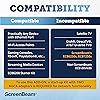
  • Device Compatibility: This MoCA adapter works with most devices and routers with an ethernet port. However, some DOCSIS 3.1 modems might conflict (frequency overlap) and cause random disconnects. Check with your ISP for a fix.
  • Non-Compatibility: Not compatible with Direct TV, Dish or other satellite TV, AT&T internet, or AT&T U-verse coax networks. Note that ECB6200, ECB6250, and ECB7250 are not cross-compatible.
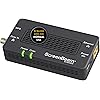
  • Whats Included? This package provides an add on to your MoCA 2.0 network setup with 1 ECB6200 Adapter, 1 Power Adapter, 1 Ethernet Cable, 1 Coax Cable, and a Quick Start Guide.

Description

ScreenBeam's ECB6200 Bonded MoCA 2.0 Network Adapter features a 2.0 Gigabit Ethernet port, delivering up to 2.0 Gbps In and 2.0 Gbps Out capabilities, giving you all the extreme high-speed bandwidth you need for flawless streaming of HD video, pristine online gaming, and all of your other demanding high-bandwidth applications. Experience an instant boost to network speeds with an extremely fast and reliable wired connection over your existing coax wiring. Plug and Play installation is as simple as it gets.

Brand: ScreenBeam


Hardware Interface: Ethernet


Color: Black


Compatible Devices: MoCA/Ethernet/Wireless Extenders/coax


Product Dimensions: 4.5"L x 2.2"W x 1.1"H


Data Link Protocol: Ethernet


Data Transfer Rate: 2.5 Gigabits Per Second


Item Weight: 4.8 ounces


UPC:


Global Trade Identification Number: 29


Product Dimensions: 4.5 x 2.2 x 1.1 inches


Item Weight: 4.8 ounces


Item model number: ECB6200S02


Is Discontinued By Manufacturer: No


Date First Available: August 6, 2015


Manufacturer: ScreenBeam


Country of Origin: USA


Frequently asked questions

If you place your order now, the estimated arrival date for this product is: Saturday, Dec 13

Yes, absolutely! You may return this product for a full refund within 30 days of receiving it.

To initiate a return, please visit our Returns Center.

View our full returns policy here.

  • Klarna Financing
  • Affirm Pay in 4
  • Affirm Financing
  • Afterpay Financing
  • PayTomorrow Financing
  • Financing through Apple Pay
Leasing options through Acima may also be available during checkout.

Learn more about financing & leasing here.

Top Amazon Reviews


  • Don't waste your money on WIFI range extenders or mesh systems and read this review for handy tips.
Style: Starter Kit (ECB6200K02) – Normal Use
I'm stunned at how well these MoCA coax adapters work and how easy they are to set up. I thought I was tech-savvy, but I clearly wasn't because I wasted a lot of money on WIFI range extenders and mesh systems that never worked well. WIFI range extenders and mesh systems take the signal from the home router and try to bounce it to the range extender or mesh node, which then tries to bounce it to the next node and so on. The problem is the range extender cuts down the WFI signal by 50% and it and the mesh nodes only work well when they're in sight of each other. That's not very efficient for larger houses or houses that don't have an open floor plan. Obviously, the best way to extend WIFI is to have your house wired with ethernet cables, but how many people have that? Answer: not many. However, almost everyone has coax running in their house for cable TV and that is where MoCA (Multimedia over Coax Alliance) comes in. A MoCA adapter allows additional routers to receive an internet signal directly from your modem through the existing coax cable in your walls. You just plug the coax from your wall into an adapter and then plug the included ethernet cord from the adapter to an additional router, and now you have a super-strong WIFI signal as if the main router and additional router were connected by an ethernet cable. It works brilliantly and immediately, and the good news is you can set up as many routers as you need if you have a coax outlet in your desired room. I set this up in my mother's large colonial house where WIFI signal goes to die. I put three adapters in separate rooms and attached three old routers I had laying around and Voila, my mother loves me again! Ok, now for the Pro-Life Tips. 1. THIS WILL NOT WORK FOR SATELLITE TV! CABLE ONLY! Sorry, but you're SOL w/ DirecTV and Dish 2. You do not need a MoCA adapter at your modem if your modem is already MoCA enabled. You will need to hook up one of the adapters to the modem if it is not MoCA enabled. A lot of people rent a combination modem/router from their cable provider. The newer ones are already MoCA enabled and if it's not, your cable provider will trade your old modem/router for an updated one for free. 3. Speaking of renting a modem/router combo...don't. Buy a separate ARRIS SURFboard Modem and whatever router you want and it will pay for itself in about a year. Don't give your hard-earned shekels to the corp bastards. 4. You need a MoCA 2 way splitter if you're running your additional router off a coax that is also providing a cable signal to a TV. The instructions and diagram that come with the adapters aren't clear about this. The adapter set comes with one 2 way splitter, but you will need a 2nd one if you're going to set up two adapters and two additional routers. You can buy a 2-way splitter at Lowe's or Home Depot for $6. Just make sure it is MoCA compliable. Also, the box comes with two short coax cables, but you will need two more if you're connecting them with two TVs. You can buy 3 ft. coax for cheap if you don't have extras laying around. 5. The MoCA adapter does not send out a WIFI signal by itself! You must use an additional router for each adapter. Any old router will do, so you don't need to blow your brains out on the latest and the greatest. However, you still need your original "Home Base" router that you have already been using. 6. Instructions. How to set up in a room where you already have a TV and your modem is MoCA enabled: Unscrew the coax from the cable box and screw it into the "cable in" port on the splitter. Now screw in another coax to the "cable out" port of the splitter and run it back into the cable box. Cable TV is now all set. Screw another coax to the other "cable out" port of the splitter and screw the other end into the "cable in" port on the adapter. Then plug the provided ethernet cable into the adapter and plug the other end into the WAN port of your router. Plug adapter and router into the wall or outlet strip and enjoy that sweet, sweet rock hard WIFI signal. 7. Please know the difference between "your" and "you're". Your is possessive, ie: your new MoCA adapter. You're is a contraction of you are, ie: you're going to love your new MoCA adapter. (See what I did there?) 8. Enjoy your strong WIFI signal and please be safe and please be nice to each other. We're all in this trying time together and a little kindness goes a long way. Cheers. ... show more
Reviewed in the United States on June 5, 2020 by Rodeo Land

  • I have been using this product for almost 3 years and I highly recommend it!
Style: Starter Kit (ECB6200K02) – Normal Use
I bought this device over 3 years ago. I set it up to get internet service upstairs, as we'd previously had a long ethernet cable literally running up the stairway. The MOCA adapters eliminated that horrible looking cable and introduced virtually no latency with a full 1Gb connection between the two floors of the home. It's been in service for the entire time, as I said before, almost 3 years. I have not had to touch these devices in the entire time. It was set it and forget it. They just work. I am considering upgrading to the MOCA 2.5 adapters for the added speed, which is what made me think to write this review. I would highly recommend this product to anyone looking to connect two areas of their home via existing "cable TV" coax. I'll also note that, for a long time, I had a TV antenna connected upstairs that shared the COAX with the MOCA system. There were no ill effects to doing this. The TV had great reception and the MOCA worked flawlessly. The reason it's not still set up that way is that I now use an HDHomeRun device to stream Antenna-based TV. ... show more
Reviewed in the United States on May 14, 2025 by Tom Woods

  • Worked first try with my Comcast Gateway
Style: Starter Kit (ECB6200K02) – Normal Use
Short: -These are plug and play and work exactly as expected -The devices are well built and are the quality you would expect for the price -You should get typical wired ethernet speeds, no speed penalty -Make sure to set up all your splitters, amplifiers and filters properly before installing these devices -If using other MOCA devices, make sure to match the MOCA version number between all devices (i.e. don't buy the 2.5 adapters if you're trying to talk to an existing 2.0 device) Long: I moved to a house with tons of cable ports but no possible way to run ethernet. First looked at powerline adapters and decided they seemed too tricky, so I went for this instead. Turns out it was a fantastic choice. When I was first researching MOCA, I found a ton of ambiguous information, so I wanted to share in case it helps others. Instead of looking at forums, the best place to start is to search for the MOCA specification. That makes the whole technology a lot clearer, and contains information useful to the average person (not just technojargon). Essentially, it uses frequencies above those used by normal cable operation (1000MHz) to transmit ethernet without interfering with other signals. Before installing these adapters, make sure you set up all splitters and amplifiers in your house to be one that are MOCA compatible. You will also need to install a filter to prevent your ethernet from leaking out to the neighbors. If you've ever had Tivo or DVR installed, you may already have the correct components in place. I purchased these devices from Amazon and can confirm they worked with these adapters: Splitter: https://www.amazon.com/gp/product/B0113JAN8K/ref=ppx_yo_dt_b_asin_title_o06_s00?ie=UTF8&psc=1 Amplifier: https://www.amazon.com/gp/product/B077BCHVWZ/ref=ppx_yo_dt_b_asin_title_o07_s00?ie=UTF8&psc=1 I also discovered that my wireless gateway (model DPC3941T) from Comcast supported MOCA natively. It was not enabled by default, but it was a simple toggle once logged into the device. This meant I only needed to purchase adapters for the endpoints where I actually wanted wired internet. The actual adapters are fantastic. I initially bought the 2 pack of MOCA 2.5 adapters. These are entirely plug and play. They power up and connect fast, and it was easy to get two nodes to recognize each other. The devices also feel well built. However, I then discovered that my gateway only supports up to MOCA 2.0. I returned the 2.5 adapters and replaced them with 2.0 adapters. They worked flawlessly first try. On a speed test, I get the same speeds using the MOCA adapters as by plugging directly into the router. Overall, I plan to buy more of these in the future. I look forward to MOCA 2.5 supported on more routers. Not all companies can be as on the ball as Actiontec. ... show more
Reviewed in the United States on August 2, 2020 by Brian Mikkila

Can't find a product?

Find it on Amazon first, then paste the link below.
Checking for best price...