Search  for anything...

S15 Stream Controller, 15-Key LCD Studio Control Deck, White

Based on 67 reviews
Condition: New
Checking for the best price...
$59.99

Buy Now, Pay Later


As low as $10.00 / mo
  • – 6-month term
  • – No impact on credit to apply
  • – Instant approval decision
  • – Secure and straightforward checkout

Ready to go? Add this product to your cart and select a plan during checkout.

Payment plans are offered through our trusted finance partners Klarna, Affirm, Afterpay, Zip, Apple Pay, and Google Pay. No-credit-needed leasing options through Acima may also be available at checkout.

Learn more about financing & leasing here.

Free shipping on this product

FREE 30-day refund/replacement

To qualify for a full refund, items must be returned in their original, unused condition. If an item is returned in a used, damaged, or materially different state, you may be granted a partial refund.

To initiate a return, please visit our Returns Center.

View our full returns policy here.


Availability: Only 5 left in stock, order soon!
Fulfilled by Amazon

Arrives Friday, Nov 13
Order within 13 hours and 14 minutes

Available payment plans shown during checkout

Protect Your Purchase

Easy claims online, fast replacements, no fees

Checking for protection plans...

At a glance

Condition
New
Model
S15-WN1
Color
White
Keyboard Description
Macro
Works with
Laptop, Mac, PC

Features 6

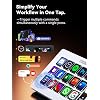
  • 15 Customizable LCD Keys for Everyday Control The STREONOR S15 stream controller gives you 15 customizable LCD keys for shortcuts, hotkeys, app actions, OBS scene controls, launch tools, editing commands, and repeated tasks. A practical macro deck for streaming, video editing, office work, gaming, and daily productivity.
  • 3 Status Display Panels for Useful Real-Time Information Unlike standard macro keypads, the S15 includes 3 non-touch status display panels for at-a-glance information. Display supported data such as weather, time, CPU temperature, GPU status, memory usage, or system performance, so you can stay informed while working, streaming, editing, or gaming.
  • Preset Control Pages for Different Scenarios Create dedicated layouts for the way you use your desk setup. Build a streaming page for OBS scenes and microphone control, an editing page for timeline shortcuts and export commands, an office page for email, browser tabs, screenshots, and meeting tools, or a gaming page for quick commands, media control, and frequently used apps.
  • Action Flows, Plugins, Icons, and GIF Customization Use STREONOR software to build action flows that trigger multiple commands with one key. Explore 100+ plugins, icon packs, GIF icons, scenes, tutorials, and custom layouts to personalize your workflow for live streaming, content creation, music control, productivity, gaming, and everyday desktop tasks.

Description

STREONOR is built for the modern desk setup, where work, creation, entertainment, and daily productivity share the same space. We believe a desktop should feel organized, personal, and easy to control. From customizable controls to practical desk tools, STREONOR helps users shape smoother workflows, reduce repeated actions, and keep important functions close at hand.

Specs 15

Brand Streonor
Connectivity Technology USB-C
Keyboard Description Macro
Recommended Uses For Product Business, Everyday Use, Multimedia, Photo Editing, Programming, Video Editing
Special Feature 100+ Plugin Support, Customizable LCD Keys, OBS Scene Control, Status Display Panels
Color White
Item Highlight Programmable Macro Pad, Hotkey Soundboard Keypad with 3 Status Displays for OBS, Twitch, YouTube, Audio Control, PC & Mac
Minimum Required Operating System Version Mac OS 11 Big Sur

Frequently asked questions

If you place your order now, the estimated arrival date for this product is: Friday, Nov 13

Yes, absolutely! You may return this product for a full refund within 30 days of receiving it.

To initiate a return, please visit our Returns Center.

View our full returns policy here.

  • Klarna Financing
  • Affirm Pay in 4
  • Affirm Financing
  • Afterpay Financing
  • Zip Pay in 4
  • Financing through Apple Pay
  • Financing through Google Pay
Leasing options through Acima may also be available during checkout.

Learn more about financing & leasing here.

Top Amazon Reviews


Really Cool Multifaceted Controller, once you get the Hang of it!
So you know my background, I wouldn't consider myself a big tech guy at all, but I can make my way around a PC or a smart device. Many older folks I know think I'm a tech genius, but the actual computer people correctly know I don't even know the basics of what a real computer geek would know. And I'll admit, I was a bit overwhelmed when I first opened this Streonor S15 Stream Controller up after a long day of work and I unfortunately kind of let it sit around for a while. But during my long weekend recently, I saw it there and decided to put some time in and figure it out. And I'm glad that I did! Packaging/Presentation: This Streonor S15 Stream Controller arrived nicely packaged in a branded, colorful box that contained the device and its holder, a USB-C to USB-C cable, a USB-A to USB-C cable (it uses a USB-C port for plugin and power), some instructions and a quick start guide. Setup/"Basic" Use Installation: I'll admit I was at first intimidated by the setup and while there's a minor learning curve, it really isn't that hard. I first just plugged it in with one of the cable devices to my PC. I then downloaded the Streanor software. And from there, it was off to the races! While I am still getting used to the device, I quickly learned that it is pretty darn nifty and allows for a wide range of uses and customizability. There is the basic use case I'm going to call it which is pretty much what I'll comment on for this review, because it is the extent of my "expertise" (or lack thereof probably more accurately). But basically, each button layout is called a "Scene." There are a few preconfigured "scenes" already in the Streonor software that you use to program the device with thankfully such as a Windows controller, Webpage/app launcher, and a Music console. The coolest part of this thing in my limited/"basic" use case is that you can customize all 15 (+) buttons by making your own "scenes." I quickly created my own new "Scene" on the left (see picture) and copied several preconfigured buttons such as Youtube, and Amazon from the Webpage/app scene. I copied the calculator, task manager, and shutdown buttons from the Windows controller scene as I found them to be useful ones that I use frequently. I then added many of my own frequently used apps or web pages - the app lets you decide between several browsers to open the webpage URLs in such as Microsoft Edge, Google Chrome, or Mozilla Firefox on PC. Soon I realized that I was running out of space and all 15 buttons were used! But fear not: You can simply add a button to add even more apps, website links, or computer command buttons to your "scene" and basically flip pages to the next set of keys. I made a whole page and copied many of the pre-made buttons. I added frequent web pages, customizing the URL and even the icons and the text for the icons within the Streonor software/app. In addition to the 15 customizable buttons, on the right side there is a display for up to three additional widgets. These are simply displays and are not interactive but it still adds a nice touch. The most obvious customization would be the date, time, and weather, and those three can again be copied from one of the preconfigured "scenes" and just pasted right onto your own scene. I'm sure there are other ways to use and customize this field as well, though I haven't devoted a whole lot of time to exploring those other ways. Use: Once you have setup the "scene" that you want, you simply select it as the default in the Streonor software/app and your scene displays on the controller. Press a button and it opens that app, or webpage. If you want, you can switch between "scenes." As I stated above in my basic scene that I made, Other Uses: In addition to using this to open apps or webpages with the push of a button, it appears to allow more complex uses such as the creation of macros, or multi-step programs that can then be added to this device. This is beyond my level of expertise so I'm going to stop at that, but if you are good with tech and computers and want to go beyond a very casual use such as mine, this might be something that would interest you. I would also point you to other reviews for commentary on how all of that works, because it's beyond my expertise and scope for this review. There are other customizable icons, and even "plugins" that can be downloaded from the Streonor software/app. I downloaded a Word plugin for example as I figured that's at least something I would understand, and it had many useful actions in word such as copy, paste, underline, previous page, next page, ect. that you could add as a command button to one of your custom "scenes" to potentially increase productivity. It really feels like after a couple of hours of playing around with this thing I really have only scratched the surface of what is possible with it! Cost/Value: This is my first stream controller so I don't really know the market for these. However, based on a very non-scientific 1 min search for "stream controller" of potential competitors on this site, I saw prices ranging from about $40 (with less buttons and no right side display)-$350. I find the current price of $60 at the time of this review to be in line with the market, and potentially towards the lower end of pricing and consider it to be a good value based on features and price alone. I'm considering this a net positive for this review - always do your own research as pricing is subject to change. Conclusion: As someone who was a bit intimidated by this thing and who acknowledges it has a minor learning curve that took me 30-60 min to really catch on to, I have grown from a skeptic to a convert for this thing. If you want, you can use it for basic purposes like I have to open up apps or webpages with the push of a button. I can use it to shut down my PC with a button push, and I have copied much of the Music controls (start, stop, volume up, volume down, etc) and added it to another page of my customized "Scene" to use for when I listen to music or play videos. More advanced users apparently can even make macro commands with it, though I will refer to them to comment on the functionality of those aspects of this device. Price wise, I'd say this is a fair to good price for this item. I am quite happy with this thing and it has become a staple of my desk, and I would highly recommend it to those who would use it for basic purposes app/webpage opening and control functionality like I have! ... show more
Reviewed in the United States on September 6, 2026 by farman

Sold as a stream deck, but it can really be a shortcut machine for almost everything!
The name says "Stream Controller," and if that's all you want it for it does the job — OBS scene switching, mute toggles, Twitch and YouTube actions, all one press away. But the reason I'd recommend it is that it isn't limited to streaming at all. The macros work at the app level, so you can build layouts for whatever you're actually in front of. Photo and video editing, Office, browser actions, launching tools, running multi-step sequences you'd otherwise do by hand every time. That's where it earns desk space for me. Setup is about as easy as it gets. USB-C, plug it in, no batteries, no dongle, no charging. The software lets you drag and drop icons onto keys, and you can use custom images or GIFs if you want it to actually look like your setup instead of generic defaults. There are a lot of plugins available, so most of the common apps are already covered without you hand-building key combos. The three status panels on the right are a nicer touch than I expected. They're not touch keys, just display strips, but having CPU temp, clock, and weather sitting there at a glance is genuinely useful and saves me pulling up a monitoring window. Build feels good for the price — the anti-slip stand keeps it planted, and the angle is comfortable without propping anything under it. At $60 it's a fraction of what the name-brand equivalents cost, and I don't feel like I gave up anything meaningful to get there. A couple of honest notes. Linux isn't supported, so it's Windows and Mac only. The instructions also tell you to uninstall other stream deck software before installing theirs, which is worth doing rather than finding out the hard way. And some of the third-party integrations expect you to have an account or subscription with that service, which is on the service and not the device, but worth knowing going in. If you write, edit, code, stream, or just repeat the same handful of clicks all day, this is an easy yes. Pros - Macros work at the app level, so it's useful well beyond streaming - 15 LCD keys with drag-and-drop icons, custom images, and GIF support - 3 status panels for CPU, weather, clock, and other live info - Plug-and-play USB-C, no battery to manage - 100+ plugins covers most common apps out of the box - Solid anti-slip stand at a comfortable angle - Strong value at this price versus the big-name options Cons - May need to uninstall other stream deck software first - Some integrations may require a separate account or subscription - Status panels are display only, not additional buttons ... show more
Reviewed in the United States on August 14, 2026 by Biggins48

Excellent for streaming
As a small content creator, I wanted a dedicated controller to manage OBS scenes, audio sources, and live stream functions without constantly clicking around on a second monitor. The S15 has handled those tasks extremely well. I created separate pages for different parts of my workflow. One page controls scene transitions, another handles microphone functions and recording controls, and a third page manages media playback and chat-related tools. Being able to switch between layouts keeps everything organized and easy to access while live. The customizable LCD buttons are responsive and visually appealing. The ability to assign unique icons helps avoid mistakes during broadcasts. I also appreciate the status panels because I can quickly monitor system information while streaming. For anyone starting a streaming setup and looking for a more affordable alternative to other macro controllers, this device offers a lot of useful functionality. ... show more
Reviewed in the United States on September 1, 2026 by SeeJohnson

Less Alt-Tabbing, More efficient workflow!
My friend uses a similar product, which is the industry standard, and which is very impressive, however the price and capabilities exceed my means and needs. This newer product is well over 50% cheaper and gives me everything that I need. It has really improved my workflow - I work with four monitors, about 20 desktops, and many open apps, and this product makes me much more nimble. Instead of swiping through the desktop or using Alt Tab or Mission Control constantly, I can punch a button to get where I need. This product is completely customizable, including the ability to easily add your own icons. I have buttons dedicated to taking me to different apps, different folders, closing active windows and even multi step functions, like creating a hyperlink. They are pretty intuitive and easy to set up via drag and drop. The first photo is my default setup, and the second is one of the options that comes set up with the device. And you are not limited to 15 buttons or actions. The folder icon takes me to a sub-menu with different keys that I need for certain tasks. You can also add left/right buttons to easily move to a different menu, for example, I have one dedicated to media controls. It also comes with an icon library. Connects and powers via USB-C or USB-B, and is equally responsive through both. You are supposed to connect this directly to your computer, and it didn't work connected to the first hub I tried, but it does work through a second one I tried, as my primary ports are full with the four monitors. Very pleased with this! ... show more
Reviewed in the United States on September 5, 2026 by Jand

Great for custom hotkeys for stock trading, lightning fast response time
This little guy kind of surprised me! I have an Elgato Stream Deck already, but I always am looking for more space without having to click over to the next page. That's when this little guy caught my eye. I use my stream deck for hotkeys whilst trading stocks. It saves me the grief of having to put in different hotkey combos on the keyboard. Some of my trades are lightning fast, like as in less than two seconds long so I need speed. That's where this stream controller shines. I was able to customize it to my liking and I took it camping with me to trade on the road. It held up well with dust dirt and moisture, so I am confident it will last a long time. As you can see in the actual photo of this device it is very similar in size and quality to the Elgato version. It is very ergonomic, extremely fast to respond to input and compatible with a wide range of functions. There was a little confusion from me at first using the app since I was having an issue adapting to the layout versus the app for the Elgato, but overall it ended up being compatible with what I needed it to do and the little side thing that shows the weather is a nice feature that the Elgato does not have. The backlight is bright and the images are clear, the ability to customize this to any extent is really nice, I highly recommend this item it is affordable and works fantastic, especially if you are a stock trader that scalps like me. ... show more
Reviewed in the United States on September 4, 2026 by Landon Beaulieu

Makes using Windows more enjoyable
This is my first steam deck I've owned and I'm quite impressed with it I mainly a Linux mint user but since there wasn't software written for that, I'm using this for Windows Once you install the software from the website, create an account you're ready to go. There's a lot of custom pre-program button shortcuts already available, Like for navigating common websites, or if you're using it strictly to play media there is pre-program buttons and because it's backlit lets you do even use it in a dark setting. This makes it easy to breeze through command functions, but without pressing two or three buttons at one time on the keyboard. There's also a lot of free programs that you can load from the website to even get more use out of this. And what I also really like, once you create an account and you save your profile settings, you can easily just unplug this box, Install their software on other Windows computers, login, and you're ready to go I found this to be a decent build quality and had no problem connecting this to my Windows computer I am very happy with this and this will help me enjoy using Windows more ... show more
Reviewed in the United States on August 26, 2026 by Vine Voice

Super Cool; Works Great; Easy to Use
I am very pleasantly surprised with this stream controller. It is super cool that the icons are interactive rather than just static images, and it is very easy to modify them using the installed software. The main reason I am giving it 4 stars instead of 5 is because I cannot figure out how to change the clock from 24-hour format. Additionally, I think it would be much better if it could be configured through a web app rather than having to download software. Otherwise, I think it really is excellent, and I am much closer to a 5-star rating than a 4. ... show more
Reviewed in the United States on July 24, 2026 by John C

Works Great!
I can be a stress ball sometimes when I work or stream. My mind goes ADHD on me and I forget what I’m doing and how to find what I need. This is definitely a great solution for me! PROS: - Easy to connect and set up. Comes with a USB coded to plug in with and it connects right away. - Comes with 15 bright LCD buttons that make it easy to find what you need. You can even customize the icons to whatever you need. - The keys are easy to press and feel smooth. - Shortcuts are easy to set up. You just drag and drop them where you want them. - I love the side panel. You can monitor weather, CPU temperature or whatever without using up a button or checking it manually. - No issues when setting up the apps you need and there’s a ton already programmed. - This deck is so much more affordable than some of the other brands out there - and the quality is great! Cons - Initial setup was a bit confusing for me. I think I’m just getting old, but I’ve never set something up like this. Once I figured it out I was fine. - I only wish it came in other colors besides black/white ... show more
Reviewed in the United States on August 19, 2026 by ✮ Jess ✮
Checking for best price...