Search  for anything...

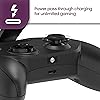
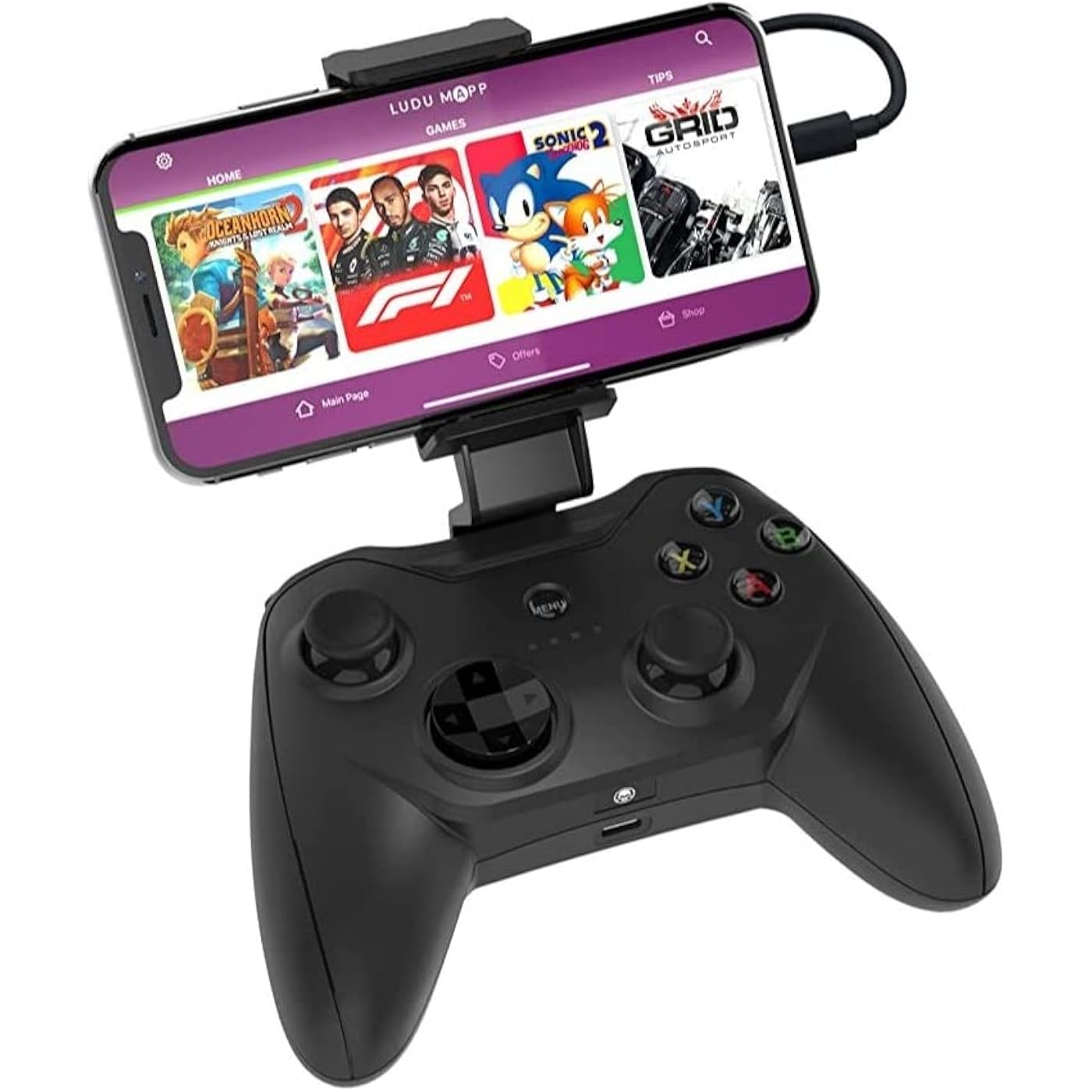
RiotPWR Mfi Certified Gamepad Controller for iOS iPhone - Wired with L3 + R3 Buttons, Power Pass Through Charging, Improved 8 Way D-Pad, and redesigned ZeroG Mobile Device
  • Based on 4,561 reviews
Condition: Used - Like New
Checking for the best price...
$19.98 Why this price?
Save $130.01 was $149.99

Buy Now, Pay Later


As low as $4 / mo
  • – 4-month term
  • – No impact on credit to apply
  • – Instant approval decision
  • – Secure and straightforward checkout

Ready to go? Add this product to your cart and select a plan during checkout.

Payment plans are offered through our trusted finance partners Klarna, Affirm, Afterpay, Apple Pay, and PayTomorrow. No-credit-needed leasing options through Acima may also be available at checkout.

Learn more about financing & leasing here.

Selected Option

Free shipping on this product

This item is eligible for return within 30 days of receipt

To qualify for a full refund, items must be returned in their original, unused condition. If an item is returned in a used, damaged, or materially different state, you may be granted a partial refund.

To initiate a return, please visit our Returns Center.

View our full returns policy here.


Availability: Only 9 left in stock, order soon!
Fulfilled by TheDelightStore

Arrives Thursday, Jun 18
Order within 18 hours and 5 minutes
Available payment plans shown during checkout

Protection Plan Protect Your Purchase
Checking for protection plans...

Color: PWR


Features

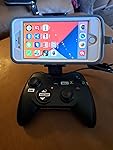
  • THE ONLY MFI CONTROLLER WITH L3 R3: RiotPWR offers the ONLY MFI certified gamepad controller on the market with L3 R3 functionality, and is compatible with many of your favorite games
  • LAG AND LATENCY FREE: Experience uninterrupted gameplay with no lag time or latency with our wired controller. Be able to compete in your battle royale games with agility and clear picture without skips, glitch, or blur
  • CHARGE AS YOU PLAY: Our version offers pass through charging for unlimited gaming without draining your iphone or ipad. Forget the batteries, just plug and play
  • COMPATIBLE WITH OVER 1000 GAMES: Our affiliate app, Ludu Mapp, is compatible with over 1,000 apps and games. Enjoy your favorite battle royale games like Fortnite, Call Of Duty/COD and Portal Knight with this compatible device. Our affiliate app is available on the iOS App Store for download to sync up to your game of choice
  • IOS COMPATIBILITY: Our mobile gamepad connects with all lightning connected Apple devices running iOS 7 or later. Enjoy your favorite games from your iPhone, iPad, or iPod. Have an Android? Try our other Android option
  • Input Type: Lightning Connector Height: 5 cm, Width: 15 cm, Depth: 11 cm, Weight: 280 grams

Brand: Rotor Riot


Model Name: Alpine Edition


Compatible Devices: IOS


Controller Type: Gamepad,Joystick


Connectivity Technology: Lightning


Compatible Devices: IOS


Controller Type: Gamepad,Joystick


Connectivity Technology: Lightning


Additional Features: Wireless


Button Quantity: 16


Hardware Platform: Mac, pc


Power Source: Battery Powered


Item Weight: 280 Grams


Package Quantity: 1


Item Dimensions: 5.91 x 4.33 x 1.97 inches


Item Dimensions D x W x H: 4.33"D x 5.91"W x 1.97"H


Brand Name: Rotor Riot


Model Name: Alpine Edition


Manufacturer: T2M


UPC: 856821008073


External Testing Certification: Não aplicável


Color: PWR


Frequently asked questions

If you place your order now, the estimated arrival date for this product is: Thursday, Jun 18

Yes, absolutely! You may return this product for a full refund within 30 days of receiving it.

To initiate a return, please visit our Returns Center.

View our full returns policy here.

  • Klarna Financing
  • Affirm Pay in 4
  • Affirm Financing
  • Afterpay Financing
  • PayTomorrow Financing
  • Financing through Apple Pay
Leasing options through Acima may also be available during checkout.

Learn more about financing & leasing here.

Top Amazon Reviews


  • GREAT ACCESSIBILITY iphone Switch
Style: iOS
The media could not be loaded. Easy to set up as an accesibility switch controller, and not just for the gaming center! By going to iphone "Settings---> General--> Accessibility---> Switch Control ---> Add Switch" you can set the keys and joysticks to navigate an iPhone without touchscreen or voice! Many of us with neuromuscular disorders have a hard time using an iPhone even with all the Accessibility features. This controller allows us to navigate the screen with easier buttons. Pros 1) It works!!!! I can use an iPhone no matter how my body is freaking out! 2) There are 14 buttons that can be set as switches (28 if you include long press options- setting a different command if you hold a button a long time) 3) You can call and FaceTime friends without holding your phone upright. 4) You can set buttons for EVERY command currently possible on the iPhone switch control menu... buttons to start dictation, switch apps, open notifications, turn off switch control, go to home screen. 5) you don't need to make sure the controller is always charged or set up bluetooth and connect it 6) the phone still works by touch so it doesn't infuriate others who might need to use your phone 7) you can charge your phone through the controller as you use it 8) it's easier to hold and carry than just a phone 9) you can still use it in gaming center as a regular controller, just turn off switch control under settings and it goes back to being a game playing beast. 10) it's SO MUCH CHEAPER than current switches being sold as disability switches Cons 1) the phone holder is horizontal. You need to hack it or add a magnetic holder to get the phone vertical. 2) the direction pad is only programmable in 4 directions, up down left right (not eight) 3) the joysticks are only programmable as buttons, not directional navigators 4) there are no videos on how to set it up, you need to use ones on how to set up bluetooth numberpads as control switches 5) there is currently no way to go back to the last screen you were on (previous takes you to the previous icon on the screen you are on) 6) nothing else.... it's just that AWESOME! To set a new switch for this controller BEFORE YOU TURN ON SWITCH CONTROL or set up any buttons to use as switches, go to Settings--->Accessibility---> Accessibility Shortcut--->Switch Control and choose switch control. This allows you to always enter and exit Switch Control by pressing your home button three times THEN YOU CAN SET UP SWITCHES 1) go to settings---> Accessibility---> Switch Control---> (DO NOT TURN IT ON YET)---> Switches ---> Add new switch ---> choose External---> click on the button you want to assign (Like the up on directional pad) when asked to activate switch---> Name button (I chose "Up" in this case)---> push Save---> choose action for when you push the button (I chose increase volume) ---> click switch control to leave menu---> turn off and on switch control ---> ENJOY 😉 The two switches that are most important to assign are SELECT and MOVE TO NEXT ITEM so that you can navigate. I included a photo of how I set mine up. I didn't use the left and right on the direction pad, because it frustrates me when I accidentally bump them. I also programmed multiple buttons to go to the home screen; when I get frustrated I like to be able to start at my home screen easily 🙃 ... show more
Reviewed in the United States on July 19, 2023 by HZ

  • It’s O…K
Style: iOS
This is ok for a little gamer , feels durable it fits iPhone , I don’t think it will work on a pro max ,it’s easy and comfortable to hold the button feel nice and durable I think it’s value for money
Reviewed in the United States on March 10, 2026 by Roxanne.T

  • Good controller, missing critical button
Style: iOS
The controller is great and easy to use. I use it for the app moonlight to play my PC games on my phone, it has no problem at all acting as an Xbox gamepad into my pc through moonlight with no extra steps. My only complaint is that for whatever reason there’s no “select” button. Only “start”. Which is incredibly inconvenient for half of the modern game titles as it’s needed to access the games settings, etc. for this reason, I didn’t give it a 5/5. Other than that, the fact that it plugs right into the phone with no Bluetooth is amazing. So is the usb-c pass through to charge the phone. However, I’ve never had to use the pass through. Controller doesn’t suck up much if any battery at all. Also it’s kind of heavy with the screen at the top. I think the backbone or controllers that go on the side of the phone would be much more ergonomic. This model is not meant for a long gaming session. ... show more
Reviewed in the United States on January 13, 2024 by Tarek

  • Super good controller
Style: iOS
I always used to love my Xbox until it got too expensive to keep, so I sold it and went looking for one of these. I bought this and it’s one of the best purchases I’ve made. It’s perfect for call of duty mobile, it’s great for Minecraft and a few other games that I play. The only problem is, is that sometimes it just stops working but all you need to do is unplug it from your phone and plug it back in and it starts working again....doesn’t happen a lot but every once in awhile it does it. I bring this controller everywhere just Incase I get an urge to play. Super good quality, the letters (A,B,X,Y) on the controller are different from Xbox but they still work the same. Highly recommended buying this ... show more
Reviewed in the United States on February 24, 2021 by Tyler

  • Works well if you can figure it out
Style: iOS
This controller works very well, once you figure it out. It’s comfortable, feels just like and performs just like an Xbox controller. If I have any criticism it’s in the area of poor instructions/support. It’s plug and play, but only if you do things in the right order. I had to figure out through trial and error that to play Ark mobile (or any other game) I had to launch the game AFTER connecting the controller to the free app, Ludu Mapp. (You can’t have the game running in the background). I could not find anything on their website about this. Overall still five stars though, because it really does provide a great iPad/iPhone gaming experience - it’s the best apple compatible controller out there as far as I can tell. It allows pass-through charging while playing, which is essential because games like Ark mobile drain your battery fast. (Charge cable not included). No connection issues once I figured out the order to do things. Note that it is a lightning compatible connector, not USB-C. ... show more
Reviewed in the United States on August 12, 2021 by Fred W.

Can't find a product?

Find it on Amazon first, then paste the link below.
Checking for best price...