Search  for anything...

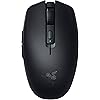
Razer Orochi V2 Wireless Gaming Mouse — Ultra Lightweight & Portable, Bluetooth & 2.4Ghz Wireless Connectivity, 18K DPI, Up to 950hrs Battery Life, Compatible with PC & Mac — Classic Black

  • Based on 0 reviews
Condition: New
Checking for the best price...
$29.99 Why this price?
Save $3.00 was $32.99

Buy Now, Pay Later


As low as $7 / mo
  • – 4-month term
  • – No impact on credit to apply
  • – Instant approval decision
  • – Secure and straightforward checkout

Ready to go? Add this product to your cart and select a plan during checkout.

Payment plans are offered through our trusted finance partners Klarna, Affirm, Afterpay, Apple Pay, and PayTomorrow. No-credit-needed leasing options through Acima may also be available at checkout.

Learn more about financing & leasing here.

Selected Option

Free shipping on this product

FREE 30-day refund/replacement

To qualify for a full refund, items must be returned in their original, unused condition. If an item is returned in a used, damaged, or materially different state, you may be granted a partial refund.

To initiate a return, please visit our Returns Center.

View our full returns policy here.


Availability: Only 10 left in stock, order soon!
Fulfilled by Amazon

Arrives Saturday, Jul 11
Order within 9 hours and 23 minutes
Available payment plans shown during checkout

Protection Plan Protect Your Purchase
Checking for protection plans...

Color: Classic Black


Features

  • <60g ULTRA-LIGHTWEIGHT DESIGN Small, portable design makes it the ideal travel companion for gaming, while its ambidextrous shape allows for easy handling and control (exlcudes battery weight)
  • 2 WIRELESS MODES Maximize the battery life for work via Bluetooth or maximize after-hours gaming with the seamless, low-latency performance of Razer HyperSpeed Wireless
  • LONG BATTERY LIFE Built for the gaming and work grind, it lasts up to 950 hours on Bluetooth and up to 425 hours on Razer HyperSpeed Wireless (measured with a AA lithium battery)
  • 2ND GEN RAZER MECHANICAL SWITCHES Improved click durability and consistency, these switches have new gold-plated contact points that are less prone to degrading and have a longer lifespan of up to 60 million clicks
  • RAZER 5G ADVANCED 18K DPI OPTICAL SENSOR - Enjoy responsive, pixel-precise aim with an improved sensor that flawlessly tracks your movement with zero spinouts.
  • WORKS WITH AA/AAA BATTERIES - Requiring only one AA* or AAA battery to work, this mouse has a hybrid battery slot thats optimally positioned for balanced weight distribution *included with mouse

Description

Introducing the Razer Orochi V2—a compact, ultra-lightweight wireless gaming mouse with the longest battery life in the market for peerless portable performance. Armed with an upgraded sensor and switches for crisp control, it’s the perfect partner for gaming on the go.

Brand: Razer


Color: Classic Black


Connectivity Technology: Bluetooth


Special Feature: 5G Advanced 18K DPI Optical Sensor, Lightweight, Mechanical Mouse Switches, Up to 950hrs Battery Life, Wireless See more


Movement Detection Technology: Optical


Connectivity Technology: Bluetooth


Additional Features: 5G Advanced 18K DPI Optical Sensor, Lightweight, Mechanical Mouse Switches, Up to 950hrs Battery Life, Wireless


Movement Detection: Optical


Button Quantity: 8


Hand Orientation: Right


Compatible Devices: Personal Computer


Operating System: Windows, macOS


Battery Average Life: 425 Hours


Number of Batteries: 1 Lithium Metal batteries required. (included)


Hardware Platform: PC


Power Source: Battery Powered


Mouse Maximum Sensitivity: 16000 Dots per Inch


Range: 10.0 meters


Color: Classic Black


Style Name: Modern


Item Weight: 0.13 Pounds


Item Dimensions L x W: 4.26"L x 1.52"W


Unit Count: 1.0 Count


Brand: Razer


Model Name: Orochi V2


Antenna Location: Gaming


Model Number: RZ01-03730100-R3U1


Built-In Media: Mice


Are Batteries Included: Yes


Are Batteries Required: Yes


Manufacturer: Razer


UPC: 810056141356


Mfr Part Number: RZ01-03730100-R3U1


Warranty Description: 2 year manufacturer


Item Type Name: Gaming Mice


Enclosure Material: Plastic


Frequently asked questions

If you place your order now, the estimated arrival date for this product is: Saturday, Jul 11

Yes, absolutely! You may return this product for a full refund within 30 days of receiving it.

To initiate a return, please visit our Returns Center.

View our full returns policy here.

  • Klarna Financing
  • Affirm Pay in 4
  • Affirm Financing
  • Afterpay Financing
  • PayTomorrow Financing
  • Financing through Apple Pay
Leasing options through Acima may also be available during checkout.

Learn more about financing & leasing here.

Top Amazon Reviews


  • Fantastic for gaming and productivity, but missing USB-C rechargeability Fantastic for gaming and productivity, but missing USB-C rechargeability
Color: Classic Black
I recently purchased the Razer Orochi V2, and overall, it is an amazing mouse. The build quality is absolutely fantastic, and it feels premium. It fits perfectly in my palm, and the materials and clicks have a very pleasant tactile feel. I use it daily for both gaming and work, and it performs flawlessly in both scenarios. Compared to my Razer Pro Click, the Orochi V2 actually fits my hand much better. In fact, I now only use the Pro Click as a backup for when the Orochi's battery suddenly dies! There is really only one downside for me: it runs on disposable batteries rather than having a built-in rechargeable one. On the plus side, it only needs a single battery to operate, and I love the clever design that allows you to use either a standard AA or a smaller AAA battery depending on your weight preference. However, I would really love to see a future version of this exact mouse with a built-in battery and a standard USB Type-C charging port. If you don't mind swapping batteries occasionally, this is a near-perfect mouse. Highly recommended! ... show more
Reviewed in the United States on April 6, 2026 Reviewed in the United States on April 6, 2026 by Bekhzod Uzokov

  • Amazing mouse even for big hands.
Color: White
So I have big hands and what any big hand gamer understands is that you either have to get a big ol heavy G502 size mouse or use a certain grip to hold all these mice for smaller handed people. I previously owned a Model O, G pro, and Model O wireless. Having big hands my biggest peeve with all the other mice is that they’re ambidextrous mice so they are even harder to hold with fingertip/claw grips because the smooth, near flat, symmetrical sides. I only really make contact with the sides by pinching my fingers with them. I never make contact with the butt or base of the mouse with my grip. There’s where the Orochi changes things The Orochi somehow is a smaller mouse than all of the above but fills out my hand and grip SO much better. The sides actually have slight grooves so I don’t slip off the sides of my mouse and the shorter but bigger hump in the middle makes me for once actually feel the mouse in my palm if I want. Overall the feel is amazing. Battery life varies of course but I can barely tell there’s a battery in the thing even when flicking and the weight and balance of it feel so good. Mobile gaming is the main reason I got this mouse. I like that the dongle stores inside the mouse, uses batteries so I don’t have to worry about keeping it charged or bringing around extra cables to charge it, and the Bluetooth is good for casual gaming but doesn’t do great with big flicks so the 2.4ghz connection is required for esports games. Overall a great mouse and really awesome to game with and a little plus to it is that the shell comes off the back so satisfying, it’s hard to not fidget with it by taking it on and off haha. Well worth the money and I’d expect they’ll make a rechargeable one with all the success this mouse has accrued so far so if the swappable batteries don’t tickle your pickle, I’d just buy a sub $20 rechargeable battery station or just wait for a new rechargeable Orochi to come out. ... show more
Reviewed in the United States on May 20, 2021 by Gogoferrari

  • Unleash Your Gaming Potential
Color: White
The Razer Orochi V2 Mobile Wireless Gaming Mouse is nothing short of a gaming marvel. As a dedicated gamer, I've had the pleasure of using various gaming mice over the years, but the Orochi V2 stands out as a true game-changer. Here's why I can't help but sing its praises: Wireless Freedom: The wireless connectivity of the Orochi V2 is a game-changer. With Razer's HyperSpeed Wireless technology, I experienced zero lag or interruptions during intense gaming sessions. The freedom to move without being tethered by a cable is liberating. Compact and Portable: This mouse is designed with mobility in mind. It's incredibly compact and lightweight, making it perfect for gaming on the go. Whether you're a frequent traveler or just prefer a more minimalist setup, the Orochi V2 is the ideal companion. Exceptional Battery Life: The Orochi V2 boasts impressive battery life. I was pleasantly surprised by how long it lasts on a single charge. It easily survived through extended gaming marathons and even lasted me multiple days of regular use without needing a recharge. Customizable Performance: Razer's customization options are legendary, and the Orochi V2 doesn't disappoint. With the Razer Synapse software, you can fine-tune the mouse's sensitivity, button assignments, and lighting effects to suit your gaming preferences. Versatile Connectivity: The Orochi V2 doesn't limit you to just wireless gaming. It also offers Bluetooth connectivity, allowing you to seamlessly switch between devices. This versatility is a godsend for those who use multiple devices for work and play. Impressive Sensor: The 5G Advanced Optical Sensor delivers precise tracking and accuracy. Whether you're engaged in fast-paced FPS battles or navigating intricate RPG menus, the Orochi V2 responds flawlessly to your movements. Comfortable Design: Despite its compact size, the Orochi V2 is surprisingly comfortable to use. It's designed to fit various grip styles, and the textured side grips ensure a secure hold during intense gaming moments. In conclusion, the Razer Orochi V2 Mobile Wireless Gaming Mouse is a true gem for gamers who value performance, mobility, and customization. Its wireless capabilities, exceptional battery life, and versatility make it a standout choice for both casual and competitive gamers. Razer's commitment to quality and innovation is evident in every aspect of this mouse. If you're in the market for a compact and powerful gaming mouse that can keep up with your gaming lifestyle, the Orochi V2 should be at the top of your list. It has certainly elevated my gaming experience, and I couldn't be happier with this exceptional piece of gaming hardware. ... show more
Reviewed in the United States on September 14, 2023 by Thomas

  • Great quick mouse <3
Color: White
Very nice mouse though the scroll wheel is a little hard but it doesn’t skip around or behave oddly. instant set up and very comfy! I’m a girl with small hands so it fit perfectly! not too big or uncomfy, I can naturally grip it and the color is so perfect for my pastel blue and white setup! The click is a bit loud but not annoyingly loud, feels very sturdy despite it being so light, I’d say it’s a good price for a gaming mouse! (no connection issues either with Mac) I don’t have a mouse pad and it actually glides pretty good on my wooden desk. ... show more
Reviewed in the United States on May 1, 2026 by Miya

  • Oh Boy
Color: Classic Black
Great design. Matte feel on the casing. Subtle logo on the black model (yeet). Nice and solid feel. The left/right clicks also feel premium and tactile
Reviewed in the United States on June 2, 2026 by BrownGoat

  • Best mouse ever
Color: White
Awesome, fast, light and well built
Reviewed in the United States on May 28, 2026 by Paria

  • Best mouse I've had in a long time!
Color: White
I am on my computer often (hours a day for work and play). I gamed for decades and always had the best mice. But, the last year few years I haven't gamed much and had been using something not so great. I play a game here or there again and decided I wanted something great again. I want a mouse that will last many years (something that you have to put batteries into / not rechargeable), that is fairly small and light (which I've always preferred), has no fancy lights, long battery life, responsive & accurate, and good quality / feel. This clicks all the boxes! It allows you to use a AA or a AAA; only one at a time, do not insert both. The AAA option is for the lightest weight. I admit I haven't used that option. I want the longevity of the AA over the AAA (usually rechargeable AAA's are under 1000mah, and AA's are over 2000mah - so you get 2 to 3 times more battery life with the AA). I use rechargeable batteries in everything; however, the first battery I used in this mouse is an Energizer lithium. I want to see how long it lasts with a normal high quality battery (so far, 30 days with ~7 hours of computer use a day. I never turn the mouse off, it is always switched to 2.4 and turned on when I am away from computer). With the AA the feel and balance is great. One of best feeling mice I have used. Has plenty of buttons for my uses. Extreme gamers may want more. I barely use the few extra it has. The buttons all feel good and sturdy. They should last, I hope. It looks classy, I have the white color. I like that is has both bluetooth and 2.4 modes. The 2.4 mode will give you the best performance. However, it will also cut the battery life! The bluetooth mode will give you a ton more battery life; however, you will lack some performance. I have not tested bluetooth mode at all yet, I wanted to test the mouse fully with this first battery before doing that. In the future, I may switch between bluetooth mode and 2.4 mode when I switch from normal computing to gaming. I only game say, 1 out of 7 hours I am on the computer. So, that is a potential benefit. I also like it has the bluetooth in case I want to take it anywhere for work computing, with a laptop or tablet. Then, I can leave the 2.4 usb card in my desktop at home, and still have a great mouse for on the go. When I bring it home, it's all ready again. Overall I am very happy with it after having it for a month now and using it daily. I hope it lasts for years. *Update. My mouse battery finally died for the first time on March 27, 2022. It was working perfect, then suddenly the cursor stopped moving. It lasted about 2.5 months with an Energizer Lithium (2.4ghz whole time, mouse never turned off). Not bad! I assume a good rechargeable (Eneloop) will give me at least 2 months (and with rechargeable batteries, I will just replace every 2 months (maybe even every month), just so I know my mouse will never stop working when I need it)). ... show more
Reviewed in the United States on February 16, 2022 by Earthling

  • Very glitchy mouse won't accept clicks, made me reinstall windows
Color: White
TLDR: Ask ChatGPT about this mouse and it'll tell you that other users have reported issues with this mouse not clicking properly. It will tell you that this is a known issue with this mouse. So I'm an IT expert (programmer, been using PC's since Windows 3.1). And I could not get this mouse to work right. The mouse doesn't work right when the computer goes to sleep, and then wakes from sleep. This problem occurs on Windows 11 pro. When the mouse is connected in Bluetooth mode: First problem is, the mouse will NOT reconnect to the PC when the PC wakes from sleep, unless you have "Show notifications to connect using Swift Pair" disabled in windows Bluetooth settings. But setting is on by default. Second problem is, even with this setting disabled, and even if the mouse successfully reconnects when the computer wakes up, the computer will NOT accept clicks when it wakes up. This mouse apparently drops a phantom click that it never releases. The only way I could find to get rid of that phantom click is by pressing CTRL+ALT+DEL every time the computer wakes. This resets the phantom click and the mouse would function normally. But it's super annoying to have to press CTRL+ALT+DEL every time the PC wakes, especially since this mouse is supposed to be a gift to my little girl, I don't want her to have to deal with it not working perfectly. Also the mouse would sometimes stop accepting clicks even in the middle of playing games, but this only happened rarely in Bluetooth mode. On the wireless USB mode: The mouse cursor is NOT visible when windows first boots. You can't use the mouse to get to the box to type your PIN number to unlock the computer. You must use the keyword to get into windows, and then the cursor appears. This problem doesn't happen when using the mouse in Bluetooth mode, only in the wireless USB mode. And then the phantom click issue is MUCH more frequent in the wireless USB mode, and doesn't require the computer to wake from sleep, but happens randomly even in the middle of playing games... suddenly you can't click anything. And when waking from sleep, or when the mouse "goes to sleep", when it wakes up there's issues with clicks... and sometimes the cursor isn't even visible. Connecting a second mouse: When the computer stops accepting clicks, then even the second mouse would not be able to click. All connected mouses would stop being able to click. But this problem of not being able to click, would ONLY occur if the Razor Orochi V2 mouse was connected to the computer either via Bluetooth or wireless USB. If I disconnected the Orochi V2 mouse, then the problem never happens. So it's definitely this mouses's fault. But initially I didn't realize this mouse was the culprit. Because it affected all connected mice. So I thought, at first, that it was a windows issue... maybe a bad driver I had installed in the past. So I ended up reinstalling windows, trying to fix any potential driver issues. It wasn't until after that, when I discovered that the problem was this mouse all along. I was super upset to have reinstalled windows, and lost all my software and settings, only to then discover that the problem was still there and it was this mouse all along. As for getting my money back, amazon did not offer me an option to return the mouse and get a replacement. It only lets me send it back for a full refund. No option for replacement. So I think I bought this mouse when it was on sale. So it seems like they are expecting me to send it back, and then repurchase it at the new higher price, if I want to try it again. It's possible mine was simply defective. I did every imaginable thing to try to get this mouse to work. The mouse I had was brand new from Razor, but it was running an old firmware. I did a firmware update to version 1.03.00 (it was running version 1.02.00 when it arrived). I can confirm that firmware update did NOT fix the problem with the phantom clicks. I also set all the related devices in my device manager to not go to sleep, including the USB slots. That did NOT fix the problem with the phantom clicks. I also, at the advice of chatGPT, did a bunch of registry edits, none of which fixed the problem. I also, at the advice of chatGPT, wrote my own c# application, which attempted in various ways to force the mouse to release the phantom click, at least when the computer would wake up. I was trying to mimic the behavior of pressing CTRL+ALT+DEL. After many hours of coding, I was unable to programmatically correct the problems with this mouse. I really wanted this mouse to work because it's wireless, and its small, so it fits my daughter's hand. I'm now having to return this mouse at my time and expense, no option for replacement, lost whatever discount I got from the previous sale, and I lost days of my life trying to fix this mouse, and I lost some of my software and settings from the reinstallation of windows, so I have work to do just to get my daughter's computer back to normal again. Terrible experience. Conclusion: Ask ChatGPT about this mouse and it'll tell you that other users have reported issues with this mouse not clicking properly. It will tell you that this is a known issue with this mouse. ... show more
Reviewed in the United States on November 7, 2025 by Amazon Customer

Can't find a product?

Find it on Amazon first, then paste the link below.
Checking for best price...