






Search  for anything...

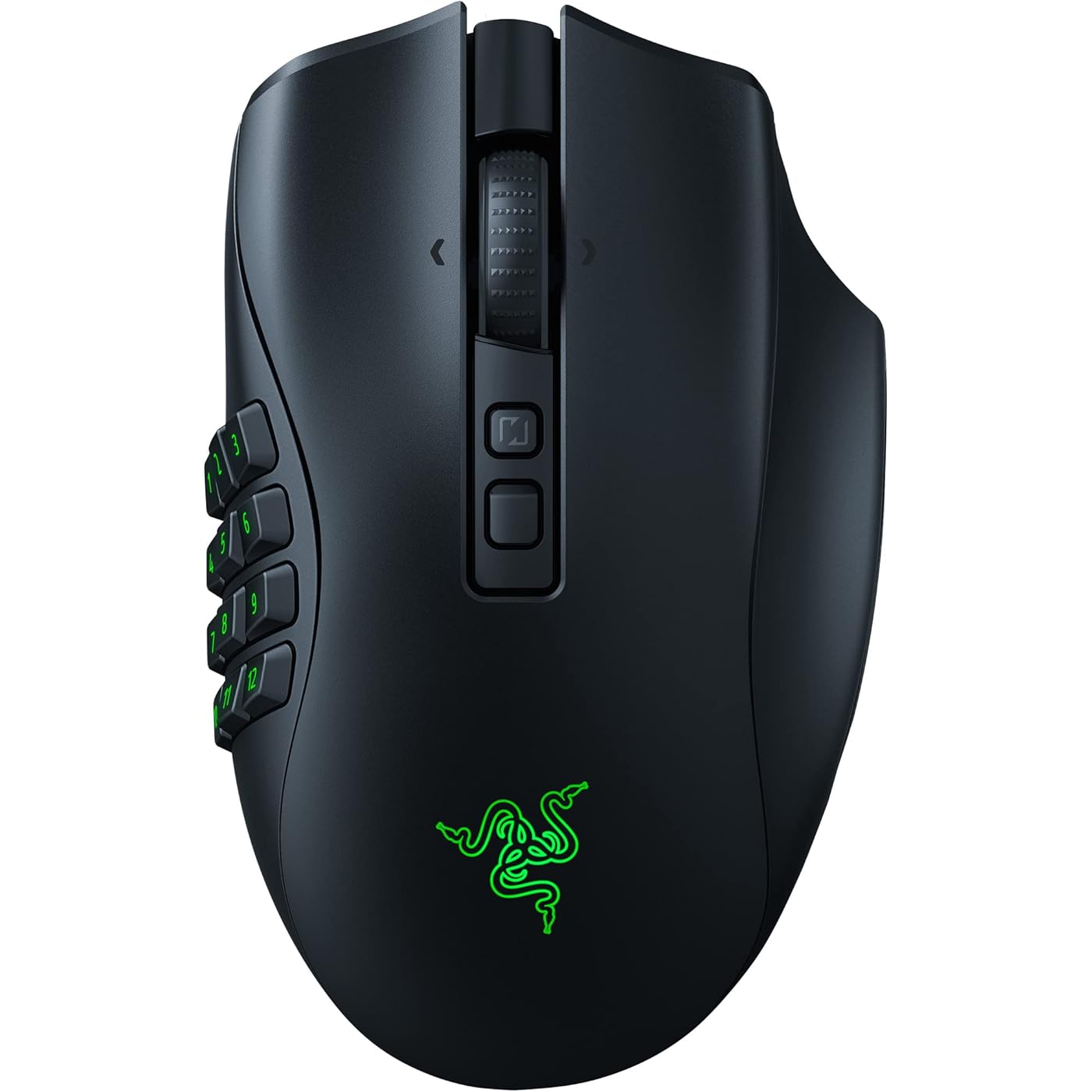
Razer Naga V2 Pro Wireless MMO Gaming Mouse — 19+1 Programmable Buttons, 3 Swappable Side Plates, HyperScroll Pro Wheel, 30K DPI, Optical Mouse Switches Gen-3, 300 Hr Battery, Multi-Mode Connectivity

  • Based on 968 reviews
Condition: Used - Very Good
Checking for the best price...
$98.77 Why this price?
Save $61.22 was $159.99

Buy Now, Pay Later


As low as $16.46 / mo
  • – 6-month term
  • – No impact on credit to apply
  • – Instant approval decision
  • – Secure and straightforward checkout

Ready to go? Add this product to your cart and select a plan during checkout.

Payment plans are offered through our trusted finance partners Klarna, Affirm, Afterpay, Zip, Apple Pay, and Google Pay. No-credit-needed leasing options through Acima may also be available at checkout.

Learn more about financing & leasing here.

Selected Option

Free shipping on this product

This item is eligible for return within 30 days of receipt

To qualify for a full refund, items must be returned in their original, unused condition. If an item is returned in a used, damaged, or materially different state, you may be granted a partial refund.

To initiate a return, please visit our Returns Center.

View our full returns policy here.


Availability: Only 1 left in stock, order soon!
Fulfilled by Amazon

Arrives Saturday, Aug 8
Order within 22 hours and 49 minutes
Available payment plans shown during checkout

Protection Plan Protect Your Purchase
Checking for protection plans...

Size: Naga V2 Pro


Features

  • ABSOLUTE ADAPTABILITY AND CONTROL This mouse comes with a set of 12, 6 and 2-button magnetic side plates, allowing to adapt to any game genre with control of up to 19 plus 1 programmable, backlit buttons
  • RAZER HYPERSCROLL PRO WHEEL With adjustable tactility, resistance, and steps, create firmer, more distinct scrolls for precise weapon switching, or softer, smoother scrolls with multiple steps to easily spam inputs like jump
  • RAZER HYPERSPEED WIRELESS With a connection 25% faster than any other wireless tech available, enjoy high-performance, low-latency competitive play that remains smooth and stable even in noisy wireless environments
  • FOCUS PRO 30K OPTICAL SENSOR Razers brand-new sensor provides flawless tracking performance on a wider variety of surfaces including glass supported by intelligent functions for enhanced aim and control
  • OPTICAL MOUSE SWITCHES GEN-3 From an improved 90-million click lifecycle with zero double-clicking issues, to a blistering 0.2ms actuation with no debounce delay, enjoy reliability and speed that outshines all others
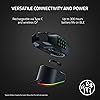
  • VERSATILE CONNECTIVITY AND POWER Lasts up to 150 hours on HyperSpeed or 300 hours on Bluetooth. Rechargeable via Type C, the Razer Mouse Dock Pro, or be made wireless charging compatible with the Razer Wireless Charging Puck (Dock and Puck are sold separately)
  • PC GAMING PERIPHERALS BRAND IN THE U.S. Source Circana, Retail Tracking Service, U.S., Dollar Sales, Gaming Designed Mice, Keyboards, and PC Headsets, Jan. 2019- Dec. 2023 combined
  • OPTIMIZE MOUSE ACCURACY Improve accuracy by disabling the "Enhance pointer precision" option in the Windows mouse settings, and further optimize performance using the Razer Synapse App

Description

Master every genre with the Razer Naga V2 Pro—a wireless gaming mouse designed for peak adaptability across MMO, FPS, battle royale, and more. Equipped with 3 magnetic swappable side plates (12, 6, and 2-button layouts), it offers 19+1 programmable buttons for unmatched command flexibility. The Razer™ HyperScroll Pro Wheel features adjustable tactility and resistance, letting you customize scroll behavior for precise weapon swaps or rapid inputs. Razer™ HyperSpeed Wireless delivers a low-latency connection that outpaces other wireless tech, even in noisy environments. Enjoy flawless tracking with the Razer™ Focus Pro 30K Optical Sensor—effective on glass and enhanced with intelligent functions. Razer™ Optical Mouse Switches Gen-3 offers an improved 90-million click span, 0.2ms actuation, and zero double-click issues. With up to 150 hours on HyperSpeed or 300 hours on Bluetooth, and multiple charging options including USB Type C and wireless, the Naga V2 Pro is ready to adapt and unleash.

Brand: Razer


Color: Black


Connectivity Technology: 2.4GHz Wireless, Bluetooth, USB


Special Feature: Focus Pro 30K Optical Sensor, HyperScroll Pro Wheel, Optical Mouse Switches Gen-3, Programmable Buttons, Up to 300 Hr Battery See more


Movement Detection Technology: Optical


Connectivity Technology: 2.4GHz Wireless, Bluetooth, USB


Additional Features: Focus Pro 30K Optical Sensor, HyperScroll Pro Wheel, Optical Mouse Switches Gen-3, Programmable Buttons, Up to 300 Hr Battery


Movement Detection: Optical


Button Quantity: 20


Hand Orientation: Right


Compatible Devices: Personal Computer


Operating System: Windows, macOS, Linux


Battery Average Life: 225 Hours


Number of Batteries: 1 AA batteries required. (included)


Hardware Platform: PC


Power Source: Battery Powered


Mouse Maximum Sensitivity: 30000 Dots per Inch


Minimum Required Operating System Version: Mac OS 13 Ventura, Ubuntu 22.04 Jammy Jellyfish, Windows 11


Range: 10.0 meters


Color: Black


Style Name: Modern


Enclosure Material: Plastic


Brand: Razer


Model Name: Naga V2 Pro


Antenna Location: Gaming, Office


Model Number: RZ01-04400100-R3U1


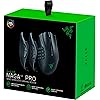
Built-In Media: 12 Button Side Plate, 2 Button Side Plate, 6 Button Side Plate, Cover Puck (This is NOT the Wireless Charging Puck), HyperSpeed Wireless USB Dongle, Important Product Information Guide, Naga V2 Pro, Razer SpeedFlex Cable (USB Type A to USB Type C), USB Dongle Adapter


Are Batteries Included: Yes


Are Batteries Required: Yes


Manufacturer: Razer


UPC: 840272900307


Item Type Name: Gaming Mice


Mfr Part Number: RZ01-04400100-R3U1


Warranty Description: 2 year manufacturer


Item Weight: 7.68 ounces


Item Dimensions L x W: 4.7"L x 2.97"W


Unit Count: 1.0 Count


Frequently asked questions

If you place your order now, the estimated arrival date for this product is: Saturday, Aug 8

Yes, absolutely! You may return this product for a full refund within 30 days of receiving it.

To initiate a return, please visit our Returns Center.

View our full returns policy here.

  • Klarna Financing
  • Affirm Pay in 4
  • Affirm Financing
  • Afterpay Financing
  • Zip Pay in 4
  • Financing through Apple Pay
  • Financing through Google Pay
Leasing options through Acima may also be available during checkout.

Learn more about financing & leasing here.

Top Amazon Reviews


  • Best MMO Mouse
Size: Naga V2 Pro
I tried other mice but I always come back to the Naga. Feels the best, buttons are perfect, lots of customization like DPI, lighting and other settings like drag and scrolling. The design is phenomenal and it just feels/sounds good to use. However it's not without flaws. - First off it is not a 300 hour battery. After about 2 days of solid gaming it's gone from 100% to 50%. It's probably closer to between 50-100 hours (depending on how much you game and your lighting settings). Still solid, but definitely a lie. - Secondly you have to use the famously bad Razer software. For years I've been plagued with that app having issues. Not starting correctly, forgetting my settings, having to restart my pc over and over to get it to work because a simple force close of the app is not good enough for some reason. When Razer Synapse 4 released it promised it would remember my settings (spoiler: it did not). Unfortunately there isn't a way around this, if you want the mouse to work the way you want to (and trust me, you do with all the neat settings they have). - Lastly, the price is insane. Around $180 for a mouse is criminal. I don't mind paying a good price for something that is flawless and that will last a lifetime. Obviously mice and controllers do not last a lifetime. They wear and tear easily after a few years and as we can see, this isn't without flaws. Even if I did last 300 hours and the Razer program worked correctly, I still don't think a mouse is worth that much. I come back to the Razer Naga because I can handle the flaws stated above and how good the mouse is beyond those flaws is worth it to me, however I don't think the majority of gamers could at this price. Not everyone is as fluent in tech and can afford to be lied to like this. ... show more
Reviewed in the United States on March 16, 2026 by Mason

  • Highly Customizable but Comes at a Price
Size: Naga V2 Pro
I've been using the Razer Naga V2 Pro Wireless Gaming Mouse for a few months now, and it's a versatile piece of equipment with some standout features and a few drawbacks. Pros: Customization: The interchangeable side plates with 2, 6, and 12-button configurations are fantastic. You can switch between them depending on your gaming needs, which is incredibly convenient. I sometimes like to play league and other times play CS2, so having the ability to change it at a moment's notice is amazing. Performance: The mouse performs exceptionally well, with a smooth and responsive feel. The upgraded Focus Pro 30K optical sensor and third-gen optical switches provide precise tracking and quick response times. I bought the wireless dock as well and it charges the mouse fast and allows me to use it wirelessly for at least a week of use. Gonna make a separate review for that though. Comfort: The ergonomic design is comfortable for long gaming sessions. The right-handed shape and finger rest make it easy to use without causing hand fatigue. It is lighter than a CORSAIR Scimitar which in my opinion is the best reason to get this over that. Wireless Connectivity: The wireless connection is stable, and the mouse offers both 2.4GHz and Bluetooth options. The battery life is impressive, lasting up to 150 hours over 2.4GHz and up to 300 hours over Bluetooth. Cons: Price: The Razer Naga V2 Pro is on the pricier side, coming in at around $179.99. While the features justify the cost, it might be a significant investment for some gamers. Weight: The mouse is a bit heavier than some other gaming mice, which might not be ideal for those who prefer a lighter feel. Again, I say heavier in comparison to a Deathadder. It is heavier, but still light for the type of mouse it is. Software Compatibility: The customization software is only compatible with Windows, which could be a limitation for Mac users. Overall, the Razer Naga V2 Pro is a top-tier gaming mouse that offers excellent customization, performance, and comfort. It's a great choice for gamers who need a versatile and high-performing mouse, but be prepared to invest a bit more and consider the weight and software compatibility. ... show more
Reviewed in the United States on November 22, 2024 by Dodge

  • My favourtie mouse ever, boosted my productivity 100x
Size: Naga V2 Pro
I stumbled acorss a youtuber (Switch and Click) that reviewed the Razer Naga V2 and I was sold on it. I have been using a standard Dell USB mouse for years. Initially, the thought of buying a mouse for over $100 may seems odd but what I didn't realize, until I got it is how much it boosted my productivity. Firstly, I'm right-handed and the mouse moulds perfectly to the shape and size of my hand. It feels perfect, the design is phenomenal. I have to admit I was a bit discourageed since the last mouse Logitech G2 I tried before this one had buttons on the left and right side (2 clickers left side and 2 clickers right side.) I don't understand how anyone could click buttons on the right side, it's extremely awkward unnatural and counter-intuitive. What makes the Razer Naga V2 Pro so great is that I can easily press all 12 of the shortcut keys with ease, no awkward movements with my hand. 12 buttons initially felt a bit intimidating but what puts the Razer Naga V2 Pro on top is the Razer software (for the mouse) is so intuitive and easy to use for assigning button shortcuts. Becasue much of what you do with a mouse is muscle memory it will take a bit and a few revisions of changing what buttons do what (at least it did for me) and changing the shortcuts for the keys before I had assigned shortcuts for all 12 keys. The great thing is I actually use all of the buttons pretty regularly and it's a huge time saver when it comes to productivity. It takes some time getting used to but I pretty much have all the muscle memory built in at this point and I know what key does what without having to think about it. If it's way too many buttons for you, they give you 3 different side panels to shoose from, and it just pops right off and connects magnetically to the left side of the mouse, it's really cool. My biggest fear about going back to a wireless mouse is the response time. My last wireless mouse, it was a Lenovo I believe and was noticably lagging and really slowed me down. The thing about the higher-end mouses like the Razer Naga V2 Pro is they come with a booster plugin and let me tell you, even at 1000 Hz the speed is so fast I can't tell the difference between a wired and wireless mouse and some mice go up to 8000 Hz speed but that's really overkill and drains the mouse battery faster. The battery on the Razer Naga V2 Pro lasts a very long time. I also ordered the Wireless Dock Pro which is compatible and it charges it wirelessly so it's always charged for me. Despite the pricetag, with the amount of time I've saved and how much it's boosted my productivity, the mouse has already paid for itself and was totally worth it. Love this mouse, highly recommended! ... show more
Reviewed in the United States on January 26, 2026 by Leroy Malloy

  • Same old Naga but with a fancy new price tag.
Size: Naga V2 Pro
If you've ever owned the Naga Pro and wonder how this improves upon that design, wonder no more. This is the same mouse structurally. The major differences are the scroll-wheel feature that you already have read about and the battery life. First, the scroll wheel feature. It's surprisingly cool. I don't know exactly how they manage to change the tension or detents in the scrolling behavior, but it does work. There are settings with super defined bumps (say for weapon selecting) and it scrolls between the "bumps" very cleanly. There are settings with no tension at all. Similar to the logitech mice, where you can just flick the wheel forward and it will keep spinning like there are ball bearings in there or something. The default setting is somewhere in between and feels very similar to the old Naga Pro. There's a graph in the configurator that lets you define your own tension and bumps. There can be a little mush to the bumps when switching from one to the other, but it goes away after the first scroll and leaves it feeling nice and crisp. i'm not sure how confident i feel about the longevity of this feature because i really don't yet understand the mechanics of how they're able to change the feeling of it so drastically. I really hope it doesn't wear out quickly, and i will update this review if/when it does. This feature is the main reason i was skeptical of the Pro 2. The battery life is much better. I wasn't pleased with the battery capacity of the old Naga Pro. i had to charge that thing every two or three days i think. It wasn't great. This one has lost 1% over the course of 24 hours. From 92% to 91% after the first day's use, so i don't know how much better it is but it's better. As for the wireless charging feature, i can't comment. You have to purchase the 20 dollar puck that fits into the bottom of your mouse but i haven't because i don't own a wireless charging mousepad. It does support wireless charging though, with the additional purchase of that puck thing that fits into the bottom. Also, the soft rubbery crap that's on the sides of the old Naga Pro is gone. It's regular plastic and it's got some kind of very light gnurling texture on it. My thumb rubbed a hole through the rubber coating on the old Naga Pro 6 button panel. So i noticed the difference right away. That's pretty much it. Oh, one more thing. Your old Naga Pro settings profiles need to be exported through the synapse 3 app before you unplug it, and imported again when you swap the mice out, or you need to manually set them up all over again. In my opinion, it's not really worth paying the higher price unless your old Naga Pro is failing somehow. It's pretty much the same mouse. I kind of knew that, but my Naga Pro's scroll wheel was completely worn out. It was almost impossible to use for anything but scrolling. UPDATE: so i've had this thing for six months and kind of like you would expect, the scroll wheel isn't the same. It's very mushy and just trying to roll the mouse wheel forward will cause a click a lot of times. You can barely feel any difference between the very distinct bumps or almost none at all. There are much better scroll wheels. There's one on my old Naga pro, in fact. ... show more
Reviewed in the United States on July 25, 2024 by joseph cheney

  • Razer, The best, worst products in all of gaming.
Size: Naga V2 Pro
I'm not even sure where I should begin with this mess. First off, the fact that Razer purposefully discontinued their wired variants of the Naga series just so they can push their wireless versions with literally a $100+ mark-up is insane and makes me want to do things that I won't discuss in public. This is 100% just a basic Naga with bluetooth crammed into it for $100 extra. I knew this when I purchased it, as finances are no issue for me, but it is truly not worth that price. Secondly, Razer Synapse 3, while it had its many problems, still was functional 95% of the time. This is not the case with Synapse 4, which they practically force you to install. I took the risk for the sake of science and updated to 4 because 3 did not initially detect this mouse when I plugged it in. I knew this was an omen of things to come but I installed 4 anyway and at first it seemed things might be tolerable. I was freed of that delusion when I realized how much bloat comes with 4. Before I knew it, Synapse 4 had installed 4 other related programs that immediately began helping themselves to various things on my machine, such as randomly "optimizing" my ram, recommending me games based on ones I have installed, and generally collecting massive amounts of data about what I have on my device, just to name the things I was aware that it was doing. It was likely doing things I did not notice as well. All of this was before I even had my mouse set up inside Synapse. It did detect my mouse without any issue and the UI wasn't as bad as I was expecting, but this is where anything positive ends. I exclusively use mice in wired mode because it's simply superior to wireless unless you have a severe problem with cables, but for the sake of science again, I tried the wireless mode. You would think paying an extra $100 just for bluetooth would ensure that it's at least good quality. That is a misconception here. I plugged in the bluetooth adapter and connected the mouse and it immediately began stuttering it's movement in a way that made it almost unusable. It was lagging so badly that I thought my PC was freezing, but it was in fact the mouse itself. Mind you, the distance between the adapter and the mouse was about 3 feet and had no type of interference from outside sources to contend with. It simply just was not functioning properly. I abandoned that avenue pretty quickly and went back to wired mode but not before Synapse made my task bar freeze and go unresponsive until I killed it with task manager. Eventually I get settled back into wired mode and naturally it's time to test the most important part of this mouse, the Macro capabilities. I imported my macros from Synapse 3, which worked perfectly in 3 for many years. When I tried to use them in 4, I was immediately met with awful resistance. Something, somehow, for some reason, was throttling the speed at which the macros would play out. There was a noticeable delay in every step of the macros that was not supposed to be there and it was rendering them unusable. A macro designed to play out in 3 seconds would usually take at least 5 seconds to finish and would not perform at the necessary speed to accomplish the task it was designed for. It's as if Synapse 4 purposefully caps the speed of each step that a macro can take, and it really did not like doing multiple things at once. It was so bad that it rendered 90% of my macros useless. This was not just tied to the ones I imported from 3 either, it was even macros that were freshly made inside 4. Absolutely nothing would fix it, I tried everything the internet recommended and it never relented. After about 3 hours of trying to make this mouse work properly, I finally threw in the towel and jumped through the 47 hoops of installing an offline version of synapse 3 and forcing it to accept the mouse this time around, which was no easy task, but it was far easier than trying to bypass what seemed like a speed limiter that was built into 4. After many hours of battling with this overpriced hardware and poorly made software, I have only 1 real statement to make. If you have any ability to seek an alternative product, I absolutely IMPLORE you to act on it. This product which the company is already predatorily pumping up the price on is the definition of not worth the hassle nor the price. Had I known it was truly going to be this bad, I would have opted for a Corsair model, took the L on the macros and just remade them within the Corsair software instead, while saving about 50% of the money doing so. If I would not have been able to reinstall Synapse 3, I would be in the midst of returning this abomination, but since I went through all the work already to make it functional I'm going to stay on the boat until it sinks, however this will be the last Razer product I ever purchase, which is sad because 10 years ago I was a shill for this company. Now I cannot stress it to you enough, do not buy this product, do not give this company money. They have taken every single step and then some extra to "enshitify" this product to a point where it simply functioning as intended is an impressive and rare event. I cannot stress this enough, do not give this company any more money. They don't deserve it after everything they have done to make this product as absolutely painful to use as possible for a gigantic price as far as mice go. You would find less frustration from a $5 Walmart Logitech mouse and I mean that in the most derogatory way possible. ... show more
Reviewed in the United States on May 10, 2026 by HeWhoWaitsInSilence

  • It's better than the loghitech G604!!!
Size: Naga V2 Pro
It's brilliant. I've tried a lot of mice (over a hundred different ones) and they all had flaws. The battery is too weak, the charging dock is bad, and the connector is bad. This solution is the best. The most convenient. The only drawback is that if you turn on the computer sleep mode, then you have to turn off the mouse with a switch. Otherwise, setting it to charge wakes up the computer back up. large battery - you won't be afraid if you forgot to set it to charge at night. It charges quickly. The software is an amazing solution, these are 5 modes of operation of the wheel. And they can switch automatically! That is, if you switch to the browser, it can run smoothly and without clicks. If you are logged into the game, the wheel starts working with clear clicks, which eliminates the chaos of switching weapons. Previously, I used other mice and in them this mode was either completely absent, or it was necessary to press a special button, mechanically ... show more
Reviewed in the United States on December 19, 2025 by DN

  • Great Quality
Size: Naga V2 Pro
Very Pleased with my item and the condition it’s in. I’ve been using the mouse for a bit and everything has been fine so far ❤️
Reviewed in the United States on July 8, 2026 by Romesh Bhagratee

  • Good mouse hardware, but poor software and customer support
Size: Naga V2 Pro
I bought a full set of Razer devices: the Huntsman V3 Pro, Naga V2 Pro, and Tartarus Pro. The hardware looks and feels good, and performed well for the time I used it. The software, however, is another matter. Razer Synapse is used to manage the configuration of their products. Besides configuring general / default settings, Synapse can also detect when various applications are running, and you can configure Synapse to load different settings for those applications. This is particularly useful for games, where you can enable advanced, game-centric features, change the LED backlights on the keyboard and Tartarus, etc. Unfortunately, Synapse fails to detect when the game Empyrion Galactic Survival is loaded. Synapse detects the presence of the game on the computer, but it looks for the wrong executable to be running. There is no way to reconfigure Synapse to look for the correct file, and attempting to add the correct file as a new game has no effect, i.e. Synpase does nothing after clicking the 'Ok' button to create the new profile. What makes this problem egregious is that it's been a known problem for about five years, reported to Razer for their previous version of Synapse. It's likely this remains a problem because Razer's customer support is poor at best. When I opened a case for this problem-- before I found the years-old previous report-- I did so through their web site, via the Synapse support page. Unfortunately, that page simply redirects to another support page where the user is expected to select the product they want support for. This isn't a drop down selection, it's not obvious you're expected to select a product, and the default is Synapse version 3... but the current version is Synapse 4. I filled in the various report fields and uploaded Synapse logs as required. The support agent replied that they no longer support Synapse 3 and told me to install Synapse 4. I replied that I had Synapse 4, thought I'd opened the case for Synpase 4, and that if they'd checked the logs I'd uploaded they would have seen it was for Synpase 4. I also went back through the case-open steps and screenshot the various stages, showing that their site defaults to Synapse 3. The agent replied with an apology, and their assurance the "case will continue to be handled under Synapse 4." The next email I received was an automated email from their case management system that they "haven't heard back from [me] regarding [my] support case." I didn't respond because I had not been asked a question, and was expecting them to contact me about next steps. Two days later, they closed the case. When I opened a new case and complained, they close that case without comment. This is not good customer service, and as the problem I was experiencing has existed for five years without being fixed, I can only conclude it never will. The bug and poor customer service together make Razer a no-go for my needs, and I've returned their products for refund. ... show more
Reviewed in the United States on February 19, 2026 by J. Smith

Can't find a product?

Find it on Amazon first, then paste the link below.
Checking for best price...

