Search  for anything...

Ocean 64GB+4GB 7”eBook Reader Supports Handwriting, 7”E-Ink Paper Tablet with Long Battery Life for Reading and Writing (Not Included Musnap Stylus Pen)

  • Based on 157 reviews
Condition: New
Checking for the best price...
$259.00 Why this price?

Buy Now, Pay Later


As low as $43.17 / mo
  • – 6-month term
  • – No impact on credit to apply
  • – Instant approval decision
  • – Secure and straightforward checkout

Ready to go? Add this product to your cart and select a plan during checkout.

Payment plans are offered through our trusted finance partners Klarna, Affirm, Afterpay, Zip, Apple Pay, and Google Pay. No-credit-needed leasing options through Acima may also be available at checkout.

Learn more about financing & leasing here.

Selected Option

Free shipping on this product

FREE 30-day refund/replacement

To qualify for a full refund, items must be returned in their original, unused condition. If an item is returned in a used, damaged, or materially different state, you may be granted a partial refund.

To initiate a return, please visit our Returns Center.

View our full returns policy here.


Availability: In Stock.
Fulfilled by Amazon

Arrives Monday, Sep 7
Order within 21 hours and 11 minutes
Available payment plans shown during checkout

Protection Plan Protect Your Purchase
Checking for protection plans...

Color: B/W(Not Included Musnap Stylus Pen)


Features

  • 7E Ink Display: Experience eye-comfort like paper with glare-free touchscreen. Fast page turns, brightness/color temperature adjustment - perfect for comics, manga, books, & magazines.
  • Powerful Performance: Octa-core processor (2.2GHz) with 4GB RAM + 64GB storage, running Android for seamless multitasking.
  • PAPER-LIKE WRITING The Stylus Pen syncs perfectly with our Flexible Screen, mimicking paper texture for natural control. Engineered for reader and note-takers: ultra-responsive tip, precision tracking, and fatigue-free handling during marathon sessions.Enjoy pixel-perfect precision, instant responsiveness, and an ergonomic design crafted for effortless, all-day comfort.Musnap Stylus Pen compatibility (sold separately).
  • Supported formats: image format: jpg,jpeg,png Book format: txt,epub,pdf,umd,mobi ,ebk2,ebk3,azw3 Font format: ttf,otf,ttc Audio format: mp3,flac,wav,m4a,aac Office documents: xls,xlsx,ppt,pptx .doc, docx
  • Supports the Bluetooth connect,Wifi connect,USB connect .Supports 3rd-Party apps,Supports Handwriting with Musnap Pencil compatibility (sold separately).Musnap Stylus Pen not included; pen must be purchased separately.

Description

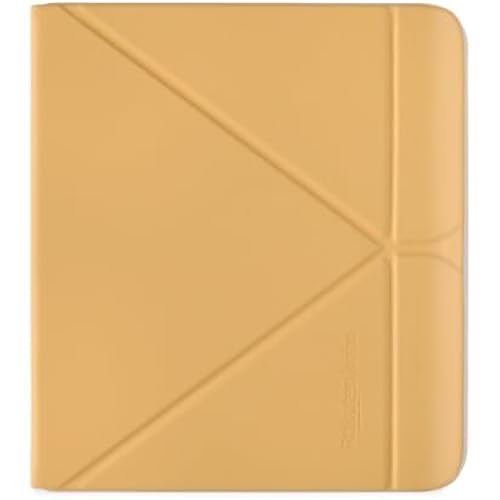
Musnap Aura C Musnap X Musnap Neo C Musnap Neo Musnap Ocean C Musnap Ocean C/Ocean Case Musnap Stylus Pen

Product Dimensions: 6.2 x 5.46 x 0.27 inches


Item Weight: 14.9 ounces


Item model number: Ocean


Batteries: 1 Nonstandard Battery batteries required. (included)


Date First Available: October 22, 2025


Manufacturer: Musnap


Frequently asked questions

If you place your order now, the estimated arrival date for this product is: Monday, Sep 7

Yes, absolutely! You may return this product for a full refund within 30 days of receiving it.

To initiate a return, please visit our Returns Center.

View our full returns policy here.

  • Klarna Financing
  • Affirm Pay in 4
  • Affirm Financing
  • Afterpay Financing
  • Zip Pay in 4
  • Financing through Apple Pay
  • Financing through Google Pay
Leasing options through Acima may also be available during checkout.

Learn more about financing & leasing here.

Top Amazon Reviews


  • Incredibly fast and responsive, power efficient, large battery, and very comfortable and ergonomic.
Color: B/W(Not Included Musnap Stylus Pen)
Incredibly fast and responsive, power efficient, large battery, and very comfortable and ergonomic. Basically the perfect Android e-reader. Nothing else comes close and checks all the boxes like this one does. I paid around 162 USD for mine before taxes/shipping with the 35% off coupon, off their 259 USD list price, and I suggest others not pay more than that, but at this price, I think this tablet is an absolute steal. It's shocking that it's literally the best in almost all criteria, and you can get it that cheap with the coupon when it's available (it comes up frequently; just check daily for it). I think the software is very good too, better than the Boox software. I find the UI simpler, more vanilla, and straightforward. It's still pretty polished too, about the same amount as Boox, although a little more feature-lite (which is a plus for me, I can download the apps I need). Developer options can be enabled but it takes a little working around with something like activity launcher but you do have root access by default once you get ADB enabled. I confirmed this comes with Android 14 which is the newest of any other android ereader of this size or smaller. Also the largest battery of any android ereader of this size or smaller. The size and weight is great, the grippiness helps a lot, and the rounder edges are super comfortable and the best part are the bezels, its super thin around the screen and most of it is one side where you would hold it which makes it much easier to hold than any of my previous boox devices. Buttons feel good, wifi works well, the frontlight is very nice, not hotspots or uniformity issues, and the colour temperature is pleasant like my kindle and kobo devices and not a weird orange or yellow like I've had with a lot of boox or other chinese brands. This is also like the only 7 inch android ereader with a recessed screen which is a huge plus, makes the text noticably clearer and higher contrast than any other device I've owned. Did I talk about how fast this is? It's insane how responsive it is. I didnt believe an ereader could be this fast. It's also siginificantly newer hardware/chipset than the boox go, which is a SD 690 and on a 2 year older samsung 8nm process (Which is really 10nm honestly). This is TSMC N6, and is more than twice as dense, which makes this not only slightly faster (the G99 it comes wiith has a lot faster memory actualy), but way more power efficient. For anyone curious this is an ireader device, but made for the global market. ireader devices are super well recieved in china if you read any of their forums you'll see how theyre usually considered the very best but usually more expensive than competitors so I'm surprised we get this for so cheap. This is essentially an ireader ocean 5C but with the ireader ocean 5 pro BW recessed screen, and we also get a much more open global version of their software. Look up reviews for those or translate user discussions as a proxy for this device if you want to see what I mean. Literally the best overall device currently in my opinion and the one to beat. I've owned a lot of boox devices, kobo, and kindle ones, I think I liked my kobo ones best until now, and the boox devices seem like junk next to this (they are also pretty cheap quality and break after only a year or two due to bulging batteries cracking their screens, google it, tons of posts on this, avoid boox if you can). This is the closest I've had to my favorite kobo and kindle devices and it does it while being faster and having the whole android ecosystem. No android device has ever gotten close like this before, and it's always felt like I've had to make tradeoffs until now. 1000% buy this if you can get it with coupon for 162 USD or cheaper (before tax and shipping). I paid $10 for shipping to Canada and it was worth it. Rakuten also has $5 cashback and would bring it down to 157 USD, or 150 USD if you managed to get a 40% off coupon. ... show more
Reviewed in the United States on July 24, 2026 by Lamim Rashid

  • The Underdog of Android E-Readers! Returned My Boox After 2 Days, Keeping My Musnap Forever!
Color: B/W(Not Included Musnap Stylus Pen)
I loved my Kindle but I was tired of feeling locked into the ecosystem. I researched Android e-readers and initially got a Boox Go 7. While I liked it, the battery life was terrible and the buttons jiggled a bit too much for only a day. I returned the Boox and kept an eye on the Musnap Ocean since it always came up in search results. Days later, I look and the store gave me a 35% off coupon to bring this to $186. At that price, I had nothing to lose. After having this for almost a full month, it's absolutely worth that AND worth the list price. The build is lightweight yet sturdy, the buttons are tactile, the 7 inch screen is sharp, and I like that it's recessed like a Kindle Basic to aid in the event of a drop. The OS isn't very glamorous but I had to fiddle way less than on the Boox to get a great reading experience. Kindle, Kobo, Nook, Libby, and BookFunnel haven't given me any problems other than getting used to the Android app versions over native devices. The front light is even and the color temperature can go as warm or cool as I need. Battery life is where this is a game changer for an Android e-reader. Musnap (and it's parent company iReader) have the ability to toggle Google Play services on and off to conserve battery life. Beyond downloading apps from the Google Play Store (and a browser app because there's not one by default), you can turn the services off after each app is setup. As someone who always keep wifi and a front light on with my Kindles, a battery that died after a day and a half on my Boox lasts well over one week with the Musnap, and that's with reading upwards of 650/700 pages and having Goodreads sync with completing books in the Kindle app. Knowing that I wouldn't have months long battery like a Kindle Paperwhite, this is still amazing. If I turned wifi and the front light off, I'd easily double the battery life. The only thing to make note of would be the lack of options for accessories. Musnap has a first party leather case and the active USI pen (I don't have but knowing the protocol, it'll be fine for a quick note at most. If you do a lot of writing, this wouldn't be the route to go). Amazon doesn't have much of any third party cases and selections elsewhere are only marginally better. If you're ok with not having certain case options and just care about having a great device, this is absolutely the dark horse among the Android e-readers on the market. Musnap if you see this, give Moko a dummy device to mold cases, especially a clear case with a detachable front cover! That's what I miss the most when not using my Kindle Paperwhite. ... show more
Reviewed in the United States on June 25, 2026 by JoseCanUC

  • Better than the Boox Go 7!
Color: B/W(Not Included Musnap Stylus Pen)
Why is it so difficult to find a black and white ereader with buttons now? The graininess of color ereaders make me feel dizzy and it’s been an ongoing struggle to find my “perfect” reader. And I’ve tried many. I have: a Kindle Paperwhite 11th gen Signature, a Kindle Basic 2024, a Kobo Libra Colour, a Kobo Clara BW, and a Boox Palma 2. The form factor of the Kobo Libra Colour is perfect for me, but that color screen is awful and Kobo doesn’t make the black and white version anymore. And buying one used costs more than a brand new KLC at this point! I also have the remote for my Kobo Clara BW, and that’s one solution to the lack of buttons, but it’s not the same. I recently purchased the Boox Go 7 and overall it was fine and I enjoyed the reading experience, but not enough to justify the price for the trade-offs. The battery wasn’t great, the corners were too sharp to hold comfortably with one hand, and the flush glass screen left weird shadows and so many fingerprints. I returned it and went back to my mix of Kindle devices + Kobo Clara BW. But I kept thinking about the form factor of the Boox Go 7 and was *this* close to biting the bullet and just paying $$$ for a mediocre experience simply for the buttons. And then I saw someone mention the Musnap Ocean as an alternative. The reviews here were great and the few I could find on social media were also great. And the device was on sale, making it substantially less than the Boox Go 7. I ordered it (and the accordion case) immediately. Total, I paid 40% less for the Musnap device + an official case vs the Boox + its official case. And the Musnap Ocean is AMAZING. It’s so much more comfortable to use than the Boox Go 7. The corners are rounded. The screen is recessed so no weird shadows or reflections or fingerprints. It feels lighter too, and the leatherette backing gives it more grip. The battery is way better and I love that I can turn Google services off and on. I only read via Kindle, Kobo, and Nook apps and any purchases I make come from my phone or laptop, so I downloaded those apps and then turned Google off. My battery has been outstanding. There are only a few things that annoy me about this device, but they aren’t huge issues: - The ability to adjust the backlight by a shortcut gesture along the edge of the screen. Boox devices and Kobo devices have this and it’s so convenient. - The ability to add more than four apps to the app bar. My Boox Palma 2 allows me to add 5. - The ability to turn off the clock and date on the home screen. It clashes with my wallpaper. I’m new to Android so maybe there is a way to do this, but I can’t find it. - The ability to completely remove default apps from the home screen. My Boox can’t do this either, so maybe it’s an Android thing again. - An option to limit the total charge. I think there’s something built into the firmware to slow charging after 90%, but I’d love to be able to totally stop it from charging to 100% with a toggle like my Palma and iPhone have. But that’s it! I would say this device is better than the Boox Go 7 and an absolute no brainer purchase if you happen to find it on sale. I’m so glad I took a chance on this device because I finally have my 7” black and white reader with buttons! (And for anyone else in deep research mode like I was, there’s also the Pocketbook Era Lite as an option, but it’s currently more expensive than this device or the Boox Go 7. I read most of my books on Libby so the Era Lite was the next device I was going to try, however I have lots of older purchases on Kindle and Nook, and new ebook purchases on Kobo. I don’t like to sideload, so an Android reader is just easier for me than Pocketbook.) ... show more
Reviewed in the United States on June 6, 2026 by JVO

  • Great e-reader....poor note taker.
Color: Color(Not Included Musnap Stylus Pen)
Looks like I'm the first non-paid review of the color tablet, so here it goes. First, in a vacuum (not considering any other products in its class), it's a real good device. Almost great. I also bought the official case and pen. I have a ton of experience with Kindle, reMarkable, and Boox devices, so I'm no stranger to e-paper. I have never used or even heard of Musnap before, but the price was too good to pass up. I've used this device for about 5 hours to read and take a bunch of notes. While I don't have a ton of battery experience, it seems to be holding up decently well. About 40% used up in the 5 hours, but that's with taking a lot of notes and 50% front light usage, which will use way more battery than reading alone. (1) Build Quality. It's very very good. The backing is super comfortable on the hands while reading. Buttons are plastic, which is fine, but don't scream quality like the back, which is the best I've felt. Really happy with the feel while reading. page turns in Google Play Books are super smooth with buttons. I just love using a device with dedicated page turn buttons. The unboxing experience is a little plain, no frills, but decently packaged. (2) Screen. It's a sunken screen, meaning it's not flush with the bezel. While some people prefer this as it better protects the screen, it makes for using the gestures and the pen (later) a little awkward. Screen is a Kaleido 3 and there are a million and a half reviews of it. It's an off-the-shelf color screen that pretty much every brand except reMarkable uses. Black and white is very crisp. Not quite as a dedicated BW e-reader, but still really good. Color is.....fine. It's decent if you don't look closely at it, but if you pixel peep, you'll see a ton of dots and dithering (transition between colors). I expected that as I've used Kaleido 3 screens in the past. Carta 1300 (BW) is still my favorite screen. It's like looking at a piece of paper. We have pretty much perfected black and white e-paper and color has some room to grow. Refreshes are fast. Color is more or less true while writing and great when refreshed. Size is about perfect for reading. Frontlight is decent. The white is too blue and the warm is not warm enough for my preference. Also, on some screens, the front light seems to flicker just a teensy tiny bit at lower brightness. I do not have any flicker sensitivity on my other devices or OLED phones. (4) Software: It looks like Musnap tried to copy Boox in the UI aspect, with key functionality missing from Boox. The OS has all kinds of grammatical errors in it, which pretty much means they just put the Chinese into a translator and that was that. The prompts are not how a native speaker would speak, and some are downright unhelpful or confusing. It's running Android 14 (confirmed with CPU-Z) which is great as that should have app support for a few more years. CPU-Z states that the manufacture of the device is Chitech and it's called the TAB-Executive. That may be what it's referred to in China or perhaps it's the "base" device that Musnap re-branded. Performance is GREAT. The interface is snappy, apps load fast, pages turn almost instantly. Never gets warm. Storage is WAY more than I would ever need in a device like this. I use Google Play Books so no local storage of books needed. 64GB is way overkill, but since it's eMMC, it's dirt cheap, so 64GB looks better in marketing and only costs pennies more than lower storages. For context, I've been using a reMarkable 2 for years to take notes and view PDFs and it only has 8GB of storage, which is fine since it runs a very basic custom Linux OS (not Android) so no apps or bloat. (5) Pen. I have never used a pen device other than an Apple Pencil that needed to be charged, which I feel will get super annoying as time goes on. I've only ever used EMR pens on e-paper tablets, and I have a bunch. It's a bit of a pain that EMR is not being used for Kaleido 3 devices. I'm sure there's a reason for it on a technical level, but it's a downgrade in terms of usability. It's very slim, like a pencil, so not super comfortable for long note-taking sessions. It does not attach to the device at all, so don't lose it! I really wish it had a small magnet in it to attach to the side, or the case had a small elastic band to hold it. The screen is "slipperier" than reMarkable 2 or Boox Go 10.3. The button to activate the eraser on the side is abysmal. I mean BAD. It's flush with the body and hard to locate when you need to quickly erase something and even pressing it doesn't engage the eraser, you need to press it RIGHT in the center. Not great. The notes app built in to the device is pretty good. Way better than the Kindle Scribe, but much worse than Boox or reMarkable. I thought I would like using a smaller "Executive" notebook, but with the sunken screen and the size alone, you can't get more than a few sentences and need to add pages. There's no infinite scrolling like reMarkable and Boox. You get about 10 lines per page and that's that. Huge letdown. Further, there's not easy way to sync notes as there's no cloud storage option like reMarkable or Boox or even a way to sync with your own cloud service, like Boox. Notes just sit on the device and you have to manually export PDF/images of your notes. Not ideal. I then tried OneNote app. While it works, the experience is not fluid and while it solves the syncing issue, it is a big step down from the stock Notes app. This is not a good note-taking device. (6) Case: Case is very nice and recommended if it goes on sale. I'm not sure I'd pay the full asking price, but it makes for a nice companion. Auto sleeps/wakes nice. However, the button cutouts still activate the buttons. I don't think this wakes the device, but just know that if you put the case in a backpack, it may press the buttons while you travel. Not a huge deal for me, but may be for you. (7) Summary: will I keep it? Tough to say. I think I will just for reading, but I certainly would not pay the full MSRP they are asking for. I was able to use a coupon for a substantial discount, which makes it way more compelling of a deal. Full price is more than the Boox Go 7 Gen 2 which is a much better device and what I'd recommend if you're in the market for a 7" color e-paper tablet with Android. I'm probably going to return the pen and keep the device and case just to read. I use Google Play Books so all of my books are cross-device compatible and synced (tablets, phones, computers, etc.). I keep a reader by my bed and in my work/go bag. I'm rating this a 3.5/5, but upping to a 4 purely for the absolute joy it is to use while reading and the performance. Do NOT get this with the intention of taking notes. It is an afterthought on this device. ... show more
Reviewed in the United States on December 31, 2025 by J H

  • Musnap Ocean is so underrated. Great Device.
Color: B/W(Not Included Musnap Stylus Pen)
My previous eink readers were all Kindle over the past 20 years. I do enjoy touchscreen but also physical side buttons. This side buttons on the Musnap Ocean can be configured with a short and long click for a multitude of functions. I chose page fwd and backward. The buttons are on the side instead of the bottom, which is super comfortable for me. I have turned off page lock and now when hold it with my other hand it rotates the screen automatically. I chose the BW version, as i do not read comics or manga and have other options available if I need to see some colors. Downloading the reading apps, eg. the Kindle app was easy via the google app store. I can still follow and support some of the authors i follow that are only in the Amazon Ecosystem for ebooks. The device is light and comfortable to hold for long periods of time. It powers onward quickly and I can adjust the brightness to my liking if needed. It is a 7inch screen which is a great size for me right now. I could not yet test out the longevity of the battery life as I am still playing around with the settings. I was able to upload my own pretty screensavers without having to pay extra $$$ for the functionality. the 64gb storage is more than adequate for me. Though for manga and comic readers or users with large pdfs might be missing the microSD card slot that other devices have. though for me not an issue. I have the BW model as I have other options for color reading and i only read books. The Musnap Ocean has several other functions that I could use if needed but I only use it as an ereader. I was able to get the device with a 35% off coupon attached which only sweetened the deal. The screen is recessed and at present I do like it. I love the flexibility this ereader gives me and i do not have to be locked into one ecosystem. So far, very very happy with. I am hoping this ereader gets more love and in the future more options for cases/covers. I ended up getting a sleeve for the ereader ... show more
Reviewed in the United States on July 26, 2026 by ancameni

  • Best value color ereader
Color: Color(Not Included Musnap Stylus Pen)
If anyone is interested in this device, do not buy it at normal price, and get it while it is on sale. With the coupon, this is a great color ereader for the price. It has settings to switch between color and only black and white on the display, which I love. I bought this to upgrade from my old kindle from 2013, and compared to that kindle, this device is amazing! Because it runs android, all my books are accessible on this device, not just my Kindle books. My only issue is that the page turn buttons on this device do not work while reading on amazon, you have to tap the screen to turn pages. The page turn buttons only work on books side loaded onto the device. Chrome and the Google Play store are also available on this device and load great options to get my books, but there is a lot of ghosting while scrolling. So if you're looking to scroll the Internet or watch videos, this device is not for you. The reading quality is great on this device, even for comics/manga, which was a nice surprise. Compared to my phone, reading manga has become much easier. This device is also very nice to hold, as it is made of plastic and has a leather like finish on the back, which makes this device very light. I almost didn't want to buy a case for it because of how nice the reading experience was out of the box. I did get a case, but not the official one. I found that a universal tablet case for a 7-8.5in tablet that hooks onto the corners of the device fit just fine. I got this kind of case for the device because I also bought the stylus and wanted to be able to attach it to the tablet, as the official stylus is not magnetic. For my needs, with the official stylus, the notetaking features available on this device are great. You can adjust the type of digital pen, line thickness, and even the color! Just be aware that if you write too fast, there may be a delay with the writing showing up. It doesn't bother me though since I only wanted the notetaking features for planning/scheduling. This would not be good for notetaking in a fast environment such as school/work, as I noticed the battery drains a little faster when using the notes/annotating. The feel of the stylus on the screen is a very smooth experience as well. It is not rubbery or scratchy. However, it does not have a paper-like feel. The writing feels more like a smooth ball-point pen. When using the notes app, multiple pages need to be used if writing a lot, as the pages are limited to the size of the screen. The screen itself feels sturdy and protected with it being sunken in, and also makes it nice to hold. I do keep microfiber cloths on hand to wipe the screen occasionally, as when I have the device on a higher brightness, the screen picks up a lot of my fingerprints and makes them very noticeable. I don't really use the brightness functions very often, as I find it a little too bright. The regular screen with just a couple notches of brightness is good enough for me. I chose this device because it is available on amazon that actually has a customer service to make my purchase feel more secure should I have any issues. All the other options similar to this one that are available are much higher priced, are on a platform not on amazon, and their official sites have customer service that seem non-existent. With the coverage add-on offered by Amazon for this device, it makes this device a great investment long term. ... show more
Reviewed in the United States on January 8, 2026 by 4ajashley

  • Great little device, especially for the price
Color: B/W(Not Included Musnap Stylus Pen)
Coming from a Kindle Scribe, I wanted something smaller that could run KOReader but also take notes and draw diagrams on occasion. The device is light but feels solid and the faux leather on the back has a nice premium feel. I like the physical page turn buttons on the side which can be remapped in the settings. The customized version of Android gets out of your way, providing options to make the home screen look like an e-reader or a normal Android device. It has Google Play Services available as a toggle to enable Google Play, which I used to install Firefox and then used Firefox to download and install KOReader. The system-wide gestures are easy to learn, like swiping down from the top left to quickly toggle backlight, or from top right to access system toggles like airplane mode. The battery life is good though I'm mostly leaving it in airplane mode, enabling Wi-Fi just to let Syncthing fetch books from my other computer. My only complaint is that the pen has no magnet or way to stick to the device without using a case like the Kindle Scribe could. ... show more
Reviewed in the United States on June 15, 2026 by j

  • Excellent value for money
Color: B/W(Not Included Musnap Stylus Pen)
Very impressed by this ereader. It replaced my former now turning purple Kindle Oasis. I do miss the ergonomics of the Oasis, but the screen on the Ocean is much improved. Google play integration was seamless and I was able to set most of my reading apps set up to be compatible with the page turn buttons. If you have your own collection of books/manga then the built in reading app handles almost all formats perfectly. The page turns are very snappy, and you can set for a full refresh on every page turn if you want the clearest image possible. Overall the device feels much quicker than the boox devices I've used recently. The newer MediaTek chip never seems to chug. The display is a bit special. Much like a similar Kobo product, it has a sunken display, so no additional glass layer meaning slightly clearer text. The downsides I've found so far are a few translation errors in the menus, just weirdly phrased. Also non expandable storage is a big bummer. The build quality is nothing to write home about but i'll probably get a case anyways. I don't have the pen and don't intend to use it, so I can't speak to the writing or note taking capabilities. Overall, at a price similar to a paperwhite without ads when a coupon is available, less expensive than the old oasis, even backlighting with warmlight, and Carta 1300 makes this a very reasonable priced option. ... show more
Reviewed in the United States on February 19, 2026 by Ben

Can't find a product?

Find it on Amazon first, then paste the link below.
Checking for best price...