⚡️Black Friday Deals Are Live! Shop Deals
Search  for anything...

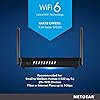
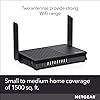
NETGEAR 4-Stream WiFi 6 Router (RAX15) - AX1800 Wireless Speed (Up to 1.8Gbps) | Up to 1500 sq ft Coverage & 20+ Devices | Ideal for iPhone 11, Samsung Galaxy S20

Based on 1,533 reviews
Condition: Used - Like New
Checking for the best price...
$127.99
Black Friday Deal · 54% off was $279.99

Buy Now, Pay Later


As low as $21.33 / mo
  • – 6-month term
  • – No impact on credit to apply
  • – Instant approval decision
  • – Secure and straightforward checkout

Ready to go? Add this product to your cart and select a plan during checkout.

Payment plans are offered through our trusted finance partners Klarna, Affirm, Afterpay, Zip, Apple Pay, and Google Pay. No-credit-needed leasing options through Acima may also be available at checkout.

Learn more about financing & leasing here.

Free shipping on this product

This item is eligible for return within 30 days of receipt

To qualify for a full refund, items must be returned in their original, unused condition. If an item is returned in a used, damaged, or materially different state, you may be granted a partial refund.

To initiate a return, please visit our Returns Center.

View our full returns policy here.


Availability: Only 1 left in stock, order soon!
Fulfilled by NetBetShop

Arrives Dec 1 – Dec 3
Order within 16 hours and 49 minutes

Available payment plans shown during checkout

Protect Your Purchase

Easy claims online, fast replacements, no fees

Checking for protection plans...

At a glance

Condition
Used - Like New
Model
RAX15-1AZNAS
Weight
2.1 lb
Color
Black
Special Feature
WPS
Frequency Band Class
Dual-Band
Wireless Compability
802.11ax
In the box
4-Stream AX1800 WiFi 6 Router (RAX15)Ethernet cableQuick start guidePower adapter
Warranty
1-year warranty
Works with
Gaming Console, Laptop, Smartphone

Features 8

  • Compatibility: Works with existing Wi-Fi devices and new Wi-Fi 6 devices like iPhone 11, Galaxy Note 10, Galaxy S10
  • 4 simultaneous streams: Provides more capacity so more devices can use Wi-Fi at the same time.
  • Wired Ethernet ports: plug in computers, game consoles, streaming players, and other nearby wired devices with 4 x 1 gigabit Ethernet ports. System requirements: Microsoft windows 7, 8, 10, vista, xp, 2000, mac os, Unix, or Linux and Microsoft internet explorer 11 or higher, Microsoft edge, Google Chrome 55 or higher, Firefox 45 or higher, Safari 10 or higher
  • Loaded with advanced technology: Designed with a quad-core processor, 2 amplified antennas, Beamforming+, OFDMA, Alexa Voice Controls, and more.

Description

The NETGEAR 4-stream AX1800 Wi-Fi 6 router built with the latest generation Wi-Fi 6 technology provides greater capacity to handle more devices on your network and speeds up to 1 8Gbps ensuring that you can enjoy blazing fast Internet connections on all your devices This next-gen router is recommended for a small to medium home up to 1 500 sq. Ft with 20 or more connected devices.

Specs 38

Brand NETGEAR
Model Name RAX15-1AZNAS
Special Feature WPS
Frequency Band Class Dual-Band
Wireless Communication Standard 802.11ax
Recommended Uses For Product Home
Connectivity Technology Ethernet, Wi-Fi
Color Black

Frequently asked questions

If you place your order now, the estimated arrival date for this product is: Dec 1 – Dec 3

Yes, absolutely! You may return this product for a full refund within 30 days of receiving it.

To initiate a return, please visit our Returns Center.

View our full returns policy here.

  • Klarna Financing
  • Affirm Pay in 4
  • Affirm Financing
  • Afterpay Financing
  • Zip Pay in 4
  • Financing through Apple Pay
  • Financing through Google Pay
Leasing options through Acima may also be available during checkout.

Learn more about financing & leasing here.

Top Amazon Reviews


No Surprises
The RAX15 replaced an aging WNR3500Lv2 which served me well but being almost 10 y/o it was approaching the end of its useful life. I didn't bother with the silly smartphone app that wants your email so that Netgear can send you spam and used a browser on a PC to set it up through http://192.168.1.1 and a wired connection but I think you can also do it over wifi after connecting using the SSID/login information on the affixed label. The built-in web admin interface is much the same and familiar as in the router it replaced which is a good thing. Yes there is no https support for the admin web-interface but while paranoia can get high in reviews it doesn't really matter for most home users, I certainly couldn't care less. Took me little time to set up WAN/LAN/WIFI and all is good. Not a router's fault but the 5GHz is a bit of a disappointment as the signal degrades pretty quickly with distance and walls in between and the data speed further away is not better than that over 2.4GHz but having two networks and more summed bandwidth allows to spread it over all the devices considering their location so it is an improvement overall and the 2,4GHz signal is solid. Surprisingly wired connection appears to be about 10% faster than the old router based on internet speed tests not that it matters much. Didn't try VPN or any of the advanced firewall features so can't comment on those. My only reservation is super bright LEDs that are painful to look at, I guess it is not a problem that a piece of electric tape or a Sharpie can't fix and there is also a setting to turn them off, all except the power LED. Doesn't run hot. Seems to be a solid no-frills entry level router without stupid Sci-Fi looks and 25 antennas that should serve most households well with support for future AX devices. Price was reasonable with the $50 discount Amazon had when I bought it, hope it is going to last. ... show more
Reviewed in the United States on May 22, 2020 by Valdemar

better then the other guys
i prefer this over the TP Link one i tried that could not last 3 months this one i have had for 6 years and the only thing i had to do was replace the thermal pad for new thermal paste till i can find a better pad for it the only thing i dislike is there is no more updates for it and no updated model that i can see maybe i over looked it but oh well i got this and it kicks butt ... show more
Reviewed in the United States on March 20, 2026 by christopher j mashike

Great speed, Great range. App for set up can be a little better.
Replaced my Apple airport express with the rax-15. So far it’s very impressive, I was only getting 70 mpbs max with the airport. We have 200mbps with spectrum. Now I’m getting about 225mpbs. The set up is fairly easy. I gave it 4stars because app doesn’t want to work and constantly tells me my info is wrong when logging in. The 2.4GHz has crazy range. I adjusted the power because it goes all the way to the st and I don’t want that. The pic shows the difference in speed. The 1mpbs is literally on the side walk. Lastly the 2.4GHz is running 100mpbs more then enough for most people. Will update in a few months. ... show more
Reviewed in the United States on July 10, 2020 by J daniels

who broke the reset button? used like new???????
Unit worked initially, until I tried to set up wi-fi on my phone. Had errors and called Netgear. Needed to use paper clip to reset unit. The RESET BUTTON never worked. Paid 17.00 shipping to have another reconditioned unit to replace my used like new from AMAZON. Bottom line I still get internet thru my modem, not through netgear router. no wi-fi, just ethernet. ... show more
Reviewed in the United States on February 17, 2021 by Davidb2

I hate Spectrum
My family has been renting a router from Spectrum for maybe 6 years. And that piece of junk only got 50MB down and even worse when there was more traffic during the evening. Paying for a 75MB down plan. One day my father decided to switch it in for an "upgraded" router because Spectrum sent out an email saying to do so. That was the day I taught him, "If it ain't broke don't fix it". The Next 2 weeks with the new router they gave us was a piece of junk that would disconnect every few seconds. So you couldn't watch Youtube, Netflix, let alone hold a connection. Fed up I bought the NETGEAR, its been AMAZING. Even though our plan is only 75MB down, our speeds are now 200+ DOWN! The wifi has been great too, it offers 2.4 and 5G. The set up was VERY EASY. Just pop it in, download the app and follow the instructions. ... show more
Reviewed in the United States on September 16, 2020 by Kuhaku

Mine was defective
I had to return this because the one I got was defective. It would drop devices and the lights would turn orange. I don't mean that the devices would lose the 5 GHz signal, and we'd need to switch to 2.4. I mean, we'd be sitting 8 feet in front of it, and the device would suddenly not be connected to the network. The 5 GHz signal also didn't make it very far. I measured with a measuring tape, and from the router on one side of the wall, to my laptop on the other side of that wall in the kitchen, is 10.5 feet. If I left the smart-connect type setting on, my laptop dropped the 5 GHz network and connected to 2.4; if I deselected that setting so that it didn't switch automatically, the wifi signal dropped down to 2 or 3 bars on my wifi icon. It still worked, but 10.5 feet is a pretty short distance to lose signal strength. It didn't work at all upstairs, only the 2.4 GHz worked. Our house is not big, this router should be the one that suits us, but it just didn't work. The signal was so weak and unreliable. The person who recommended this one to me said that routers shouldn't behave like that, where they would just boot devices off the network for no reason, so it must be a defective unit. My sons would be sitting on the couch in the same room as the router, 9 feet away from it, playing Minecraft together on wifi-only iPads. Then I would hear, "Why did you get out of the world? Now I can't get in." "I didn't! I don't have wifi--something happened." I'd have to restart the router, and it wouldn't last the day. Also, the app you need (and the website, because you need BOTH to be able to adjust the settings), is simple and clear, but takes forever to connect. I mean, open the app, make a cup of coffee, add your cream, wash your hands, check your email, then see if the app has connected to the router yet. It probably hasn't. It just takes so long. I have a super old router that is about ready to give up, which is why I replaced it with this one. But it connects to its app in seconds, and doesn't kick any devices off the network. It occasionally needs to be restarted, but once every few months is a lot better than a few times a day, especially when I can connect to it when I need to, and not just when the stars align just right and the moon is full. Still searching for a replacement router, but I won't try this brand again. ... show more
Reviewed in the United States on July 15, 2020 by JessB

So far, so good!
It just arrived today. I set it up with no issues (I didn't try to use the NightHawk app). In fact, it was very easy! Our house isn't large, but it is three floors (basement, ground floor, upstairs). The router is in the basement, and we get a good strong signal even upstairs. It's only the first day, so we'll see whether it keeps doing well, but so far, so good! Also, after seeing reviews complaining that all that it comes with in the way of documentation is the quick start guide, I went to Netgear's site and downloaded the full manual, which is very helpful! I recommend doing so. Also, to the person who said that the description should be changed because it "doesn't have the USB port," it does. It's not on the back with the Ethernet ports, it's on the side. ... show more
Reviewed in the United States on May 25, 2020 by SidheWolf5

Terrible Wifi Signal, App needs more features
I typically like Netgear products to be a good bang for your buck, with features and reliability for the price point. I "upgraded" from my 2012 Netgear N300 router, to not only get AC, but also AX transfer speeds with my applicable devices. Sadly, the broadcast signal on this router, even with its external antennae, that it can't even cover my 800 square foot 2-Bedroom home. Signal to the back bedroom constantly drops, has a max transfer speed of of 25Mbps to a a Wireless AC device. My laptop has a Wifi 6 AX card in it, and still has heavily compromised connectivity. Basically, I need to return this router, and get a RAX80 (except I don't have the budget to do so).... I get that the RAX15/RAX20 are budget models, but they should have stronger signal than just a single room! Maybe if this were mounted to the ceiling of my kitchen (which is center room of the house), the signal would cascade nicely. The Nighthawk phone app scanning the Router QR Code was totally unsuccessful at the initial setup (several attempts). Old fashioned Laptop to Ethernet, Routerlogin.net portal is what got me up and running. The app works once operational, but is totally limited on settings, making it necessary to use the Routerlogin portal. Fortunately, the web portal is intuitive, and has lots of settings. The strength of the app though is the ability to monitor network channel congestion, so the user can set the router to the best channel ("Auto" doesn't pick the best channel, shocker). What this little router does do well is handle a 10-20 smart-plug, smart-bulb, smartphone, TV, Roku, Chromecast, Laptop, etc devices simultaneously (as long as they are within close enough proximity). Even for a budget model, it's processing power is decent. ... show more
Reviewed in the United States on September 16, 2020 by SideRetired
Checking for best price...