Search  for anything...
msi

MSI MPG Z390 Gaming Edge AC LGA1151 (Intel 8th and 9th Gen) M.2 USB 3.1 Gen 2 DDR4 HDMI DP Wi-Fi SLI CFX ATX Z390 Gaming Motherboard

  • Based on 2,004 reviews
Condition: Used - Very Good
Checking for the best price...
$220.00 Why this price?
Holiday Deal · 47% off was $413.99

Buy Now, Pay Later


As low as $36.67 / mo
  • – 6-month term
  • – No impact on credit
  • – Instant approval decision
  • – Secure and straightforward checkout

Ready to go? Add this product to your cart and select a plan during checkout.

Payment plans are offered through our trusted finance partners Klarna, Affirm, Afterpay, Apple Pay, and PayTomorrow. No-credit-needed leasing options through Acima may also be available at checkout.

Learn more about financing & leasing here.

Selected Option

Free shipping on this product

This item is eligible for return within 30 days of receipt

To qualify for a full refund, items must be returned in their original, unused condition. If an item is returned in a used, damaged, or materially different state, you may be granted a partial refund.

To initiate a return, please visit our Returns Center.

View our full returns policy here.


Availability: Only 1 left in stock, order soon!
Fulfilled by M&D Discounts

Arrives Wednesday, Dec 17
Order within 14 hours and 23 seconds
Available payment plans shown during checkout

Protection Plan Protect Your Purchase
Checking for protection plans...

Style: MPG Z390 Gaming Edge AC


Pattern Name: Motherboard


Features

  • Supports 9th i9-9900K, i7-9700K, i5-9600K and 8th Generation Intel Core / Pentium Gold / Celeron processors for LGA 1151 socket
  • Supports dual channel DDR4 Memory, up to 4400(OC) MHz; DIMM Slots: 4.Operating system: Support for Windows 10 64-bit
  • 2x TURBO M.2, Intel Optane Memory Ready, Turbo USB 3.1 GEN2; USB 2.0 ports (Front): 4
  • MYSTIC LIGHT: 16.8 million colors / 29 effects. Connect RGB or RAINBOW LED strips with addressable headers and create an RGB gaming PC. Control Mystic Light SYNC enabled products
  • Built for high-performance gaming - Extended heatsink, ATX form factor ready for multi-GPU

Description

GAMING motherboards offer the best possible gaming experience. Outsmart and outperform your opponents in-game using an array of unique MSI GAMING tools. Clever hardware & software tools, created to keep you one step ahead of the competition and boost your skills. This MSI GAMING motherboard supports all the latest storage standards. This allows you to connect any ultra-fast storage device, giving you in-game benefits. Start games faster, load levels faster and have a real advantage over your enemies.

Brand: msi


CPU Socket: LGA 1151


Compatible Devices: Personal Computer


RAM Memory Technology: DDR4


Compatible Processors: 8th Generation Intel Core, 9th Celeron, Pentium Gold


Chipset Type: Intel Z390


Memory Clock Speed: 4400 MHz


Platform: Windows 10


Model Name: MPG Z390 GAMING EDGE AC


CPU Model: Pentium


Processor: ‎pentium


RAM: ‎DDR4


Memory Speed: ‎4400 MHz


Wireless Type: ‎802.11a/b/g/n/ac


Number of USB 2.0 Ports: ‎2


Brand: ‎msi


Series: ‎MPG Z390 GAMING EDGE AC


Item model number: ‎MPG Z390 Gaming Edge AC


Item Weight: ‎3.3 pounds


Product Dimensions: ‎9.6 x 12 x 9.5 inches


Item Dimensions LxWxH: ‎9.6 x 12 x 9.5 inches


Number of Processors: ‎1


Computer Memory Type: ‎DDR4 SDRAM


Manufacturer: ‎MSI Computer


Is Discontinued By Manufacturer: ‎No


Date First Available: ‎October 1, 2018


Frequently asked questions

If you place your order now, the estimated arrival date for this product is: Wednesday, Dec 17

Yes, absolutely! You may return this product for a full refund within 30 days of receiving it.

To initiate a return, please visit our Returns Center.

View our full returns policy here.

  • Klarna Financing
  • Affirm Pay in 4
  • Affirm Financing
  • Afterpay Financing
  • PayTomorrow Financing
  • Financing through Apple Pay
Leasing options through Acima may also be available during checkout.

Learn more about financing & leasing here.

Top Amazon Reviews

  • A Great Board with all the features that matter.
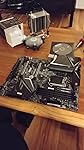
Update: So my family pulled a fast one on me and now I have a 9900k on this board. I was a little nervous that the VRM wouldn't be able to handle that chip, but thankfully that wasn't the case. This board handles the 9900k at whatever MCE MSI runs just fine. Good air flow keeps the temps on the board to 50 C or below. TweakTown did a very good review of this board if you want a professional opinion. I still highly recommend this board. I just built a new rig and used this mother board. Since it still doesn't have any reviews to let you know what you're getting into here you go. Functionally the Edge AC is the same as the Pro Carbon AC. It doesn't have the heat sink over the lower M.2 or as much RGB, but everything else is exactly the same. The board runs very well and cool. I have been stress testing the cpu without an overclock and keeping an eye on the component temps. With good airflow no component got over 50 C with the only exception being the CPU of course. The BIOS makes sense and is easy to navigate in either mode. You don't lack for headers and ports of all types. At the top of the RAM slots White LEDs tell you if your RAM is recognized, and a Red LED just to the right of those lets you know at a glance if you have XMP active. There is a slight amount of RGB on the right Edge of the board, but it's so subdued you don't notice unless you're looking for it. The build quality of the board is very good and it should last as long as you need it to. This is a great motherboard and I will be starting overclock testing soon and will update this review if I find anything new to report. To conclude, buy this board if you don't care about flash and just want all the preformance and function of the Pro Carbon at $30 - $40 less price. UPDATE: I have been running a very stable 4.9 Ghz OC on my 8700k for the last couple weeks. Board temps accually dropped to 40 C when I stopped using the auto core enhancement and started to do manual overclocking. This is because the MSI version of MCE was taking the voltage upto 1.41v (which is on the very high end of safe voltage for most CPU's and can shorten it's lifespan) and my settings have it down to 1.3v. If you have or are thinking of buying this board, and have a K series chip to match, spend the time to learn and run your own manual overclock rather than let the board do it. You can get better performance, possibly improve longevity, and lower power usage with just a few hours spent doing the research and adjusting settings. ... show more
Reviewed in the United States on October 26, 2018 by Just a Nerd

  • Ran into some issues..but is working fine since Oct of 2018
When I first purchased this product it was DOA. Amazon sent a replacement immediately. It was disheartening at first, but I was glad to get the replacement. Following this, I have had several issues with the motherboard. I am an avid computer nerd with tons of experience building PC's. When I first installed this board it took quite sometime to get Mystic Lights working. There are BIOS update's and Software Version match ups that need to be aligned in order to get this to function properly. Ultimately I ended up using a 3rd party RGB LED setup, but mystic light does work despite the many hours I had to put into it to function properly. Following this, fast forward to these days, now I am having Audio Driver issues. I don't know if it is a problem with windows v1909 or what, but no longer is any of my onboard audio ports being detected. Realtek/MSI is now working the Nahimic or something and it's an audio disaster. I am going on two days with no on board audio. I have no issues with USB installed head phones, but head phone jacks, audio jacks, mic jacks are no longer being detected with the latest driver releases. I am still troubleshooting this. I always opt for MSI for everything, from monitors to GPU's and this has been the most troublesome thing I have ever experienced with MSI so far. If I cannot get this to work I will be really saddened with MSI, so I will post if I do get audio back. This is my 5th personal MSI build and the most troublesome. I will be in contact with MSI if MS10 v1909 and Nahimic drivers do not work. So in all, Mystic Light only works with Certain BIOS versions and Mystic Light Version can take time to setup properly with appropriate BIOS version. New audio drivers with Nahimic is a huge disappointment and not user friendly. (Also at the time of this review not functioning at all) Outside of these two issues, audio was working fine prior to the new Nahimic Audio Driver Implementation. Everything seems to work as presented, all in all this is an excellent Mobo. Just make sure you are willing to put some time into troubleshooting and setting things up. This is MoBo is not very user friendly. I would definitely recommend this product to all MSI fan boys like myself. My last gripe is MSI Live Update | MSI, please fix this application. Despite registering and downloading updates it is really buggy software in general. ... show more
Reviewed in the United States on April 3, 2020 by Chris

  • Quality motherboard, plenty of plugins, nice subtle lighting, feels sturdy
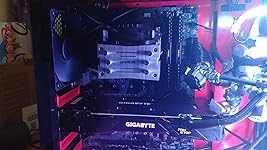
Likes: - Wifi and ethernet worked out of the box, so I didn't have to have a separate computer to download drivers on, and then put them on a flash drive, then install on the new PC. It also came with a driver CD but who has CD drives these days. Downloading drivers from MSI's website was super easy too - Board felt super sturdy, I've had some boards bend slightly when I'm pushing the CPU cooler or GPU into place, but this one felt pretty firm. Not too important outside of installation, but I think it's nice. - Came with a manual that described all the plugins in detail. Actually helped me learn about some new parts like M.2 memory, and different lighting/fan options. - So far, all USB, audio, and PCIE ports are working great! - Holds a 1070 with 3 fans on it without any sagging Overall, I think it's a great board. I haven't done any overclocking since all the parts are so new, games all run great even without it so I haven't felt the need. It looks like it's very easy to do in the BIOs though. - Has some subtle back lighting which can look nice if the rest of the case isn't drowning out the light. Negatives: - The only negative I have is the heatsink over the back panel is a tad big, and was a tight fit behind the rear fan in my case. It still fit though, so not a huge deal. I'm really just reaching for negatives here. ... show more
Reviewed in the United States on January 26, 2019 by Jason Krein Jason Krein

Can't find a product?

Find it on Amazon first, then paste the link below.
Checking for best price...