


Search  for anything...

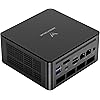
MINISFORUM UM890 Pro Mini PC AMD Ryzen 9 8945HS(8C/16T, up to 5.2GHz) 64GB DDR5 1TB PCIe4.0 SSD, 2xUSB4(PD 8K)|1xHDMI|1xDP Four Outputs, 2x RJ45, BT5.2 4xUSB3.2 AMD Radeon 780M Graphics Micro Computer

  • Based on 87 reviews
Condition: New
Checking for the best price...
$929.90 Why this price?

Buy Now, Pay Later


As low as / mo
  • – Up to 36-month term if approved
  • – No impact on credit to apply
  • – Instant approval decision
  • – Secure and straightforward checkout

Ready to go? Add this product to your cart and select a plan during checkout.

Payment plans are offered through our trusted finance partners Klarna, Affirm, Afterpay, Apple Pay, and PayTomorrow. No-credit-needed leasing options through Acima may also be available at checkout.

Learn more about financing & leasing here.

Selected Option

Free shipping on this product

FREE 30-day refund/replacement

To qualify for a full refund, items must be returned in their original, unused condition. If an item is returned in a used, damaged, or materially different state, you may be granted a partial refund.

To initiate a return, please visit our Returns Center.

View our full returns policy here.


Availability: In Stock.
Fulfilled by Amazon

Arrives Thursday, Mar 26
Order within 50 minutes
Available payment plans shown during checkout

Protection Plan Protect Your Purchase
Checking for protection plans...

Style: UM890 Pro(64+1T)


Features

  • Ryzen 9 8945HS ProcessorMINISFORUM UM890 Pro Mini PC is an ultra-thin processor manufactured using a 4nm process with the Ryzen 8000 series AMD ryzen 9 8945HS CPU equipped with an AI engine. With 8 Cores and 16 Threads, the standard clock speed is 4.0GHz, and the max boost speed is up to 5.2GHz.
  • Powerful GraphicsUM890 Pro Desktop computer adopted the latest Zen 4 architecture, Cinebench shows up to 14% improvement in single-core performance compared to the previous generation ZEN 3+ architecture. Featuring the AMD Radeon 780M with the revolutionary AMD RDNA 3 architecture that powers the next generation of AMD graphics on the GPU, it is designed for next-generation efficient high-performance gaming.
  • 8K Display OutputThis Micro PC equipped with 2x USB4(8K@60Hz), 2xHDMI(4K@120Hz) and 1x USB4(4K@60Hz) and 1x DP(4K@60Hz) outputs, supporting multi-display with 4K and 8K displays. Provide you with a bigger and wider field of view and improve your work efficiency. [USB4 PD] Can drive a 15w mobile display with a single cable via the USB4 interface. *If your monitor is overclockable, it supports up to 4K@160hz in 4K mode when using HDMI.
  • Two 2.5Gbps LANIt comes with Two 2500Mbps Lan Port, and expand its functions and improved performance of computer to a large extent and allows you to use more networks such as software routers (OpenWRT / DD-WRT / Tomato etc.), firewalls, NAT, network isolation etc. It supports Auto Power On, PXT Boot, WOL, RTC Boot etc, just need you to send it in the BIOS.
  • OCulink SupportThis UM890 Pro was equipped with the industry's first OCulink port. OCuLink is a standard for externally connecting PCI Express, the speed is PCIe4.0 x4=64G. With this port, you could install external GPU with faster support speeds compared to Thunderbolt 4 and USB4. Note: *Non-hot-swappable, OCulink requires one M.2 2280 PCIe4.0 SSDslot*.
  • Large CapacityDDR5 64GB(32GB*2) memory + M.2 2280 1TB PCIe 4.0 SSD(up to 2TB) has been preinstalled, but you could expand the SSD to 2TB by yourself to enjoy the fun of DIY. There is another M.2 2280 PCIe4.0 SSD slot(up to 2TB), you can customize it as you like without worrying about running out of space and easily&stress-freely to store movies/digital camera photos.

Brand: MINISFORUM


Operating System: OS


CPU Model: AMD R Series


CPU Speed: 4 GHz


Graphics Card Description: Integrated


Graphics Coprocessor: AMD Radeon™ 780M(Graphics Frequency 2800MHz)


Memory Storage Capacity: 64 GB


Specific Uses For Product: Business, Education, Everyday Use, Office and Home Work, Multimedia, Video Conference,Home Theater, Digital Signage, Video Conference See more


Personal computer design type: Mini PC


Screen Size: 25 Inches


Standing screen display size: ‎25 Inches


Screen Resolution: ‎3840 x 2160


Max Screen Resolution: ‎3840 x 2160 pixels


Processor: ‎4 GHz amd_r_series


RAM: ‎64 GB DDR5


Hard Drive: ‎1 TB SSD


Graphics Coprocessor: ‎AMD Radeon™ 780M(Graphics Frequency 2800MHz)


Chipset Brand: ‎AMD


Card Description: ‎Integrated


Wireless Type: ‎802.11ax, Bluetooth


Number of USB 3.0 Ports: ‎4


Brand: ‎MINISFORUM


Series: ‎DeskMini


Item model number: ‎DeskMini


Hardware Platform: ‎PC


Operating System: ‎OS


Item Weight: ‎3.54 pounds


Package Dimensions: ‎7.13 x 6.34 x 4.72 inches


Color: ‎Black


Processor Brand: ‎AMD


Number of Processors: ‎8


Computer Memory Type: ‎DDR5 SDRAM


Hard Drive Interface: ‎PCIE x 4


Hard Drive Rotational Speed: ‎5600


Date First Available: July 18, 2024


Frequently asked questions

If you place your order now, the estimated arrival date for this product is: Thursday, Mar 26

Yes, absolutely! You may return this product for a full refund within 30 days of receiving it.

To initiate a return, please visit our Returns Center.

View our full returns policy here.

  • Klarna Financing
  • Affirm Pay in 4
  • Affirm Financing
  • Afterpay Financing
  • PayTomorrow Financing
  • Financing through Apple Pay
Leasing options through Acima may also be available during checkout.

Learn more about financing & leasing here.

Top Amazon Reviews


  • Fantastic Mini-PC and Excellent Customer and Technical Support - What's Not to Like...
Style: UM870Slim(32+1T)
Update 7/4/2021 TPM 2.0 - is a new requirement for Win11 when it's released this fall. Minisforums engineering released a new BIOS/EUFI update that enables TPM. I am running the developers Win11 release and no compatibility problems have surfaced at all. So this HM50 is Win11 ready... ........................original post............................ Plenty of reviews out there on bloggers sites and on YouTube that provide technical details and stress testing the AMD Ryzen 5 4500U CPU and the AMD GPU. It scores very well in all the tests and is certainly no laggard by any means. It is still used in new name-brand laptops today so it's not outdated at all and runs like a scared cat. I've done my own non-scientific torture tests that go well beyond what I expected from this mini. I have three 24" 1080P monitors connected and brought up 3 different 1080P streaming videos - one on each monitor - all running at the same time. I had Netflix, Amazon Prime and YouTube video's all running and then looked at the Task Manger Performance tab and this mini was not even breaking a sweat. CPU at 17%, Memory at 4.8GB/15.4 (31%), GPU at only 7%. While all those were running, I brought up Lightroom 6 and started editing a photo as well Photoshop and the GPU usage went to 10%, CPU to 20% and Memory 5.5/15.4GB (36%). I then opened a word document in Libre Office, started a couple of app's (email and newsgroups ) and could not see any difference in the numbers. Still way below what one would consider high usage for any resource. I also tested both Ethernet ports (1GB and 2.5GB) as well as the wireless systems and they all work. I have 300MB/300MB service and the WiFi worked at spec. Not a single glitch... Certainly way more stuff going on than I would ever have normally running but... I'm also evaluating it as a replacement media / signage controller for a clients business with multiple monitors. This mini is now my daily driver and It has replaced a workstation I have that has dual graphics cards, 32GB of memory and 9 hard drives - all which made it an excellent room heater. With all the fans and hard drives spinning - it made some noise as you can imagine. I seriously doubt I will never need more power or capabilities than what this HM50 provides. I have 3 USB (4TB, 8TB and 10TB) drives connected to it and they remain fast even when copying files to all 3 at the same time. I installed two 500GB internal SATA SSD's (Samsung 860 EVO and a Corsair) for dual booting between versions of Win10 & Win11 and for running a Linux VM - just for playing around with. Not a single problem with any of the applications or any hardware compatibility issues - none. I have been in the computer / communications fields my entire career having used, programmed, built and maintained many different type systems from world-class size to now - Mini PC's. In my opinion, the most important part of any system is not the just the hardware or the software, it is the Customer Service and Technical Support that the company provides and how they stand behind their products. Yep, I tested both of those before purchasing the HM50 and I can say they are some of the best I have ever dealt with in all my years in this industry. I can't speak to reliability but they provide a 1 year warranty with a 6 month extension when you register. So 18 months warranty in total - I don't know of another manufacturer that provides that length of warranty unless you purchase it via a separate contract. Unlike some other mini manufactures I recently had to deal with for 5 months, I received prompt, courteous and accurate responses to my questions from Minisforum Customer Support (Nora) and Joey in Technical Support. Response time was a matter of a couple of hours and not days or a week or two later as with the other manufacturer. When I was looking for a replacement pc, a mini made a lot of sense for me. Big savings in power consumption. I cannot hear the fan even when the system is under a stress load and it does not take up a lot of space on my desk. It far exceeds my expectations. I have a home lab with about 10 other systems (full size PC's, laptop's and tablets) that I still use as test beds and just messing around with as part of my computer hobby. Now I do all my photo editing, writing and media watching on this HM50 and not lacking for anything. Remember that there are chip shortages now - and will be for a year or more which has driven costs up and that support is also part of the cost of any product. In time, Windows or some other applications or piece of equipment attached to it is going to create a problem and you may need some tech support in the future. I know that both the before and after -sale support was a positive 5 star experience for me and I expect it to be the same down the road. Lot's of choices out there to look at and I did a lot of research to make sure this would fit my needs now and still have plenty of power and resources for the future. It came with 16GB of Kingston memory and Kinston 512GB NVMe SSD for storage and can be upgraded if needed. It's plenty powerful and it just works.... ... show more
Reviewed in the United States on July 5, 2021 by Bob S

  • Great cooling, quiet, and powerful
Style: UM870Slim(0+0)
I bought this to replace my 9th gen CPU laptop with GTX1060 MaxQ GPU. Because I bought the barebone model, I purchased 32GB Crucial DDR5 RAM and Hynix 1tb Platinum SSD. I cannot be happier because this mini PC satisfies all my needs and expectations. * Game Performance: One thing that was not clear to me was how well 780M would work with a game I sometimes play, World of Tanks. Comparing to 1060 MaxQ, 780M works better. Not sure about other games because that's the only one I play. * Cooling and noise level: These are beyond my expectations. It barely makes any sound even when I play the game. It gets warm on one side of the top after the game play. But, it cools down quickly and stays cool. In other uses, I didn't notice any heat-up. * Things to consider: When you need to install the OS by yourself, you may experience some issues. The wifi was not detected by Windows 11. I could not locate the correct drivers even after downloading them from Minisforum. And I could not locate any documents or manuals that are helpful. So, I used the trial version of Driver Easy to install all drivers. It solved all problems. (I believe other driver installation programs will work fine.) * One more: When you want to install or upgrade the SSD or RAM, you need to open the mini PC. The bottom legs are stickers. You can detach them carefully from the corner to the middle (bc that's where the bolts are and least sticky part). The rest is easy. Before my PC is arrived, Minisforum announced a higher version: UM890. It seems attractive because it has the Oculink connection that can be used for eGPU. In my opinion, if you are serious about using eGPU, you'd better consider a desktop. This miniPC is perfect for me for everyday use & work and some games. ... show more
Reviewed in the United States on December 12, 2024 by Simon MOON

  • 360 video editing and davinci resolve
Style: UM870 Slim(16+1T)
This was purchased (4 months ago) for editing insta360 x2 and gopro Max (360 cams) videos of dual sport and dirt bike rides. We use davinci resolve (finalizing flat video) , gopro player (reframing 360) and insta360 desktop (also reframing 360) for all of the simple ride videos that we do. The speed of the 6800 is fine for our purposes, and the onboard graphics can handle the simple editing also. Most of the files start out as 5.7k 360, then reframed to 1440p (flat) video, and finally exported from DR18 as 1440p. During editing / reframing there are rarely any lags at all, if you wait until the caches are completed after importing. Normally I'll use 100Mb/s for exporting, and h265. I did open this unit to install a total of 32gb of ram, and that seems to be enough for these editing needs. The only complaint is that w11 is wonky sometimes, when dealing with the weirdness of "please use edge instead of chrome!" after a software update. This can't be attributed to the hardware though, I completely blame w11 for this weirdness. A restart (or another lol!) after a software update usually fixes that weirdness. I've looked at the external docks for dedicated gpu's, but so far this minisforum has been plenty for simple 360 5k video editing. I do not game at all. The bluetooth and wifi has been rock solid. You'll want to make sure and get a kb/mouse that has a wifi/bt dongle , if you plan to be completely wireless and want to change bios settings occasionally, as this unit does not have bt turned on during bios settings... so just switch the kb/mouse to whichever mode your plugged in dongle supports. Fan- almost zero noise. Memory- it's a good idea to get the 32gb option, or just add it cpu speed- good enough for 360 5.7k video editing htpc- we use it for 4k/8k youtube entertainment, it works fine for this at 60fps 4k and 24fps 8k. lags- haven't noticed any. weird restarts- zero bugs- none noticed, yet annoyances- maybe put a piece of tape over the power on led. it's blue, it's bright the only reason for 4 stars instead of 5 is it would have been nice to get the 32gb version for the same price. Maybe i'm being too picky on that. I may update that later to 5. ... show more
Reviewed in the United States on February 10, 2025 by kdp

Can't find a product?

Find it on Amazon first, then paste the link below.
Checking for best price...