Search  for anything...

Microsoft Surface Laptop (2024), Windows 11 Copilot+ PC, 13.8" Touchscreen Display, Snapdragon X Elite (12 core), 16GB RAM, 256GB SSD Storage, Sapphire

  • Based on 815 reviews
Condition: New
Checking for the best price...
$699.99 Why this price?
New Year Deal · 23% off was $909.41

Buy Now, Pay Later


As low as / mo
  • – Up to 36-month term if approved
  • – No impact on credit
  • – Instant approval decision
  • – Secure and straightforward checkout

Ready to go? Add this product to your cart and select a plan during checkout.

Payment plans are offered through our trusted finance partners Klarna, Affirm, Afterpay, Apple Pay, and PayTomorrow. No-credit-needed leasing options through Acima may also be available at checkout.

Learn more about financing & leasing here.

Selected Option

Free shipping on this product

FREE refund/replacement until Jan 31, 2026

To qualify for a full refund, items must be returned in their original, unused condition. If an item is returned in a used, damaged, or materially different state, you may be granted a partial refund.

To initiate a return, please visit our Returns Center.

View our full returns policy here.


Availability: Only 3 left in stock, order soon!
Fulfilled by Amazon

Arrives Friday, Feb 13
Order within 18 hours and 42 minutes
Available payment plans shown during checkout

Protection Plan Protect Your Purchase
Checking for protection plans...

CPU: Snapdragon X Elite (12 core)


RAM Size: 16 GB


Hard Disk Size: 256 GB


Automatic Backup Software Included: 13.8" Touchscreen


Color: Sapphire


Features

  • [This is a Copilot+ PC] A new AI era begins. Experience enhanced performance and AI capabilities with Copilot+ PC, boosting productivity with security and privacy in mind.
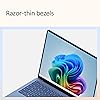
  • [Introducing Surface Laptop] Power, speed, and touchscreen versatility with AI features. Transform your work, play, and creativity with a razor-thin display and best-in-class specs.
  • [Exceptional Performance] Surface Laptop delivers faster performance than the MacBook Air M3[1], with blazing NPU speed for seamless productivity and AI apps.
  • [All-Day Battery Life] Up to 20 hours of battery life[6] to focus, create, and play all day.
  • [Brilliant 13.8 Touchscreen Display] Bright HDR tech, ultra-thin design, and optimized screen space.
  • [Recall with Copilot+]: Easily retrieve documents, emails, or web pages with an explorable timeline of your PC's history[2] (coming soon).
  • [Enhance Calls with Copilot+] Improve lighting, cancel noise, and blur distractions with Windows Studio Effects for video calls. Prerelease product shown, subject to change.
  • [Translate with Copilot+] Real-time subtitles for 44 languages during video calls or streaming.
  • [Cocreate with Copilot+] Generate art from text or image prompts.
  • [Thin and Lightweight] Durable aluminum in four colors: Platinum, Black, Sapphire, and Dune[3].

Description

Some Copilot+ PCs require download of free updates to run Copilot+ PC experiences, available starting late 2024 – 2025. See aka.ms/copilotpluspcs Pre-release screen shown; subject to change. Availability of Copilot+ PC features varies by device and market. [1] Based on Cinebench 2024 Multi-threaded conducted by Microsoft in April 2024 comparing pre-release build of Surface Laptop 13.8" and 15” with Snapdragon X Elite running pre-release Windows 11 26100 and Apple MacBook Air 13.6" and 15” with M3 running macOS 14 Sonoma. [2] Optimized for select languages (English, Chinese (simplified), French, German, Japanese, and Spanish. Content-based and storage limitations apply. Recall is coming soon through a post-launch Windows Update. See [3] Colors available on selected models only. Available colors, sizes, finishes, and processors may vary by store, market, and configuration. [4] Surface Laptop, excluding power supply, contains a minimum of 25% recycled content. Based on validation performed by Underwriter Laboratories, Inc. using Environmental Claim Validation Procedure for Recycled Content, UL 2809-2, Second Edition, November 7, 2023. [5] Currently supports translation for video and audio subtitles into English from 40+ languages. See [6] Battery life varies significantly based on device configuration, usage, network and feature configuration, signal strength, settings and other factors. See aka.ms/SurfaceBatteryPerformance for details. [7] 13.8" Surface Laptop comes with 39 W Surface power supply. Fast charging (from 5% to 80%) is supported with minimum 65W Surface power supply or USB-C® PD charger, sold separately. Testing was conducted at Microsoft in February 2024, using pre-production devices, software, and minimum of 65W USB-C® charger under controlled conditions. The device was powered on to the desktop screen with default display brightness settings. Actual charge time will vary based on operating conditions. Measured at typical office ambient temperature of 23C. [8] Enclosure includes A Cover, C Bucket and D Cover. 100% recycled aluminum alloy in A Cover and C Bucket. 100% recycled rare earth metals in magnets. Based on validation performed by Underwriter Laboratories, Inc. using Environmental Claim Validation Procedure (ECVP) for Recycled Content, UL 2809-2, Second Edition, November 7, 2023. [9] Enclosure includes A Cover, C Bucket and D Cover. Based on validation performed by Underwriter Laboratories, Inc. using Environmental Claim Validation Procedure for Recycled Content, UL 2809-2, Second Edition, November 7, 2023. [10] Available colors may vary by market. [11] USB-C® port does not charge your Surface device or any device that requires more than 15W [12] Requires device with USB-C® USB4®/Thunderbolt™ 4 port and when supported by device and display. Screens simulated; subject to change Recall: Optimized for select languages (English, Chinese (simplified), French, German, Japanese, and Spanish.) Content-based and storage limitations apply. See [ Cocreator: Optimized for English text prompts See [

Brand: Microsoft


Model Name: Surface Laptop


Screen Size: 13.8 Inches


Color: Sapphire


Hard Disk Size: 256 GB


CPU Model: Snapdragon X Plus


Ram Memory Installed Size: 16 GB


Operating System: Windows 11 Home


Graphics Card Description: Integrated


CPU Speed: 3.4 GHz


Standing screen display size: ‎13.8 Inches


Max Screen Resolution: ‎2304x1536 Pixels


Processor: ‎3.4 GHz snapdragon_x_plus


RAM: ‎16 GB LPDDR5x


Hard Drive: ‎256 GB SSD


Chipset Brand: ‎Qualcomm


Card Description: ‎Integrated


Wireless Type: ‎802.11ac, 802.11ax, Bluetooth


Brand: ‎Microsoft


Series: ‎Surface Laptop


Item model number: ‎EP2-34093


Operating System: ‎Windows 11 Home


Item Weight: ‎5.47 pounds


Product Dimensions: ‎12.64 x 9.45 x 2.17 inches


Item Dimensions LxWxH: ‎12.64 x 9.45 x 2.17 inches


Color: ‎Sapphire


Processor Brand: ‎Qualcomm


Number of Processors: ‎1


Computer Memory Type: ‎DDR5 RAM


Flash Memory Size: ‎256 GB


Hard Drive Interface: ‎Solid State


Date First Available: April 16, 2025


Frequently asked questions

If you place your order now, the estimated arrival date for this product is: Friday, Feb 13

Yes, absolutely! You may return this product for a full refund within 30 days of receiving it.

To initiate a return, please visit our Returns Center.

View our full returns policy here.

  • Klarna Financing
  • Affirm Pay in 4
  • Affirm Financing
  • Afterpay Financing
  • PayTomorrow Financing
  • Financing through Apple Pay
Leasing options through Acima may also be available during checkout.

Learn more about financing & leasing here.

Top Amazon Reviews


  • Finally, a proper Macbook Air Competitor
CPU: Snapdragon X Plus (10 core) RAM Size: 16 GB Hard Disk Size: 512 GB Automatic Backup Software Included: 13.8" Touch... Color: Black
Years ago, I had the original Surface Laptop, and I loved it. It remains one of my favorite laptops of all time. So before I purchased the Surface Laptop 7, I actually had a 14" 2021 Macbook Pro. It was honestly too much laptop for my needs, but the limited port selection on the Macbook Airs ruled them out for me. Of course, my Macbook Pro was better than the Surface Laptop 7 in many ways - the mini-LED screen is just about the best laptop display you can get, full-stop, whereas the Surface's display is good but not great. The speakers on the Macbook were amazing; the Surface's are quite good but can't compete in that regard. However, I don't regret my purchase for one second because the Surface Laptop 7 is really a Macbook Air competitor, and that is where it shines. I compared the Surface and Macbook Air 13" side by side and came away with the following conclusions: -Screen: I don't do any serious photo editing or graphic design. To me, the Surface screen is slightly better. It gets much brighter than the Air and colors seem more accurate. However, the Air has better black levels. The Surface is a touchscreen, but I never use it as I don't like fingerprints on my screens. However, if you want a touchscreen, the Surface is clearly the better option. The Surface also has a 120hz display, whereas the Air is stuck at 60hz. The difference in smoothness when scrolling or using trackpad gestures is very noticeable. The Surface's screen looks much smoother. -Speakers: I can't tell the difference between the two. The Surface's speakers are really good compared to other laptops in this class. The same is true of the Macbook Air. -Ports: I had hoped that by 2024, USB-A would be all but gone, but alas it is not. It was very annoying to have to carry around dongles to use USB-A devices on my Macbook Pro, and now I don't have to! The Air has only two USB-C ports, so clearly the Surface wins here. The Macbook Pro does have HDMI, which is nice, but I just bought a USB-C to HDMI cable that I carry around with me, so I don't need a dongle for that either. -Keyboard: I like that the Macbook Air has more than 3 levels of brightness control, but I slightly prefer the key feel on the Surface. - Trackpad: somehow, the Surface's trackpad is better. I am thrilled that Microsoft finally brought a haptic trackpad to the Surface lineup. It feels more delicate and the tactility is stronger. Macbook trackpads are still among the best in the business, but there is finally a Windows laptop that is comparable in this regard. -Login: hands down, Windows Hello is better than the fingerprint reader. It's so fast that my Surface often logs me that it feels like the laptop was left unlocked. The fingerprint scanner on Macbooks are very good, but they are not as fast, nor as convenient, as Windows Hello. My Macbook Pro could also unlock with my Apple Watch, but that almost always took longer than unlocking with my finger. -Build Quality: This has always been a strong point for Surface devices, and the Surface Laptop 7 doesn't disappoint. The laptop can be opened easily with one hand, and the fit and finish is flawless. The same is true of the Macbook Air. I can't say whether one is better than the other. The Surface is designed to be easier to service, however, and you can actually replace the SSD, which is very nice. Additionally, the black finish on my Surface is more resistant to showing fingerprints than the dark blue on the Macbook Airs, which is a fingerprint magnet. -Performance: After owning an Apple Silicon laptop, I could never go back to using an x86/x64 processor. I used Windows 11 for ARM on my Macbook for two years virtualized in Paralells, so I knew what I was getting into. All of the applications I need work beautifully on the Surface, and it is so darn fast. Of course, there are more powerful processors out there using traditional x64 architecture, but I have never used a Windows laptop that is just so snappy for every day tasks. Office apps open in 1-2 seconds. Firefox, Chrome, and Edge open in less than a second. Using gestures to swipe through apps is super snappy, and the high refresh rate screen makes transitions look so smooth. This is the kind of performance I came to except from my Apple Silicon Macbook, and it's wonderful to finally see Windows operating just as responsively. Overall, the Surface feels like an upgrade over my Macbook Pro, and I personally am fine with the tradeoffs that come with the thinner, smaller, and lighter Surface over the more powerful Macbook Pro. It is an utterly fantastic laptop that, in my opinion, is currently the best thin-and-light laptop in the world. ... show more
Reviewed in the United States on October 9, 2024 by Micah

  • IMO: Best Mac-alternative Windows laptop.
CPU: Snapdragon X Plus (10 core) RAM Size: 16 GB Hard Disk Size: 512 GB Automatic Backup Software Included: 13.8" Touch... Color: Platinum
My wife has been using this for her business for the past 8 months. For her, a laptop is simply a way to get a job done, but she needed a new one since her previous Dell XPS 13 was going on 7 years old. Without asking she offered up how much she likes the new laptop: How fast it was and the battery life last "forever" since she works in an environment where she cannot charge until the end of the day. So, big thumbs up. Also, the quality is more Mac-like with an aluminum case and solid/compact design. Good stuff. Some noted incompatibility with older software. While she uses primarily Office, web apps, and 1-2 older biz apps, she has experienced ZERO compatibility issues. ... show more
Reviewed in the United States on November 20, 2025 by WolverineGoBlue

  • Perfect for Writers
CPU: Snapdragon X Plus (10 core) RAM Size: 16 GB Hard Disk Size: 512 GB Automatic Backup Software Included: 13.8" Touch... Color: Dune
So, to start off I'm a freshman in college with a lot of very writing heavy classes and this laptop is perfect for that use. I do use it to play small games and unless I sit and play for 5 hours it stays relatively cool. Its very light weight and delicate on its own (I purchased an industrial case to go with it, just to be safe.) I like that this laptop comes with a touch screen, it's very handy! All in all this is a 5/5 product in my layman opinion. ... show more
Reviewed in the United States on November 1, 2025 by Hayden

  • The best Surface Laptop
CPU: Snapdragon X Elite (12 core) RAM Size: 16 GB Hard Disk Size: 1 TB Automatic Backup Software Included: 13.8" Touch... Color: Platinum
Excellent product and quality. I recommend the 1TB storage capacity for the IA apps especially. Very easy to set up. Be careful with the arm64 processor, especially with the compatibility with programs and applications.
Reviewed in the United States on November 20, 2025 by Kevin

  • not as good as the hype.
CPU: Snapdragon X Elite (12 core) RAM Size: 32 GB Hard Disk Size: 1 TB Automatic Backup Software Included: 13.8" Touch... Color: Black
As a software developer, I purchased this laptop for its advertised battery life due to my past struggles with battery performance of some laptops. After using it for a month, I have the following observations: 1. Android Development: If you are an Android developer using Android Studio extensively, I recommend against this laptop for two reasons. First, to the best of my knowledge, it is not possible to create virtual devices to emulate any Android version. At least, i failed to do it. This necessitates the use of real devices for testing, meaning you would need to have several real phones and tablets available. Second, when I connected my phone (S24 Ultra) as an emulator, the laptop battery drained very fast reaching 5% in about four hours. Although this duration is quite long, I would have preferred if it lasted at least ten hours. This way, I don't need to carry a charger every where i go. 2. Charging Indicator: When charging the laptop while it is powered off, there is no indication of when the battery is fully charged, as the light does not change its color (remains white). To check if it is fully charged, you have to power on the laptop first in order to see the battery percentage. I would expect the light to either turn off or change to green when fully charged. 3. Keyboard Design: The keyboard is good but has two issues. First, it lacks a Ctrl key on the right side, which has been replaced by a Copilot button. As an Android developer, the Ctrl key is crucial for commenting out code in Android Studio. Secondly, it appears that some keys are missing; for example, I do not see the Print Screen key to take a screenshot. Additionally, I wish the power button was located elsewhere to create room for other buttons. 4. Charger Compatibility: [updated 21/11/2024]. Today i managed to charge this laptop with a USB-C charger. I do not know why it did not work before. Maybe there was a software update. 5. [Updated 20/11/2024]: Today, I had an unexpected realization. I use Surfshark as my antivirus and VPN, but I discovered it cannot protect my laptop. Please see the attached screenshot for reference. Consequently, I will need to purchase another antivirus solution for this laptop. 6. [Updated 29/12/2024]: The laptop has two sharp points at the bottom of the screen. When cleaning dust or water spills from the screen with your bare hands, you might get cut. Please refer to the attached screenshot for their exact locations. 7. [UPDATED 30/04/2025]: While moving between office rooms, I attempted to open the laptop, using my other hand behind the hinge for support. Unfortunately, the hinge caused an unexpected pinch (bite), which was not only painful but nearly broke the skin. I strongly recommend revisiting the hinge design for the next release to prevent similar incidents. 8. [Updated 23/07/2025]: Today i wanted to run Python code using Visual Studio 2022. After hours of trying to get it installed, i did a Copilot search only to learn that Python is not supported (see screenshot) on this laptop. They advised me to use VS Code instead. If you are a developer, it may be wise to stay away from this laptop. Just that i am in Uganda, otherwise i would have returned it back. ... show more
Reviewed in the United States on November 1, 2024 by Micha Mikka Micha Mikka

  • Love the size and performance (overall)
CPU: Snapdragon X Elite (12 core) RAM Size: 16 GB Hard Disk Size: 512 GB Automatic Backup Software Included: 13.8" Touch... Color: Platinum
I have had a Microsoft tablet or laptop for the past 10 years. They have been great for me. Only real issue with this one is the ARM processor. I have a Brother all in one printer and the driver isn't compatible with this processor and it doesn't seem like they are going to create one for it. I had to buy an Epson scanner so I can scan documents. I can only use the printer wirelessly. If it had an Intel or AMD, it would have been better. ... show more
Reviewed in the United States on October 10, 2025 by BC Christopher

Can't find a product?

Find it on Amazon first, then paste the link below.
Checking for best price...