Search  for anything...

M1 Mini Laser Engraver, 5W Laser Cutter Portable Desktop Laser Engraving, 100x100mm Engraving Area, 10000 mm/min Engraving Speed,Accuracy up to 0.01 mm, Eye Protection Design

  • Based on 0 reviews
Condition: New
Checking for the best price...
$179.99 Why this price?
Save $220.00 was $399.99

Buy Now, Pay Later


As low as $30.00 / mo
  • – 6-month term
  • – No impact on credit to apply
  • – Instant approval decision
  • – Secure and straightforward checkout

Ready to go? Add this product to your cart and select a plan during checkout.

Payment plans are offered through our trusted finance partners Klarna, Affirm, Afterpay, Apple Pay, and PayTomorrow. No-credit-needed leasing options through Acima may also be available at checkout.

Learn more about financing & leasing here.

Selected Option

Free shipping on this product

30-day refund/replacement

To qualify for a full refund, items must be returned in their original, unused condition. If an item is returned in a used, damaged, or materially different state, you may be granted a partial refund.

To initiate a return, please visit our Returns Center.

View our full returns policy here.


Availability: Only 5 left in stock, order soon!
Fulfilled by jincheng home

Arrives Friday, May 15
Order within 14 hours and 1 minute
Available payment plans shown during checkout

Protection Plan Protect Your Purchase
Checking for protection plans...

Size: M1 5W


Features

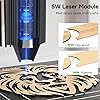
  • Process 300+ Materials with EaseMecpow M1 5000mW laser engraver equipped with 5W diode laser, meeting various cutting and engraving needs. With the 5W laser module, it can cut through 3mm plywood and 5mm pine wood, while its optional 1.2W infrared laser module is capable of engraving on various metals. Its maximum engraving speed of 10,000 mm/min ensures fast performance with precise results. With the M1, you can easily handle over 300 different materials.Output Power:0.5mW,Class:1
  • Class 1 Safety CertificationLaser cutting machine certified Class 1 laser with a fully enclosed cover that filters 99% of laser light, protecting your eyes without extra goggles. Auto-stop when the lid is opened ensures safety, while 0.1mm precision delivers intricate patterns, tiny text, and fine details with accuracy.
  • Universal CompatibilityThe Mecpow laser engraver supports offline operation. Upload your designs via USB cable or WiFi, then control the machine from your phone, PC, or tablet. The M1 engraver tool is also compatible with multiple software programs, including CutLabX, Lightburn, and LaserGRBL. With these advantages, you can create innovative and stylish engraving projects.
  • Beginner-Friendly, Ready to UseThe M1 laser engraving machine comes pre-assembledsimply unbox, set up quickly, preview your design, and start engraving. With built-in material presets and four intuitive buttons, operation is simple and clear, making it easy for first-time users to create right away.
  • Compact and Portable DesignWeighing only 2.4kg, the M1 wood engraver is lightweight and compact, perfect for home, workshops, and exhibitions. Its portable design allows you to easily move and place it anywhere you need to work.
  • Expandable Accessories, Endless CreativityPair the M1 engraver machine with the R1 1.2W infrared module or G3 Pro/G5 rotary rollers to engrave on metals and cylindrical objects such as bottles, glasses, and vases. An optional P50 Fume Extractor (sold separately) removes 99.97% of fumes, creating a cleaner and safer workspace.

Product Dimensions: 12.13 x 10.67 x 9.37 inches


Item model number: M1 5W


Item Weight: 9.61 pounds


Manufacturer: Mecpow


Date First Available: September 12, 2025


Frequently asked questions

If you place your order now, the estimated arrival date for this product is: Friday, May 15

Yes, absolutely! You may return this product for a full refund within 30 days of receiving it.

To initiate a return, please visit our Returns Center.

View our full returns policy here.

  • Klarna Financing
  • Affirm Pay in 4
  • Affirm Financing
  • Afterpay Financing
  • PayTomorrow Financing
  • Financing through Apple Pay
Leasing options through Acima may also be available during checkout.

Learn more about financing & leasing here.

Top Amazon Reviews


  • Great value for the money!
This is my first laser. I was looking for a reasonably priced 10w laser to see what I could do and learn how to do it. This package fit the bill perfectly. It’s especially nice that it comes with the honeycomb and air assist. These have been very useful right from the start. The kit was well packaged and was easy to assemble. The manual is decent. I watched a couple YouTube videos on this laser before I put it together which was helpful. I did not use the factory software. I downloaded Lightburn on the trial license and it recognized the laser first try. I’m using a MacBook and it worked fine to program and drive the laser. I was cutting and engraving right away. It takes a little bit of time to get your settings exactly right for the cutting or engraving you want to do. This is true for any laser as each differs and materials vary. I’ve done a bunch of projects and the MecPow has performed flawlessly. This laser is not the most powerful or the fastest but it is a great starter. I can’t speak to the long term durability, but so far it’s been great. No issues at all. I purchased this on a price rollback after the holidays, so it does occasionally go on sale here on Amazon. ... show more
Reviewed in the United States on February 15, 2025 by CO

  • Reliable Replacement with a Few Quirks – A Solid Upgrade
Size: X4 Pro 22W
This unit was a replacement for a damaged/reconditioned one I originally received, which had noticeable damage and electronic issues. Fortunately, the replacement works flawlessly. The only minor annoyance is the safety switch on the lid that stops the laser when opened, but placing a strong magnet on the left edge of the opening easily bypasses this. This unit replaces my older 10-watt Lasertree engraver, and it’s a significant upgrade in almost every way. However, it is fairly large, and the exhaust exits from the back, making placement in the shop more challenging. One important note: the camera must be directly connected to a computer to function. I have the machine connected to a Wi-Fi hub for network access, but attempting to connect the camera to the hub crashes both of my computers. As a result, the camera is practically useless—not a big deal since my previous laser didn’t have one anyway. ... show more
Reviewed in the United States on March 13, 2025 by Kurt Edward

  • the right item came but the conversion kit was not in the package
HI I had order the Mecpow R1 1064nm Infrared Laser Module, 1.2W to use on my falcon A1 laser but when I check the package there were no conversion cable ....
Reviewed in the United States on April 15, 2026 by Andrew Moore

  • An excellent value, but shipping was a problem
I bought it primarily for cutting wood for working mechanisms (clocks) and etching printed circuit boards. It doesn't actually etch the board, but ablates masking material on the board so I can dissolve away the copper under the mask. I'm still learning how to use the software with Lightburn software, but the more I use it, the more I like it. The laser makes sharp, thin cuts, and is portable and easy to use. Lightburn works with the engraver without any issues so far. There are two complaints that I have: 1. Shipping. They use FedEx for shipping, which I have had multiple past problems with. They left the first laser on the side of the road instead of my porch, where is was stolen. Fortunately, Amazon refunded my money, which I used to buy the laser again. 2. WiFi. The engraver has a WiFi connection, but it seems it was designed for the cell phone app that Mecpow provides for the engraver. The app is not that good, especially compared to Lightburn software. I am trying to figure out how to connect to WiFi through Lightburn software, which I'm not sure is even possible. Mecpow doesn't provide any information on how to do that. ... show more
Reviewed in the United States on February 6, 2025 by D. Cohen

  • laser
Size: X4 Pro 22W
well designed laser, Functionality is great and fun red cover makes it nice for indoor use. Love the variety of surfaces it cuts nicely with out burn marks.
Reviewed in the United States on June 13, 2025 by Amazon Customer

  • Not for a beginner!
Size: X4 Pro 22W
This machine is not for a beginner and it is bigger than I thought it was. It was easy to put together but for me that was it. I am sure it would be good laser but the only instructions that come with it is how to put together and free software to use with the machine. If you don’t know what you are doing or have someone on the spot to help you I wouldn’t recommend it. It’s a good price and fast delivery. ... show more
Reviewed in the United States on March 11, 2025 by Shakey

  • HIgh Quality for low cost
Size: X4 Pro 22W
I was worried that the low price of this unit would mean that it was substandard, but I was wrong. I have cut many different types of materials and engraved on even more. I wish it came with a mesh cutting platform, but those are not very expensive so I picked one up. It was easy to assemble and there was no damage in shipment. I started out with GRBL, but quickly realized that Lightburn is the best option. Lots of room for many projects and plenty of power for my uses! ... show more
Reviewed in the United States on February 19, 2025 by David

  • Amazing for the price.
Size: X4 Pro 22W
I bought this and the Falcon 2 Pro. This was $500 cheaper, but it can do all the same things. The build quality of the Falcon 2 Pro is better for the metal base, in that it is heavier and feels sturdier (also the drawer slides on wheels), but the Mecpow is still fantastic and has all the same basic features. The enclosure is better on the Mecpow as it uses thick acrylic vs the think acrylic sheet of the Falcon. Opening and closing the Falcon means sliding metal against metal and it's loud and annoying. The Mecpow just opens up, but not too high that you need a ton of extra clearance. One thing I'll note - make sure you rotate the emergency switch on first use to pop it out of its locked mode, or the machine will seemingly not work. All in all, would highly recommend as a first laser. ... show more
Reviewed in the United States on February 3, 2025 by C. Steele

Can't find a product?

Find it on Amazon first, then paste the link below.
Checking for best price...