





$449.99
Holiday Deal
· 55% off
was $997.99
Buy Now, Pay Later
As low as
/ mo
Learn more
- – Up to 36-month term if approved
- – No impact on credit to apply
- – Instant approval decision
- – Secure and straightforward checkout
Ready to go? Add this product to your cart and select a plan during checkout.
Payment plans are offered through our trusted finance partners Klarna, Affirm, Afterpay, Zip, Apple Pay, and Google Pay. No-credit-needed leasing options through Acima may also be available at checkout.
Learn more about financing & leasing here.
Free shipping on this product
Extended holiday returns
FREE refund/replacement until Jan 31, 2027 Learn more
FREE refund/replacement until Jan 31, 2027 Learn more
This item's return window has been extended for the holiday season: FREE refund/replacement until Jan 31, 2027
To qualify for a full refund, items must be returned in their original, unused condition. If an item is returned in a used, damaged, or materially different state, you may be granted a partial refund.
To initiate a return, please visit our Returns Center.
View our full returns policy here.
Availability:
In Stock.
Arrives
Friday, Nov 20





At a glance
- Condition
- New
- Model
- 980-000467
- Dimensions
- 12.6"D x 3.9"W x 6.5"H
- Weight
- 15 kg
- Color
- Black
- Frequency Response
- 35 hertz
- Audio Output Mode
- Surround
- Warranty
- 2 years limited
- Works with
- Gaming Console, MP3 Player, Personal Computer, Television
Features 6
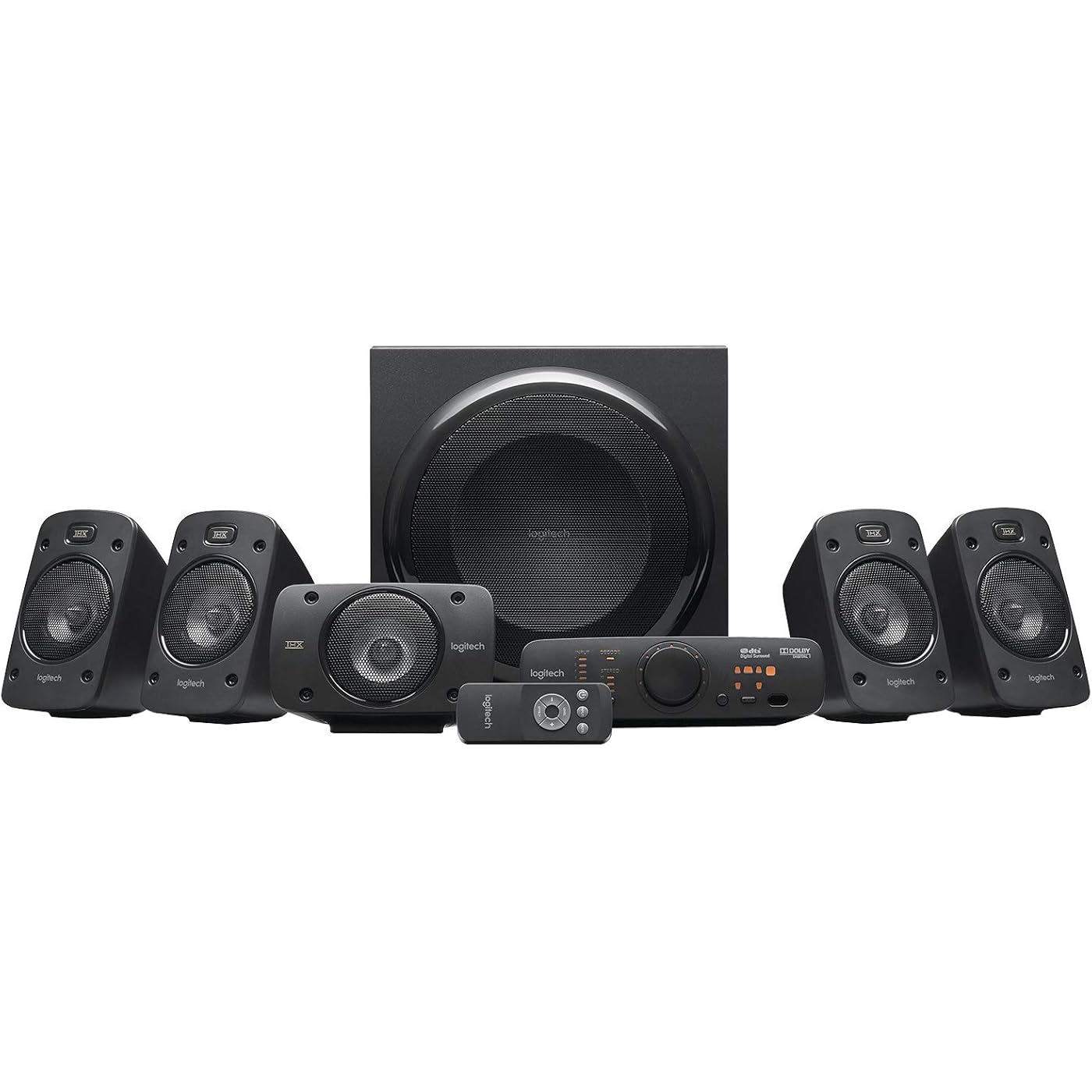
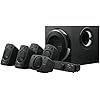
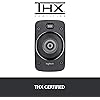
- THX-certified surround sound: Experience theater-quality audio with a 5.1 speaker system engineered to deliver authentic surround sound for movies, music, and games
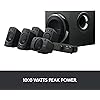
- Powerful 1000W audio: Enjoy 1000W peak power and 500W RMS for rich, detailed audio and deep, powerful bass that brings entertainment to life
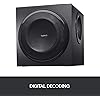
- Dolby Digital and DTS decoding: Hear every detail with built-in decoding for Dolby Digital and DTS soundtracks, delivering a true surround sound experience
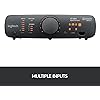
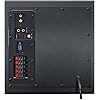
- Versatile connectivity: Connect up to six compatible devices simultaneously using 3.5mm, RCA, six-channel direct, digital coaxial, and optical inputs
- Convenient sound controls: Adjust power, volume, and individual speaker levels using the integrated control console or wireless remote control
- Flexible speaker placement: Position the five satellite speakers around your room for immersive audio; satellite speakers and center channel are wall mountable
Description
Logitech Surround Sound Speaker System Z906. Hear every detail, all around you in theater quality 5.1 sound.
Specs 44
| Brand | Logitech |
|---|---|
| Speaker Maximum Output Power | 500 watts |
| Frequency Response | 35 hertz |
| Connectivity Technology | Auxiliary |
| Audio Output Mode | Surround |
| Mounting Type | Wall Mount |
| Enclosure Material | Information Not Available |
| Speaker Type | Satellite |
| Additional Features | Bass Boost, Multi Room Audio |
| Antenna Location | For Surround Sound Systems |
| Subwoofer Diameter | 6.5 inches |
| Color | Black |
| Is Waterproof | False |
| Warranty Type | Limited |
| Maximum Range | 9.7 meters |
| Control Method | Remote |
| Speaker Size | 1 angstrom |
| Woofer Diameter | 16.5 centimeters |
| Specific Uses For Product | Gaming |
| Controller Type | Remote Control |
| Processor Count | 1 |
| Input Voltage | 220 volts |
| Unit Count | 6 Count |
| Item Dimensions D x W x H | 12.6"D x 3.9"W x 6.5"H |
| Item Weight | 15 kg |
| Audio Driver Type | Dynamic Driver |
| Audio Driver Size | 6.5 inches |
| Model Number | 980-000467 |
| Model Name | Z906 Speaker System |
| Built-In Media | Funnel |
| Number of Items | 1 |
| Customer Package Type | Standard Packaging |
| Series Number | 980 |
| UPC | 097855067548 |
| Global Trade Identification Number | 48 |
| Manufacturer | Logitech |
| Age Range Description | Adult |
| Item Type Name | Logitech Surround Speaker Home Speaker, Set of 6 (980-000467) |
| Number of Audio Channels | 5.1 |
| Wireless Technology | Bluetooth |
| Subwoofer Connectivity Technology | Wired |
| Connectivity Protocol | Auxiliary |
| Power Source | Information Not Available |
| Number of Batteries | 1 Lithium Metal batteries required. |
No specs match.
Frequently asked questions
If you place your order now, the estimated arrival date for this product is:
Friday, Nov 20
Yes, absolutely! This item's return window has been extended for the holiday season: FREE refund/replacement until Jan 31, 2027.
To initiate a return, please visit our Returns Center.
View our full returns policy here.
To initiate a return, please visit our Returns Center.
View our full returns policy here.
- Klarna Financing
- Affirm Pay in 4
- Affirm Financing
- Afterpay Financing
- Zip Pay in 4
- Financing through Apple Pay
- Financing through Google Pay
Learn more about financing & leasing here.
Similar Products





Top Amazon Reviews
Does a fine job for a decent price
Style: Speaker
I had the Logitech Z680 system since around 2005 before getting the Z906. The Z680, for the time, was a phenomenal set of speakers for a computer system. 400+ watts made my house shake. Now, 23 years later, the Z680's finally died on me...not the speakers, the electronics that are contained on the back of the bass speaker. I was deeply saddened and simultaneously almost in a panic as my music is extremely important to me and there was no way I was going to be able to use the el cheap-o 2 speaker setup I kept for just whatever. I also live on a fixed income, so I needed to be able to afford something as good or better for a similar price I paid for the Z680 setup. I naturally went back to looking at Logitech. There was the Z5500, but way, way too costly. Then found the Z906. The price, for me, was still a little high, but not so much so that I couldn't somehow work it out, so I purchased it after reading all the info I could all over the internet about them. When they got to the house, the first thing I notcied was a big 2"x3" hole where it looks like someone was carrying the box and ran into the corner of a desk or something. Unfortunately the puncture went all the way through to the inside box and into the grill of one of the satellite speakers and dented it pretty good, enough so that I had to take the faceplate off the speaker and gently tap the grill away from the speaker itself so it could work properly as the grill was actually pressing down some on the speaker itself. Once everything was back together, I set the system up on my computer. I'm at the computer at least 10 hours a day, and my music is important to me, so I have a very nice sound card for my system. I'm not a gamer though, so the speakers weren't important in that way for me at all. I The system is really easy to set-up, it's just a little time consuming, especially if you want to do it right the first time. I didn't need the supplied wire for the satellites as I simply had left the wires for my old speaker system setup where they were and they were perfect for the Z906 satellites. Plugging everything in to the bass was also nice and easy, everything is labeled nicely, so I had no trouble moving all the stuff that was plugged in to the Z680 bass over to the Z906 bass. The control panel is a bit nicer than what came with the Z680, and much easier to adjust to whatever one needs, though you still have to have two hands to do so - one to hold it down and the other to press the buttons. My advice here - *USE THE REMOTE CONTROL*. This makes things so much easier. It's actually the one of two things I like best about the Z906 over the Z680 I had, the other being the bass weighs about half as much. The one con I had about the Z906 system is that Logitech went el cheap-o and didn't supply speaker stands. I found that to be pretty lame on their part. Once it was all set-up, I turn on some music (I'm extremely eclectic and can listen to anything from head-banging skin-head stuff, to Mozart and Wagner...I *won't* listen to (c)rap or this bubblegum pop BS nowadays). Again Logitech didn't disappoint. These speakers *WILL* make the house shake. They have plenty of highs and the bass does a great job of thumping if the music calls for it. Every kind of music needs to have the sound set differently for it. For example, I wouldn't leave the bass set as high for Beethoven as I do for Black Flag. So I don't understand the reviews saying bad things about either too much or too little bass or highs (tweets). The levels of this system can be set to do whatever one wants for whatever type of music one is listening to. If you want to listen to Chopin, then turn the bass down to what you want for that. If you want to listen to some Disturbed, then turn the bass up for that. I also am able to adjust things even more on my Linux system computer, and I'm sure people using that garbage called Microsoft Windows are able to do so too, but I believe they simply don't know they can or maybe even simply lazy and don't *want* to have to make adjustments for the music they're listening to at the moment. Whatever. I just know that these speakers, with the correct adjustments made for each type of music I might be listening to, can, for instance, make me feel like I'm in some fine music hall, center seating, and Beethoven's Symphony No. 9 in D minor Op. 125 'Ode an die Freude' is playing live because I'm back in time and it sounds that good...at least to me, heh. Overall, these are well worth the price if you want something halfway decent and can crank up and really impress your neighbor(s)(hood) or make them come looking for you with torches, pitchforks and rope! Learn to adjust the levels for what you might be playing, then sit back and enjoy, because these speakers *for your computer* will *NOT* disappoint. Put in a nice sound card to make sure you get the best from them, I have an Audigy RX which works perfectly for me, giving me all the power the Z906's will want and the clarity and surround sound and everything else a non-pro audiophile will want. These Z906's are fantastic at movies too.
...
show more
Reviewed in the United States on April 13, 2024 by Yonaton
“Because analog 5.1 channels is better for PC games.”
Style: Speaker
I got this system recently and I love it. I mounted all the satellite speakers on the wall and it sounds great. I wanted 5.1 sound for my PC mostly for games but also for Netflix and some Blu-ray movies. Before the Z906 I bought a $300 AV receiver with only digital 5.1 and hated it with games, the channels were never correct and the separations weren't as accurate as my Roccat 5.1 analog headphones. I returned the AV receiver and got the Z906. AV receivers with multi-channel analog input are very expensive so this is a great deal. Games sound so much better now using the Z906 analog multi-channel input and the channel accuracy is perfect. I can tell a big difference in games with 5.1 analog vs 5.1 digital, analog is clearly better to me with better ambient sounds and accurate positional sounds. I also think Creative SBX works much better over analog 5.1 than digital 5.1. Also, Netflix 5.1 sound works with the analog and not with the SPIDF for me. I have this system connected to a Sound Blaster AE-5 internal sound card using the 6-channel input cable provided with the system along with 3.5mm 6’ extensions because the 6’ cable provided with the system wasn’t long enough for me to reach the subwoofer where I put it. I could not get 5.1 analog input to work correctly with my Sound Blaster X7 though, due to the X7 has RCA L/R for the multi-channel Front Left/Right and I think using an RCA ‘y-cable’ to 3.5mm wasn’t interpreted correctly by the Z906. It works great with the SB AE-5 though. In Power DVD, I can set it to use SPIDF and then the digital 5.1 works great for movie soundtracks that use Dolby or DTS. I like how I can adjust the volume for the subwoofer so it isn’t too loud, especially at night when my family is sleeping. The system still has two SPIDF inputs you can use if you want. It also has stereo and aux inputs. It comes with a console and remote that are really easy to use. The speakers are 4 ohm with a good solid hefty feel and sound even better than my 8 ohm AV satellites I used with my AV receiver. The system is really easy to use and setup. It comes with lots of speaker wire; however, I had to buy 100’ of 14 gauge to my rear speakers using cable guides that ended up being appx 45’ runs each, longer than the longest that comes with the set. Make sure the system is off before you connect/disconnect any cables or wires. Take your time setting it up and make sure everything works before you go mounting everything. When powering off, the system seems to like turning off power from the console before flipping any circuit switch, otherwise, the subwoofer pops if you just flip a switch where you have it plugged in.
...
show more
Reviewed in the United States on January 17, 2018 by FMC
Excellent sound for the $$, poor design implementation
Style: Speaker
I have mixed feelings on this sound system because it deserves two different kinds of rating. First of all I want to say this: in all fairness, some people rate this lower than they should because they are using it for a home theater system. That's nonsense. The fact is, this is a sound system for a computer or videogame set up. As such, it is one of, if not THE best on the market. That has caused some people to use it for their home theater, which is understandable and doable for a cheap way out, but you should not expect the ultra highs and lows of a real home theater sound system. I have an expensive home theater system in my living room, but I don't even think about comparing this to that quality of sound. It's not fair, this entire system – amplifier and speakers – is only 350 bucks; come on now! Twice that wouldn't buy one of the subwoofers for my system, or the amplifier by itself. For the money you can't beat this sound system. When it comes to the sound this speaker system produces, it is absolutely phenomenal. I mean, I'm hearing background noises, echoes, reverberation in castles and dungeons, and deeper base in explosions than I ever heard before in games, and I thought I had a decent sound system before. Modded Skyrim sounds amazing, like you are right there, and other games have an appreciable realistic sound. The high-end over 15,000 Hz is a bit weak, so Logitech should make some improvements in the tweeters in the next rendition. Otherwise, the speakers are of a very good design and weight, and I like that all five satellites are the same. The AC 3 sound circuitry has good separation, and I highly recommend people use the optical cable. If you don't have one, get one, it's worth it. BTW, Logitech should include one, but they don't. I thought that was a bit cheap on their part. The speaker wire gauge is OK, but a bit thin, so you might want to replace that. It was smart of them to include longer cables for the rear. I'm only using their cables for the front three, but my rear speakers are farther away so I use a thicker gauge. Logitech did well by letting it be a standard connector on both ends, rather than RCA plugs, so you can easily swap it out. What about system design? Part of it is good, like the separate unit for adjusting sound for each speaker and the nice, long attachment cable so you can locate it anywhere. Part of it is downright stupid. Logitech, you screwed up by not putting an exterior heatsink on the amplifier. You had one on the previous version of this sound system and should've kept it. The amplifier is inside the sub woofer, and it gets hot, real hot, even when you're NOT playing music or games. There's no reason for that, it should back down. Heat is the worst enemy of electronic circuits, and that means the heat inside the subwoofer box builds up because there's no ventilation. None can be added without screwing up the sound qualities of the sub. The ducted port does not count because heat cannot escape from it. Whoever suggested this in the design committee should be moved to the mailroom. I use my computer for work and play, thus I have to shut the sound system off during the day because the stupid thing gets so hot. For this price, I know Logitech is not using the high-quality Japanese capacitors that can take more heat, which means the amp will most likely have a short life span if used a lot. Conclusion: if you want a great sound system for computer or videogame set up, you cannot do any better. You can also turn the sub woofer on its face and cook eggs on the back plate. Nevertheless, my games sound fantastic, and that's what I bought this for. For sound I give this system five stars. For design I give it three stars It only deserves four stars at best. I'm giving it five stars to offset the unfair people who are down-rating it it as a home theater system.
...
show more
Reviewed in the United States on August 4, 2015 by FALCON
Replaced an older Logitech sound system I loved
Style: Speaker
Update (2) Feb 2021: I have been using this system for 9 months now and still no issues with parts failing. I enjoy the system for computer sound and music, but of course it cannot compare to a real audio system built for high quality sound costing in the thousands of dollars. It suffices for running games, listening to videos, and the occasional sampling of music for purchase decisions. It beats listening to an iPhone or other small device hands down. Not a single issue so far, other than I never discovered a volume right&left balance control - which just seems plain weird. Update (1): After using this system for 5 months I can report it has been trouble free. I keep seeing reviews about crackling sounds and then no sound at all - that sounds like either a bad wire, cable, or a bad capacitor inside the unit. I have experienced none of these issues. I keep the system off unless I actually need sound, and I never move or stress any of the cables - Once I had it installed it's been left alone. I probably average 2 hours of using sound per day, so around 14-15 hours a week. I do NOT leave it on because when the computer sleeps the sound is still running looking for signals to amplify. This also has a plus side, I never hear any of the commercials they insist playing when browsing a site - unless I want to hear them. --- My old Logitech sound system finally stopped working altogether (more than 10 years old), so I decided to try the latest model. It has been an experience - some good and some not so good. Overall the sound system is still nice and provides an environment of realistic and deep sound. I would buy it again, although not over the older system I replaced which had larger speakers and a larger sub-woofer. The five speakers connect using stand speaker wire without any RCA connections. I am still pondering how I feel about this, but given some tape to label the ends correctly it isn't much different. It means I can upgrade the wire in the future (should I ever need to) more easily. They have small 3.5 inch speakers in them, of which probably 3 inches are actually working and 1/2 is used to hold speaker in place. They look fine. They have screw holes for attaching to a wall but no mounting hardware. (luckily I did not mount them) The sub-woofer is much smaller and lighter than the old one, but seems to do a good job of filling the air with low frequency sound waves. The 5 speakers also seem to try to produce low frequency sound waves and it's very distorted - I guess it's for a richer boom of a gun in games. The fact the sub-woofer is smaller was a plus, it's easier to move out of the way under my desk. Everything on the sub-woofer cabinet is well marked and easy to use. Power is controlled in the on-the-desk controller of remote control (to the controller). System installed on my computer without any effort on my part although I did have to track down a default windows setting that wanted to use my screen speaker as the default sound output. You can adjust the sound on the speakers for front and back, sub-woofer, and overall. There is no left-right balance control I have found and that is just weird - its the main control I need. System also did not come with any equalizer software I could find and that also baffled me. Maybe some of the missing basic stuff is hiding somewhere. So the system is light-years better then any standard computer sound system, but still needs work to really be perfect.
...
show more
Reviewed in the United States on May 11, 2020 by Robert Alan Koeneke
Good quality sound without breaking the bank.
Style: Speaker
Very good base sound from this unit that you can feel. I use it with my Samsung UN65HU8550 UHD 4K Smart TV. Hookup was easy using an Amazon brand TOSLINK fiber optic cable from the TV to the subwoofer unit. The remote control is a huge plus and I keep it next to my TV's remote control. I also have an AppleTV connected to its other optical input. The sound is very clean. Each pair of satellite speakers are adjustable relative to the others in the system both from the control unit and the remote control unit. You can, for example, increase/decrease the base, center channel, front left and right channels and rear channels independently relative to the rest. There is a general volume control that increases all channels. It has DSP settings for non-dolby digital source sources. It handles DTS-HD and AC3 5.1 and 2.0 perfectly. Actor dialog coming in from the center channel speakers are very clear. The sound is very strong without distortion. If you would like a great sounding surround sound system without having to spend lots of money on a separate 5.1 receiver and speakers, this system might be for you. I would recommend it for a small to the medium-sized livingroom. I purchased this system when there was a sale on Amazon and during that time it was an exceptional value. My only wish would have been the speaker wires not to be black, but white, so they would be less noticeable on the walls. But I plan on replacing the wire soon. I also wished the rear speaker wire length were a few feet longer, but I will remedy that when I replace the speaker wires. Other than those two minor mentions, I really like the system. I also found these mounting brackets perfectly suited to this speaker system. VideoSecu Universal Satellite Speaker Mounts / Brackets for Walls and Ceilings (White,Black Available) http://www.amazon.com/gp/product/B002WNAFSU?psc=1&redirect=true&ref_=oh_aui_detailpage_o09_s00 UPDATE 07/22/2019 ================================================== I have owned this system for four years today and I am just as happy with them as I was in 2015. Recently I moved into a new home and had to take down the speakers from the wall. Since then I learned from researching the net that you get a better surround sound experience by having the speakers at ear level instead up high. Plus I didn't want to put holes in the new walls using the old mounting brackets that I mentioned earlier in this review. I found an excellent high-quality alternative using speaker stands that are perfectly compatible with the Z906 speakers. I purchased two pairs of Atlantic Adjustable Height Speaker Stands - Set of 2 Holds Satellite Speakers, Adjustable Stand Height from 27 to 48 inch, Heavy Duty Powder Coated Aluminum with Wire Management PN77305018 in Black https://smile.amazon.com/gp/product/B000289DC6/ref=ppx_yo_dt_b_asin_title_o01_s00?ie=UTF8&psc=1 I can certainly appreciate the difference having the speakers at ear level and I highly recommend these stands because they are made from both cast iron and steel poles. I also would like to offer a tip to new users of the Z906 speakers. If you are installing them for the first time, the Logitech Z906 controller has a built-in pink test. No need to download a pink 5.1 audio test file off the web. When the system is on, simply hold down the [INPUT] button for 5 seconds and then let go. The controller will go into test mode by generating a tone in sequential order for all five channels in this order, Left Front, Center, Right Front, Right Rear, Left Rear, and Subwoofer. This will help guide you to make sure your rear surround sounds are wired correctly. Perhaps I overlooked this trick in the manual five years ago, but it really helped me a lot when I had to reinstall this system in my new living room. I hope that trick helps you too.
...
show more
Reviewed in the United States on July 4, 2015 by SnugglesTheHusky
Great! Excellent synergy with SteelSeries H Wireless Gaming Headset.
Style: Speaker
This is going to be a combined review because the two products work together very well, and I thought that might be helpful for some others that were trying to do something similar to what I've done. This same review is posted for both items. Scenario: Logitech Z906 & SteelSeries H Wireless Gaming Headset. Computer (older Mac Pro) digital audio output to both Z906 and SteelSeries H Wireless. USB microphone input from SteelSeries. Be able to use either Headphones, Speakers, or both to listen; microphone on headset to talk with optional microphone mute. I'm not going to repeat the specs for either -- you can easily find out lots of info about the details online. Logitech Z905: - Hardware: Solidly built. Speakers are heavier than I was expecting. Rubber feet on the bottom keep them from sliding around. Speakers have a standard screw mount (I think it's 1/4"x20) for attaching to mounting hardware. - Sound: Good sound. I would describe it as more "warm" than "bright" -- perhaps even a little too warm. Many of the audio applications allow tonal adjustments, so that's not really an issue -- but it would be nice to have an EQ adjustment, which it doesn't have. - Power: More than enough power. Will go much louder than I would ever use. Subwoofer will vibrate floor at higher volumes. - Connectivity: Very easy and straight-forward to hook up. If supplied speaker wire isn't long enough, you can use your own; it's standard speaker wire for connections. Several source options. - Control: Control box and remote both access the functionality. Control box is a little larger than I would have expected. Orange LED's are a little on the bright side, but not overly distracting. You can adjust the different volume levels for various speaker elements (all, sub, rears, center) ; which groups you get depends on the effect selected (Stereo + sub, 4.1 [no center], 5.1). Levels for a particular group apply to all effects, so you don't have effect-specific volume levels (which would have been nice). - Instructions: More than adequate. - Overall: Would recommend it. SteelSeries H Wireless: - Hardware: Very nicely made. Headphones are very comfortable and have more than ample padding. - Sound: Excellent sound. Has a few EQ adjustments, each of which makes a noticeable difference in the sound. - Power: Although I've read a few reviews that say it doesn't get loud enough, I find it loud enough for me. One thing I noticed is that the volume is also affected by the livemix/chatmix setting. So it will take some experimenting to find the right balance between headphone volume, livemix/chatmix setting, and the various levels in the software you're running. Two batteries are great, with charger built into the control unit. Never run out of juice since one battery is always in the charger. - Connectivity: Very easy and straight-forward to hook up. The pass-thru optical digital is one of the reasons I'm combining the reviews. I'm using both USB (for mic) and optical digital (for output). Quite a few source options. - Control: Control box has minimal controls, but an LCD display. From the headset you can adjust volume, mute the mic, and access several of the menu items (but not all of them; some you have to do from the control box). - Instructions: Could be better. Takes some experimenting to get a good sense of what changes affect what. Plan to look online for information that isn't in the accompanying user guide. - Overall: Would recommend it: Synergy (these two devices work great together): - Digital optical output from computer into the SteelSeries control unit's digital optical input. - SteelSeries digital optical output [pass-thru] to Z906 digital optical input. - Configure computer for a single output: digital optical. - Configure computer for single input: SteelSeries H Wireless (via USB). Headphones and speakers are both always connected, but can be controlled independently. You can turn SteelSeries on/off independent from Z906 on/off (or mute it) [can use both at once, but I don't know why you'd do that]. You need to keep the SteelSeries control unit powered on so the pass-thru works, but it's on as long as it's plugged in (no on/off switch), so that's not really an issue. For general use, I use the Z906. For gaming where I want audio chat, or to keep things a little more quiet in the house, I use the SteelSeries. It couldn't be easier to flip between them. I think this is a great combination (although rather pricey for both). I'm using an older Mac Pro, but I believe most Mac's support the digital optical output. For windows, if the box doesn't provide a digital optical output, it should be available using any number of sound cards.
...
show more
Reviewed in the United States on April 1, 2015 by wz
High power, clear sound, compact design
Style: Speaker
04-24-2013 My #1 attraction to this was the lack of a bulky, heavy receiver that would have all manners of features like video switching capability, where the only thing I would ever use is the volume knob. Having given this a rough test (everything will eventually be wall mounted), I was insanely impressed with the sound quality that I expect from Logitech, especially in the 2.1 desk speakers that I've been using and loving for years. My expectations were met and exceeded by the lack of space this takes up compared to other systems (for a similar power output). With my setup, the subwoofer is under a rear speaker, and the attached control unit sits nicely on the nearby corner table between my couches so there is nothing on the main wall except the projector screen and speakers (projector is fed HDMI video from a desktop computer) and the system volume is literally within arm's reach. The remote does feel extremely lightweight--I would wager to say that the batteries compose roughly 75% of its total weight--but it has only the buttons it needs (I believe seven total) to be functional and not a thousand others like I sometimes see on remotes. Its small size makes it possibly easy to lose, but that's a user error. Feeding SPDIF in right off my motherboard, it decoded DTS on DVDs without any problem. There are little speaker icons that light up to reflect which ones are active with the current audio format it's being fed, which seems to be similar to the LG HTIB system at my family's house where a little icon on the screen would display the audio format. During things like intro sequences, where you go from the menu to various copyright warnings and studio logos and whatnot, it tends to change a lot, and that might irritate someone who is easily irritated. Although once the movie starts and the format stops changing, those icons go off and the only ones left are a small number of status lights which is the same as any other piece of electronic equipment. The metal plate around the inputs/outputs on the subwoofer got VERY warm to the touch. Not sure I would say hot, but it should definitely be considered when placing this that all of the magic is happening inside that enclosure. Speakers felt very solid, not huge but not tiny, and a set of basic universal wall mounts will let me put them up on the wall. The settings for how to handle 2 channel input is really useful if you're like me and have a lot of video files, or plan on using it to play music--one mode just treats it as a 2.1 (standard stereo with subwoofer), the other is to use 4.1 where the back left/right mirror the front left/right, and one is a 3D mode that uses all 5.1 for some kind of 3D effect. I imagine I'll be able to get a better idea of what it sounds like once everything is positioned. If you buy this based on the description, you won't be disappointed, but if you're an audiophile used to $5000 sound systems then I suppose you might hear a difference. The only setting that seemed unusual to me was the speaker level settings--this one adjusts the front left/right as a pair, as well as the back left/right--I've only ever seen level adjustments done individually, but when you think about it, you should be positioning the speakers in the proper places anyway, especially horizontally. In that case, you're probably going to adjust front and rear pairs the same anyway, which requires two steps instead of one. Ceiling mounting rear speakers would put them farther away than they might be on the wall, so you might have to adjust the collective level to make up for the distance, but with this system you can just make one adjustment for that instead of two. Altogether, very satisfied with Logitech, as always! 05-12-2013 ADDENDUM: Following a few weeks of the system being properly set up and wall-mounted... couldn't be happier. Remote works great, and contrary to a review I remember reading before purchase that said you had to point it straight at the unit to get it to work, I can point it basically anywhere. It does get frequently misplaced, but that's my fault (my projector remote is a similar size and I frequently misplace that as well). Also, a feature I somehow missed previously was the auxiliary stereo line-in on the control module. As mentioned before, I frequently use this system for just ambient music playing, and this would normally mean running the desktop computer just to supply audio. With this jack, you can use a standard 3.5mm audio cable to connect straight to an mp3-playing smartphone or ipod or anything with a standard headphone jack. I can shut down the computer, saving energy and cutting back on unnecessary heat production when I would only be using it for music. The 5.1 DTS decoding works wonderfully and I have no regrets. It's the perfect compliment to my Viewsonic Pro8200 DLP projector and extra-long-twin bedsheet tacked to the wall serving as a screen (for real though, it's a great substitute to an expensive bulky screen).
...
show more
Reviewed in the United States on April 24, 2013 by Anthony
LOGITECH Please upgrade to HDMI/USB Surround Sound
Style: Speaker
UPDATE: Use SPDIF connection with newer X870 and B850 motherboards. Below I wrote about jerry rigging the three prong jacks on newer motherboards, but you don't have to do that. The back of the subwoofer has a SPDIF connector. New X870 and B850 motherboards have that connection as well. Just get a SPDIF connector to connect to your subwoofer and motherboard. One wire, done. If you're on Linux, you'll need to download the ALSA A52 plugin to get 5.1 surround sound over a SPDIF Optical output. I used the command "sudo rpm-ostree install alsa-plugins-a52" in the terminal then restarted my computer. I checked my sound configurations and I had 5.1 surround sound control. EZPZ! Now... Logitech just needs to add a Linux version of their GHub. I currently cannot use their GHub anymore since I switch to Linux (Bazzite). I'm sure there's probably a work around for this, I just haven't bothered looking yet. ~~~~~~~~~~ OLD POST: Logitech - Please upgrade your speakers with a HDMI or USB connection. I've had these speakers for 4 years. The sound quality is phenomenal. I love these speakers for gaming on my computer. Unfortunately, I bought a new motherboard recently. Apparently newer X870 and B850 motherboards do not come with the three prong 3.5mm audio ports. They have one line out and a mic port. That's it. You have to jerry rig the connection for your subwoofer to work. You also have to go into the bios and change the mic to an audio. I research this situation with newer motherboards. Apparently they are all being made like this. If you don't want a jerry rig 5.1 surround sound with older 3.5 mm jacks to newer motherboards, the best solution is to find newer 5.1 surround sound systems that have an HDMI or USB connector. Obviously I went to logitech.com first to check and see if you had any new 5.1 surround sound systems. Unfortunately you do not. So, I'm really hoping you make a new surround sound system that has an HDMI or USB connector. I will gladly purchase a new surround sound system even though I've only had this current one for 4 years and it still works perfectly fine. Since I do not like this jerry rig connection for the subwoofer, I will be moving my Logitech speakers off my computer and over to my tele... Since the tele 5.1 surround sound speakers don't work anymore anyways. As for my computer, I did see some cheaper surround sound systems that haven't have an HDMI/ USB connection. I'm going to go ahead and get those for now. But as soon as I see a new surround sound system in the Logitech store, if ever, I will be purchasing immediately. As I said before, the sound quality of the current speakers I have, have been phenomenal. Best speakers ever.
...
show more
Reviewed in the United States on July 25, 2026 by Vudou