Search  for anything...

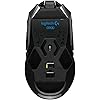
Logitech G900 Chaos Spectrum Professional Grade Wired/Wireless Gaming Mouse, Ambidextrous Mouse

  • Based on 2,390 reviews
Condition: New
Checking for the best price...
$85.67 Why this price?
New Year Deal · 45% off was $156.99

Buy Now, Pay Later


As low as $14.28 / mo
  • – 6-month term
  • – No impact on credit
  • – Instant approval decision
  • – Secure and straightforward checkout

Ready to go? Add this product to your cart and select a plan during checkout.

Payment plans are offered through our trusted finance partners Klarna, Affirm, Afterpay, Apple Pay, and PayTomorrow. No-credit-needed leasing options through Acima may also be available at checkout.

Learn more about financing & leasing here.

Free shipping on this product

30-day refund/replacement

To qualify for a full refund, items must be returned in their original, unused condition. If an item is returned in a used, damaged, or materially different state, you may be granted a partial refund.

To initiate a return, please visit our Returns Center.

View our full returns policy here.


Availability: Only 9 left in stock, order soon!
Fulfilled by XBrie(S/N Recorded)

Arrives Monday, Jan 19
Order within 21 hours and 43 minutes
Available payment plans shown during checkout

Protection Plan Protect Your Purchase
Checking for protection plans...

Features

  • Reliable 30-hr. battery life on a single charge: Exclusive battery-saving Clock Tuning Technology delivers the longest-lasting wireless gaming mouse under 110 grams
  • Note : In case of Wireless mouse, the USB receiver will be provided inside or along with the mouse

Description

In high-pressure moments, latency can be the difference. Trusted by top eSports professionals, Logitech G900 Chaos Spectrum combines superior accuracy and speed in a lightweight, highly customizable design.

Brand: Logitech


Color: Black


Connectivity Technology: Wireless


Special Feature: Wireless


Movement Detection Technology: Optical


Standing screen display size: ‎5 Inches


Processor: ‎200 1_2GHz_Cortex_A8


RAM: ‎200 MB DIMM


Hard Drive: ‎2 MB Hybrid Drive


Graphics Coprocessor: ‎g900


Chipset Brand: ‎Apple


Card Description: ‎Integrated


Wireless Type: ‎2.4 GHz Radio Frequency


Number of USB 3.0 Ports: ‎2


Average Battery Life (in hours): ‎30 Hours


Brand: ‎Logitech


Series: ‎Logitech G900


Item model number: ‎910-004558


Hardware Platform: ‎PC


Operating System: ‎Microsoft Windows


Item Weight: ‎3.84 ounces


Product Dimensions: ‎5.12 x 2.64 x 1.57 inches


Item Dimensions LxWxH: ‎5.12 x 2.64 x 1.57 inches


Color: ‎Black


Processor Brand: ‎Fujitsu


Number of Processors: ‎1


Flash Memory Size: ‎200


Hard Drive Interface: ‎ATAPI


Hard Drive Rotational Speed: ‎21


Optical Drive Type: ‎BD-ROM


Power Source: ‎Battery Powered


Batteries: ‎1 Lithium Polymer batteries required.


Manufacturer: ‎Logitech


Is Discontinued By Manufacturer: ‎No


Date First Available: ‎March 24, 2016


Frequently asked questions

If you place your order now, the estimated arrival date for this product is: Monday, Jan 19

Yes, absolutely! You may return this product for a full refund within 30 days of receiving it.

To initiate a return, please visit our Returns Center.

View our full returns policy here.

  • Klarna Financing
  • Affirm Pay in 4
  • Affirm Financing
  • Afterpay Financing
  • PayTomorrow Financing
  • Financing through Apple Pay
Leasing options through Acima may also be available during checkout.

Learn more about financing & leasing here.

Top Amazon Reviews


  • Best mouse I've ever used, period
I've used lots of mice over the years, and I normally have several at a time for different uses. I purchased this one as my FPS mouse after my second Steelseries Sensei died in the course of one year from clicking issues, and I'm so glad I did. After using this for a few weeks I am beyond happy with the purchase. I did purchase this when it was on sale for 100$, but that being said, if you're looking for a solid mouse with nice features and are willing to pay the price, do it, you won't be disappointed. One of the main things I need in a mouse nowadays is the on board memory for settings and profiles. I use this on both my computer and my consoles while using a XIM4, because of that I need the on board memory. Well, "need" is a strong word, but I certainly prefer it. Another key feature I was looking for in my replacement was that it be wireless. They've come a long way with wireless mice in recent years and it shows. This comes with a charging cable and an adapter that turns it into an extension cable for you to plug the wireless dongle in so that you can have it very close to the mouse. I ended up using another USB extension cable I had laying around so that I could wire it into my desk nicely and I keep the dongle plugged into that. I then charge the mouse whenever I'm done for the day using the supplied USB cable, which is plenty considering that once I turned off the light on the front of the mouse the battery life is around 34 hours. I can even forget to charge it and still use it the next day which is very nice.? Pros: -This mouse has the absolute best click action I have ever felt/heard in a mouse. It's downright satisfying -The Logitech software is very unobtrusive and lightweight compared to others (Razer Synapse anyone?) -The on board profiles are very handy for those who like having them -Very well placed DPI buttons, and you can have many settings to switch through -Extremely high DPI for those who want/need it -Battery life: 34 hours is more than I would have expected (that's with the front light off, it's closer to 24 with it lit) -Wireless: Last but not least, the wireless works flawlessly. I notice no difference between this and my wired mice Cons: -I had a little trouble updating the firmware when I first unboxed it (see other thoughts) -That's honestly all I can think of for the cons Other thoughts: -About the firmware issue I had: It turned out to be because I was plugged into a USB hub at the time, I didn't quite think that through, but I also tried it using other USB options to test it. The only way I was able to get the firmware to successfully update was by plugging it directly into the computer. Not really a big deal. -Super high DPI: Though I don't really see a need for a DPI as high as this mouse can get, I guess it's nice to know it's there. I purchased it for other reasons -The weight: I've seen some mention how light this mouse is as a bad thing. I normally prefer a more weighty mouse myself, but they really did this one right. It has a great tactile feel and, cheesy as it sounds, I noticed an improvement in my FPS games the very first time I tried it. -The size: I've seen other reviews talk about hand size being an issue, and I don't really get it. I have large hands and I can comfortably use this mouse for hours on end without any discomfort. My wife has small hands and has used it for several hours at a time without any complaints. -The construction: The last thing I've seen mentioned a few times by others is the fact that this mouse is missing the fancy rubber grips and whatnot that you may find on other mice. They did this to reduce weight as much as possible, but they did it very well. I usually like some rubber to hold on to, as my last few mice have had, but I'm not missing it at all with this mouse. I actually think if it DID have rubber grip I wouldn't like it. -Brand: In all my expeirence (16 years working various IT and computer repair gigs), Logitech makes really solid products. I have yet to have a logitech product fail me. I still have many of their products that are working even after over 10 years of use. I was very happy to see they had a mouse that fit my needs this time around because I have had nothing but sub-par experiences with other brands in the last 5-6 years. Mouse choice is always a preference. Not everyone will like the same mouse every time, in fact I ordered this half expecting to not like how light it is and then end up returning it. If you think you want to give this mouse a try, don't let other peoples reviews sway you against it. ... show more
Reviewed in the United States on December 14, 2016 by Evan

  • Very Impressed
I had the g700 for the past 4-5 years and the right mouse button finally stopped working. I was debating about what mouse to replace it with, and decided that I could NOT go back to a wired mouse. I narrowed down my choices to the Razer Mamba, SteelSeries Sensei Wireless Mouse, and the g900. My biggest hold up with the g900 was, of course, the big price tag. I mean, this sucker costs more than my headset! (Logitech g930). As you can tell, I'm a big logitech fan. They make good products that last me at least 5 years and have great customer support. But I wanted to explore my options, so I looked into the Mamba and Sensei mice. I nixed the mamba mouse because of software issues. If I'm going to pay that much for a mouse, shouldn't it work out of the box? Too many complaints of software issues and end user trouble shooting/tweaking drove me away from this mouse despite it feeling the best in my hand. As for the sensei, I liked the build, but I felt like the dock took up too much space. I like having a minimalistic desk space, and while I know I could have just not used the dock, but I didn't want to not use a part of the product that I was paying for. Comfort: I had friends who own each of the mice so I went over for a test drive of each one to see if I liked the fit in my hand. The one thing I didn't like about my g700 was that my hand would get uncomfortable after long gaming sessions (I use a claw grip - palm doesn't touch the mouse) because of the contour of the mouse. I really liked the symmetric design of the mamba and sensei mice (and the g900 to a degree). Seemed to fit in my hand a lot more naturally. I actually enjoyed the mamba's shape the best, but after using the g900 for a couple weeks, I am glad to say that it is a huge improvement over the g700. No hand cramping/fatigue after a 4 hour gaming session, so I am a happy camper. Build: It is a LOT lighter than the g700, mamba, and sensei. I had my wife try using my mouse and she said that the lightweight quality of the mouse made it feel cheaper. Personally, I prefer a little more weight to my mice but I definitely appreciate the fact that I don't have to use as much energy to move my mouse from point a to point b due to the weight. The left/right mouse buttons have a noticeably higher resistance than my g700. I don't find the higher resistance off putting, but some might. I don't play mmos, so the two thumb buttons on the left hand side of the mouse is enough for me. I can see how adding buttons to both sides of the mouse can cause issues with accidental presses for people who want 4 extra mouse buttons though. Look: Looks like an expensive mouse. I like that they weren't too extravagant with the design like they were with the g502. The customizable LED lighting is a nice touch (I think this is becoming industry standard for "gaming" mice), especially coming from the non-led g700. I finally have a completely matching set up with red/black. Setting up the lighting was very simple, but they only have 2 options: color cycle (it just cycles through its color spectrum, no option to pick colors), and "breathing effect" (you select one color and it fades that color in and out, you can adjust how quickly it does this). Battery: The lack of a removable battery is a huge adjustment for me. I was able to just swap out rechargeable batteries on the fly for my g500 so I wouldn't be encumbered by wires, but if you forget to charge this mouse, you're forced to plug it in. Charge is extremely fast, though. I believe I went from 0 charge to 100% in less than an hour (don't quote me on this though). I constantly forget to turn the mouse off when I'm not using it so I find myself needing to charge it every 3-6 days depending on use. I use my computer about 4-6 hours/day for reference. Tracking: This mouse is amazing. I have literally not had a single drop and experience no input lag whatsoever. Near the end of my g500's life, I noticed a little bit of hanging and (very rarely) some drops in connectivity. Some people report that the wireless response time is better than the wired response time. I have not noticed that. If you use the logitech software, you can actually tune your mouse to whatever surface you are using your mouse on, which I thought was really cool. Overall: Very impressed with this mouse. I do not regret my decision at all. Will update if anything changes. ... show more
Reviewed in the United States on May 16, 2016 by Kevin

Can't find a product?

Find it on Amazon first, then paste the link below.
Checking for best price...