Search  for anything...

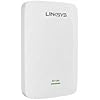
Linksys WiFi Extender, WiFi 5 Range Booster, Dual-Band Booster, 2,500 Sq. ft Coverage, Speeds up to (AC1900) 1.9Gbps - RE7000

  • Based on 3,715 reviews
Condition: New
Checking for the best price...

Buy Now, Pay Later


As low as $13.00 / mo
  • – 6-month term
  • – No impact on credit
  • – Instant approval decision
  • – Secure and straightforward checkout

Ready to go? Add this product to your cart and select a plan during checkout.

Payment plans are offered through our trusted finance partners Klarna, Affirm, Afterpay, Apple Pay, and PayTomorrow. No-credit-needed leasing options through Acima may also be available at checkout.

Learn more about financing & leasing here.

Selected Option

Free shipping on this product
This item's return window has been extended for the holiday season: FREE refund/replacement until Jan 31, 2026

To qualify for a full refund, items must be returned in their original, unused condition. If an item is returned in a used, damaged, or materially different state, you may be granted a partial refund.

To initiate a return, please visit our Returns Center.

View our full returns policy here.


Availability: Only 5 left in stock, order soon!
Fulfilled by Amazon

Arrives Tuesday, Dec 9
Order within 23 hours and 30 minutes
Available payment plans shown during checkout

Protection Plan Protect Your Purchase
Checking for protection plans...

Style: RE7000 - 2,500 Sq. ft - 1.9 Gbps


Features

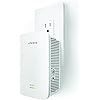
  • ELIMINATE DEAD ZONES AND BOOST AC1900 plus WIFI RANGE: Extend your home WiFi to hard-to-reach locations in your home such as your backyard, garage, or bedroom so you get AC1900 plus WiFi speeds to Smart TVs, Blu-ray Disc players, iPads, tablets, laptops and smartphones to enjoy streaming 4K / HD movies, simultaneous online gaming, social media, and more.The RE7000 has a slim, compact design: plug it into the bottom A/C outlet and you'll still have access to the outlet just above it.
  • EXTEND NEXT-GEN AC WIFI TO MULTIPLE USERS WITH MULTI USER-MIMO: Next-Gen AC with MU-MIMO (Multi-User, Multiple-Input, Multiple-Output) technology ensures your WiFi is delivered faster and with more efficient throughput to every MU-MIMO connected device. This means your whole household can surf the Internet, stream 4K and HD movies, play online games, and more simultaneously--without annoying buffering or lag.
  • ROOM-TO-ROOM WIFI WITH SEAMLESS ROAMING: The AC1900 plus Range Extender offers Seamless Roaming as you move around your home when linked with a Max-Stream WiFi router. With Seamless Roaming, your enabled wireless devices will automatically switch to the strongest WiFi signal, so you won't have to manually connect to the router or range extender when you move from one room to another--or even to your backyard. This means that you can move freely throughout your home while video chatting or streaming videos without experiencing dropped calls or buffering.
  • WORKS WITH ALL WIFI ROUTERS: This range extender is compatible with any WiFi router, including those from Internet service providers. There's no need to adjust your router's settings when installing the extender.
  • EASY SETUP OPTIONS FOR OPTIMAL PLACEMENT: Simply press the Push Button Connect feature on the MAX-STREAM AC1900 plus to automatically sync it to your router. Simple setup from a smartphone, tablet, or laptop.
  • BEAMFORMING AND CROSSBAND FOR RELIABLE CONNECTIVITY: Linksys range extenders provide a reliable connection that allows you to enjoy uninterrupted gaming and HD streaming with Cross Band Technology to maximize simultaneous use of both bands for high speed connection
  • CONNECT A WIRED DEVICE WITH GIGABIT ETHERNET PORT: Connect a game console, Blu-ray player, or Smart TV to the AC1900's Gigabit Ethernet port to enjoy WiFi up to 10 times faster than Fast Ethernet.
  • DUAL BANDS FOR FASTER SPEED AND RELIABILITY: The range extender offers dual wireless bands of 2.4 GHz and 5 GHz for combined speeds of up to 1.9 Gbps--double the performance of single band. Newer wireless-AC devices are routed to the higher-speed 5 GHz band, while older wireless-N and G devices utilize the 2.4 GHz band.
  • EXPAND YOUR WIFI NETWORK WITH ACCESS POINT MODE: You can configure the RE7000 range extender to act as an AC access point to extend your home WiFi and reduce dead zones. Access Point Mode allows you to add WiFi capabilities to your existing home wired network.

Description

Boost Wi-Fi coverage in and around your home with Max Stream AC1900+ Wi-Fi Range Extender. Featuring Next Gen AC MU MIMO technology. It works with all Wi-Fi routers including those with MU MIMO. With next generation MU MIMO technology, every connected device will get faster connections from any room in the house. Everyone in your home can simultaneously stream, game, surf, and more in an upstairs room or the patio with buffering. With Push Button Connect and Spot Finder Technology, setup is quick and easy.

Brand: Linksys


Wireless Communication Standard: 802.11a, 802.11ac, 802.11b, 802.11g, 802.11n


Data Transfer Rate: 1900 Megabits Per Second


Frequency Band Class: Dual-Band


Special Feature: MU-MIMO, Seamless Roaming, Crossband, Spot Finder Technology


Product Dimensions: 1.81 x 3.18 x 4.96 inches


Item Weight: 6.2 ounces


Item model number: RE7000


Is Discontinued By Manufacturer: No


Date First Available: May 25, 2016


Manufacturer: Linksys


Frequently asked questions

If you place your order now, the estimated arrival date for this product is: Tuesday, Dec 9

Yes, absolutely! You may return this product for a full refund within 30 days of receiving it.

To initiate a return, please visit our Returns Center.

View our full returns policy here.

  • Klarna Financing
  • Affirm Pay in 4
  • Affirm Financing
  • Afterpay Financing
  • PayTomorrow Financing
  • Financing through Apple Pay
Leasing options through Acima may also be available during checkout.

Learn more about financing & leasing here.

Top Amazon Reviews


  • This WiFi Extender is easy and quick to set up, and it works perfectly
Style: RE7000 - 2,500 Sq. ft - 1.9 Gbps
Have a Linksys EA7450 Router and subordinate Netgear Nighthawk WiFi-extender. Working well together for 4 years. I do not need a mesh system but i do need a second WiFi-extender to connect the main Router to and power a POE Reolink camera. The Nighthawk no longer sold as new. Found this new Linksys WiFi Extender. Docs say that it is compatible with "any" Router. Ordered it. Received it today. Setup was quick, successful and step-by-step was as described in Quick Start docs. Kept the SSID of the main router. When all set up and running, I moved it where I wanted it, and it works perfectly. ... show more
Reviewed in the United States on October 9, 2025 by Scott D

  • LInkSys AC1900 Works Great
Style: RE7000 - 2,500 Sq. ft - 1.9 Gbps
I used this extender to increase the signal for both my 2.4gz and 5.0gz. Easy to setup, BUT... I had to research on the Web why the 5.0gz band would not sync with the device. What they DON'T tell you is to make sure you are in the low range of the 5.0gz channel. I was so frustrated over the WPS not connecting (the 2.4 connected like a breeze) I was ready to return it. Then I found out, WPS seems to work only on the low channels but is not configurable thru the web interface. Sure enough... once I found a post who previously had this issue, I changed my router's 5.0gz channel to the lowest in the 140 range and sure enough... the 2.4 connected and on the next WPS button push, the 5.0gz connected. That is the only thing bad I have to say... I wish they would have put that in their setup instructions. Once connected, the AC1900 is an awesome extender and gave me 2 more networks to connect iPads, garage door openers and anything else wireless that was too far away from my router to connect with the Router's signal. ... show more
Reviewed in the United States on June 24, 2019 by Dave F.

  • The sales pitch is wonderful, but "Beware the Jabberwock"
Style: RE7000 - 2,500 Sq. ft - 1.9 Gbps
Conflict of interest statement: Lynksys asked me to review this product. They paid for the product; I paid the WA tax. So we both have an interest in the review but I am not a salesman. I am reviewing how to get the product working. The front of the box says "Works with ALL Wi-Fi routers", and the side panel says, in smaller type, "Push-button Connet: One-Touch connection to your router". Sounds wonderful. But not so fast. You first have to decide if you are going to set this up as a "wireless range extender" or as a wired range extender (access point). My guess, which is the same as Linksys', it that you saw Wi-Fi Range Extender in the name of the product and locked onto the Wireless image. So we will deal with that first. Now, the first question is there a WPS button on your router? If no, you are in for a world of hurt, because for you there is no Push-button connect, no One-Touch connection to your router. If yes, you are directed to plug the extender device into an electrical outlet near the router. Here the bubble bursts. In my case, my computer system is in the third bedroom, which is the crib room, and all the electrical outlets are at shin level. So the first thing you have to do is cannibalize a short extension cord so you can move the device up to a convenient level surface where you can watch the side of the device with the WPS button. Now plug it in. The Led light on the side will start to blink green. Wait about a minute until it starts to blink orange. Press the WPS button on the side of the router. Press the WPS button on the side of the Range Extender, and watch the LED on the FRONT of the device: It will start to blink green, and turn to a solid green. Hurray! The Push-button, One-Touch connection has been made. If it starts to blink orange, the connection was not made and you have to do the button pushing again. If you never get a solid green, then you have to do the browser based setup just like the WPS buttons were never there in the first place. Assuming that the connection was made, and you have a dual mode router that broadcasts in both 2.4 GHz and 5 GHz, you do the push-buttons sequence again for the 5 GHz signal. All that is conjecture on my part, because my router, the DSL router from Frontier, does not have a WPS button. I haven't figured out how to apply the instructions for the browser-based set-up sequence yet, and will report on that anon. I did manage to get the extended setup process to complete, but not without tumbling into a number of pitfalls. I switched my computer from wired to wireless operation, plugged the extender into a nearby end of an extension cord, waited until the blinking green front light turned to a blinking orange light, and then changed the wireless connection to the Linksys Extender setup-XXX as instructed launched setup by using the browser to go to [...], as instructed in the setup sequence guide. The guide says to "be sure to choose 'as a wireless range extender' 1when asked how you want to use your range extender". Then the guide says to follow the on screen instructions to complete the set-up process. No further step-by-step guidance is provided and you are left to your own interpretations of what the on-screen instructions mean. The first page is fairly straight-forward. It asks you to create an Admin password. You type it in once, and then a second time, and then a hint to help you remember the password. Then click save and it advances to the next page where it does a lookup of the available Wi-Fi signals. You choose the one you want which you want to connect. Then it asks for the network password. What the hell is that, I ask? I just made a password, so it is asking for the similar password on my modem. It never worked. Finally, I logged into my modem my self, and discovered again that I had to give it a user name as well as the password, and the device only had modem SID and the password. So what single piece of data could it want to connect to the modems Wi-Fi? Oh, yes! That would be the Public System Key, which definitely is not the modem's password. So, I tried again, using the PSK. A rotating icon of a circling blue rectangles appeared to signify that it was working and then it stopped and hung there for a while, and finally a new page appeared to say it had extended the 2.4 GHz band and asked me to select the name of the 5.0 GHz band. So, I gave it the SID of my modem, and the PSK and it came back saying that no connection could be made. I tried several times, same result. I tried going into the manual setup, but that was no help and I could not get it to complete the process with just one network extended. I eventually called support. The system engineer asked me to let him take over my computer and he proceeded investigate the modem and tried a number of time to get back into the extender device setup program, but could not and by then my computer lock-up and had to be rebooted. So I terminated the session and my advice is to never let them take over your computer. We had concluded that my modem had only the 2.4 GHz band, and the extender device needed to be reset to factory settings. After rebooting my computer, I attempted to reset the extender device. Again, this did not happen on the first attempt. I finally concluded that you had to let it get to the blinking orange state, the poke the reset button with a bent paper clip, until the blinking orange light went dark and the blinking green started. Then it worked as a clean device. I got to the part where it was ask about the 5GHz network, carefully looked down the list of options, and found the button that said I don't want a second network, clicked that, and it went on to complete the process. I captured the summary of the setup parameters, and pasted it onto the bottom of a text page of the modem's parameters. All is well, I thought. But, after I was writing up the review, I thought I should go back and do it all over and write down exactly what was on those pages. So, it is back to a reset of the extender device, connect to the extender setup signal, start the process again, writing down the exact words of the prompts, and suddenly and error page pops up and say the connection with the computer has been lost. I will wait until the signal returns. My computer says it is still connected. But I disconnected, reconnected, still nada. Finally, I reconnected with the little box that says to reconnect automatically checked, and the error page went away. Then another error page appeared, saying that modem had quit working and please reboot it. So I did that. And I retried making the connection. That didn't work, so I tried putting the connection data in manually. Still nada. Finally, in frustration, I clicked retry again, and it worked. At this point, I decided that both these two problems were caused by the extender device itself, and it's extension software was really not ready for the casual public. So, if you are not quite familiar with Wi-Fi and advanced computer operations, then do not buy this product. The chances that you will get it to work is pretty small. Wait until both the setup software is improved and the user guide is expanded to handle all of the possible distress points. The nerds among us deserve whatever adventures we get ourselves into. I will report about the details of the range extension anon. ... show more
Reviewed in the United States on September 7, 2016 by Hollis

  • Linksys Wi-Fi sucks as far as the 90 days free tech support and e-mail or chat.
Style: RE7000 - 2,500 Sq. ft - 1.9 Gbps
hello, I tried connect my RE7000 / AC1900 via the wps process. The 2.4 connected with no problem, but the 5.0 will not connect. I tried connecting the ethernet cable. The first time I connected the ethernet cable to the device it cut off my entire internet system network. The name of my secured network disappeared. The was a linksys setup on an open wifi option that appeared on my system, but even the linksys setup option disappeared. I had to unplug the router and replug the router before my internet system came back on line. A Belkin setup is still visible on my internet connection list, but when I connected it only opened up to my home page. I was unable to get to your set-up page to enter the administrative code and user name. I picked up my product via Amazon on 09/21/2019. I attempted to call your 800 customer service number, but I was cut off while I was waiting for help. In addition, I have an older linksys wifi extender that is working in my home, but I needed additional distance to cover other parts of my home. Please help. I have few days to connect this device before I return the item back to amazon or your company for a full refund before my return expiration date arrives. My number is (xxx) xxx-xxxx. The [email protected] e-mail address was invalid. I was not able to send linksys support an e-mail for help with the 90 days free tech support. I attempted to register the product with all information and after completing the registration. The Linksys website would not recognize my log-in. I do not know about this company. The product reviews indicated it was great one year and horrible the next. I thought I'll give it a try since my previous Linksys extender worked fairly well for me. Well, this is my first day receiving this product. I'll give it a few days. If it does not connect I'm going to return the item before reaching Amazon's return policy expiration date. Support sucks, WiFi does not work because it cannot connect. and installation appears simple, but again it is useless if you were unable to set up the device. In addition, the chat service was useless. I attempted to chat with support for help and was cut-off so I tried again, but no one came to help. Very unsatisfied of equipment and service. Maybe you might have better luck with your purchase. Thank you. Update review. Product received on 09-21-19. Request for replacement on 09-22-19. I finally reached the Linksys Support Tech on the 800 number on 09-22-19. Spent over an hour. Tech ran through her installation trouble shouting protocol. Bottom line, tech advised me that the product is defective. In addition, when I first plug this AC1900/RE7000 Linksys wifi extender and connected to my computer via the ethernet it deleted my old Linksys extender (ext) wifi named 2.4 and 5.0. I do not know what happened with the wifi extensions, but the old linksys wifi extender still works. I'm going to give it a second chance and I'll request for a replacement. I will call the 800 number without trying to connect the device myself. ... show more
Reviewed in the United States on September 21, 2019 by Donald H

Can't find a product?

Find it on Amazon first, then paste the link below.
Checking for best price...