Search  for anything...

Lenovo Yoga Book - FHD 10.1" Windows Tablet - 2 in 1 Tablet (Intel Atom x5-Z8550 Processor, 4GB RAM, 64GB SSD), Black, ZA150000US

  • Based on 252 reviews
Condition: New
Checking for the best price...
$328.99 Why this price?

Buy Now, Pay Later


As low as / mo
  • – Up to 36-month term if approved
  • – No impact on credit to apply
  • – Instant approval decision
  • – Secure and straightforward checkout

Ready to go? Add this product to your cart and select a plan during checkout.

Payment plans are offered through our trusted finance partners Klarna, Affirm, Afterpay, Apple Pay, and PayTomorrow. No-credit-needed leasing options through Acima may also be available at checkout.

Learn more about financing & leasing here.

Free shipping on this product

FREE 30-day refund/replacement

To qualify for a full refund, items must be returned in their original, unused condition. If an item is returned in a used, damaged, or materially different state, you may be granted a partial refund.

To initiate a return, please visit our Returns Center.

View our full returns policy here.


Availability: Only 1 left in stock, order soon!
Fulfilled by Amazon

Arrives Monday, Jul 13
Order within 4 hours and 29 minutes
Available payment plans shown during checkout

Protection Plan Protect Your Purchase
Checking for protection plans...

Features

  • THINNEST AND LIGHTEST: At less than 2 lbs, it's the world's thinnest and lightest 2-in-1 windows tablet *Based on Lenovos internal analysis as of 8/18/16 of 10.1 or greater 2-in-1 computers (sold with keyboard)
  • HIGH PERFORMANCE: This portable computer has a 64GB SDD hard drive and 4 GB LP DDR3 of RAM, plus an epic 13 hour battery life on one charge
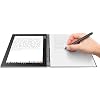
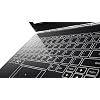
  • PRODUCTIVITY: Instantly digitize your notes with the Real Pen stylus or transform your device into a notebook computer with the Halo keyboard that appears only when needed
  • THEATER-LIKE MULTIMEDIA: This 10 inch tablet has a Full High Definition crystal-clear touchscreen display plus built-in dual speakers perfect for binge-watching TV and movies on-the-go
  • ENDLESS OPTIONS: Do more with one notebook - type, take notes, browse the web, even draw

Description

Mobile productivity enters a new era with the Lenovo Yoga Book, a 2-in-1 tablet like none you've seen before. Make notes or sketches using a stylus with real ink. Type on the Halo keyboard that appears when you need it - and vanishes when you don't. Get things done in the familiar Windows environment. Thin, light, and stylish, Yoga Book sets your imagination free - anytime, anywhere. Please update to the latest firmware/driver update by following the below steps: a. Press"win+x" and enter to device manager b. Expand Network adapters c. Right click“ Broadcom 802.11ac Wireless PCIE Full Dongle Adapter" d. Choose Update Driver Software, then choose Search automatically for updated driver software. e. Wait until it shows install successfully f. Reboot OS.

Brand: Lenovo


Model Name: Yoga Book


Memory Storage Capacity: 4 GB


Screen Size: 10.1 Inches


Display Resolution Maximum: 1920x1200 Pixels


Brand: Lenovo


Model Name: Yoga Book


Model Year: 2017


Age Range Description: Adult


Built-In Media: Real Pen stylus


Model Number: ZA150000US


Specific Uses For Product: mobile productivity, note-taking, multimedia consumption


UPC: 795962343240 190404302470


Style Name: Tablet Only


Manufacturer: Lenovo


Size: Windows OS


Global Trade Identification Number: 70


Mfr Part Number: ZA150000US


Unit Count: 1.0 Count


Battery Average Life: 13 Hours


Battery Cell Type: Lithium Ion


Lithium-Battery Energy Content: 102 Watt Hours


Hardware Interface: Micro-HDMI, MicroSD


Wireless Technology: Bluetooth, Wi-Fi


Cellular Technology: 2G


Total Usb Ports: 1


Connectivity Technology: USB


Wireless Compability: 802.11g


Other Special Features of the Product: Stereo Speakers, Portable


Speaker Description: built-in dual speakers


Operating System: Windows


Color: Carbon Black


Video Processor: Intel


Item Weight: 1.5 Pounds


Item Dimensions L x W x Thickness: 12.5"L x 2"W x 1"Th


Graphics Coprocessor: intel


Human-Interface Input: Touchscreen with Stylus Support


Graphics Description: Integrated


Compatible Devices: External displays via HDMI, storage devices via microSD, Bluetooth-enabled devices


Operating System Family: Android


Screen Size: 10.1 Inches


Display Resolution Maximum: 1920x1200 Pixels


Display Type: LCD


Native Resolution: 1920 x 1200 pixels


Aspect Ratio: 1610


Memory Storage Capacity: 4 GB


RAM Memory Installed: 4 GB


Memory Slots Available: 1


RAM Size: 4 GB


Hard-Drive Size: 64 GB


Processor Speed: 2.4 GHz


Processor Description: Intel Atom


Processor Brand: Intel


CPU Model Number: Atom x5-Z8550


CPU Model Speed Maximum: 2.4 GHz


Camera Description: Front, Rear


Front Photo Sensor Resolution: 1.3 MP


Frequently asked questions

If you place your order now, the estimated arrival date for this product is: Monday, Jul 13

Yes, absolutely! You may return this product for a full refund within 30 days of receiving it.

To initiate a return, please visit our Returns Center.

View our full returns policy here.

  • Klarna Financing
  • Affirm Pay in 4
  • Affirm Financing
  • Afterpay Financing
  • PayTomorrow Financing
  • Financing through Apple Pay
Leasing options through Acima may also be available during checkout.

Learn more about financing & leasing here.

Top Amazon Reviews


  • Very good tablet/laptop!
Update: Been using this for about a month. It's a very cool device. Bought a used Sandisk extreme plus 128 gb SD card, and tried putting everything on it -apps, etc... At first it didn't recognize the sd card so I uninstalled Intel SD Host Controller (device manager > SD host adapter > SD host controller), then restart. That's it. After formatting in NTFS, you can install as many apps as you like in the sd card (some apps need to be installed in the hard drive). This device is for light duty only. I really enjoyed using it. When on my lap, I press the drawing button On to turned off the keyboard function so I can rest my hands on the keyboard without activating keys, and use the pen to scroll on the screen when reading. Try it, it's comfy. Hopefully Lenovo keeps on improving it. They did a great job in the form and weight factor. Tips: 1. You can adjust for faster performance (control panel > system and security > system > advance system settings > Advance > Performance > settings). I chose custom, and only check the first 2 boxes. 2. install Touch Me gesture studio. Very useful for customize gestures. 3. Don't forget to first update it to Windows 10 creators update ----------------------------- I just had the windows version few days ago, and so far I'm loving it very much :). Very portable tablet/laptop. My main uses is for tablet but also want the versatility of a laptop. I love the 360 degree angle of yoga. You can position it anyway you like. No need to buy a separate stand. As soon as I got it, I right away installed windows 10 Creators update (it takes a while to finish download and installation. Don't put your pc to sleep). I notice the screen rotation was not working after the updates, so I checked the sensors and uninstalled Broadcom driver that has ! (exclamation) on it (control panel>device manager>sensor>Broadcom), then restart the pc. Problem solved! Typing doesn't bother me much (except the sound it makes when typing. Don't know how to turn it off), since I don't type much. Haven't used the drawing/pen much, so can't comment on that. Battery life is wonderful! The sound is very good, better than my surface pro! I'm planning to use this device for light uses only mainly to consume. This is not for heavy duty stuff. The only cons so far are: 1. I wish it's only 1lbs. or less 2. Would be nice to write on screen with palm rejection similar to my surface pro3 3. options for better, faster processors 4. doesn't have fast charging Bought this for $370. I wouldn't mind paying more if they make the device faster similar to Surface :) ... show more
Reviewed in the United States on August 23, 2017 by Sunset

  • Purchase the new model.
I know the new model has recently launched so I'm writing this to inform persons wanting to purchase old stock of this model. Lenovo's build quality is great. Unboxing I felt as if the device is premium, over a year later I still feel so. The speaker is crisp and loud. Battery life is good. The screen is bit yellow. I adjusted this, but it seems to still be on the yellow side. Before the Windows update last year (Fall 2017) the screen seemed brighter. I searched online and found out how to adjust it. I got really bright, but the brightness control stopped working. So I reverted to the way it was. So on brightest setting it's not very bright, good but could be brighter. Also after the fall 2017 update the keyboard changed. In landscape mode it's no longer spread across the entire width. You can set it to be spread across the width but the buttons are still small. They do not increase in width with the keyboard. It's a 1.4GHz processor, don't expect much for speed. Pausing a youtube video, you have to wait literally one to two seconds for it to pause or restart. Otherwise regular navigating the windows explorer is good. DON'T use chrome. It'll slow you down. People $h!+ on Microsoft Edge I don't care, it's really great. Edge is light. Just install μ-Block Origin and you're good to go. Firefox is as usual good too (Best browser in my opinion). Same applies, just get μ-Block Origin. HTTPS Everywhere is already built in to Firefox. I use Microsoft's antivirus because it's light. I usually use Avast on my other computers but Avast will slow down this computer. I don't recommend Avast on this computer. I never tried other antiviruses. Sometimes I get ghost issues. Screen scrolls down or up a bit. Application windows switches or window minimizes/closes. Happens mostly on tablet mode, rarely almost never on PC mode. The writing mode (lenovo paper) is good. Pen is good and responsive. I never used it much though. The yoga book was not eligible for the last windows update (October 2018). I researched this, seems to be something related to older graphics cards not being compatible. Not the yoga book's fault per say. Can't knock the yoga book for this. In summary, I love my yoga book but I advise that one saves for the new model, don't purchase this model. ... show more
Reviewed in the United States on November 16, 2018 by Anonymous

  • Also great as a high-end netbook
I have the Windows 10 version. I take it everywhere with me. My usage is a mix of reading, web, work emergencies. * Battery life is great, standby is forever, and it is super easy to open/close for quick sessions * Charging is via high-current micro USB which you can get anywhere. I got a spare 3 amp charger from Publix for $10 * It looks and feels high-end for being so reasonably priced. Windows 10 Pro w/ 4GB RAM. The screen is 99% as crisp as my Surface Pro * Sound is great * I can run all of my 64-bit development tools, VMs, Windows Subsystem for Linux * No USA version with LTE, but using mobile phone hotspot is fine (be sure to set connection as metered so it won't download updates through it) For docking I have a little USB hub where I plug in a full-size keyboard, mouse, and a couple of Displaylink screens. And to be honest I do not use the pen features or halo keyboard all that often. The halo keyboard is fine for quick web browsing and notes, but in my opinion it isn't suited for technical typing such as programming. What I enjoy most about this device is the high quality. They didn't cut corners. Solid build with the watchband hinge, crisp display and sound, Windows 10 Pro without any 64-bit problems (I had a different netbook which wouldn't run Hyper-V). Yeah it's slower than a $1,200 ultrabook and doesn't perform at the same speed, but it certainly doesn't lack screen or sound quality. ... show more
Reviewed in the United States on December 9, 2017 by Chris

  • Cool Toy - but a bit half baked
I got the Windows 10 version. This is a neat "toy" to buy so long as you're aware of what you're getting. If what you're looking for is a tablet with an "emergency" keyboard for media consumption this may do the trick. The build quality is very good, the cool factor is through the roof, and although with it's specs it's not going to be a speed demon, it is perfectly adequate for web surfing, Netflix, and playing a few simple games. It's pretty light and the battery will probably last for about 6 hours of light use. This looks like a project that was built to see what was possible, but unlike the Microsoft Courier which was never built Lenovo decided to sell this to the general public. It's pretty clear that Lenovo is no longer interested in the Yoga Book, so keep in mind that if you buy this you are on your own. Here are some of the cons: (1) Orphan Product: I purchased the Windows version because I won't be dependent on Lenovo to update it. Keep inn mind, however, that this uses some pretty specific drivers and you can't count on Lenovo to update them so when a Windows update conflicts with a driver you're on your own. An example is the Lenovo Paper App which has required approval each time you boot the unit since the Windows creator update. Lenovo is aware of the problem, but they could care less. In this case I just deleted it, but if it was a more important driver it would be a huge issue. (2) The keyboard is really, really bad. It looks cool, but since there are no keys it is incredibly frustrating to use, especially the tiny touch pad. About the only advantage I see over an onscreen keyboard is that the keyboard doesn't cover the screen. I call it an "emergency" keyboard because it's ok to use to answer a quick email or type in a web address, but using it for any amount of time would be horrible. I didn't even use it to type this review. (3) The pen is a great feature, but keep in mind that it really only works on the keyboard area, not the screen. By the way, I have another computer that uses a Wacom pen and it works fine with the Yoga Book. If you are an artist and plan to use the pen with the ink cartridge installed to draw it will work fine, but if you're trying to use the plastic tip on the note portion I find it impossible to have my markings correspond to the screen. That may just be me though, but at least in my case it is much easier to use a computer where the Wacom pen can be used directly on the viewing screen. I know I sound very negative about this product, but I actually like it since I purchased it just to see what it was like and realized that it is a bit half baked. If you buy it as a neat toy and don't expect too much you'll probably be real happy with it. But if you want something for productivity you'll probably be happier in the long run with a more conventional Windows 10 laptop or even a Chromebook. ... show more
Reviewed in the United States on January 24, 2018 by Solom01

  • Windows version isn't worth your money
I have the Windows version. The thing is a nightmare. My power settings are setup right, but doing anything other than shutting it completely off after you use it is a gamble. I've closed mine to put it to sleep and hours later it wakes right back up fine. Other times it stays black, power button does nothing, have to hold down the power button for >5s and hard reset. Once I closed it, tossed it in my bag and hours later removed it hot because it simply kept running and was now almost out of battery. Charging it that same night, the charging light came on but when I unplugged it in the morning it was still completely drained. Had to hard reset to get it to start charging. The OS hangs up frequently becoming unresponsive, doesn't seem to have enough muscle to run Windows. The keyboard often, though not always, misses your first button press. It can be lit and you press a key and get nothing. It can be unlit and you touch it and input whatever key you happened to brush. The included stylus seems to work pretty well, but you can run the preloaded ArtRage Lite trial and the machine will start locking up sending the line you were drawing off into space in slow motion. The touchscreen looks great and is usually very responsive, though your touches don't always land where you expect. I'd avoid this at all cost, but if you're still tempted be sure to try it out at a store first so you know what you're getting. ... show more
Reviewed in the United States on February 11, 2017 by Matthew A. Stewart

  • good tablet
Great battery life even after a few years.
Reviewed in the United States on April 21, 2026 by Marek

  • A Beautiful but woefully Under Powered Windows Computer
Let's get this out of the way, the first thing I remarked on when I got to hold the device was just how unbelievably beautiful it was. Being two simple black slates with a pleasing matte finish (except on the screen portion) made it an exceptional and unique device. It feels like it's from the future. How thin and light it is, the way each slate feels like warm stone, when it turns on and shows that it's an actual working computer is awesome in the proper sense of the word. Then we get to why I bought the thing, because I had some pretty unrealistic expectations for what the actual device can do. I wanted to use it as a computer for drawing. I actually prefer drawing on separate tablets rather than drawing on screens. This makes me unusual. But the device was too slow and incapable of running the software I needed to run. (Clip Studio Paint, which is a moderate resource intensive drawing program) The fact that the drawing surface is a full wacom tablet, with one to one scale with the screen, was definitely impressive. And it was fun to use the included ArtRage software. ArtRage itself is very fun to use anyway. But in terms of horsepower, the device couldn't keep up with anything remotely professional. I'd have given it three stars but knock it down another peg for being maybe too ambitious as a windows computer. The keyless keyboard is pretty but was very hard to use without looking down at it all the time. It made even the simple job of entering your login pin number, surprisingly difficult. This device could have benefited from a fingerprint scanner, for sure. All that said, I imagine it'd be a wonderful Android slate. It feels like nothing else thanks to its size and slimness. The screen itself is quite nice, and appears magical in that form factor. But it's got a ways to go to make itself an actual productive device. And if you want something for jotting notes down, instead of a serious art machine, your average tablet and capacitive pen will do that trick for you just as well. Full disclosure, I ordered it wanting to try it out for myself. I was excited for it, after seeing some positive reactions but had reservations about whether or not I could use it regularly. After a couple days with the device, trying what I could to make it work for me, I had to give up and return it. ... show more
Reviewed in the United States on June 10, 2017 by EC

  • The best Windows tablet?
I've had the Windows version of the Yoga Book for one month and I'm super happy with this device. The need was for a light weight device I could use throughout the house. A Surface like device with a detachable keyboard wouldn’t do as they're cumbersome to use lying on a couch or inclined on a chair. The choice was between the Dell XPS 13, Lenovo Yoga 910, and the Yoga Book. Since I already own a decent 15 inch laptop, I went with the Yoga Book. One concern I had was with the Yoga Book's screen resolution. At 1920 x 1200, was it sharp enough? I have to say the screen on this device is gorgeous. It's really sharp and bright. Another concern was with the Halo keyboard. I was concerned the keyboard wouldn’t work for me and I'd end up resorting to a Bluetooth keyboard. I have to say the Halo keyboard exceeded my expectation so much so that if Lenovo builds a 14 inch Yoga Book with beefier internals, I would seriously consider replacing my laptop. The one thing I wasn't too happy about was with the mat finish. It feels yucky to the touch. I ordered a protective skin from DecalRU and that fixed it. Overall, I highly recommend the Yoga Book. ... show more
Reviewed in the United States on February 26, 2017 by Jung Park

Can't find a product?

Find it on Amazon first, then paste the link below.
Checking for best price...