Search  for anything...

Keychron K10 Full Size 104 Keys Bluetooth Wireless Mechanical Gaming Keyboard for Mac Windows K Pro Red Switch, Multitasking/White LED Backlight/USB C Wired Computer Keyboard

  • Based on 464 reviews
Condition: New
Checking for the best price...
$79.98 Why this price?
New Year Deal · 6% off was $84.99

Buy Now, Pay Later


As low as $13.33 / mo
  • – 6-month term
  • – No impact on credit
  • – Instant approval decision
  • – Secure and straightforward checkout

Ready to go? Add this product to your cart and select a plan during checkout.

Payment plans are offered through our trusted finance partners Klarna, Affirm, Afterpay, Apple Pay, and PayTomorrow. No-credit-needed leasing options through Acima may also be available at checkout.

Learn more about financing & leasing here.

Selected Option

Free shipping on this product

30-day refund/replacement

To qualify for a full refund, items must be returned in their original, unused condition. If an item is returned in a used, damaged, or materially different state, you may be granted a partial refund.

To initiate a return, please visit our Returns Center.

View our full returns policy here.


Availability: 20 left in stock
Fulfilled by Amazon

Arrives Tuesday, Feb 10
Order within 22 hours and 5 minutes
Available payment plans shown during checkout

Protection Plan Protect Your Purchase
Checking for protection plans...

Color: K Pro Red Switch


Features

  • The Keychron K10 is a 104 keys white LED backlight Bluetooth mechanical keyboard made for Mac and Windows. Engineered to maximize your productivity with most popular full size layout with number pad.
  • With a unique Mac layout while compatible with Windows, the K10 has all essential multimedia and function keys you need (Num Lock works with Windows only), and comes with a dedicated Screenshot Key, Siri (Cortana) Key, and Screen Lock Key. Extra keycaps for both Mac and Windows operating systems are included.
  • Connects with up to 3 devices via the reliable Broadcom Bluetooth 5.1 chipset and switch among them easily for multitasking needs. The K10 is best to fit home, office and light gaming use while connecting with your smartphone, laptop and iPad. It also has wired mode with USB Type-C connection.
  • With the Keychron Pro mechanical switch providing unrivaled tactile responsiveness on the Brown switch with up to 50 million durable keystroke lifespan. N-key rollover (NKRO) on wired mode or 6KRO on wireless mode.
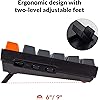
  • The K10 can last up to 240 hours (with backlight off) with a 4000 mAh big battery, which is one of the biggest in mechanical keyboards. Two level adjustable feet (6o and 9o) and inclined bottom frame provides a great ergonomic support for long lasting typing comfort.

Brand: Keychron


Compatible Devices: Gaming Console


Connectivity Technology: Bluetooth & USB


Keyboard Description: Gaming


Recommended Uses For Product: Business


Special Feature: Backlit, Ergonomic


Color: K Pro Red Switch


Number of Keys: 104


Keyboard backlighting color support: Single Color


Style: Modern


Product Dimensions: 9.84 x 7.87 x 3.15 inches


Item Weight: 1.1 pounds


Manufacturer: Keychron


Language: English


Item model number: K10-A1


Batteries: 1 Lithium Polymer batteries required. (included)


Date First Available: January 21, 2022


Frequently asked questions

If you place your order now, the estimated arrival date for this product is: Tuesday, Feb 10

Yes, absolutely! You may return this product for a full refund within 30 days of receiving it.

To initiate a return, please visit our Returns Center.

View our full returns policy here.

  • Klarna Financing
  • Affirm Pay in 4
  • Affirm Financing
  • Afterpay Financing
  • PayTomorrow Financing
  • Financing through Apple Pay
Leasing options through Acima may also be available during checkout.

Learn more about financing & leasing here.

Top Amazon Reviews


  • Great quiet keyboard with solid feel – but get a wrist rest!
This is an outstanding keyboard for the price. It’s impressively quiet, which is exactly what I was looking for, and the keys still feel nice to type on. They’re a little mushy compared to mechanical switches, but that’s expected for a quiet keyboard—and honestly, it’s not a bad trade-off. Connection was quick and easy, and I really appreciated the included extra keys for both Windows and Mac layouts, along with a keycap removal tool. The build quality is fairly solid—nothing premium, but definitely better than I expected at this price point. One important note: you absolutely need a wrist rest with this keyboard. The low profile and flat base make long typing sessions uncomfortable without one. Once I paired it with a wrist rest, it became a fantastic daily driver. Highly recommend this keyboard if you’re in the market for something quiet and well-built on a budget. ... show more
Reviewed in the United States on June 23, 2025 by User44567

  • Overall Great Keyboard! Typing feels like a dream with the K10
Color: K Pro Brown Switch
I bought this keyboard for both gaming and work - two things I do a lot of. When it comes to keyboard's I'm looking for a range of things and I will rate them all below. 1. Typing feel: I'm using the variant of the K10 that has brown switches and they feel great to type on. I personally love brown's because they make enough sound to provide feedback when typing but they are not so loud that it disturbs others who might be around you or activates a microphone ( if you aren't using a background noise filter like NVDIA Broadcast). Additional, the keycaps themselves feel wonderful. They have a slightly soft texture to them that feels premium and enhances the typing experience. 2. Compatibility: Looking for a few things here and luckily this keyboard covers all but one area. The keyboard is Bluetooth 5.1 compatible allowing for wireless connectivity, it also has a modular power cord for wired use and charging, allowing for versatility between the two options. Additionally, if you using a mac for some reason (gross) like because your work forces you to, this keyboard can switch between both MAC and PC with the flip of a switch, and provides you with the keycaps for both configurations. 3. Design: The keyboard has a simple and professional design that can be made even more clean if you swap in the black keycap for your ESC key (this cap is included). They also included a handy tool for removing keycaps easily, which I've previously only seen included on my Ducky keyboard purchases. This allows you easy access to the underneath of the keycaps for cleaning purposes, keycap saps and switch swaps. The keyboard also has pure white backlighting that can be set to various different styles locally on the keyboard, no software required. Value: Excellent. For the quality your getting a massive value with this keyboard. You would pay 3x the price to get a worse keyboard from big names like Razer - and the only difference (in most cases) is that it doesn't allow you to change the backlighting color from pure white. But this comes with the added benefit of not requiring you to download a cumbersome software to manage your keyboard. Many other peripheral options require software just to function these days, and it can be a major pain. They require updates frequently and often times full reboots. Your devices may not work properly without them. All of this is avoided with the Keychron K10. Keyboard's serve a simple function - and I appreciate the simplicity this. ... show more
Reviewed in the United States on February 7, 2023 by John

  • Excellent and Affordable Mechanical Keyboard, very visible shine-thru caps
Color: Keychron Super Banana Switch
This is my first, and probably only mechanical keyboard. I say "probably only" because I am so satisfied with the performance and "feel" and yes,...even "sound" of this Keychron K10 Version 2 (with Banana Tactile K10X-A4 "Super Switches") that I doubt I'll be needing to buy any other model. This model is the cheaper white-LED only backlit keyboard I got on sale for $76...and I knew from careful reading that this cheaper white-only LED model without RGB lighting DOES NOT have removable keys....my understanding is the slightly more expensive RGB model keys ARE removable.....but these Keychron Banana Super Switches feel great and I love the shine-through standard caps, so I'm fine with this K10 Ver. 2 just the way it comes from the factory. I had never had the opportunity to try out the various key-switch options, Banana, Brown, Red, etc...just carefully read the descriptions of each and went for this Banana switch, which, from what I understand, is Keychron's own custom banana version.... I don't really feel any "resistance" like the "bump" I've read about, which I thought I wanted, but it feels fine to me and I'm flying along typing error-free, so I'm good. (Edit to the following paragraphs: I got very responsive feedback from Keychron a day later about the "clover leaf" keys and the removal tool..... 1. They ship the keyboard out in a MAC key configuration by default, so Windows users who care to use the spare Windows key caps included will have to swap out the MAC "Clover Leaf" caps for the Windows caps.... [I am unfamiliar with MAC] 2. They clarified that the bare rigid wire end opposite to the "hook" end of the key cap tool is for removing just the caps, the hook end is for pulling/replacing the key switches on models that have removable switches. There is NO instruction on use of the tool in the included docs ! 🙄) Original review... The only negatives I've experienced are the tool that comes with the extra caps is extremely hard to fit around the cap because there is NO space between adjacent caps...you have to tilt the tool very sideways and slip one hook under one edge...top or bottom, then push an adjacent key down to give you room to fit the hook on the opposite edge (top or bottom of cap)...and then it easily slips right off while pulling up. I had to do this immediately because they had installed some sort of "clover leaf" keys where the "ALT" keys should be, and an "OPTION" key where the "WINDOWS" key should be....I've started learning and using the special Windows-key shortcuts like "Windows+X" for a quick menu of often-used System functions like Device Manager, etc., so wanted to use that Windows key on the left....weird they had installed sort of "clover leaf" keys where the ALT keys go...is that a MAC thing ? But they did include 2 Windows key caps in the box. The only other "negative" for a new-user is the TINY TINY print of the TINY "manual," it's just a "Quick Start Guide" that gives NO instruction on using that cap tool....you're on your own to figure out how, or scratch up your brand new keys trying to get the tool to fit....and NO instruction on using the "on-line" web-based key customization utility that is also used to update firmware....just have to pay attention and figure it out for yourself. I found that my new K10 v.2 with Bluetooth (no WiFi) did not need the wired firmware update, but it DID install new Bluetooth firmware....you do that by going to Launcher.Keychron.com, download the app, then go back to the web-based utility...the "manual" only talks about upgrading the wired firmware, but when I installed the associated software that talks to the web-utility, it said I was "Up To Date" for wired firmware, but when I experimented by switching into Bluetooth mode while in the utility, then checked BT "wireless" firmware, that did need updating....which went smoothly, done in about 4 or 5 minutes. I'm keeping it. 😊 ... show more
Reviewed in the United States on July 23, 2025 by Stenn Stenn

  • Great 110% for the price - will purchase again.
Color: K Pro Brown Switch
Functions great with a pleasant sound on the brown switches. Have only had one hiccup where a few keys stopped working, so I'm giving it 4 stars. I have been unable to replicate the problem to identify what happened. Overall very happy with the keyboard - it's lightweight and easy to move around, and uses quality components. No loose parts or wobbling - everything is laid out great. Lighting options are great and interesting. I plan to purchase a few more for different office locations in the future. I enjoy typing on the keyboard. ... show more
Reviewed in the United States on June 19, 2025 by Charlotte

Can't find a product?

Find it on Amazon first, then paste the link below.
Checking for best price...