Search  for anything...

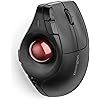
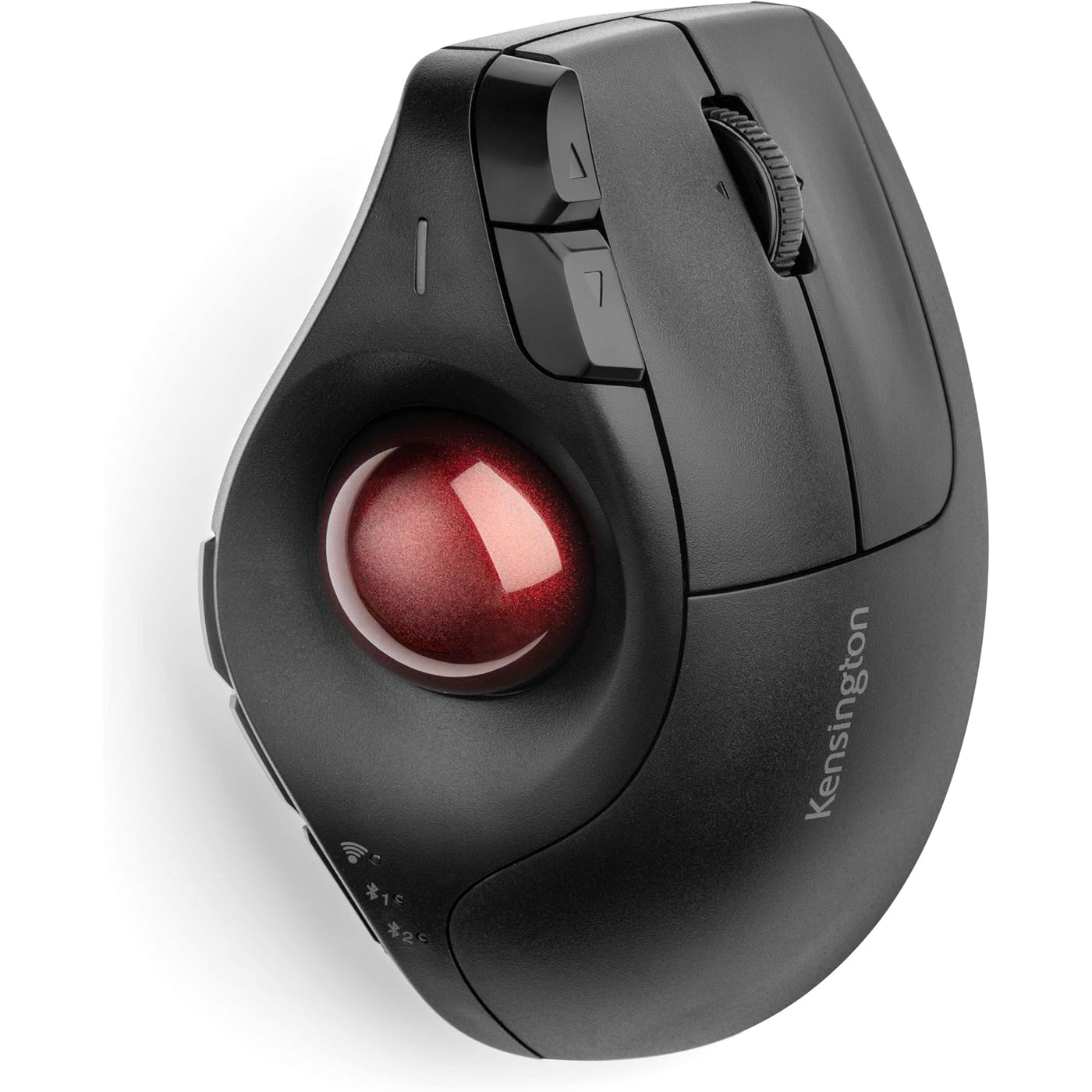
Kensington Pro Fit® Ergo Vertical Wireless Trackball (K75326WW), Black, 3" x 4" x 6.1"
  • Based on 1,416 reviews
Condition: New
Checking for the best price...
$39.99 Why this price?
Save $34.99 was $74.98

Buy Now, Pay Later


As low as $9 / mo
  • – 4-month term
  • – No impact on credit
  • – Instant approval decision
  • – Secure and straightforward checkout

Ready to go? Add this product to your cart and select a plan during checkout.

Payment plans are offered through our trusted finance partners Klarna, Affirm, Afterpay, Apple Pay, and PayTomorrow. No-credit-needed leasing options through Acima may also be available at checkout.

Learn more about financing & leasing here.

Free shipping on this product

30-day refund/replacement

To qualify for a full refund, items must be returned in their original, unused condition. If an item is returned in a used, damaged, or materially different state, you may be granted a partial refund.

To initiate a return, please visit our Returns Center.

View our full returns policy here.


Availability: Only 5 left in stock, order soon!
Fulfilled by Amazon

Arrives Sunday, Mar 8
Order within 22 hours and 43 minutes
Available payment plans shown during checkout

Protection Plan Protect Your Purchase
Checking for protection plans...

Features

  • Ergonomist-Approved Design All-day comfort is provided through an ergo design with a 60 tilt and natural handshake position to improve wrist and forearm position
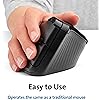
  • Easy to Use Uses the same left click right click and scroll wheel operation as a traditional mouse while providing the advantages of a trackball with a simple roll of the thumb
  • Premium Precision & Speed The high-quality optical tracking sensor 34mm thumb-operated trackball and triple DPI switch provide smooth cursor control optimal precision and easy cursor speed transitions
  • Flexible Wireless Connection Options Connect your vertical trackball to up to 3 different devices one via the 2 4GHz nano dongle that stows inside the trackball body and two additional connections via Bluetooth; Bluetooth connectivity works best for PC Windows 8.1 or later and Mac OS X 10.8 or later; USB dongle connectivity is recommended for Windows 7 or later
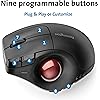
  • Plug & Play or Customize Experience plug and play default settings or use KensingtonWorks software to set pointer and scrolling options and professionally customize 9 programmable buttons to tackle common tasks with one touch; Customizing with TrackballWorks software on Mac OS is only available when connected with the USB dongle
  • Power saving mode puts mouse to sleep when not in use; power settings can be updated in the KensingtonWorks software
  • Compatible with Windows, macOS (10.14 and later), and Chrome (OS 44 and later); 3 year coverage and lifetime technical support

Description

Give your hand and wrist a healthy break Upgrade to ergonomist-approved comfort and premium cursor control with Kensington’s Pro Fit Ergo Vertical Wireless Trackball A 60° tilt angle keeps the wrist in a natural handshake position to improve wrist and forearm posture and minimize muscle use Perfect for new trackball users this vertical trackball is easy to learn and offers 9 programmable buttons for significant productivity gains

Brand: Kensington


Color: Black


Connectivity Technology: Bluetooth


Special Feature: Wireless


Movement Detection Technology: Optical


Brand: ‎Kensington


Series: ‎Pro Fit


Item model number: ‎K75326WW


Operating System: ‎Chrome OS, macOS, Windows


Item Weight: ‎6.4 ounces


Product Dimensions: ‎6.2 x 3.2 x 4 inches


Item Dimensions LxWxH: ‎6.2 x 3.2 x 4 inches


Color: ‎Black


Power Source: ‎Battery Powered


Batteries: ‎2 AA batteries required. (included)


Manufacturer: ‎Kensington


Country of Origin: ‎China


Date First Available: ‎January 7, 2020


Frequently asked questions

If you place your order now, the estimated arrival date for this product is: Sunday, Mar 8

Yes, absolutely! You may return this product for a full refund within 30 days of receiving it.

To initiate a return, please visit our Returns Center.

View our full returns policy here.

  • Klarna Financing
  • Affirm Pay in 4
  • Affirm Financing
  • Afterpay Financing
  • PayTomorrow Financing
  • Financing through Apple Pay
Leasing options through Acima may also be available during checkout.

Learn more about financing & leasing here.

Top Amazon Reviews


  • Underrated
Pros: - Logitech build quality and features for less than half the price - Connects to up to 3 devices - Great for large hands - Comfortable to use - Customizable - Wheel tilt scrolling - Uses normal batteries Cons: - Supports only 2 Bluetooth devices - Each device switch takes 3 seconds I was looking for a mouse for being on my laptop in the living room. I swear by Logitech but also wanted to see what else was out there as I didn't feel like paying over $100 given the use case. I found this for $39.99 and it's been a very good buy for what it is. The mouse is very comfortable to use. I've seen some odd reviews claiming the switching button can easily be mistakenly pressed, but that's impossible if you hold the mouse correctly: fingers over the left and right-click buttons, thumb on the ball or on the ridge to the left of the ball. The right edge of your palm should be resting on the same surface the mouse is on. If you're *gripping* the mouse while using it, of if your thumb is below the left side buttons, or if the weight of your hand is resting on the mouse itself, you're using it wrong. The software isn't as slick as Logitech Options+, but it gets the customization job done. I kept everything stock except the side buttons to the left of the trackball, which I've assigned Page Up and Page Down. The only bad things about this mouse are the 3 second device switching delay and that switching is limited to only 2 Bluetooth devices vs. the 3 that competing Logitech mice support. The 3rd device unfortunately has to be connected via the USB dongle. The device switching delay is mitigated in my case by the fact that although the mouse is paired with 2 laptops, I only ever use it with 1 of them at a time. The trackball itself is about as smooth as I've ever used in a trackball. Which is to say it lacks the precision of an optical mouse but is good enough for productivity. The build quality is a notch below that off Logitech's MX Master series, but MX Master mice also cost over 2X as much. It feels weird only when you try to pick it up, which isn't an issue because as a trackball it's not meant to be picked up in use anyway. Also the buttons aren't silent, but again the only silent mice I've known are MX Masters. Lastly, I appreciate Kensington's decision to go with an AA battery instead of a fancy rechargeable battery that diminishes the entire point of using Bluetooth: to avoid the use of a USB port. Just keep it simple: AA batteries are available everywhere. All in all, this is an excellent product you should choose IF you can get it for 2/3 - due to supporting only 2 Bluetooth devices - or less of the price of a competing Logitech mouse. Based on the MSRP, that should almost always be the case. I'm glad I didn't listen to the negative reviews I read. ... show more
Reviewed in the United States on July 15, 2024 by J. Richardson

  • Watch out for the left click. Hit it solidly. Otherwise, it's EXCELLENT!
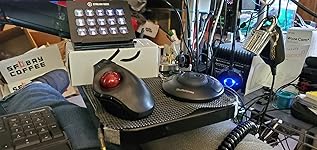
I practically live online. I'm disabled, and have a powered recliner with my monitor on a swing arm over my lap. I use an ergo keyboard on my lap, and a trackball on the right chair arm. In my latest chair, the right chair arm contains a collapsible coffee table. I have my trackball, a Stream Deck, a ShuttleXpress for editing video, and a ham radio Morse Code key. There's a USB 3.1 unpowered hub on the back edge to support all of these devices. So space is at a premium. I used to be a solid supporter of the Logitech trackball products, but when I started getting pain in the hand from the flatter design of the Logitech, I switched to the Kensington Ergo-Fit because it's at a more natural angle for the hand. In that respect, this trackball is WONDERFUL. The repetitive stress is far less and I haven't had pain from the trackball since I got used to the Kensington. It also supports 2.4ghz AND Bluetooth connection, which is handy when your home radiates as much radio flux as a small star like mine does (two computer people in the same house, both of whom are ham radio operators == LOTS of RF!). There's a button on the bottom for ejecting the trackball so it can be cleaned, and to clean the bearings in the socket. This is very handy, as I had to use the back end of a Sharpie on the Logitech. You DO have to keep after the cleanliness of the trackball bearings and sensors inside the ball socket, but this is true of all trackballs. If they get gummed up with schmutz, or cat hair, or whatever, it'll be inaccurate and difficult to roll. So keep after it! Now to my only real complaint about the device: The left click button. On mine, it seems to have TWO click positions, a false "light strike" click, and the actual left click. If you tap it too lightly, it'll FEEL like you clicked it, but nothing will happen. You have to make sure you solidly click it past that false click to the actual click, which requires just a tad more force than the Logitech. You'll sometimes find that your point of aim swings ever so slightly when you do this stronger click, because your thumb twitches. If you're trying for tight accuracy, lift your thumb off the trackball BEFORE you do the left click, and it won't move that little bit. This is very important in things like graphics use and in gaming. Aiming in a game can easily be thrown off, which can be a bummer with a ranged attack. But if you get used to raising your thumb just a bit, the firm left click won't make the trackball twitch, and you'll be more accurate. I didn't notice this happening with the Logitech. I *might* have the DPI too high...I just thought of that, and will check it. IF anyone knows how to avoid this problem without retraining the thumb, I'd love to hear it. One more issue that isn't with the function of the trackball. The rubber grip strips on the bottom will eventually peel off. If you just stick them back down, they'll peel off within an hour, as the adhesive is already ruined. Two of them have already peeled off my Kensington, so I'll have to try some epoxy or something to stick them back down. It's not a high priority because I have a sheet of grippy shelf liner on the tabletop so things don't skitter around, but this could be a problem for those using it on a smooth tabletop with no traction. In the picture, you can see the strips stuck to a white box that lifts the Stream Deck up so it can be used by the trackball hand more easily. (Forgive the mess in the background. Again, disabled.) The extra buttons on the trackball are a wonderful addition. The forward/back buttons ahead of the left click button are great, and I use them all the time. I set the side buttons on the edge under the trackball to Enter and a couple of others that I forget. But having an Enter button on the trackball lets me copy, paste, and hit enter all from the trackball instead of having to tap Enter on my keyboard, taking my attention away from controlling the cursor. The scroll wheel is very well designed, and the left/right tilt switches on it give a little more control, especially in games, and the click down switch on the scroll wheel is perfectly placed for push-to-talk on voice apps. If you keep after the cleanliness, get used to the funky left-click switch, and the attendant possible thumb-twitch from it, this is an EXCELLENT trackball, and much better for the health of your wrist and carpal tunnel than the flatter Logitech device. ... show more
Reviewed in the United States on May 23, 2021 by Jenny Everywhere Jenny Everywhere

Can't find a product?

Find it on Amazon first, then paste the link below.
Checking for best price...