


Search  for anything...
HP

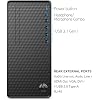
HP Business Tower Desktop PC, Intel i5 Processor, 32GB RAM, 1TB SSD

Based on 669 reviews
Condition: New
Checking for the best price...
$849.98
Save $479.02 was $1,329.00

Buy Now, Pay Later


As low as / mo
  • – Up to 36-month term if approved
  • – No impact on credit to apply
  • – Instant approval decision
  • – Secure and straightforward checkout

Ready to go? Add this product to your cart and select a plan during checkout.

Payment plans are offered through our trusted finance partners Klarna, Affirm, Afterpay, Zip, Apple Pay, and Google Pay. No-credit-needed leasing options through Acima may also be available at checkout.

Learn more about financing & leasing here.

Selected Option

Free shipping on this product

30-day refund/replacement

To qualify for a full refund, items must be returned in their original, unused condition. If an item is returned in a used, damaged, or materially different state, you may be granted a partial refund.

To initiate a return, please visit our Returns Center.

View our full returns policy here.


Availability: In Stock.
Fulfilled by XNT Electronics

Arrives Nov 10 – Nov 12
Order within 9 hours and 8 minutes

Available payment plans shown during checkout

Protect Your Purchase

Easy claims online, fast replacements, no fees

Checking for protection plans...

At a glance

Condition
New
Set
32GB RAM, 1TB PCIe SSD
Model
F150
Storage
32 GB
Operating System
Windows 11 Home
CPU Model
Core i5
CPU Speed
2.9 GHz

Features 5

  • INTEL CORE i5 PERFORMANCE FOR EVERYDAY BUSINESS: The Intel Core i5 processor provides responsive performance for office applications, spreadsheets, data entry, web-based tools, video meetings, and everyday multitasking. It supports smooth daily workflows for business, study, and home office use.
  • 32GB RAM AND 1TB SSD FOR SMOOTH MULTITASKING: Upgraded 32GB memory supports multiple applications and browser tabs with fewer interruptions. The spacious 1TB SSD provides responsive access to Windows, business software, documents, spreadsheets, presentations, project files, and other frequently used data.
  • WINDOWS 11 WITH COPILOT AI PRODUCTIVITY: Windows 11 Home provides a familiar workspace for business and personal use. Copilot AI access supports compatible productivity features for researching information, organizing ideas, drafting content, and handling routine tasks more efficiently.
  • WIRED AND WIRELESS OFFICE CONNECTIVITY: Gigabit Ethernet supports stable wired networking, while the included USB WiFi adapter adds wireless access. Four front USB 3.2 Gen 2 Type-A ports and four rear USB Type-A ports provide convenient connections for storage devices, printers, keyboards, and other peripherals.

Description

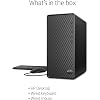
HP Business Tower Desktop PC for Office ProductivityThe HP Business Tower Desktop PC combines a 6-core Intel Core i5 processor with upgraded 32GB RAM and a 1TB SSD. It is designed for office applications, data processing, web- based business tools, document management, and everyday multitasking.Key BenefitsDependable Processing: The 10th Generation Intel Core i5 features 6 cores, 12 threads, speeds up to 4.3GHz, and 12MB cache for office work and routine business applications.Upgraded Memory and Storage: 32GB RAM supports multiple applications and browser tabs, while the 1TB SSD provides responsive access to programs, documents, spreadsheets, and project files.Windows Productivity: Windows 11 Home provides a modern interface for daily work, with Copilot AI access for compatible productivity features and supported services.Practical Connectivity: Eight USB Type-A ports support storage devices and office accessories. RJ-45 Ethernet provides wired networking, while the included USB WiFi adapter adds wireless connectivity.Ready-to-Use Accessories: An English keyboard and mouse are included, allowing the desktop to be integrated into a home office, reception area, classroom, or business workstation.Technical SpecificationsProcessor: 10th Generation Intel Core i5-10400F, 6 cores, 12 threads, up to 4.3GHz, 12MB cacheMemory: 32GB RAMStorage: 1TB SSDOperating System: Windows 11 HomeWireless: External USB WiFi adapter includedFront Ports: 4 USB 3.2 Gen 2 Type-A ports and 1 headphone/microphone combo jackRear Connections: 4 USB Type-A ports, RJ-45 Ethernet, audio input/output ports, HDMI 2.0, VGA, and DVI-IAudio: Integrated audio chip with no built-in speakersSecurity: Security lock slotIncluded Accessories: English keyboard, mouse, and USB WiFi adapterPower Supply: 180WDimensions: 13.2 x 11.9 x 6.1 inchesWeight: 9.26 lbsColor: BlackTarget AudienceDesigned for office employees, small businesses, students, administrative teams, and home users who need a practical desktop for spreadsheets, reports, data entry, web applications, communication, and everyday productivity.

Specs 45

Brand HP
Operating System Windows 11 Home
CPU Model Core i5
CPU Speed 2.9 GHz
Cache Size 12 MB
Graphics Card Description Integrated
Memory Storage Capacity 32 GB
Specific Uses For Product Education, Everyday Use, Student

Frequently asked questions

If you place your order now, the estimated arrival date for this product is: Nov 10 – Nov 12

Yes, absolutely! You may return this product for a full refund within 30 days of receiving it.

To initiate a return, please visit our Returns Center.

View our full returns policy here.

  • Klarna Financing
  • Affirm Pay in 4
  • Affirm Financing
  • Afterpay Financing
  • Zip Pay in 4
  • Financing through Apple Pay
  • Financing through Google Pay
Leasing options through Acima may also be available during checkout.

Learn more about financing & leasing here.

Top Amazon Reviews


Great monitor, great price
Coming from a 27 inch iMac running a 2560x1440 display, I have to say, this monitor made it so easy to transition for me. I was afraid to break away from apples notorious high resolution displays. But this monitor really confirmed I made the right choice. Pros: Glossy Screen - Coming from an iMac, I love the glossy screen. Yes, at times the glare can be an annoyance, but I think it makes the picture look so much better and brighter. Ports - Comes equipped with all of the most commonly used ports (VGA, DVI, and HDMI) and cables. Well except for an HDMI cable which I don't understand why they wouldn't include one. Thickness - This thing is thin. Not heavy at all. Base is very sturdy and reliable. Hate to compare it to the imac so often, but doesn't shake as much whenever I shake my leg. Glossy finish - This monitor just looks so sexy with the glossy finish. It does collect fingerprints easily but it looks so slick. Cons: No audio jack - I use this monitor to watch cable, play games, and use it for my pc. All of which use HDMI. And hdmi cables transfer both video and sound. So it would have been nice to have an audio jack to plug my speakers into it. But I've found a way around it using rca cables. Would have been nice to have it though instead of having more cables. Buttons - They suck. They are almost flush with the bottom of the monitor. Not a deal breaker, more of an annoyance. All in all, I like it. I can't say I love it because I just switched from an iMac. But I'm definitely happy. The imac was only capable of accepting 720p signals in target display mode (watch cable, and use it for ps3) and now watching tv and playing games on this monitor in 1080p is so amazing. Coming from a previously owner of an imac, I would definitely recommend it. For the price, it really is a score. And if you do buy it... I ordered ikea dioder multicolor lights that I attached on the back of this thing. It looks phenomenal. Youtube ikea dioder multicolor lights. Just a "cool point" feature. Hope this helps anyone! *UPDATE* Iv'e had this monitor for a while now and it's still going strong. Some things that I've noticed were that the base plate scratches pretty easily. Dust magnet. Doesn't get to hot after hours of use. And also another thing somewhat major, I read somewhere on a product description, not sure if it was here, but it said that this monitor is great for wall mounting because of it's slim design. The monitor came with no wall mount and it is not VESA wall mount capable. The picture posted is someone improvising a wall mount. I don't know if I want to risk attempting to put in a mount because it is so thin. But just an FYI. ... show more
Reviewed in the United States on October 31, 2011 by Matthew

Best 27" Monitor for the money - Hands Down.
This monitor has been a godsend. I debated for a long time on which one of the standard "27 Inch Monitors for around $300" to go with. I'll be honest, at first I actually purchased the ViewSonic VX2739WM 27-Inch 1920x1080 Full HD Monitor. I was drawn in by the 1ms refresh time and all the stats/great reviews. After 3 HOURS of working with it, I can confidently say that is the worst monitor I've ever seen in my entire life. The resolution is so terrible you would think the max resolution was about 720i or 480p just stretched out over a 27" screen. It was actually the first item I've ever returned to Amazon for a refund (which they promptly did, because Amazon is fantastic like that). After that I learned my lesson: DON'T BELIEVE STATS - ACTUALLY SEE THE MONITOR IN THE FLESH BEFORE YOU BUY IT. Now highly frustrated, I went to a local high-end computer shop and checked out the HP2711x. As I initially thought, I completely loved it - I say this because I've been a fan of the HP monitors and their style since the HP w2207h 22" I bought a few years back. Now making visual confirmation, I came back home and ordered this from Amazon the same day (sorry local store). It's been everything I thought it would be: great colors, simple setup, nice menu, great resolution, very slim, lightweight, no hassle. It works great as a second monitor for my 17" laptop. I do graphic design, photo work, and video editing: Nothing is as great as having a big screen to lean back in your chair and do work on. Obviously, it's not an Apple Cinema display (or the NEC equivalents) that have literally TWICE the resolution - but then again, it's also not $2000! It's really apples (no pun) and oranges to compare the two types of screens. Long story short: This is the best 27" LCD monitor on the market around the $300 price range. Hands down. Look no further and get one (or two) of them today. ... show more
Reviewed in the United States on August 9, 2011 by A. Smith

perfect to hook up to a laptop, great product for the price, but color isn't 100% true
UPDATE 2 I've had this for almost a year and wanted to report that it works as great as ever. I'm very pleased with it. END UPDATE 2 UPDATE I've had this for seven months now, and the product still works great. However, my friend also has this and his stopped connecting to his laptop after a year of use. he sent back for another one and HP send him a refurbished one right away ... with three dead pixels. he tried to send that one back too but they said there has to be a minimum of five dead pixels before they will give you a new one. this seems unacceptable to me since you're paying so much but he doesn't really notice it anymore. apparently it's the luck of the draw. I got lucky with mine so far, but if you get one with dead pixels you may not be able to get a new one. and it might give out after a year. it's hard to say don't get it, because it's good for what I need it for, but just know that might be an issue. END UPDATE I am a complete amateur when it comes to products like this. I read a ton of reviews before deciding which monitor to purchase, and this seemed like the obvious choice. What I have gathered from other reviews is that this is an excellent buy for the quality and price, and that you can't expect perfect quality from a 27" screen unless you pay much more than a couple hundred dollars. Having said that, the color is a little washed out and not the same as on my laptop screen. I don't know if it's an unrealistic expectation for the color to be perfect or not. It works perfectly for what I use it for, which is to compare documents side to side, but if you're a computer graphic artist I expect this will not suit your needs. If I knew more about how to adjust the RGB levels it might be perfect, but I don't even know where to start with that so I just left it. I tried adjusting the brightness and contrast, and moving the tones from "warm" to "cool" to "default" but ended up back at "default" because it looked the best. More details on the color: I mostly notice the color differentials for grays (for example my Chrome browser is silver at the top and it looks white on this screen) and in iCal (or "Calendar" now). In Calendar/iCal in month view, normally "Today" is slightly highlighted in blue. I can't see the highlight on this screen - it just looks like any other box/day on the calendar. Also, the other colors on iCal/Calendar are pretty washed out - like if you sort events by calendar, some in blue, some in purple, some in yellow - the color dots or highlights of the labels are a little washed out and look a bit more flourescent than they do on the actual laptop screen. I've watched TV on here and don't notice any color differential at all. I have noticed that if you use the highlighter on a PDF in Preview, the colors also look more flourescent (and funnily enough more like actual highlighter colors) than they do on the Mac screen on my laptop, especially the yellow. Most of the time I don't notice it, but I use iCal a ton so the "today" thing is a little annoying. But like I mentioned, I don't know if it's possible to get a better color quality on any 27" screen that is in this price range, and literally everything else about it is perfect for my needs. Here is what I love about it: It is very thin, has a pretty small footprint on the desk, and very light and easy to move. The outside part of the screen is black and very shiny and looks great on my desk. The best part about it is that it makes using my laptop at home delightful. I purchased this to hook up to a 13" macbook pro, and have purchased a bluetooth apple keyboard and bluetooth mouse to go with it to give myself more desktop space when working at home, and it's just like I have a 27" mac now. I get so much more out of my laptop with this screen than I would otherwise. The 13" was a much better deal than a bigger laptop - way more computer than an Air and more portable/lighter/smaller than a 15", but I previously had a 15" macbook pro and I was really missing the extra two inches. I work with a lot of word documents and PDFs and often have to compare several documents at a time, which made working on my laptop really annoying. This is a perfect solution because I can look at up to three documents at 100% size side by side now (maybe that's not totally accurate, but they're readable at the size I have them at and that's how I use it), and I still get the benefit of the smaller laptop. Now the only thing I miss is the trackpad because I got used to using the gestures on my laptop, but if you want to spend $70 on a magic mouse or whatever Apple calls it, your problems will be solved. Some things to keep in mind: I have a 2012 macbook pro. I had to buy an HDMI -> Mini Display Port converter; the VGA and DVI(? I think it's DVI but maybe that's the wrong label) cords that come with it didn't connect to my computer (or rather, my computer didn't have a port for them). I think the converter was about $20. You need to be careful and make sure to buy the right connector for your particular computer. And I've been told connecting with an HDMI cord gives you better quality than the VGA or DVI so that's what I did, but I haven't tried it the other way so I can't give an opinion about that. You can tilt the screen back and forward a little bit but not a ton. This doesn't bother me at all but some people seemed to be upset that the tilt angle wasn't very large. It doesn't tilt at all from side to side but I don't see why you can't just move it on your desk one way or another. There are no speakers. I don't care but some people seemed to have a problem with this. I don't know why you'd rely on a screen for speakers though. I can't imagine any speakers that come with a display screen would be very good, or at the very least any better than your laptop speakers. I have no idea what a "good" viewing angle is vs. not, but I do have to be sure to tilt it at the right angle to get a perfect viewing angle; it's not like it's perfect from any height. if I sit up 100% straight the bottom of the screen gets just a little bit darker. Personally I think any person sitting at a desk in consistently the same position will not care at all. ... show more
Reviewed in the United States on November 21, 2012 by bhart

Third 27 inch monitor I've tried. The best by far.
If you're looking to get a 27 inch monitor in the $300 range this is the one to go with. I've done my research online and in stores, and I've tried the Asus VE278Q, and the Viewsonic VX2753MH. The Viewsonic had absolutely horrible color, and contrast, and messing with the settings didn't help. The Asus had decent color and contrast but had strange pixelation in parts of the display. This one was beautiful right out of the box. Accurate and vivid colors, sharp and crisp image, bright screen that can be adjusted without effecting color, and doesn't put out nearly as much heat as other monitors. I was a little worried when I first saw the screen cause it was so glossy I could literally use as a mirror. But once you turn the display on it's really not that bad. I have one big window in the room I use this monitor and the only time the glossiness is a bit annoying is when looking at dark imagery like when watching a movie. Basically the black parts on the screen are going to reflect a lot if there is a window in the room. I don't even notice reflections when using room light or at night. My only other complaint is the contrast is a bit weak and the contrast adjustment on the monitor doesn't actually adjust contrast. However there is a workaround for this. Go to your graphics card control panel and click on "adjust desktop color settings". I cranked up my contrast and vibrance 5% and everything looks excellent. Bottom line this is definitely the best 27 inch monitor in this price range. If this doesn't work out for you, you're gonna have to go up in the $600 price range, cause I promise you won't find anything better looking than this for $300. ... show more
Reviewed in the United States on July 20, 2012 by Swain

Don't even bother with the non LED 27" monitor
Really quik I just wanted to come on and review this product. Although I've only had it plugged in for a couple hours, iI think I'm 100% satisfied. No dead pixels, IT's ULTRA THIN!!! It feels like I could hold it in my lap it is so thin and light. The AC adapter sits outside of the monitor, which I think is its only downfall. I don't particularly like the look of cords, and especially big black boxes. There is no audio jack, or at least I haven't found it. Set up was easy, it runs cool, I think I've gotten over the need to get a 30" apple cinema display with this monitor. Beautiful!!! This is my 6th HP minotor. I'm a huge "Bright View" fan. I like my images on the brighter side. The contrasts look excellent. Of course if you aren't a bright monitor fan then you can turn it down. It's good to have the option though. Smooth rendering of text...I plan to buy a second one soon and it's nice to know I can turn these into tv's when I've upgraded my system some day to even bigger monitors as it has an HDMI port. update ................................. I was a little hasty in my original review. Some thing you should know before you buy this monitor: 1. No speakers or audio at all. Kind of a bummer! I hate dealing with extra equipment. 2. No vesa mount. You will have a really hard time trying to figure out how to mount this on a wall mount. Luckiy it is really light weight and you could I suppose use some reay good double sided take (there's some really good stuff out there) to do the job. 3. Ac adapter on the outside. The kind that 4' PC cord goes into the black box, then an additional 3' power cord with plug on the end. HATE those! I like what apple did with their pc cords where the bulky part stays on the wall. I much prefer that set up. You wont have a nice tidy desk with this monitor. BOOO!!! ............................. I still love it though. I did buy a second one. ... show more
Reviewed in the United States on January 5, 2011 by Tiffany E. Kosa

Outstanding monitor for the price
I had two 23.5" Asus monitors, and I was looking to move those two to one workstation and upgrade to a larger monitor on the other. I began searching Amazon for a larger monitor with good reviews, made by a reputable manufacturer. I found this monitor and after doing much due diligence, purchased it. From that moment on, I have been thrilled with my decision. Upon taking it out of the box, it became apparent that this was a beautiful looking monitor. Granted, that's not the most important criterion, but it is important. It is quite thin, yet feels very sturdy as well. It was fairly easy to assemble, requiring a two simple steps to put the base together. I enlisted my wife's help, but I probably could have figured out how to assemble it solo if needed. Now on to the functionality - I have an early 2010 MacBook. I was worried that since HP disclaims on its website that this monitor may not work with Macs, that I might be in trouble. This was not the case. I did have to use a DVI-to-MiniDisplayPort adapter since my MacBook only has a MDP-input. Plugging everything in (DVI+adapter, plus a power cord of decent length), the setup worked flawlessly from the get-go. The monitor cycled through the different input possibilities (DVI, VGA, HDMI), and picked up that the DVI was active. The resolution snapped into place immediately; I did not need to adjust at all. The one drawback on this monitor is that it does not have an adjustable-height feature. This is likely not a problem for most people, as you don't want the midpoint of your 27" monitor sitting up too high. But I am 6'7" tall, so I needed to use a stand. The one that I had adjusted it too high, though, so I ordered an adjustable-height stand from Amazon to replace it. I give this monitor five stars, as I knew about the only drawback before I ordered, and as it wouldn't affect most people. Great value for the price; way to go HP! Jon ... show more
Reviewed in the United States on May 15, 2012 by Jon

Not an HP fan, but....
I am not an HP fan for computers. Printers, yes. Computers, not so much. My history with HP computers has been one wrought with failures, crashes, loss of data, software conflicts, you name it. It all added up to a very unsatisfying experience. However.....After buying this one on a whim (because of the price) after a motherboard burnout on another computer, I am totally surprised at its performance and ease of use. PRO: The features it has are more than adequate for the moderate demand I wanted it for. Primarily office type demands, Photo processing, music etc. The on board video outputs, vga & hdmi, allowed me to do a dual monitor set up with virtually no lag between and link to my home theatre with excellent HD. The USB-3 inputs are more than adequate for most needs. Mic / headphone inputs are standard and the audio out handles surround sound well. After extending the use to more demanding projects...video and audio production, it performed well. There was some slowdown due to the high end demand, but it did hold its own. I didn't expect it to perform as well as my work horse, but I just wanted to see if it could. And it ran cool and quiet under load. I did like the fact that it had no bloatware included. There was the standard antivirus which I uninstalled and replaced with one that i preferred. Office was negligible as I had my own I use. Con: None as yet. I will update this as time and usage increases. Highly recommended by someone who previously was not a fan. ... show more
Reviewed in the United States on May 26, 2014 by melmeister

Completely unacceptable for windowed environments
I bought this monitor to upgrade my 8-year old 19-incher from HP (model f1903), which I've always been happy with, so I assumed this HP product would be good as well. Unfortunately, no. Where the old one handled the conditions of my windowed office admirably, this one is completely unsuited for that purpose. I suppose the literally mirror-like glossy finish on the screen might make for good color in a dim environment, but it is completely unreadable when there is any significant light reflecting off it. Even without windows, but just average overhead interior lighting, you still see your own reflection quite brightly in the darker areas of the image. And don't even think about using it in a room with windows. The worst part of this is that one of my reasons for choosing this monitor was that HP's description on Amazon advertises "Brightview technology to help reduce glare", which I assumed meant it would be at least somewhat average in the area of glare resistance. That is quite possibly the most underhanded, deceptive marketing description I've ever seen. Thanks a lot, HP!! If you had any decency you would have at least mentioned that it was a glossy screen which is designed for dim rooms only. Needless to say, I'm returning the monitor primarily because of this glare issue, which is far and away worse than anything else I've ever owned, including several CRTs, which were famous for the problem. But in the interest of completeness, I'll move on to an overall summary of my impressions. POSITIVE FEATURES: 1) I was pleasantly surprised by how slim and lightweight it was. Very nice looking. NEGATIVE FEATURES: 1) Terrible glare (see above). Its glossy screen might be your thing if you're all about playing games in your basement man-cave, but is completely unacceptable for a windowed office environment. 2) Color-shift seemed much worse than average to me. At a 2-3 foot viewing distance the same shade of gray appears noticeably more pink towards the top of the monitor and blue toward the bottom. On further research I understand that some color-shift is to be expected on all of the cheaper, TN-type panels, but on most I've seen it hasn't been as noticeable as on this one. 3) Flimsy stand. I understand that this is a common problem as well, but this monitor seems worse than average to me. The problem is exacerbated by the placement and stiffness of the control buttons, which are impossible to operate without setting the monitor to wobbling. ... show more
Reviewed in the United States on October 29, 2011 by Edward A. Morris
Checking for best price...