




HP 14" Ultral Light Laptop for Students and Business, Intel Quad-Core, 16GB RAM, 448GB Storage(64GB eMMC+128GB and 256GB Ghost Manta SD Cards), 1 Year Office 365, USB C, Win 11 S




Buy Now, Pay Later
- – Up to 36-month term if approved
- – No impact on credit to apply
- – Instant approval decision
- – Secure and straightforward checkout
Ready to go? Add this product to your cart and select a plan during checkout.
Payment plans are offered through our trusted finance partners Klarna, Affirm, Afterpay, Zip, Apple Pay, and Google Pay. No-credit-needed leasing options through Acima may also be available at checkout.
Learn more about financing & leasing here.
Selected Option
FREE 30-day refund/replacement
To qualify for a full refund, items must be returned in their original, unused condition. If an item is returned in a used, damaged, or materially different state, you may be granted a partial refund.
To initiate a return, please visit our Returns Center.
View our full returns policy here.
Recently Viewed




Style: 16GB RAM | 384GB Storage
Color: Snowflake White
Features
- 14-inch HD Screen LaptopHP 14" Laptop with HD, micro-edge, BrightView display. Enjoy an immersive multimedia experience with a slim bezel design and maximized viewing area. HP True Vision 720p HD webcam with integrated dual-array digital microphones keeps video chats crystal clear, even in low-light conditions.
- Intel Celeron N4120 ProcessorPowered by an Intel processor, 4 Core performance delivers seamless multi-monitor setups. With an ultra-sensitive precision touchpad, you can browse the web, study, work and do more anytime with up to 11 hours of battery life, you can easily power through a full day of work and play.
- Upgraded to 16GB RAM & 64GB eMMC+128GB and 256GB Ghost Manta SD cardsAdequate high-bandwidth RAM to smoothly run multiple applications and browser tabs all at once. Massive storage space for your files, applications,providing fast and reliable data access.
- Windows 11 Home in S modeYou may switch to regular windows 11: Press "Start button" bottom left of the screen; Select "Settings" icon above "power" icon;Select "Activation", then Go to Store; Select Get option under "Switch out of S mode"; Hit Install. (If you also see an "Upgrade your edition of Windows" section, be careful not to click the "Go to the Store" link that appears there.)
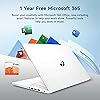
- Activate pre-installed Office 365: 1.Launch any Office app > 2.Start your activation by signing in with your Microsoft account(Create a account if you don't have one yet) > 3.Click "Activative Office" > 4.Sign in your account and follow the next prompts. > 5.Complete Step 1,2 and 3 > 6.Click on Refresh once Office is ready > 7.Open a document and accept the license agreement.
Description
We sells laptop with upgraded configurations.If the laptop has modifications,then the manufacturer box is opened for it to be tested and inspected and to install the upgrades to achieve the specifications as advertised. If no modifications are listed, the item is unopened and untested.Defects & blemishes are significantly reduced by our in depth inspection & testing. Microprocessor:Intel Celeron N4120, 4 Cores & 4 Threads, 1.10 GHz Base Frequency, Up to 2.60 GHz Burst Frequency, 4 MB Cahce Graphics Type: Integrated Memory:16GB high-bandwidth DDR4 Memory (2400 MHz) Video graphics:Intel UHD Graphics Hard drive:Combines 64GB UFS storage with two additional storage cards: a 256GB and a 128GB Ghost Manta SD card Display:14" HD (1366 x 768), micro-edge Wireless connectivity:Wi-Fi 5 and Bluetooth combo Minimum dimensions (W x D x H):12.76 x 8.86 x 0.71 inches Weight:3.2LB HP Fast Charge:Go from 0 to 50% charge in approximately 45 minutes Battery life mixed usage:Up to 11 hours and 30 minutes (video playback); Up to 9 hours (wireless streaming) Webcam:HP Wide Vision 720p HD camera with camera shutter and integrated dual array digital microphones Operating system:Windows 11 Home How to switch s mode to windows 11 On your PC running Windows 11 in S mode, open Settings > Update & Security > Activation. In the Switch to Windows 11 Home or Switch to Windows 11 Pro section, select Go to the Store. (If you also see an "Upgrade your edition of Windows" section, be careful not to click the "Go to the Store" link that appears there.) On the Switch out of S mode (or similar) page that appears in the Microsoft Store, select the Get button. After you see a confirmation message on the page, you'll be able to install apps from outside of the Microsoft Store.
Brand: HP
Model Name: HP
Screen Size: 14 Inches
Color: Snowflake White
Hard Disk Size: 64 GB
CPU Model: Celeron N
Ram Memory Installed Size: 16 GB
Operating System: Windows 11
Special Feature: HD Audio, Memory Card Slot, Numeric Keypad
Graphics Card Description: Integrated
Standing screen display size: 14 Inches
Screen Resolution: 1366 x 768 pixels
Max Screen Resolution: 1366x768 Pixels
Processor: 2.6 GHz celeron_n
RAM: 6 GB DDR4
Hard Drive: 64 GB SSD
Graphics Coprocessor: Integrated Graphics
Chipset Brand: Intel
Card Description: Integrated
Wireless Type: 802.11ac
Number of USB 3.0 Ports: 2
Average Battery Life (in hours): 11 Hours
Brand: HP
Series: HP
Item model number: HP
Hardware Platform: PC
Operating System: Windows 11
Item Weight: 3.24 pounds
Product Dimensions: 12.76 x 8.86 x 0.71 inches
Item Dimensions LxWxH: 12.76 x 8.86 x 0.71 inches
Color: Snowflake White
Processor Brand: Intel
Number of Processors: 4
Computer Memory Type: DDR4 SDRAM
Hard Drive Interface: Solid State
Power Source: Battery Powered
Batteries: 1 Lithium Polymer batteries required. (included)
Date First Available: August 20, 2025
Frequently asked questions
To initiate a return, please visit our Returns Center.
View our full returns policy here.
- Klarna Financing
- Affirm Pay in 4
- Affirm Financing
- Afterpay Financing
- Zip Pay in 4
- Financing through Apple Pay
- Financing through Google Pay
Learn more about financing & leasing here.


![HIDevolution [2024] ASUS ROG Ally X RC72LA 7" FHD 120Hz, 3.3 GHz Ryzen Z1 Extreme, AMD Radeon, 24 GB LPDDR5 RAM, 1 TB PCIe SSD, Windows 11 Home](https://m.media-amazon.com/images/I/51ye26LPpaL._AC_US500_.jpg)


