
Search  for anything...

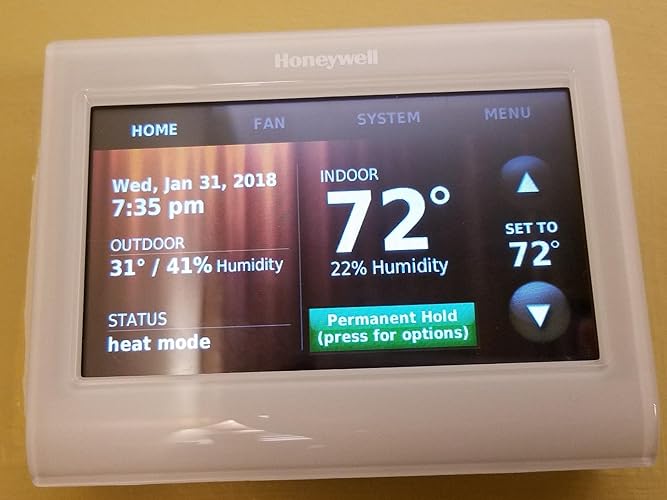
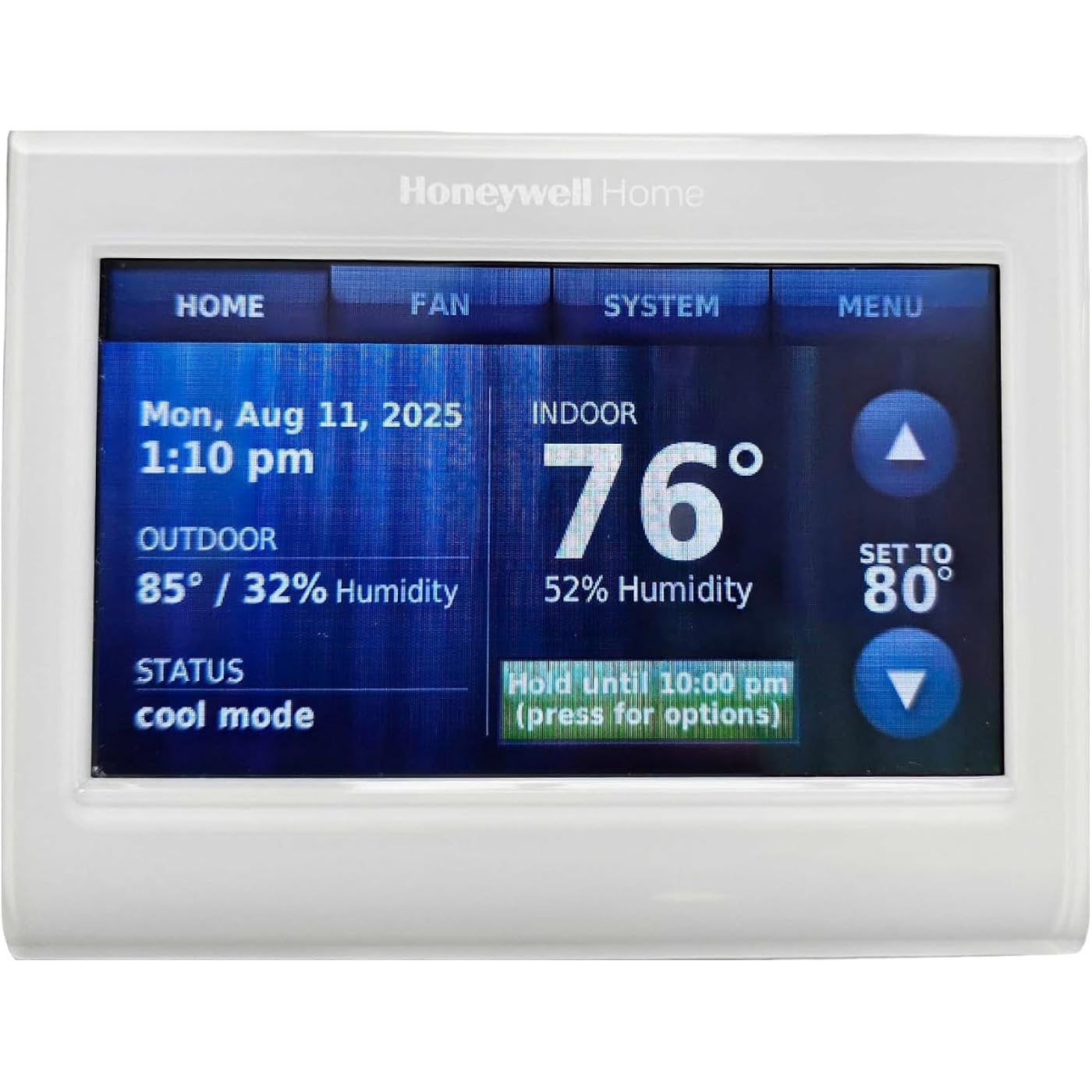
Honeywell Wireless WiFi Thermostat,7 Programmable

  • Based on 8,858 reviews
Condition: New
Checking for the best price...
$175.68 Why this price?
Save $16.47 was $192.15

Buy Now, Pay Later


As low as $29.28 / mo
  • – 6-month term
  • – No impact on credit to apply
  • – Instant approval decision
  • – Secure and straightforward checkout

Ready to go? Add this product to your cart and select a plan during checkout.

Payment plans are offered through our trusted finance partners Klarna, Affirm, Afterpay, Zip, Apple Pay, and Google Pay. No-credit-needed leasing options through Acima may also be available at checkout.

Learn more about financing & leasing here.

Selected Option

Free shipping on this product

30-day refund/replacement

To qualify for a full refund, items must be returned in their original, unused condition. If an item is returned in a used, damaged, or materially different state, you may be granted a partial refund.

To initiate a return, please visit our Returns Center.

View our full returns policy here.


Availability: Only 1 left in stock, order soon!
Fulfilled by Wholesale Direct (S/N Recorded)

Arrives Aug 14 – Aug 16
Order within 21 hours and 48 minutes
Available payment plans shown during checkout

Protection Plan Protect Your Purchase
Checking for protection plans...

Style: Thermostat


Features

  • Works with Alexa for voice control (Alexa device sold separately).
  • Total Connect Comfort app available, remotely monitor/manage your homes comfort and energy use
  • Energy Savings mode, and 7 day easy programming
  • Custom Display, with on screen comfort information
  • Simple programming and Professional installation
  • Simple programming and Professional installation
  • Total Connect Comfort app available, remotely monitor/manage your homes comfort and energy use
  • Energy Savings mode, and 7 day easy programming
  • Custom Display, with on screen comfort information

Description

Honeywell TH9320WF5003 Wi-Fi Touch Screen Programmable Thermostat

Brand: Honeywell


Model Name: Honeywell TH9320WF5003 WiFi 9000 Color Touchscreen Thermostat, Works with Alexa, Needs 'C' Wire See more


Product Dimensions: 0.88"D x 4.5"W x 3.5"H


Controller Type: Touch


Special Feature: Alerts and reminders on display and through app.


Controller Type: Touch


Additional Features: Alerts and reminders on display and through app.


Specific Uses For Product: Not suitable for dual fule heat pumps without a fossil kit (most do not have one- do not order if not sure), Residential or Light Commercial


Temperature Control Type: Heating,Cooling


Connectivity Technology: Wi-Fi


Power Source: Hardwired


Voltage: 24 volts


Display Type: Manual


Screen Size: 4.5 inches


Control Type: Touch


Control Method: App


Connectivity Protocol: Wi-Fi


Mounting Type: Wall Mount


Number of Batteries: 1 Lithium Ion batteries required.


Color: White


Shape: Rectangular


Product Style: Thermostat


Material Type: Plastic


Finish Types: Glossy


Brand Name: Honeywell


Model Name: Honeywell TH9320WF5003 WiFi 9000 Color Touchscreen Thermostat, Works with Alexa, Needs 'C' Wire


Included Components: Thermostat


Model Number: TH9320WF5003


Manufacturer Warranty Description: Manufacture.


UPC: 696727249190 085267815321 085267468879 732454122235 085267344951


Global Trade Identification Number: 51, 79, 21, 90, 35


Manufacturer: Honeywell


Unit Count: 1 Count


Item Type Name: Honeywell TH9320WF5003 WiFi 9000 Color Touchscreen Thermostat, Works with Alexa, Needs 'C' Wire


Manufacturer Part Number: TH9320WF5003


Item Dimensions D x W x H: 0.88"D x 4.5"W x 3.5"H


Item Weight: 0.65 kg


Frequently asked questions

If you place your order now, the estimated arrival date for this product is: Aug 14 – Aug 16

Yes, absolutely! You may return this product for a full refund within 30 days of receiving it.

To initiate a return, please visit our Returns Center.

View our full returns policy here.

  • Klarna Financing
  • Affirm Pay in 4
  • Affirm Financing
  • Afterpay Financing
  • Zip Pay in 4
  • Financing through Apple Pay
  • Financing through Google Pay
Leasing options through Acima may also be available during checkout.

Learn more about financing & leasing here.

Top Amazon Reviews


  • I bought two Units and they have Worked Perfectly and were easy to install.
Style: Thermostat
Update 14 May 2024 Both Units are still Working Perfectly after 3 Years! I am so happy with this purchase that I just bought a third one as a spare! The model might change and I at least know that this one works perfectly and still looks very modern. So now I will have a Spare in case one should die. The only issue I have ever seen is that occasionally it sends me an email that the one of the Thermostats does not have it's time set correctly. I open the App and every time the time is correct, so I just delete the Log entry and the Alert Notification is gone. I think that the Thermostat tries to get the time and maybe once every two months it just cannot reach their servers. ORIGINAL 2021 REVIEW: Great looking unit with a lot of control. The programming is a bit confusing at first because there are just so many features that it can be a bit overwhelming. The effort involved in learning it is well worth it as you will wonder how you ever lived without these features. If your into energy savings this unit is a must have thermostat as you can schedule the temperature so that it is comfortable when needed but not cooling or heating as much when your not home. Holiday scheduling etc are built in features as well as a very nice AI system that gets the temperature to where you want it at the time you want it. For instance I set the office Temp to be 73 Deg at 9AM. These thermostats calculate based on learning the temperature curve for your systems. It knows exactly when to turn on the AC so that at 9AM it is 73 Deg. In my case it learned within a day and adjust depending on the temperature in the morning. Right now the AC units come on at 7:45AM and it cools down so that when we open the office door it is perfect 73 deg inside. Heating works the same way. When closing time comes it shuts off the AC compressor but runs the AC Fan for an hour or two to dry out any moisture in the coils and ducts, this is a great feature as it eliminates the chance of mildew growing in the system. All of this is configurable in the Menus. Remote access has been great for me so far. I have not had any issues with their servers being down. I can pull up the APP on my phone and change certain things or I can do it from a PC using a web browser. I was a little disappointment that not all parameters can be changed remotely. You can change the temperature settings also change the scheduling and do manual shutdowns or turn On but the rest must be done from the head unit. I installed two of these in our offices. One controls a 10 Ton Carrier AC unit and the other a 7 Ton AC Unit. The installation was easy. The "C" terminal and "RC" terminal hookup to the 24VAC transformer and the "C" and "Y" terminal hook up to the 24VAC compressor contactor. The "G" terminal is for the Fan relay board on the AC. Pretty much a one on one wiring from any older manual thermostat it may be replacing. Overall I am super impressed with this thermostat. It keeps the time using internet servers and does not loose any settings after a power outage. If the WiFi is down for any reason it keeps on working based on the schedule and their remote servers email you to let you know the connection has been lost. It has several email alerts including the temperature going out of set parameters which might happen if someone left a window open or you HVAC system broke down. Once setup it's pretty much a mini AI system that is keeping your house or office at the temperatures that you want and alerting you if something is wrong. ... show more
Reviewed in the United States on April 20, 2021 by Robbyg

  • Very Nice Thermostat! And a lot more
Style: Thermostat
When I recently had to purchase a replacement HVAC system, I picked an Amana system. The system was a 16 SEER-rate AC system and a 96% AFUE-rated Nat Gas furnace. The system provided "communications" that required a "communicating" thermostat. Amana had one -- for $550 -- but I asked my HVAC contractor and they confirmed that I could use any Honeywell programmable/communicating thermostat. I looked at thermostats locally at Home Depot and Lowes and finally realized I should check on the Honeywell site. I found the 9000 WiFi Color Touchscreen Thermostat and realized it was what I wanted. I checked on Amazon and found two sellers. I opted to buy it and it was received in two days. It is a definite new product, not an "open box item" or a "re-manufactured item" and it comes in the original Honeywell box with all papers. I read the reviews from previous buyers and realized there was a questions about whether or not there was a one year or a five year warranty on the device - or, as suggested by one review, "...no warranty by Honeywell if you buy it on Amazon." I called Honeywell and asked about the warranty issue and whether or not buying it from Amazon made a difference. In fact, I called Honeywell twice in order to see if I got the same answer each time - and I did. Honeywell sells this thermostat (Their Model TH9320WF5003) as a "PRO Install" model. That means that it is actually intended to be sold to and installed by only a licensed HVAC contractor. I asked if I bought it from Amazon and had my licensed contractor install it as a part of my new Amana HVAC system, was I covered for the five year warranty -- and the answer was YES. However, here is the tricky part -- the part that I think has caused the differing interpretations expressed in prior reviews. Page 58 of the User Guide for this thermostat contains the text of the Honeywell Limited 5 Year Warranty. That warranty says Honeywell will repair or replace the thermostat within the five years under certain (normal) circumstances. The first option in the case of a covered failure is, "...(i) return it, with a bill of sale or other dated proof of purchase, to the place from you purchased it: or..." and the next step (in case you can'y return it to the vendor for some reason [my words, based on what Honeywell reps told me]) is to call Honeywell and they will make the determination whether the product should be returned to them at a given address for a replacement. I think the bottom line is that if you have a failure during the five years after you bought it, you will have to pursue returning it to the Amazon seller from which you purchased the device. If that seller is still in business and if you can make the required contact, you will deal with them to make the return/exchange. If you had a contractor make the original instalklation, and if you paid them to do it as a part of the installation of a new system, you would have to negotiate with them whether or not they would come oout and remove the defective device so you could return it. If they would not, you are stuck with either removing it yourself or paying some other party to remove it (and then install the replacement). If you bought it yourself and installed it yourself, you are still stuck to the warranty terms of "returning iit to the seller with dated receipt" and asking fora replacement - assuming you can contact the seller. If you bought it and had a licensed contractor install it, you have to have them come out and remove it and you may have to pay them a service call to do that work and then another service call to install the replacement. I think this is a seriously confusing situation, so here is my method of dealing with it all. I bought it from a seller on Amazon and Amazon shipped it to me on time. I had my contractor install it. They are going to give me an addendum to my contract (for the new system) stating that their chief tech installed it today as a part of the system and that I paid them to install it. However, because I bought it from a seller who may not be in business in four years, I opted to go ahead and buy the Amazon-offered 4-Year Extended Warranty (about $25). In my situation, if the thermostat goes bad within the five years, I will try to see if I can return it with my Amazon order info to either Amazon or the seller, and if that works out and I get a replacement, I will install it myself and be done with it. If that does not work out, I will pursue replacement or refund under the 4-year extended warranty I purchased from Amazon. If that does not work out, I will buy another similar thermostat and install it and be done with it. For the record, the thermostat I replaced (from my old system) still worked well enough to control the new system for two days and nights. The reason is that all of the Amana system's control features are now on the control board of the furnace and any programmable thermostat works. That thermostat was none years old this month. The thermostat before that was also a Honeywell and it was twenty-five years old and worked great - but it was not programmable. In short, the ballyhoo about a five year warranty is not much of a real concern. As to the quality and appearance of this thermostat - it it definitely a full five stars - all the way. My tired eyes can see the (adjustable) bright display and the fonts and colors work like a tablet or smartphone. I had no issues connecting with my home WiFI and the acknowledging email showed up within seconds to confirm the successful connection. I registered the thermostat and then went to my tablet and them to my phone and downloaded the app to remotely monitor and control the system. I plan to go to my Amazon Alexa device page and download and install the skill to allow my to use my array of Alexa-devices to also control the system. I am very impressed with the apparent thoughtfulness and ingenuity Honeywell has placed in this device. I have three brothers who have similar HE Amana systems and I think I know what Santa is going to bring them for Christmas -- it's that good. And, YES, I will recommend this thermostat to anyone with a modern communicating HVAC system and a home WiFi. ... show more
Reviewed in the United States on June 14, 2019 by Old Jarhead

  • Great Thermostat
We started to notice that our 11-year-old thermostat seemed inaccurate. We would set the temperature and find that the house was much warmer or colder than the thermostat indicated. To be on the safe side, we decided to have the furnace checked. It seemed like an ideal time to install a new thermostat so I spent a lot of time researching smart thermostats before purchasing the Honeywell TH9320WF5003. I reviewed Nest, Ecobee and Honeywell. Here are some of my findings: The scheduling features are only helpful if you keep a regular schedule. I work from home occasionally and my husband often has an odd schedule. Even though our thermostat is in our family room (where we spend most of our time at home) many reviewers mentioned problems with the learning/sensing features. They mentioned that their pets triggered the “at home” settings. Since we have pets, I decided against this feature. Nest My HVAC company mentioned they have a lot of problems with Nest. It could be that it is very popular and people install it improperly. I don’t like the fact that I am forced to use my phone to review the thermostat settings. Solely having the temperature displayed on the console is not interesting to me. Ecobee My HVAC salesperson mentioned that he installed an Ecobee at his home. He said that he doesn’t use most of the features. He explained that his family doesn’t keep a regular schedule and that temperature “changes” are what cause most of the utility costs. Like the Nest, I would like more information on the thermostat console. I don’t want to have to rely on my phone or laptop to change or review the settings. Honeywell Our HVAC company recommended Honeywell. The only difference I could find between the Honeywell TH9320WF5003 and the RTH9580WF is that the RTH model is for retail purchase and the TH model is supposed to be sold only by HVAC companies. The TH model has a 5-year warranty ONLY IF INSTALLED PROFESSIONALLY. The RTH model has a one-year warranty. My HVAC company quoted the TH model at well over $250. He said that his cost was much higher and encouraged me to purchase the same model from Amazon. The only difference would be that they would include a 1-year labor warranty in addition to the 5-year manufacturer’s warranty. I was tempted but figured that it would be about the same cost to have the HVAC company return. The “C” cable provides power to the thermostat. Our old thermostat had batteries so the HVAC installer had to install a C cable. I found this surprising since our house is only 11 years old. I love the Honeywell console. It shows the current indoor temperature and humidity, the current setting, the outdoor temperature and humidity and the time. The informative console is a huge advantage over the Nest and Ecobee. Honeywell support is unbelievably bad. If fact, they are non-existent. I called (during standard business hours) when I had a problem registering the device. The printed label on the side of the box had one correct number (MAC address) and a completely incorrect second number (CRC). You have to input these number when you create your Honeywell account. I kept getting an error message so I called the Honeywell support line only to get a message that they could not help and asking me to call back at “another time”. That’s it – nothing – no leave a message – just call back at “another time”. I eventually found the correct CRC information in the console and was able to register, but if there is a problem in the future, I dread having to contact them. Please consider this fact when you make your purchase. Once the thermostat is registered with Honeywell (on the TotalConnectComfort site), it was really easy to install the app on my phone (see photo), connect it to the SmartThings hub and start controlling it through Alexa (install the Honeywell Total Connect Comfort skill and log in using your Honeywell account). You don’t need the SmartThings hub. We already had one so I connected the thermostat to it. We have had the thermostat for about a week and love it. We changed the “skin” on the console to one that complements the room color. I never thought that I would love being able to control the thermostat through Alexa, but it’s great being able to say “Alexa, set the temperature to 72” while making my coffee in the morning. At this point, I highly recommend the Honeywell thermostat. It's one of those "how did we manage without it" purchases. I don't know if we will save on energy costs, but it's great to be able to check the settings when we are away from home. The only problem is the that their customer service might be worse than Comcast. ... show more
Reviewed in the United States on February 1, 2018 by susananne

  • Excellent performance and still going strong after a decade of service.
We've been running two of these units now for 9 and 10 years, respectively, and they are still going strong. The on-screen interface is excellent and the app is streamlined and works very well to do both temporary overrides and set the scheduling. Connectivity has always been excellent with no problems. Installation was a breeze other than requiring finding the power line from the DC transformer in the air handler to power these thermostats, as the original ones were battery powered. The convenient programming, and ability to have four programs per day and various day programs, is a real pleasure. We'v easily integrated these thermostats with Alexa Echo, making program overrides by voice possible. The only negative - something in common with similar cloud-based smart devices - is privacy concerns. Parent company Resideo explicitly states it can share personal information (including usage data) with third parties for advertising and research purposes. This is a red flag highlighted by Mozilla's "Privacy Not Included" review of Honeywell Home smart thermostats, which criticizes the lack of strong opt-out protections. The app's AI uses geofencing and occupancy data to automate settings, potentially profiling your habits. Sharing with 100+ partners (e.g., utilities for energy programs) could expose aggregated data, and voice integrations add microphone access risks. Overall, this is an outstanding unit, but users should be mindful of privacy and potential security issues. ... show more
Reviewed in the United States on October 30, 2025 by RPF Esq.

  • Can be tough to setup, but they're great once working.
Getting the c-wire hooked up correctly on eight of these thermostats was a test of raw endurance, determination, and ingenuity. From crawling under the house to working with multimeters, splicing wires, and cutting holes in walls, it took me 35 hours over the course of seven days to figure out how to get each of the eight units we needed powered up and working. Every electrician and heating tech in the area was booked out 4+ weeks, and so I talked myself into giving it a go, not expecting my simple plan to spring into a Homeric odyssey with as many twists. But now that everything is working, these units are wonderful. We find the programming of these units to be very easy and intuitive. They allow you two or four stage programming (wake/sleep or wake/leave/return/sleep) that's a breeze on your phone, tablet, or PC, a multitude of color combinations to play with, humidity display, indoor/outdoor stats, compatibility with radiant heating systems, weather forecasts, free software updates, and full remote access/control. It doesn't have a feature I don't need or missing anything I'd like to have. It's a well designed unit by a company that's been doing thermostats for longer than anyone else. For those of you considering Nests, I'll admit at the low point of my c-wire journey that I did consider packing everything up and ordering 8 Nests, but I'm glad I didn't. (a) I don't like the learning aspect of a Nest - 4-stage programming is straightforward and predictable; I don't want to be getting a glass of water in the kitchen at 3 in the morning and be worried the Nest will try and heat the room. (b) Nests have batteries, and anything with a battery will have a limited life, and I'm not interested in changing my thermostats as often as I change my cell phones and laptops. (c) Nests are round - I get it.. 1950's kitsch. But it doesn't make for an ideal shape to display different types of data and the round dial look may be refreshed in the near future - again, I'm not interested in updating thermostats more often than once or twice in my lifetime. It's been a few days since I've finished this project, but I still find myself stopping when I pass a thermostat to admire the fruit of my efforts. They look beautiful, work well, and will pay for themselves in just a few months. Nice work, Honeywell! ... show more
Reviewed in the United States on March 25, 2018 by Kaveh A

  • Eating Crow
Update 6-22-2022 Changing rating and updating review. In my initial review, I stated that this thermostat did not support auto heat/cool mode. As a result, gave it a low rating given the price of this unit. I decided to go back and review the setup today and discovered a setting under advanced setting to enable this feature. I was assuming from my experience with my previous thermostat that this feature would be enabled by default. That said, it is enabled now, and I'm updating my review to reflect that and acknowledge my mistake. Apologies to Honeywell. About two years ago I had to replace my 1st floor AC/Furnace. As part of that the new system was a two stage heat and air and the existing 5 wire cable could not support a two stage system. The installer jury rigged the system and used the wire for the fan relay and hardwired my air conditioner in the 2nd stage mode. Looking at my options I found a Honeywell wireless thermostat that allowed me to configure my heat and air conditioner for both stages. I purchased and installed. It is an awesome setup. I love the features of this thermostat. My 2nd floor AC/Heat is a single stage and was using a different Honeywell thermostat but was not compatible with the Honeywell Total Control Comfort app. I decided to order another thermostat that is compatible and similar in looks to my 1st floor and decided upon this one. It was shipped overnight and I had it by morning.. Big smile. I grabbed it off the patio and unpacked. I will say I was concerned because the box seems to have been opened before. The security tape was broken. That said I removed the old and installed this one. It powered up and booted as expected. I configured the WiFi and registered it to the Honeywell TCC website. All in about 20 mins. The came the biggest shock of my life. This $180 thermostat did not support auto heat/cool mode. Seriously? The $80 one I took out supported it. I can't imagine how they think this thing is worth $180. I'll keep it for now as it now allows me to manage both of my thermostats with the same app, but I'm very disappointed. PS Don't be put off by the "Professional Installation" BS on the box. This is a very simple install, no more complex than any other thermostat. ... show more
Reviewed in the United States on June 19, 2022 by Robert K

  • I Love Honeywell but this is Horrible Product Implementation
WIFI. Horrible Wifi implementation. I love Honeywell but this is pure crap. The thermostat will not connect to ANY wireless network if your SSID (network name) has any spaces, special characters, or is too long (I don't recall the length), and it doesn't matter how new or old your thermostat firmware is. Mine arrived with firmware 02.01.07.00. With this firmware, you cannot use numbers in your wifi password if you are using WPA2_AES. For example, 12345678. The device will say "Connection Unsuccessful" " The password you entered is invalid". However, if you change the password to "abcdefgh", it will connect. According to the WPA2 standard, passwords can be any combination of printable ASCII characters (basically, anything that is on your keyboard) that are 8 to 63 characters in length. The Honeywell cannot handle this. Tech support doesn't have any solution for this, according to them. FIRMWARE. Once it connected, the firmware updates started rolling in. After a few minutes, I was up to 02.03.00.00. What is the newest firmware available, you might ask? There isn't anyway to know and Technical Support will not tell you. They also cannot push updates if you aren't receiving them. Anyways, now with this new update, you cannot join ANY wifi network using WPA2_AES regardless of what password scheme you try. You must roll back your security to the less secure legacy WPA TKIP. WPA isn't considered secure anymore by any respectable IT administrator. TEMPERATURE. There are also several other issues with this thermostat. I had to adjust mine to "-2°F" in the Advanced Options menu to get a close enough to accurate room temperature. Several owners report that the temperature isn't accurate no matter what they do. I have noticed this as well and it has not been addressed in any firmware releases. This is likely because it is a physical hardware design failure. For instance, when the device boots up, the reported internal temperature rises about 5°F. If the back-light is on for too long at any decent brightness, the temp rises 1°F to 2°F. The temperature rise also occurs during automatic firmware updates. DEAD THERMOSTAT. Speaking of firmware updates, you have no control over them whatsoever. Did the power flicker, glitch, or brownout during an automatic firmware update during the middle of the night? All you know is you woke up or came home from work and your thermostat won't turn on. Congratulations, you know have a "bricked" thermostat that is useless. Hopefully it wasn't in the dead of winter and all of your pipes froze and exploded. You can bet your bottom dollar that Honeywell won't pay for any of the damage, or even give you a new thermostat. It's in the user agreement that you must accept to use this thermostat. SECURITY. Would you like to know if you have the latest firmware? Too bad. It is important to know if you have the latest firmware from a security standpoint as vulnerabilities are reported all the time and it is up to the manufacturers to publish security updates to their firmware. Want a changelog from Honeywell to see what they are fixing and what they aren't? Too bad. FEATURES. It doesn't have any options for automatic or scheduled "circulation mode". You have to do that manually (why? It's friggin digital!). You can't calibrate the thermostat past ±4°F. You cannot turn off automatic updates and you don't get notified of any updates. The outside temperature and humidity information on the display is derived over the internet and often gives error messages. According to Honeywell Technical Support, there is nothing wrong with the thermostat and all the blame rests with accuweather.com. The thermostat also has this awesome feature where it drops the wifi connection randomly, even though it is only 25 feet away from a Netgear R7000 router. The thermostat also don't mount securely to the wall. If touch the thermostat too hard, it separates from it's mounting plate on one corner and you must click it back into place. SCREEN. Way too small. Deceptively small. Even the $15 trac-phones you get nowadays have bigger displays. The display also has a weird display refresh rate. I can see very high frequency flashing or jittering on the screen. I guess it could be the backlight for the display as well. They could be using PWM to control power to the backlight LEDs, hence the perceived "vibration" of the screen. I would only expect this in cheap Chinese gear. BOTTOM LINE. I'm switching back to Honeywell's 7-Day programmable thermostat without Wifi, the Honeywell RTH7500D Conventional 7-Day Programmable Thermostat. It has saved me THOUSANDS of dollars since I have owned it (I used to live in Guam where some peoples electricity bills were $800-$1000 A MONTH! Mine was under $200. I like Honeywell in general but the 9000 series thermostat is just pure fail. And yes, I have contacted customer support so please, Honeywell customer support reps, please don't leave me a "copy and paste response" telling me to contact you knowing darn well you don't have a solution. If you do, I'm all ears. ... show more
Reviewed in the United States on March 25, 2016 by anon

  • Nice Thermostat - works great - but tricky to install without c-wire
I bought two Honeywell TH9320WF5003 thermostats for installation in two different floors/zones in a multifloor condo. I already had a different Honeywell thermostat at another location that was wifi connected and that I could control with the Honeywell iOS phone app, so was hoping to control all thermostats at both locations using the same app. Like many others, there were no c-wires with the original battery thermostats so I also bought two Venstar Add-a-wire kits. Unfortunately adding physical c-wires would have been impractical and very expensive. In short, the Add-a-wire kits worked perfectly with the thermostats and all functionality was retained with the thermostats (unlike the g-wire short cut). I love the display of these Honeywell thermostats. They have the current temp and humidity, the outside temp and humidity, status, schedule and heating and cooling set points. They work well, look great are easy to read, contain all the info you might need and can be controlled remotely via the iOS phone app. I did the installation myself without any problems, but it took about 2+ hours for each one to install. Here are a some issues that might come up with this type of installation if you want to try it. 1) Read the familiarize yourself with the wiring diagrams and the furnace circuit board layout before you start. 2) The Add-a-wire diode has to be tucked behind the thermostat mounting plate, so I used a chisel to make a larger hole in the drywall to accommodate the diode and wiring. I had a white plastic wall plate that the thermostat sat on. 3) The wire colors may not match the labels on the thermostat mounting plate. For example, in my case a blue wire was connected to the Y terminal (but red to R, white to W, green to G etc) so make sure and double check that the correct color wire is attached to the correct terminal. I created by own wiring diagram to keep track of what wire needs to be attached to what terminal. 4) The terminal sockets that the wires have to be inserted in the thermostats are delicate. I used a ball pint pen to push down and release them while inserting the wire. Make sure each wire is firmly attached when you release the ball point pen. Also be careful not to break a wire as only one can be inserted in each terminal. 5) At the furnace circuit board, where the Venstar box is installed, there may be more wires attached to the terminals (for humidifiers etc). Make sure these are still properly connected to the original terminals after you connect the Venstar wires. 6) The thermostats dont work with all encryption methods, so make your router is set up for encryption the thermostat recognizes. A review by someone else in Amazon here contains more details. 7) As my systems were for both heating and cooling, I wanted dual control (automatic control). Once the system is running, go to Menu>Preferences>Advanced Preferences>Heating and Cooling System Changeover and change from Manual (default) to Automatic. Then both the heating set point and the cooling set point are displayed on the main thermostat screen. The default setting will only show one set point. 8) After registering the thermostats and going to mytotalconnectcomfort.com I was able to add an additional location and add the two new thermostats. Now I can monitor and control the heating/cooling in multiple places. I also get a monthly email containing usage stats of the systems. In some reviews I noticed people sometimes had issues with the thermostat not working correctly, connection problems etc. Again, make sure your wiring is correct and good wiring connections with all the terminals are established. One loose connection will cause problems. Sometimes there is a cooling compressor safety delay and you will see a waiting for equipment message. That is normal and the system will start up in a minute or two. I have found that commands sent by the app will show on the thermostat display within a few seconds. Sometimes the Honeywell server is down or your remote router is down (power failure) and the app wont work. Just wait and when connection is re-established you can control your remote system (PS: the system still works on your existing schedule if wifi connection is lost). ... show more
Reviewed in the United States on October 11, 2019 by Dennis

Can't find a product?

Find it on Amazon first, then paste the link below.
Checking for best price...