


Search  for anything...

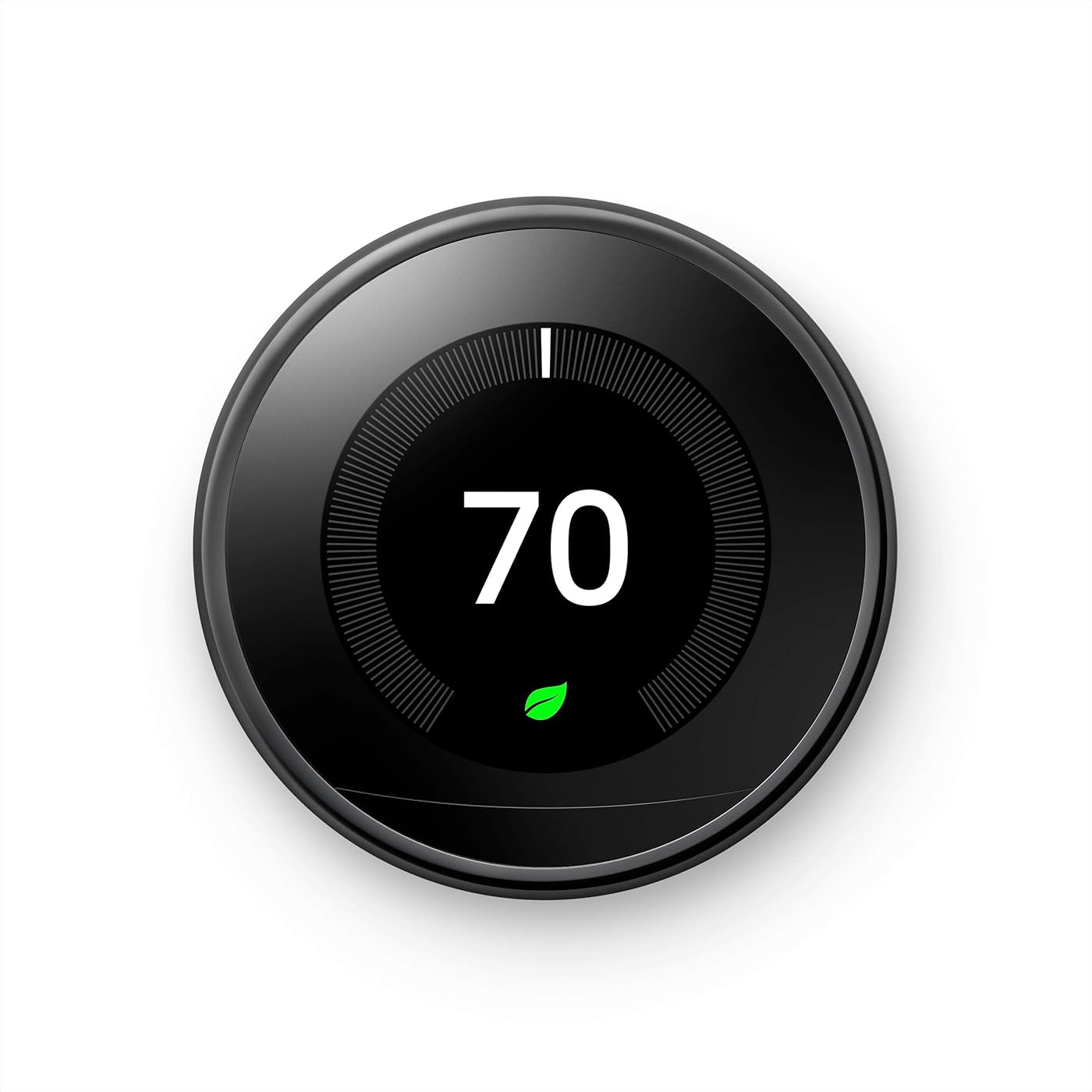
Nest Smart Learning Wi-Fi Programmable Thermostat, 3rd Gen, Mirror Black

  • Based on 39,562 reviews
Condition: Used - Good
Checking for the best price...
$189.95 Why this price?
Save $90.04 was $279.99

Buy Now, Pay Later


As low as $31.66 / mo
  • – 6-month term
  • – No impact on credit to apply
  • – Instant approval decision
  • – Secure and straightforward checkout

Ready to go? Add this product to your cart and select a plan during checkout.

Payment plans are offered through our trusted finance partners Klarna, Affirm, Afterpay, Apple Pay, and PayTomorrow. No-credit-needed leasing options through Acima may also be available at checkout.

Learn more about financing & leasing here.

Selected Option

Free shipping on this product

This item is eligible for return within 30 days of receipt

To qualify for a full refund, items must be returned in their original, unused condition. If an item is returned in a used, damaged, or materially different state, you may be granted a partial refund.

To initiate a return, please visit our Returns Center.

View our full returns policy here.


Availability: Only 3 left in stock, order soon!
Fulfilled by Amazon

Arrives May 30 – Jun 3
Order within 6 hours and 37 minutes
Available payment plans shown during checkout

Protection Plan Protect Your Purchase
Checking for protection plans...

Color: Mirror Black


Features

  • Programmable smart thermostat that learns your schedule and the temperatures you like and programs itself to help you save energy and stay comfortable
  • Home/Away Assist automatically adjusts itself to an Eco Temperature after you leave, so you dont heat or cool an empty home; remote control lets you change the temperature from anywhere on your phone, laptop, or tablet[1]
  • With Energy History, just check your phone to see how much energy you used and why, or use Quick View on the display to reach Energy History, settings, or your schedule; the Nest Leaf appears when you choose a temperature that saves energy
  • Smart thermostat with HVAC monitoring, which looks out for your heating and cooling systems; sends an alert if something doesnt seem right, along with helpful reminders to make maintenance easier[2]
  • The Nest Learning Thermostat works with the Nest Temperature Sensor (sold separately) to help make sure a certain room is the exact temperature you want it to be
  • Beautifully designed, with polished metal finishes and bright, high resolution display; Farsight shows you the temperature, weather, or time on your thermostat when you walk in the room
  • Its easy to install your thermostat, typically in 30 minutes or less, with everything you need included in the box; compatible with 95% of heating and cooling systems
  • Google Nest Learning Thermostat (Stainless Steel) with a Google Authenticity Seal
  • Nest Renew makes it simple to support clean energy right from home; it works with your Nest Learning Thermostat[6] to help you automatically prioritize your usage[7] to times when energy is cleaner or less expensive
  • Please refer to the product description section below for all applicable legal disclaimers denoted by the bracketed numbers in the preceding bullet points (e.g., [1], [2], etc.)

Description

The Nest Learning Thermostat is a smart thermostat that learns your schedule and programs itself to help save energy. You can control it from anywhere with the Nest app, and it works with Alexa and Google Assistant so you can adjust the temperature with your voice. And it’s beautifully designed, with a big, bright display and metal finishes to suit any home’s style. [1] Remote control and mobile notifications require working internet and Wi-Fi. [2] Alerts can notify you of a potential issue with eligible HVAC systems. They’re meant to provide helpful information, not an endorsement, representation, or warranty of any kind about the health of your HVAC system. Alerts aren’t intended to replace a diagnosis by a qualified HVAC professional. [3] Energy savings are not guaranteed and depend on energy usage, weather, and other factors. [4] Voice control requires a compatible device, and working internet and Wi-Fi. [5] Independent studies showed that Nest thermostats saved people an average of 10% to 12% on heating and 15% on cooling. Based on typical energy costs, we’ve estimated average savings of $131 to $145 a year. Individual savings are not guaranteed. [6]Nest Renew requires 3rd generation Nest Learning Thermostat, Nest Thermostat E, or the newest Nest Thermostat (sold separately), connected to a Google account. Only available in areas served by major continental US grids. Only available for customers on certain electric utility time-of-use rates. Learn more at support.google.com/googlenest/answer/11156316. [7]Adjustments only shift electricity usage from your heating and cooling.

Brand: Google


Model Name: Nest


Product Dimensions: 3.3"D x 3.3"W x 1.21"H


Special Feature: Daylight Savings Time Ready


Additional Features: Daylight Savings Time Ready


Specific Uses For Product: Air Conditioner


Temperature Control Type: Heating, Cooling


Connectivity Technology: Bluetooth, Wi-Fi


Power Source: Battery Powered


Voltage: 24 Volts


Display Type: LCD


Control Type: Voice Control


Control Method: Voice


Connectivity Protocol: Wi-Fi


Mounting Type: Wall Mount


Backlight: Yes


Number of Batteries: 1 Lithium Ion batteries required. (included)


Smart Home Compatibility: Smart Home Compatible


Item Dimensions D x W x H: 3.3"D x 3.3"W x 1.21"H


Item Weight: 0.5 Pounds


Specification Met: energy,reach


Brand Name: Google


Model Name: Nest


Included Components: All


Model Number: T3018US


UPC: 813917022023 813917021033


Manufacturer: Google


Manufacturer Part Number: T3018US


Item Type Name: Google


Unit Count: 1.0 Count


Color: Mirror Black


Shape: Round


Product Style: Thermostat Only


Material Type: Metal


Frequently asked questions

Yes, the Nest Learning Thermostat can be controlled remotely. You can adjust the temperature, view history, and have access to other features all through the Nest app on your smartphone or tablet.

Yes, the Nest Learning Thermostat is compatible with Amazon Alexa. This allows you to control your thermostat with simple voice commands for added convenience.

The 'smart' in Nest Learning Thermostat refers to its ability to 'learn' your schedule and preferences, and automatically adjust the temperature accordingly. The thermostat typically takes about a week to learn your schedule and starts making adjustments on its own to save energy and keep your home comfortable.

This is the 3rd generation of the Nest Learning Thermostat, which comes with several upgrades including a larger display, better activity sensors, and advanced learning capabilities.

Top Amazon Reviews

πŸš€ Abunda's Overview

This is our summary and key points to consider based on customer reviews.


The Nest Learning Thermostat offers users easy installation, aesthetically pleasing design and functional features which provides control over various aspects of home living including AC use and smart lighting. Its eco mode and its ability to sync with other home management devices were highly praised by users. Additional temperature sensors were recommended for improved and consistent cooling or heating across multiple rooms. Most customers found value in its convenient remote access and useful energy usage reports.

Pros

  • 🎯 Easy to install and use
  • 🌟 Aesthetically pleasing design
  • πŸ’  Offers eco mode for energy saving
  • πŸ“² Convenient remote control via phone
  • πŸ”— Can be synced with other smart home devices
  • πŸ“Š Provides energy usage reports

Cons

  • ❌ Some users faced issues syncing the device with the Nest app
  • πŸ”‹ Constant use of geolocation may decrease phone's battery life

Should I Buy It?

Yes, the Nest Learning Thermostat is recommended for anyone seeking a smart, energy-saving solution for home temperature control. With its sleek design, intuitive usage and ability to integrate with other smart home devices, it offers a comprehensive and convenient solution. However, to maximize its potential, consider buying additional temperature sensors for a more consistent indoor temperature.


  • Works great now but...
Color: Stainless Steel
I bought this item through Amazon, as always the item came well packaged and on time. If there is one thing I have ever learned, that is nothing is as easy as plug and play, but first I want to get to the good. Besides what others have said this does show the current temp in the house but it is on the outer ring and in small numbers. Others have complained that the current temp is to small and the temp setting being the focus is a problem for them, I am more concerned with what temp I set it to, not what the current temp is. Once the unit has programmed it's self based on your temp preferences the only reason to be concerned with the current temp is if the unit fails to turn on, or you really have to have that gee wiz info. I bought this to save money not to impress others with the screen and info. The screen is large, easy to read, I like that it turns on when you walk up to it, it is simple to use, the app is great and works flawlessly, and yes it is a bonus that it looks nice. Now for the bad, when I installed it I followed all the instructions, all the wires went exactly where they belong. It is nice that for those with large dual zone systems and humidifiers and all the bells and whistles they have stickers with the wire names provided, they say Y1, RH W1, G and so on. My system only used 4 wires R, Y, W, G and had no jumpers for the old system so my system was not exactly rocket science to wire correctly. I kept getting a fault saying it would not recognize the Y1 (cooling) wire, after trouble shooting on my own I confirmed the connections were good, no wires broken or twisted and everything was good on that end. In this 4 wire configuration there is no blue (or sometimes black) wire which is required, this is a power wire that some systems use to provide constant 24 volt power to the thermostat. If you do not have this wire some systems will still work with this unit with no problem, it simply takes a little power from the RH and Y1 to get its power, and remember it was not recognizing my Y1. I finally call customer support and was on the phone with them for about 2 hours, they were very polite and tried there hardest to help but that night it was getting to late at night and the house getting to cold to deal with it and the thermostat required a full charge to continue troubleshooting. As a side bar there is a mini USB plug on the back of the faceplate that works with android style plugs to provide a quick charge, this is in the event of extended black outs you can recharge fast. So for the night I reconnected the old thermostat and the HVAC worked fine. Next morning I'm back on the phone with tech support. After giving them the case number from the night before we started going through many of the steps again since my old thermostat seemed to work fine that proved there was no problem with the HVAC wiring it's self, so this wire detection problem was a bit of a mystery. After moving wires to different terminals and reading out voltages from the tech info screen for about a hour and a half, they determined that it was a faulty base plate, they were kind enough to order a replacement base plate and even overnight FEDEX it to me, so at this point I'm waiting for a part that might fix the problem. Knowing modern housing construction practices, I still had my suspicions that it was not a issue with the baseplate but was a wiring problem with the HVAC, besides I hate throwing parts at a problem to see what might fix the issue. I had a friend that does HVAC look at the system, first thing he said was I needed that C (blue) common wire connected to provide enough power. I had already tried that and seen that the issue was not fixed, that was because as I suspected the system was not wired up correctly. The common wire was there but not connected to anything, so after rewiring the entire system we got the Nest thermostat to work as advertised. There are two morals to this story, first is that Nest tech support is great and they try everything they can to get you up and running, but in the end you are talking to IT people not HVAC professionals. The second moral is if your are replacing a old "dumb" thermostat or even a newer programmable one but not a "smart" one, and they worked fine before does not mean that the system was wired up correctly to work with this unit. So if you plug it in and it gives you a E80 fault code and you do not have a blue wire or it's not connected to the terminal, chances are you need it, and after connecting it if you continue to have faults chances are your blue wire is not connected properly. If you really are insitant on upgrading your thermostat call a HVAC person to look at your system. ... show more
Reviewed in the United States on January 7, 2016 by Glendon M.

  • The reviewer who posted the top review stating "Will not display the current temperature!" is incorrect. It does display temps.
Color: Stainless Steel
So the gentleman who posted the top review that says "Will not display the current temperature -- by design!" is incorrect at worst and misleading at best. I just installed one of these and it will display the current temperature, it's just not in huge numbers. When you walk up to the unit it will know you're there, and display what you have the heat/cooling set to and then will switch to the mode that lets you see what the temperature is. The temperature will be noted with a hash mark/notch and a number. I've included a picture here to show what I'm talking about and the stock amazon photo shows the same thing. If you look at my picture you will see where my unit is set to heat at 66 degrees and cool at 74. In between those numbers is 72, which is the current temperature. I also included a picture where I turned the dial to go to cool to 71 degrees and the display still shows the current temp at 72. In Amazon's stock picture the unit is set to heat up to 68 degrees and the current temperature is 65 degrees, as indicated on the upper left hand side of the picture. If you tap the unit it will pull up the main display screen which has the temp as well. Maybe the gentleman didn't understand the differences here or he had an older firmware than what it uses now. Regardless, I don't feel it's fair to knock this unit for not displaying the temperature even though it does. It's not in giant numbers, but it's pretty easy to tell what the current temperature is if you take a moment and look. The current temp is on dispaly immediately if you're looking at the unit. Now to the actual review. This unit was very easy to install, the big pain was getting my old thermostat off of the wall. Nest has a interactive website for the installation of this unit (nest.com/works) that makes it easy to figure out if your current wiring will support one of these newer thermostats. You log onto the Nest site and chose the wires that you have coming out of your thermostat and from there the Nest site will tell you if you can use the Nest thermostat with your current setup. I would suggest looking that up before you purchase this unit. Or if you too like to live dangerously, do what I did and pull up the site on your iPad after you've bought the unit. With that out of the way, the unit comes with a back plate that you will connect your wires to. Before you do this, turn off the power to your HVAC system. I like to live dangerously, but not THAT dangerously. Connect the wires to the back plate, attach the unit to the wall and flip your breaker. The unit will light up and guide you through a pretty easy set up. NOTE: You do have to have wifi to get this unit to work properly. If you do not have wifi do not bother purchasing this thermostat. The thing I like the most about this thermostat is I can set a threshold for heating and cooling. Every house I've lived in has always had thermostats that seemed like they were from the 1970s so I don't know if this feature is normal on new thermostats, however this is a game changer for me. Where I live the temperatures can vary by 40 degrees each day and having a thermostat that will let me run the ac in the evening and then turn on the heat at 2 am when the temp drops is worth every penny. I literally have set the thermostat and left it alone since installing it. Some other cool features of this thermostat are that it keeps track of how much heating and cooling you do each day if you're into metrics, and it has a feature called "Sunblock". When you install the thermostat it asks you where you're installing it (such as a bedroom, hallway, kitchen, etc) and if the unit is in direct sunlight. If it is the unit will use Sunblock, which uses the light sensors in the thermostat to determine when it's under direct sunlight. This is used to learn the sun’s patterns in relation to your house the temperature sensors to detect the heat spikes that occur in direct sunlight. It then links to your wifi and knows when the sun rises and sets in your area. Sunblock will use that information to set the correct temperature whenever it’s in direct sunlight and not waste energy. Again, this is a game changer. My previous house had a thermostat that was near direct sunlight and close to a computer so it would run the AC when it wasn't needed, and jack up our electrical bills. There's an app as well that lets you control the temperature if you're lazy and don't want to get up, and to set the temp in the house while you're away. Overall I think this is a really cool product, and if the features I've mentioned are something you'd be interested in then I think it's worth the money. It's especially worth it if your power company has a rebate for purchasing one of these units. That can bring the cost down $50-$100 dollars. ... show more
Reviewed in the United States on April 7, 2016 by L. Lamb

Can't find a product?

Find it on Amazon first, then paste the link below.
Checking for best price...