Search  for anything...

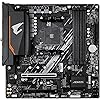
GIGABYTE B550M AORUS Elite AX (rev 1.3) AMD AM4 mATX Motherboard, Supports Ryzen 5000/4000/3000 Processors, DDR4, 5+3 Power Phase, 2X M.2, PCIe 4.0, USB 3.2, WIFI6E, GbE LAN, Q-Flash Plus, RGB Fusion

Based on 575 reviews
Condition: New
Checking for the best price...
$139.99
Save $157.00 was $296.99

Buy Now, Pay Later


As low as $23.33 / mo
  • – 6-month term
  • – No impact on credit to apply
  • – Instant approval decision
  • – Secure and straightforward checkout

Ready to go? Add this product to your cart and select a plan during checkout.

Payment plans are offered through our trusted finance partners Klarna, Affirm, Afterpay, Zip, Apple Pay, and Google Pay. No-credit-needed leasing options through Acima may also be available at checkout.

Learn more about financing & leasing here.

Selected Option

Free shipping on this product

FREE 30-day refund/replacement

To qualify for a full refund, items must be returned in their original, unused condition. If an item is returned in a used, damaged, or materially different state, you may be granted a partial refund.

To initiate a return, please visit our Returns Center.

View our full returns policy here.


Availability: In Stock.
Fulfilled by Amazon

Arrives Sunday, Nov 1
Order within 16 hours and 21 minutes

Available payment plans shown during checkout

Protect Your Purchase

Easy claims online, fast replacements, no fees

Checking for protection plans...

At a glance

Condition
New
Style
B550M|AE|M.2 x2|WIFI6
Size
mATX
Model
B550M AORUS ELITE AX
Storage
128 GB
CPU Socket
Socket AM4
RAM Memory Technology
DDR4
Warranty
3 Years Manufacturer
Works with
Personal Computer

Features 8

  • AMD Socket AM4: Ready to support AMD Ryzen 5000/4000/3000 Series Processors.
  • Enhanced Power Solution: Pure Digital 5+3 Power Phase with premium chokes and capacitors for steady power delivery.
  • Advanced Thermal Armor: Enlarged MOSFET heatsink for better heat dissipation. Integrated I/O shield for quicker PC DIY assembly.
  • Boost Your Memory: Compatible with DDR4 and supports 4 DIMMS with Extreme Memory Profile support.

Description

GIGABYTE B550M AORUS ELITE AX motherboards maximize your PC's potential with AMD StoreMI technology. StoreMI accelerates traditional storage devices to reduce boot times and enhance the overall user experience. This easy-to-use utility combines the speed of SSDs with the high capacity of HDDs into a single drive, enhances the read/write speeds of the device to match that of SSDs, bolsters data performance for great value, and transforms the everyday PC to a performance driven system.

Specs 31

Brand GIGABYTE
CPU Socket Socket AM4
RAM Memory Technology DDR4
Compatible Processors AMD Socket AM4
Chipset Type AMD B550
Memory Clock Speed 4733 MHz
Platform Windows 10, Windows 11
Model Name B550M AORUS ELITE AX

Frequently asked questions

If you place your order now, the estimated arrival date for this product is: Sunday, Nov 1

Yes, absolutely! You may return this product for a full refund within 30 days of receiving it.

To initiate a return, please visit our Returns Center.

View our full returns policy here.

  • Klarna Financing
  • Affirm Pay in 4
  • Affirm Financing
  • Afterpay Financing
  • Zip Pay in 4
  • Financing through Apple Pay
  • Financing through Google Pay
Leasing options through Acima may also be available during checkout.

Learn more about financing & leasing here.

Top Amazon Reviews


Great AM4 Motherboard
This board has worked perfectly for a budget Ryzen 5 5600GT build. The board arrived in brand-new condition (Some reviews expressed otherwise) and worked the first time without any issues. The VRM's are very high quality and have no problem with thermals because of the large heatsink. The wifi is very fast and I had no issues installing all the necessary drivers needed for this new build. The BIOS is probably my favorite part of this board. I have never used a gigabyte motherboard before (Always ASUS or MSI in the past) but this is making me reconsider those choices. It is so much easier to adjust the fan curves and update the bios on this board compared to the competition it makes my head spin. You can even save fan curves so they won't just vanish when you update BIOS which is something I've never had the luxury of doing on MSI boards. The fan stop feature is also another no-brainer feature that MSI and ASUS just don't seem to have on the boards I've used for some reason. It allows you to make a fan completely stop under a certain temperature even if it isn't a zero RPM fan which is AMAZING. I strongly recommend this board! ... show more
Reviewed in the United States on May 28, 2024 by JT

Good motherboard, wifi a little complicated but overall really good
good motherboard
Reviewed in the United States on April 5, 2025 by Amaury

great AM4 board for a good price
I'm more used to MSI boards but this gigabyte turned out to be really good too. The BIOS options are a bit cluncky compated to MSI but they mostly get the job done. I like to undervolt for better heat control and the manual settings and PBO work good, not sure why the same settings show up all over the BIOS. I like that there are 3 x16 PCIe slots that are spaced apart, most boards have smaller slots and/or they are spaced at 1 slot spacing. ... show more
Reviewed in the United States on May 2, 2024 by derekdal

Great board for my rig, with some cons though...
I've never been to finicky with the visual presentation of my board, whether it be more stylish and sleek or conventional and industrial looking. Performance and ease of use are above all else. This board succeeds with the former, but can be lackluster with some of the latter. Physical installation was a breeze, but the same cannot be said about Gigabyte's proprietary software application. While the BIOS is inoffensive and easy to use, the Control Center app is an absolute nightmare. GCC tries at every opportunity to override every other first-party software dedicated to hardware control. I removed Gigabyte Fusion entirely because custom color selection from the software wasn't remotely accurate to what displayed on hardware ARGB. Even after removing everything related to Fusion in my system registry, just running GCC in the background caused hardware ARGB to flicker, and would break my PWM settings even though I don't have any other fan control software installed. I eventually just disabled GCC altogether, and even still, the Update Service will sometimes self-launch in the background randomly and inconsistently upon startup every now and then. The real pain, however, was the onboard wireless adapter. Every single component got the necessary firmware and drivers they required via LAN upon my first boot...EXCEPT the wireless adapter. I tried over and over to manually install the latest drivers listed on Gigabyte's own website, and it still would not function. It took reinstalling a wireless card for Windows to even bother retrieving the driver automatically. The adapter was now functional, but wouldn't detect 5G networks. It took hours of browsing tech forums before being directed to an off-site forum hosting Realtek drivers, then trial-and-error through downloading and attempting to manually install a few compressed packages from there before finally getting the device manager to recognize one of them and successfully install it. My last gripe would be the front-panel USB 3.0 hub location. I have no idea why Gigabyte thought it'd be great placing it right where most people would install their card in the lower PCIE port to give their storage devices some breathing room. All PC cases I've owned had beefy 3.0 plugs that need additional space lest you bend and damage either the pins, board or cable. Thankfully I'm not entirely dependent on having the front panel USB ports, but it would be nice to have them working for my leisure. All that being said, I can't complain too much or really dissuade anybody from getting this board. So as long as you avoid GCC like the plague and configure your preferred performance settings in the BIOS, it gets the job done. CPU and air cooler are snug and firmly sit, RAM runs well, all my temps are read correctly and my SSD has room to breathe. I only wish Gigabyte tech support was more helpful and informative than some obscure tech forum sites. ... show more
Reviewed in the United States on March 31, 2024 by BTL BTL

Need to download drivers
no wifi have to use ethernet to get drivers for wifi other then that board is easy to build with. just download gigabyte control center for drivers, and you can also use that to change you rgb.
Reviewed in the United States on May 28, 2025 by Amazon User Amazon User

Used product selling as new
Item was used. Came in an unsealed box, no CPU cover plate, no product guide. WiFi antenna packed inside static shield with motherboard.
Reviewed in the United States on May 28, 2025 by Letitia Manuel
Checking for best price...